Ryan Christoffel

991 posts on MacStories since November 2016

Ryan is an editor for MacStories and co-hosts the [Adapt](https://www.relay.fm/adapt) podcast on Relay FM. He most commonly works and plays on his iPad Pro and bears no regrets about moving on from the Mac. He and his wife live in New York City.


Google Introduces YouTube Premium and YouTube Music Subscription Services, Retires YouTube Red Moniker

Google seems to have an affinity for constantly rebranding its products, and today is the latest example of that. Soon, YouTube Red will be replaced by the more costly $11.99/month YouTube Premium service – the good news is that Premium members will get all the benefits of YouTube’s new Music service thrown in too. And if you’re an existing Red subscriber, or sign up quickly before Premium launches, you can lock in the existing $9.99 monthly rate and still get all the benefits of Premium and Music.

YouTube Music is Google’s attempt at taking on streaming services like Apple Music and Spotify directly. Launching May 22nd, YouTube Music will have both a free tier and a paid, $9.99/month option. The main focus here is the paid plan though, as it will be the only way to enable background listening – a pretty important feature for music. Paid subscribers will also benefit from downloads and ad-free listening.

YouTube Music will launch with a new mobile app and desktop player, and use Google’s intelligence to power advanced search capabilities and an aggregation of different song versions you may not find elsewhere. In a confusing move, Google Play Music will continue to exist as a separate service from YouTube Music, but if you’re a subscriber to the former, you get the latter service at no extra cost.

As someone who uses YouTube regularly, but not enough to justify a Red subscription, the new Premium plan definitely seems like a more attractive all-around product, despite the price hike: you get a full-fledged music streaming service, YouTube Originals, and a better viewing experience on the largest video source in the world thanks to downloads, no ads, and background playback, all for $11.99. Spotify and Apple Music subscribers may be content with their chosen services for now, but if YouTube Music truly does become a legitimate contender in the streaming market, it will be hard to resist the allure of YouTube Premium for all the extra perks it offers.

At launch, YouTube Music and Premium will be available in the United States, Australia, New Zealand, and Mexico, and they’ll arrive shortly thereafter in Austria, Canada, Denmark, Finland, France, Germany, Ireland, Italy, Norway, Russia, Spain, Sweden, Switzerland, and the United Kingdom.


Apollo 1.2 Is Packed With Redditors’ Feature Requests

Today a big update launched for Apollo, the Reddit client for iOS that I once said “may just be the best designed social feed app I’ve ever used.” Version 1.2 isn’t focused so much on major new features, but instead a huge wealth of small improvements based on feedback from the Reddit community that make for an even more delightful user experience.

Apollo’s new Jump Button is a quick way to jump between top-level comments and save yourself some scrolling. Progress bars for GIFs and video runtimes on thumbnails provide a better sense of context when browsing. There are new settings options to change which browser links open in, to view videos directly in the YouTube app, and more. And lots of under-the-hood tweaks simply make the app faster and more responsive than ever before.

For a visual peek at these changes and more, developer Christian Selig put together a great video, linked below. The full 1.2 release notes are available on the App Store, and in Selig’s launch post on Reddit.

Permalink

Google Introduces News App for iOS to Replace Newsstand

Yesterday at the keynote for Google’s I/O developer conference, the company introduced a News app launching soon for iOS and Android, which will replace the existing Google Play Newsstand app. The app is rolling out some time in the next week, but here are the highlights for what it’ll contain.

Like Apple News, the landing page for Google News is called For You, which is where Google aggregates stories based on your interests. The second tab, Headlines, is strictly about the biggest stories in the world each day. These stories will be the same for everyone within a given geographic region, with no personalized curation at all. Finally, Favorites and Newsstand give you quick access to the publishers you follow, including the ability to subscribe to publications from directly within the app.

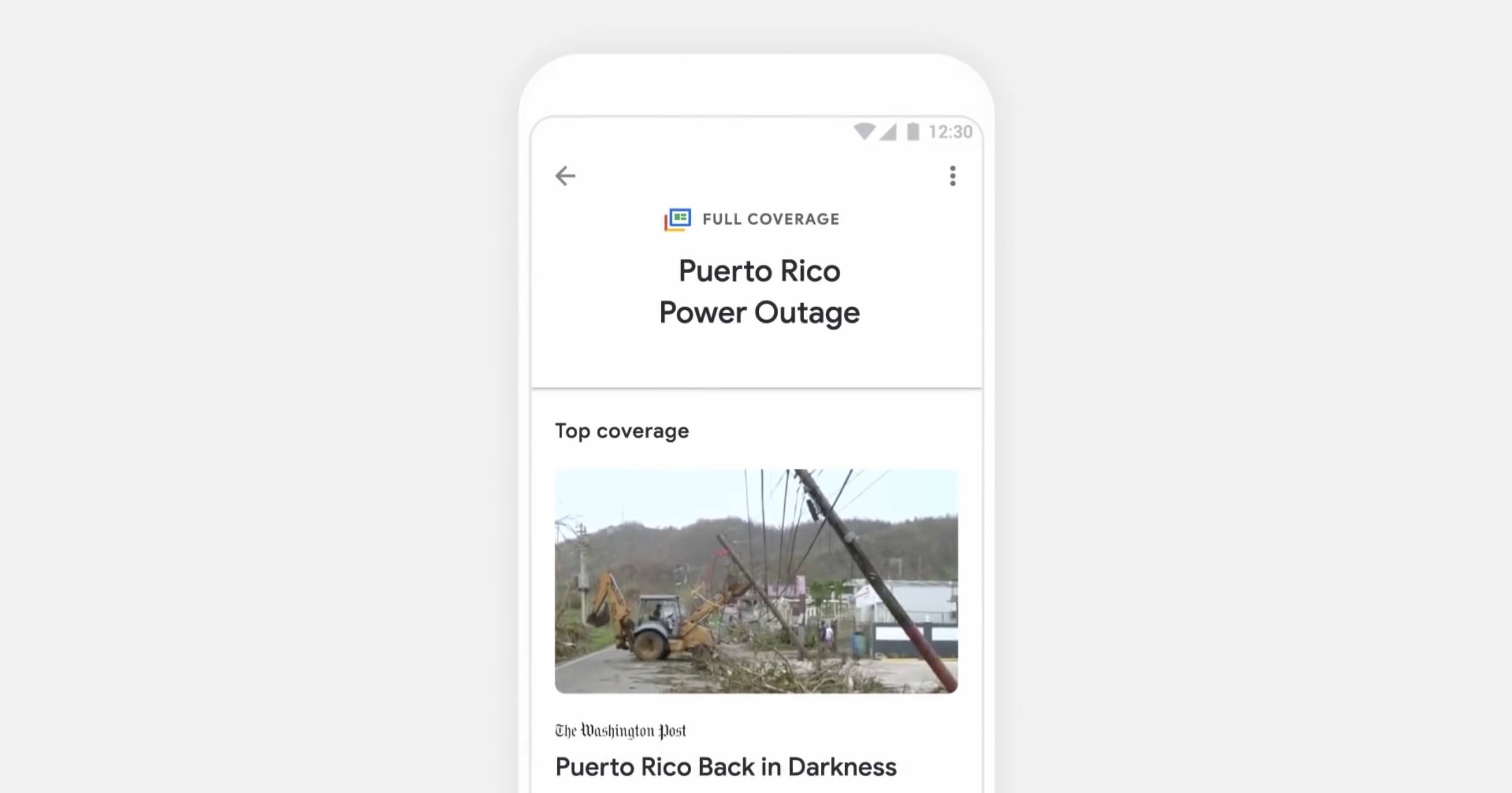
For the most part, Google News is a close imitation of Apple News – it has a similar layout, and a similar design with white backgrounds and a heavy focus on photography. The way it best differentiates itself is a feature that I think is the highlight of the app: Full Coverage. When you’re reading a story and want to gain more insights and perspectives on the same topic, tapping the ‘Full Coverage’ option opens a view that aggregates a wide array of sources covering a variety of angles on that story. It’s one way Google is aiming to promote solid journalism while gently combating filter bubbles. Based on the examples that have been shown so far, Full Coverage will list stories on an event timeline, offer answers to frequently asked questions about an event, highlight tweets and opinion pieces, fact checks, videos, and more. It’s meant to be a comprehensive overview of a given story, and I think it looks fantastic.

It’s unclear how widely available Full Coverage will be throughout the app, but we can assume that the most significant news events at least will include a Full Coverage component to them. Google demoed one Full Coverage story focusing on the Puerto Rico power outage situation.

Despite being different in execution, Full Coverage is similar in spirit to the Spotlight tab in Apple News: both aim to provide substantive overviews on a given topic by aggregating a variety of sources. While Spotlight is updated daily to cover a new topic, I appreciate Google’s approach with Full Coverage because it will make those aggregated pages more accessible and relevant to readers. I love Spotlight and check it regularly, but it’s frustrating that Spotlight stories can only be accessed the day they’re published. Apple should take a note from Google News’ playbook and start offering links to previous Spotlight features at the bottom of related stories.


Streets 4 Adds Drag and Drop, Live Panorama Mode, and iPhone X Support

Last week my wife and I ventured to New York City for a vacation, and in the time leading up to that we planned out our agenda with the help of Google Street View. Unfortunately, our planning took place just a couple weeks too early to benefit from the newly released Streets 4 by FutureTap.

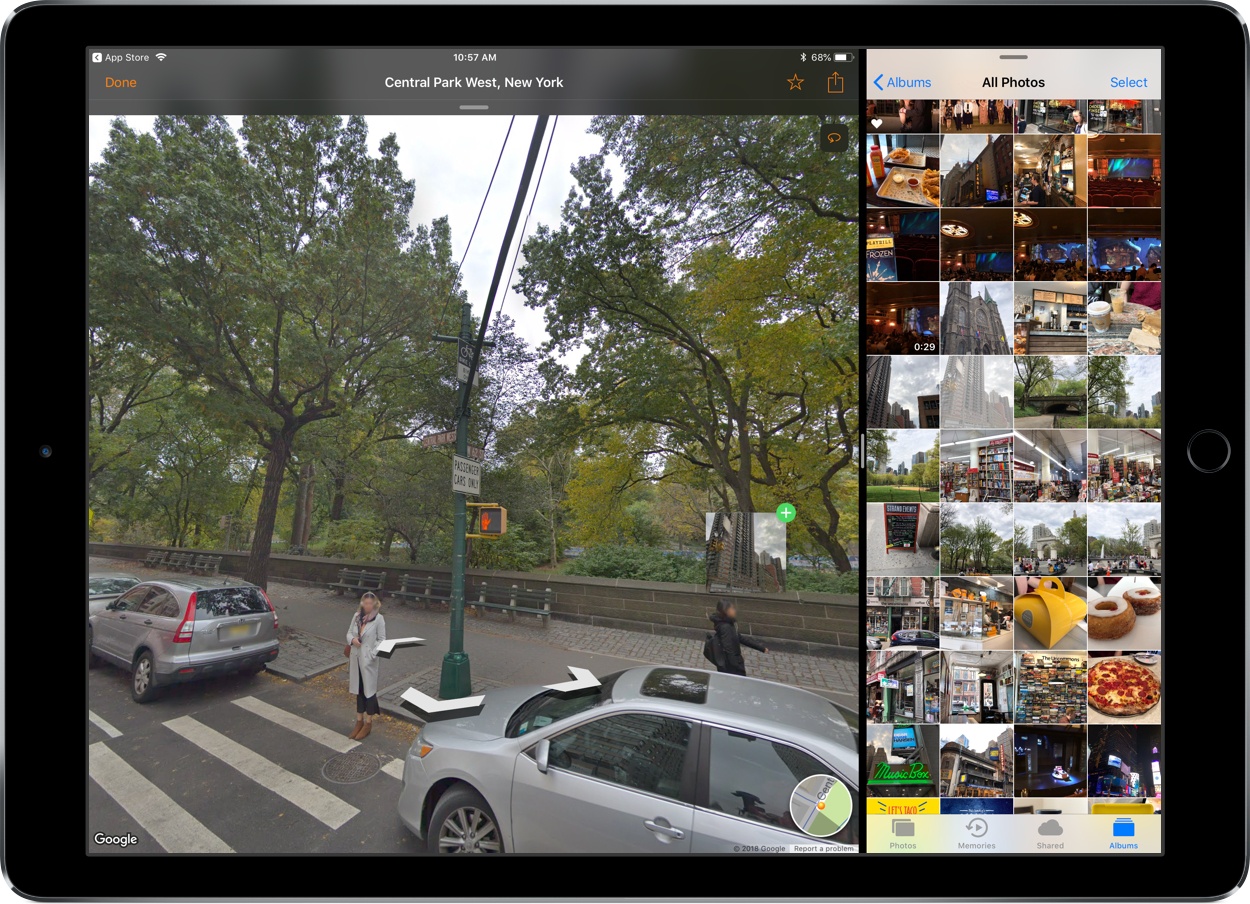
Streets is an iOS and watchOS app John reviewed upon version 3’s release. It provides an immersive, touch-friendly way to navigate Google’s Street View data. And in version 4, that experience has been upgraded with drag and drop support on iPad, a new Live Panorama mode, and optimization for the iPhone X’s display.

Drag and drop enables you to drop in a location from Apple Maps, a contact that includes an address, or any other linked address to load up nearby panoramas in Streets. My favorite feature enables dropping in any geotagged photo, which Streets will identify the location of so it can show you existing 360º images of the same or a nearby area – an easy way to discover great captures from other photographers.

Live Panorama mode can be toggled on by tapping the rotating circle icon in the top-right corner. Once activated, it offers a new interaction method for exploring street views. Rather than swiping around on the screen, simply move your device in the space around you and the visible street view area will change with your motion.

Whether you’re planning some time away, or simply want to explore the world from the comfort of your couch, Streets is the best way to do so on iOS.

Streets 4 is available on the App Store.