

Ever since Apple Notes gained reliable syncing as part of its big revamp in iOS 9, I’ve been all-in with the app. The way it looks has long been a turnoff for me, but its speed and simplicity have prevented me from ever giving it up – not that I haven’t tried. Following the...
 Board Games for iOS, Vol. 6
7 Wonders 7 Wonders, the analog version, has seen a lot of play time amongst my friends and family. One of the main reasons for that is that it can be played with up to seven people at once, and doesn’t slow down when high numbers of players are involved. Each round in...
Pretext: Files-Rooted Simple Markdown for iOS
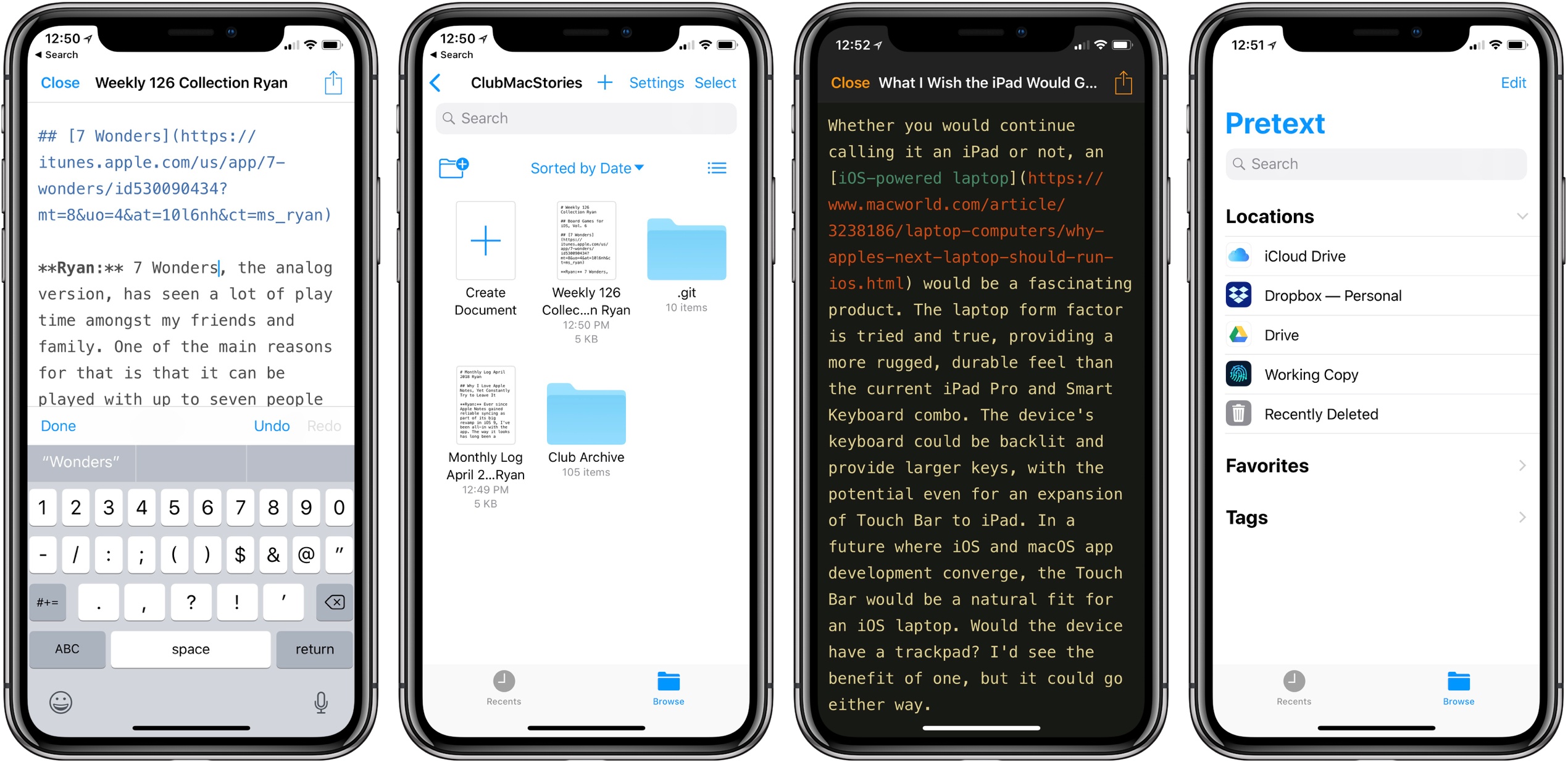
Last month I was delighted to discover a new plain text editor for iOS, Textor, that focused simply on the basics of text editing. Though I valued Textor’s minimalism, one feature I did miss was support for Markdown styling. This hasn’t been added to the app since then, but fortunately, I no longer have to wait for it; a new app just launched that’s essentially Textor with Markdown, and its name is Pretext.
Pretext integrates directly with iOS 11’s Files app, making it easy to create or edit Markdown and plain text files stored across any of your file providers. Open the app and you’ll see a document browser for choosing a file to edit; alternately, you can create a new file by hitting the plus button in the top-right. If you’re creating a new file, Pretext asks you to set a file name, with the option of automatically prepending the date to it, and you can choose to make it either a .md or .txt file.
While the simplicity of Pretext’s “just you and the text” environment is its greatest strength, the app does offer a few specific features that are of benefit to Markdown writers especially. First is the great keyboard shortcut support: all the basics of Markdown syntax can be done with a quick shortcut, including tasks like link insertion; because of this, Pretext offers one of the most efficient means of adding links to an article. The remaining few features of the app are found by hitting the share icon during editing, which offers access to the share sheet, the app’s settings screen, and previewing your Markdown file as HTML – the latter is especially useful for anyone who publishes their work online. Options in settings include tweaking the text size, switching themes from light to dark, and a couple alternate app icons.
I’ve been using Pretext in beta for the last few weeks to edit Markdown files shared by other MacStories collaborators in Working Copy, and the app has been exactly what I need. I can open Pretext, make my edits aided by visual Markdown styling and keyboard shortcuts, and preview the finished product as HTML. All changes are then saved directly in the file’s source.
Pretext is a simple utility, and isn’t going to replace Ulysses for me as a daily driver, but for some people it legitimately could. Too often writing apps are overly complicated, and Pretext focuses on offering just what a writer needs: space, and a few key tools to aid the writing process.
Pretext is available as a free download, with a $0.99 In-App Purchase unlocking the app’s dark theme and alternate icons.
Google Launches New ‘Tasks’ App for iPhone
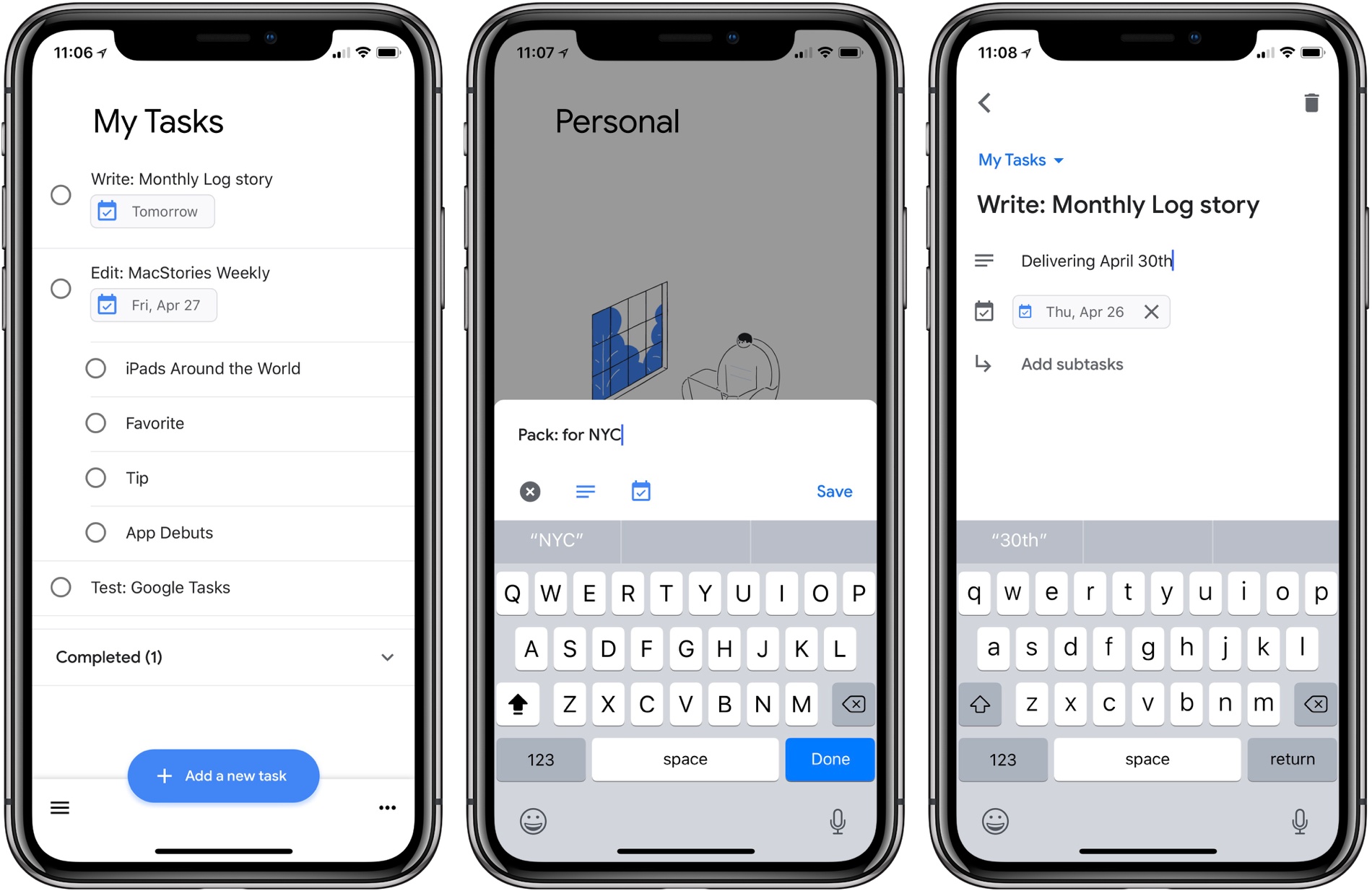
Google Tasks is a service many Google users may be unfamiliar with. Historically it’s been a somewhat hidden feature of Gmail and Google Calendar, but today alongside a redesign of Gmail, Google is helping Tasks break out and receive slightly better treatment with the launch of a new iPhone app.
I have to say up front: if this app wasn’t a Google property, tied to an existing Google service, it likely wouldn’t merit much attention. Essentially it’s a barebones home for task lists, with a couple small task manager-like functions. Each task you create can include additional details in a note area, be assigned a due date, and can include embedded subtasks. And that’s basically it. You can create multiple lists to store your tasks, but there’s not even a smart list that consolidates all your tasks containing due dates.
Ultimately, this is an extremely lightweight task manager that makes Apple’s Reminders, its closest analog, seem like a heavy duty task powerhouse by comparison. Rita El Khoury of Android Police sums it up well in her take on the Android app:
https://twitter.com/dcseifert/status/989144268005658624
I struggle to see who Tasks is for with this first version, and hope it’s quickly iterated upon. If you’re deeply invested in the Google ecosystem, and have very minimal task needs, but want something integrated with Google’s other products, I guess Tasks could be for you. But only on the iPhone; there’s no iPad version at this time.
Google Tasks is available as a free download on the App Store.
Spotify Announces Improvements to Mobile App for Both Free and Paid Tiers→
Today Spotify held an event in New York City where it announced several changes to its mobile app that impact users of both free and paid tiers of the service. Jordan Crook reports for TechCrunch:
Spotify’s…free tier has always limited users to shuffle. With the new version, users can listen on-demand to whatever song they want, as many times as they want, as long as those songs appear on one of the 15 personalized discovery playlists like Daily Mix, Discover Weekly, Release Radar or Today’s Top Hits.
Considering the breadth of Spotify’s discovery playlists, the ability to choose songs from those playlists on-demand is a significant change. Crook also mentions how machine learning is being used not just to impact the quality of those discovery playlists, but also, now, to help users make better playlists themselves. This new feature, called “assisted playlisting,” aids in playlist creation by recommending songs below the search field that are similar to the songs you searched for.
Another noteworthy change is that Spotify introduced a new “data saver” mode for its app that reportedly cuts data use by up to 75% when streaming music. This feature is available to all users, but it’s particularly beneficial to free tier users who don’t have the option of downloading songs for offline playback.
Each of these updates are currently being rolled out to all users of the Spotify app; it’s unclear if an App Store update will be necessary, or if the changes will all be server-side.
Unlike Apple Music, which only exists as a paid service, Spotify has the challenge of balancing the features of its paid and free tiers in a way that satisfies free users, while simultaneously encouraging them to upgrade. Today’s improvements seem to do a great job of that by leveraging one of Spotify’s strengths over Apple Music – machine learning-powered personalized playlists. The deeper invested you are in teaching the service your likes and dislikes, the more likely you are to eventually become a paid Spotify user rather than jumping ship to Apple Music.
iOS Photo Editing Tricks
I can’t tell you how many times I’ve edited pictures using Apple’s Photos app on iOS, yet here we are in 2018 and I’m still discovering new tricks – two in particular that have stuck with me. Cropping Options: Cropping is by far the most common edit I make to images, and I always...
GoodTask

I’m a big believer in the benefits of staying in the Apple ecosystem as much as possible. I don’t do it for arbitrary reasons, and will quickly use alternative apps and services when they offer a better overall experience, but often it’s simply hard to beat Apple’s integrated approach to its products. A service...
Dropbox iOS App Receives Drag and Drop Support, Fullscreen iPad Navigation
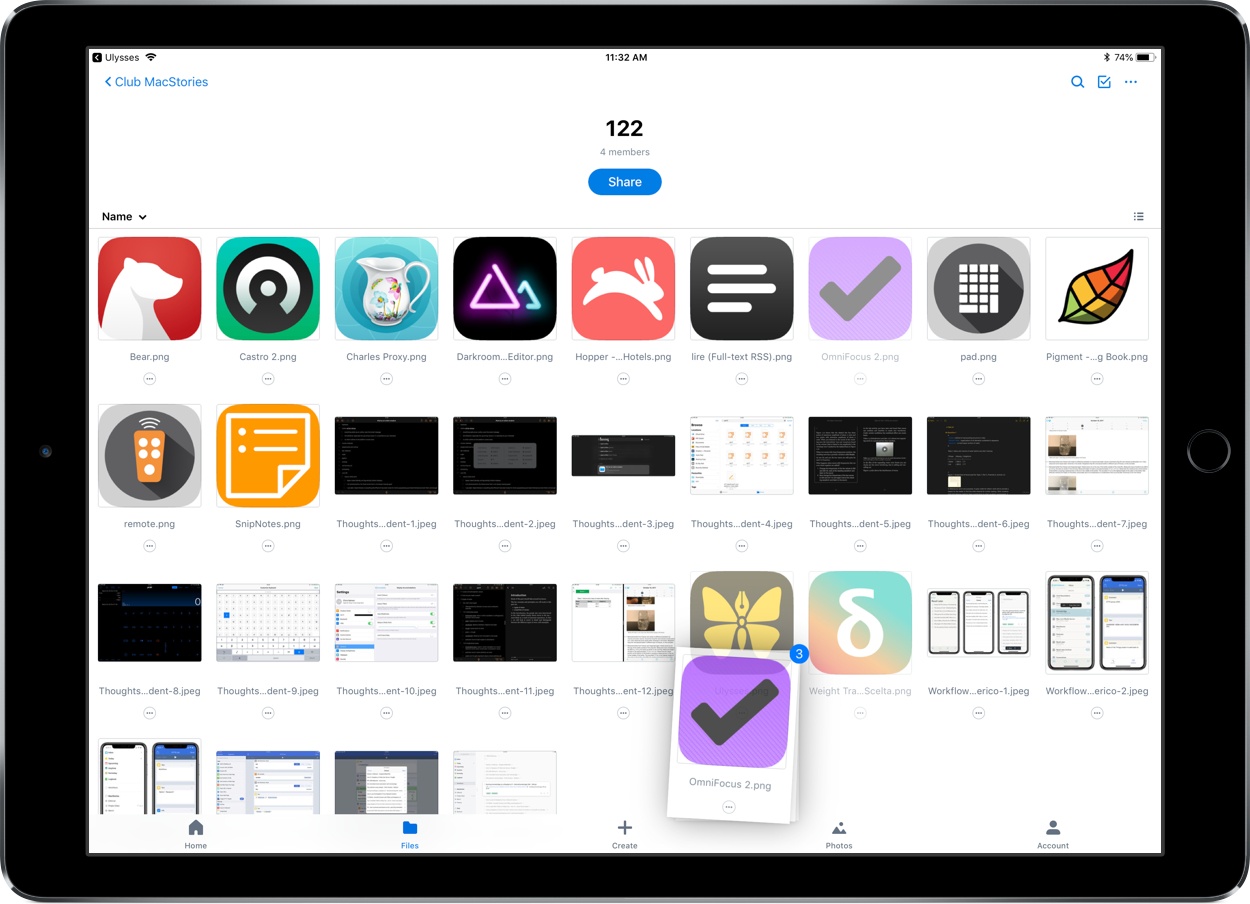
The latest version of Dropbox for iOS includes some nice improvements, the most noteworthy of which is drag and drop support.
Now if you need to add files to your Dropbox from another app, you can just pick them up and drop them right into the Dropbox app in exactly the folder you want. Equally exciting to me personally is that you can also use drag and drop for file management inside the app – just tap and hold on a file or folder and it will lift from its place, letting you drag it around and move it to other locations inside the app. I’ve always felt Dropbox’s method of moving files required too many taps, so drag and drop is a perfect solution for that. Also, I’m happy to report that file moving via drag and drop works on both iPad and iPhone.
Drag and drop capabilities have technically been available already for Dropbox users via managing your documents in Apple’s Files app, but if you need or simply prefer to use Dropbox’s own app, these are great features to have.
Another change in today’s update is that on the iPad, you can now close the file previewing pane to get a fullscreen browsing experience with your files – just hit the X in the upper left portion of the preview pane to get fullscreen navigation. I find that this feature is especially helpful when you’re using the grid view for files, but it could also be of benefit in list view if you have a lot of long file names that will no longer be truncated.
The app’s release notes also state that there is improved previewing and new text editing abilities for more than 120 file extensions, but the specifics of those extensions are unknown. I was hoping one of them would be Markdown (.md) files, but unfortunately those still can’t be edited in-app.
Despite the fact that Dropbox users can now do most document management inside the Files app, Dropbox continues to improve its app and make it a solid option for those who prefer not to use Files.
Microsoft To-Do

What should a company do when acquiring a hit productivity app? Often organizations acquire an app and continue letting it run somewhat independently. Maybe the app will receive special integrations with the company’s other products to help make it better than before. Ultimately though, its transition of ownership is fairly smooth. Other times, the...