Q&A
Q&A
...

 Q&A
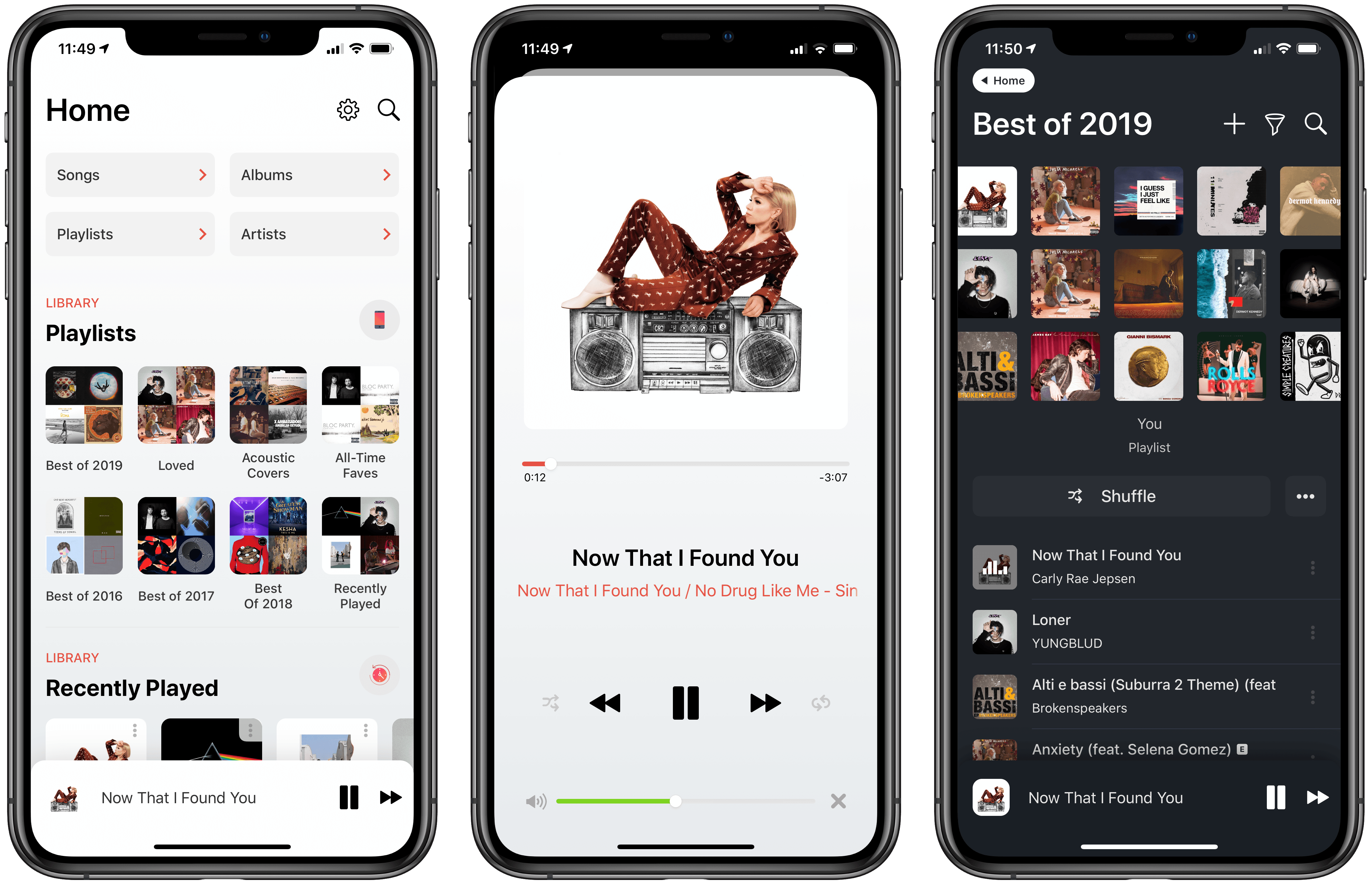
Q&A Soor, a third-party client for Apple Music created by indie developer Tanmay Sonawane, is based upon a fascinating premise: unlike other standalone music players for iPhone, Soor works with Apple’s native MusicKit API, enabling direct integration with Apple Music; unlike Apple’s Music app though, Soor prioritizes one-handed gestures, user customization, and a single-page design that packs multiple sections into one view. In theory, Soor should be the optimal blend of two different worlds – a third-party music player with its own aesthetic and stylistic choices combined with Apple Music data and the service’s vast streaming catalog. In practice, while Soor has some solid ideas I’d like to see in Apple Music too, and despite its intriguing visual design, the app doesn’t qualify as a complete replacement for the Music app on iPhone.
After skipping follow-up, Myke and Federico try to explain the new USB branding, discuss fingerprint sensors and the merits of Evernote in 2019, and wish for apps that don’t exist (but should).
On this week’s episode of Connected, I share more details about my Evernote experiments as well as an idea for an app I’d like to exist. You can listen here.
Sponsored by:
Juli Clover, writing for MacRumors about the latest rebrand in USB spec land:
The USB Implementers Forum (USB-IF), this week announced a rebranding of the USB 3.0 and USB 3.1 specifications, under the USB 3.2 specification. As outlined by Tom’s Hardware, USB 3.0 and USB 3.1 will now be considered previous generations of the USB 3.2 specification.
Going forward, USB 3.1 Gen 1 (transfer speeds up to 5Gb/s), which used to be USB 3.0 prior to a separate rebranding, will be called USB 3.2 Gen 1, while USB 3.1 Gen 2 (transfer speeds up to 10Gb/s) will now be known as USB 3.2 Gen 2.
It gets better though:
If the swap between USB 3.1 Gen 1 and Gen 2 to USB 3.2 wasn’t confusing enough, each of these specifications also has a marketing term. The new USB 3.2 Gen 1 with transfer speeds up to 5Gb/s is SuperSpeed USB, while USB 3.2 Gen 2 with transfer speeds up to 10Gb/s is known as SuperSpeed USB 10Gbps. The USB 3.2 Gen 2x2 specification with transfer speeds up to 20Gb/s is known as SuperSpeed USB 20Gbps.
Make sure to check out the comparison table on MacRumors to admire the full extent of these changes.
As someone who’s been experimenting with USB-C accessories compliant with the USB 3.1 spec over the past few months, I can’t even begin to stress how confusing for the average consumer all of this stuff can be. It took me days to wrap my head around the differences between the physical USB-C connector, the underlying specs it can support, and the DisplayPort compatibility mode – and I do this for a living. In my experience, if you’re looking to buy modern USB accessories compatible with an iPad Pro or MacBook Pro, you’re better off looking for a technical spec label rather than the “friendly names” such as “SuperSpeed”, which manufacturers often fail to mention in their spec sheets.
Until today, if you wanted to buy USB-C accessories supporting the highest data transfer rates on the 2018 iPad Pro, you had to look for devices compliant with USB 3.1 Gen. 2; with today’s rebrand, the 2018 iPad Pro supports USB 3.2 Gen. 2 for transfers up to 10 Gbps, but not the similarly-named USB 3.2 Gen. 2x2. I’m sure this is going to be so easy to explain to someone who’s looking for the “fastest” USB-C cable for their iPad Pro.
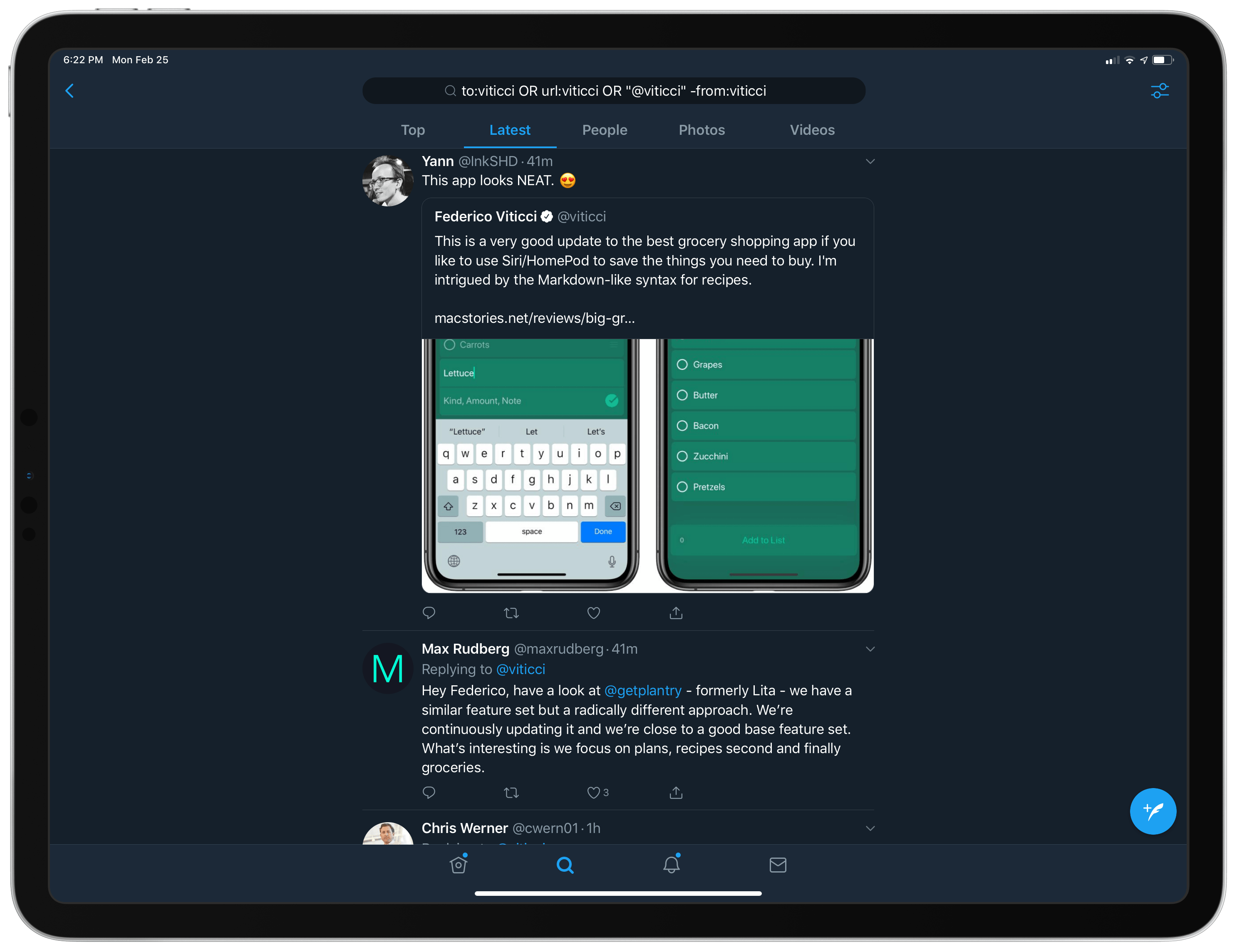
Every few months, I like to use Twitter’s official app for iPhone and iPad for a while and reassess its advantages over third-party clients, as well as its shortcomings. This is something I’ve been doing for several years now. While I’ve often come away unimpressed with Twitter’s native offerings, switching back to Tweetbot or Twitterrific after a couple of days, it’s been a week since I started using the official Twitter app on my iPhone and iPad again and I don’t find myself craving Tweetbot’s UI design or timeline as much as I thought I would.
 App Trends
EverSafari: A Shortcut to Save Safari Webpage Links in Evernote
App Trends
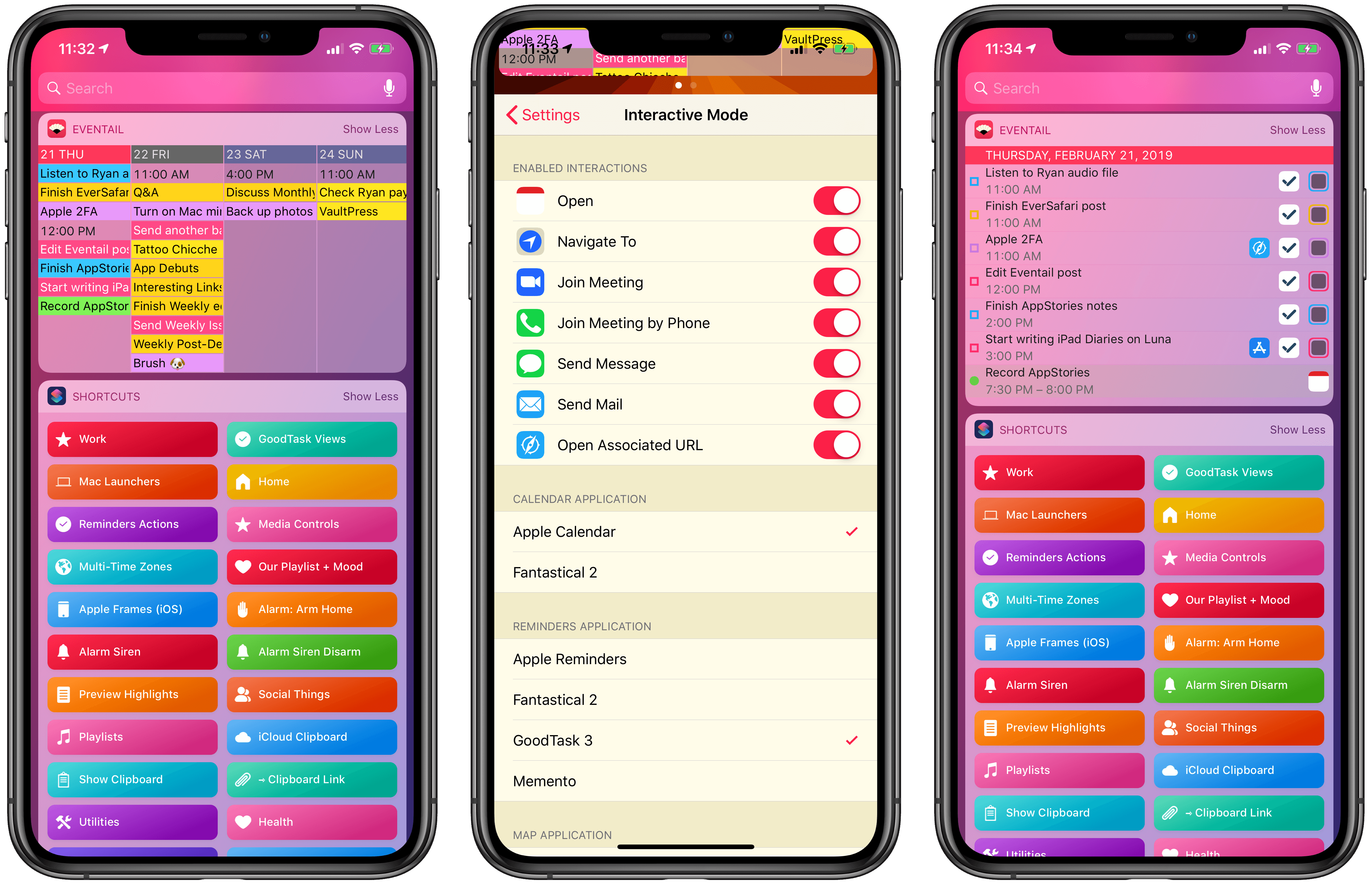
EverSafari: A Shortcut to Save Safari Webpage Links in Evernote I last covered Eventail in April 2018, when its developer Jozef Legeny brought support for the iPhone X and new color schemes to his compact calendar widget for iPhone and iPad. With version 3.1 released today, Eventail (which over the past year also gained support for overdue reminders and interactive mode) is adding integrations for popular third-party apps and a convenient shortcut to reopen links contained in events and reminders.
The boys dive into a sea of rumors after Federico explores San Jose’s municipal websites, Myke gives everyone a gift and Stephen returns from a journey.
On this week’s episode of Connected, we discuss the latest Marzipan rumors and consider the implications of a 6K display made by Apple. You can listen here.
Sponsored by:
 John
John