Before I get any further, let me tell you that some of what I’m going to say here was already covered by David Sparks in this post from almost six years ago. This was just a year and a half after the “beta” introduction of Siri with the iPhone 4S, and David was pleased with what Siri could do. I like a lot of what Siri can do with dates, too, but there are still some frustrating blind spots and inconsistencies. In fact, with one of David’s examples, Siri isn’t as convenient as it was six years ago.
Context has always been one of Siri’s weaknesses, and that’s where it failed Casey. Any normal human being would understand immediately that a question asked in January about days since a day in December is talking about the December of the previous year. But Siri ignores (or doesn’t understand) the word “since” and calculates the days until the next December 18.
Solid collection of examples of date calculations with Siri by Dr. Drang. As he notes, it’s not that Siri can’t answer complex questions involving dates – it’s that you often have to phrase your questions with an exact syntax that a computer program can understand. This is frustrating because Apple promotes Siri as a smart assistant that can infer context without a refined syntax. I still run into a similar problem with time zone conversions; of course, the old trick I used to rely on no longer works for me unless I preface the question with “Ask Wolfram”.
Stephen, Myke and Federico kick off 2019 with annual predictions, a look at Apple’s recent TV moves and the most amazing Shortcut of all time.
On this week’s episode of Connected, we share our predictions for Apple in 2019. You can listen here.
Sponsored by:
- ExpressVPN: High-Speed, Secure & Anonymous VPN Service. Get 3 months free with a 1-year package.
- Hover: Celebrate Hover’s 10 year anniversary with awesome promotions for a limited time only
- Zola: Sign up and receive a $50 credit towards your registry.
Apple Frames, my shortcut to add device frames to screenshots taken on modern Apple devices, has been updated with support for the 11” iPad Pro and 40mm Apple Watch Series 4. This marks the second major update to Apple Frames, which now supports the following Apple devices:
- iPhone 6, 7, 8, and X
- iPhone XS and XS Max
- iPad Pro 11” and 12.9” (2018 models)
- Apple Watch Series 4 (44mm and 40mm)
- MacBook Pro (Retina 13”)
- iMac 5K
Read more
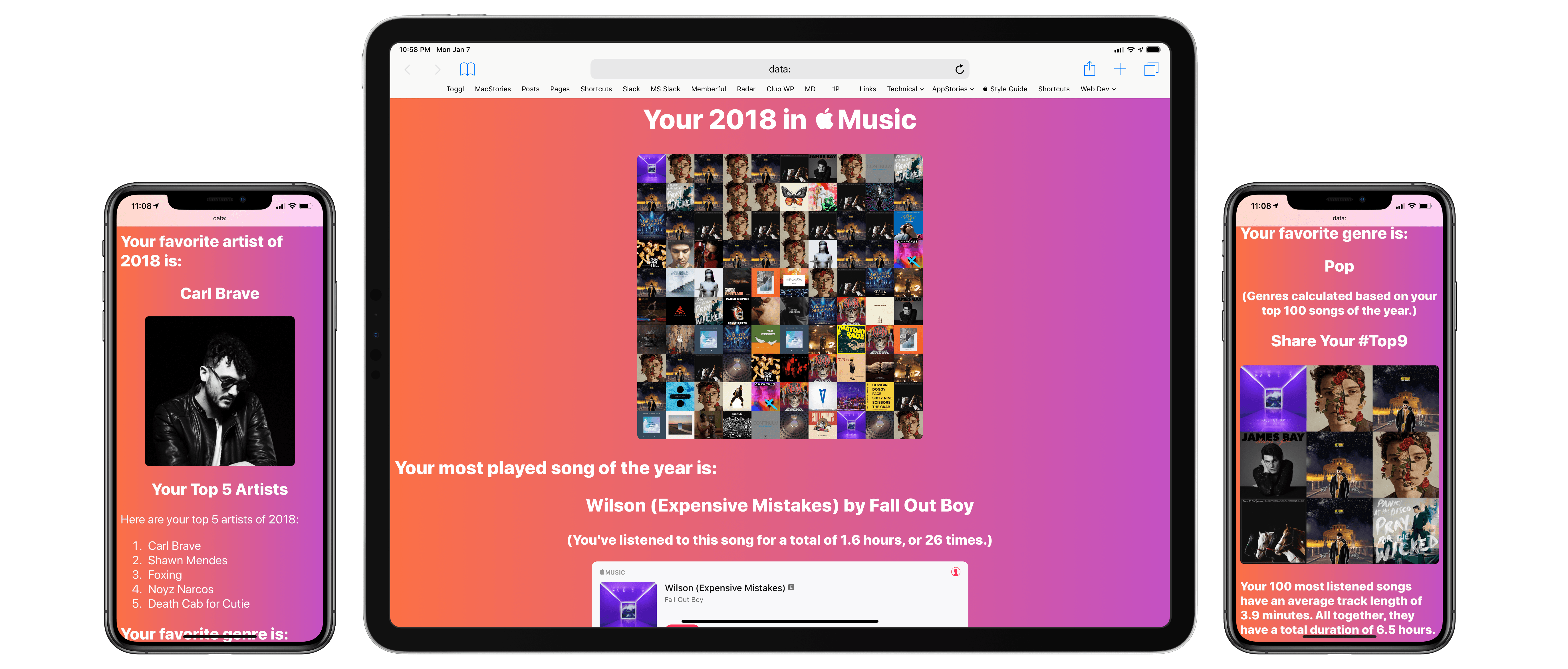
When Spotify was my music streaming service of choice, one of the features I really liked was its personalized Wrapped report generated at the end of the year. I’ve always been a fan of geeky annual reports and stats about the usage of any given web service – be it Spotify, Pocket, or Toggl. I appreciate a detailed look at 12 months of collected data to gain some insight into my habits and patterns.
I’ve always been annoyed by the lack of a similar feature in Apple Music; I’m surprised that Apple still hasn’t added a native “Year in Review” option – a baffling omission given how the company is already collecting all of the necessary data points in the cloud. Official “Apple Music Wrapped” functionality would bolster the service’s catalog of personalized features, providing users with a “reward” at the end of the year in the form of reports and playlists to help them rediscover what they listened to over the past year.
But Apple doesn’t seem interested in adding this feature to Apple Music, so I decided to build my own using Shortcuts. The result is the most complex shortcut I’ve ever created comprising over 540 actions. It’s not perfect due to the limitations of iOS and Shortcuts, but it’s the closest I was able to come to replicating Spotify’s excellent Wrapped feature.
Read more
This week, Federico and John discuss the themes that run throughout their 2018 iOS and Mac must-have apps and what they mean for 2019.
Read more
Jason Snell tested a pre-production unit of the Brydge keyboard for the 2018 iPad Pro (in the 12.9” flavor) and it sounds like this will be the iPad keyboard worth waiting for:
To attach the iPad to the Brydge 12.9 Pro, you slide it into two hinged clips covered with rubber padding. As with previous models, it takes a little practice to get the feel right. My main concern once the new iPad Pro was unveiled was if Brydge would be able to design a clip small enough to only cover the iPad’s much smaller bezels that also held the iPad securely. I’m happy to report that the answer is yes—there’s enough room and once the iPad is attached, the connection feels solid.
The clips are the same size front and back, meaning you can remove the iPad, flip it around, and insert it back into the clips to use the Brydge as a “movie mode” stand, or even fold it down and use it as a double-thick, double-weight tablet. (I don’t really see the appeal, but Brydge says that some customers requested it.)
In a nice touch, the Brydge 12.9 Pro comes with a slight indentation at the bottom of the wrist-rest space (below where a trackpad would be, if it had a trackpad). This creates a natural lifting point to open the “laptop”, which was sometimes tricky on the previous models.
Once I was able to get my hands on a functioning unit of the original Brydge keyboard, I fell in love with the idea of turning the iPad into a “convertible” computer that could work both as a laptop and a tablet. I later upgraded to the second-generation Brydge keyboard and used it until I upgraded to the latest iPad Pro in November. Products like the Brydge keyboard tie into the iPad’s hybrid nature – the multiplicity of input systems and work contexts that make it, as Jason also notes, more flexible than a traditional laptop or desktop computer. I was concerned that the smaller bezels of the 2018 iPad Pro were going to be an issue for a redesigned Brydge keyboard, but it seems like the company has not only worked around the iPad’s new design constraints, but even improved upon previous generations of the keyboard case. I’m going to pre-order one as soon as possible.
A look back at 2018: our predictions and a review of the news that mattered, as well as some that didn’t.
On the final episode of Connected for the year, we look back at all the major Apple news and announcements of 2018. You can listen here.
Sponsored by:
- Pingdom: Start monitoring your websites and servers today. Use offer code CONNECTED to get 30% off.
- PDFpen, from Smile: The ultimate tool for editing PDFs. Click here to learn more.
- Kane 11: Premium socks in precisely your size. Get 20% off your first order.
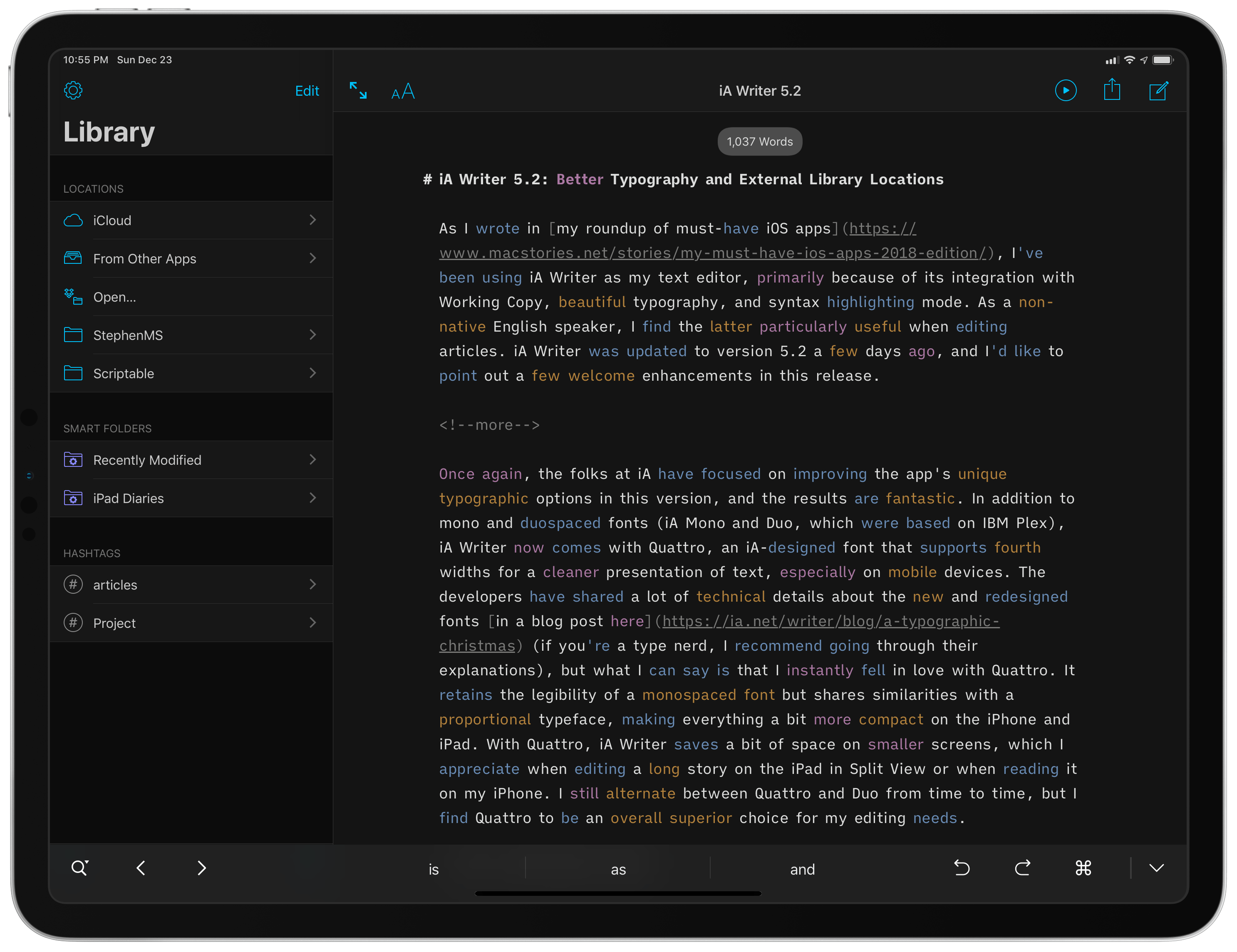
As I wrote in my roundup of must-have iOS apps, I’ve been using iA Writer as my text editor, primarily because of its integration with Working Copy, beautiful typography, and syntax highlighting mode. As a non-native English speaker, I find the latter particularly useful when editing articles. iA Writer was updated to version 5.2 last week, and I’d like to point out a few welcome enhancements in this release.
Read more




 John
John