Federico Viticci

10804 posts on MacStories since April 2009

Federico is the founder and Editor-in-Chief of MacStories, where he writes about Apple with a focus on apps, developers, iPad, and iOS productivity. He founded MacStories in April 2009 and has been writing about Apple since. Federico is also the co-host of AppStories, a weekly podcast exploring the world of apps, Unwind, a fun exploration of media and more, and NPC: Next Portable Console, a show about portable gaming and the handheld revolution.

Fiery Feeds 2 Review

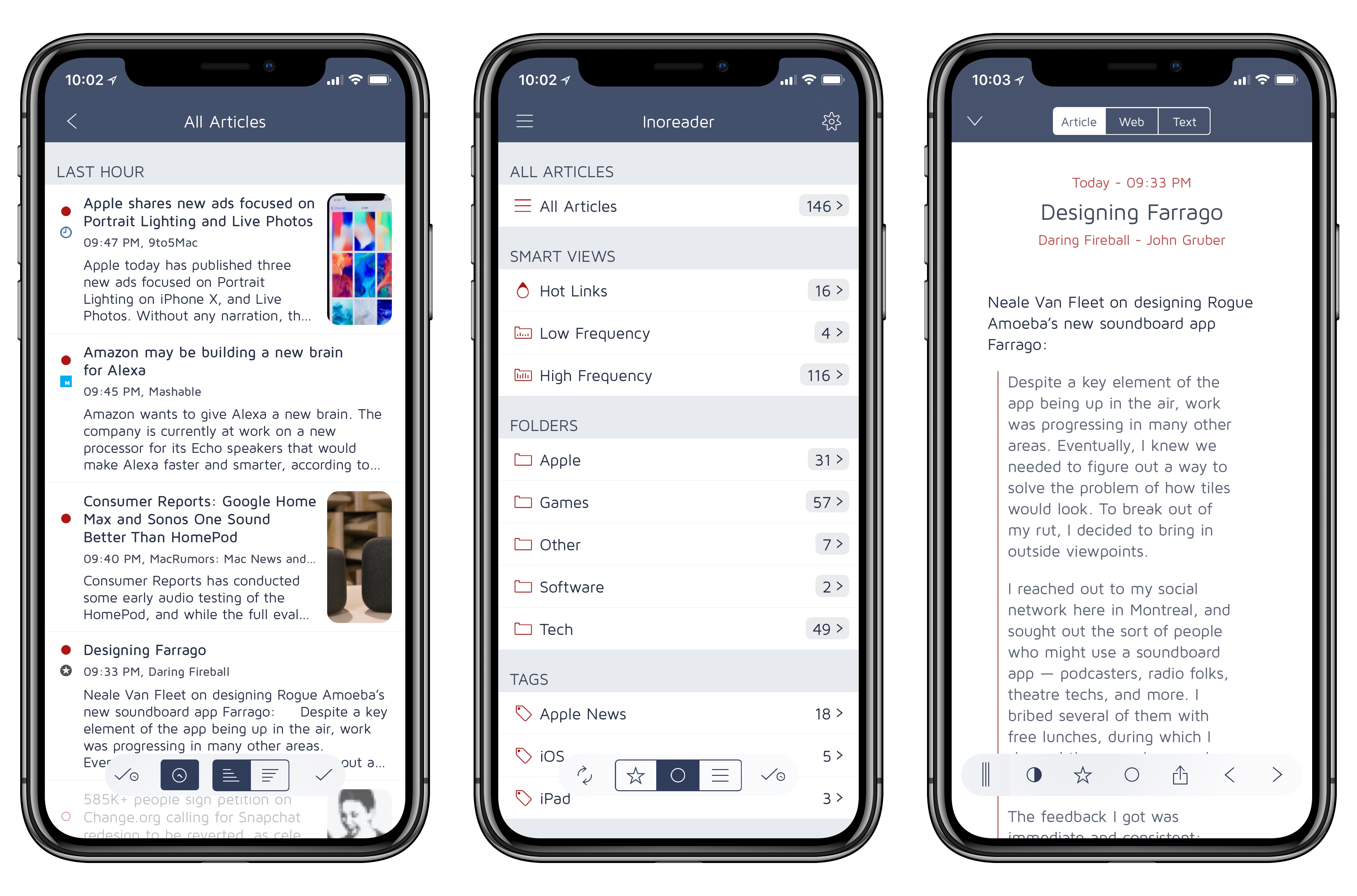
Fiery Feeds, an RSS client developed by Lukas Burgstaller, has long been among the top choices of iOS power users given its integration with multiple RSS services and ability to create custom actions for sharing articles with other apps. In the aftermath of Google Reader’s demise, Fiery Feeds found its niche as a client that supported a variety of modern RSS services and that also catered to users who had been looking for an alternative to Mr. Reader – which pioneered the idea of a highly customizable and extensible RSS app for iOS long before iOS 9 and the iPad Pro.

With Fiery Feeds 2, released on the App Store today, Burgstaller has largely focused on two fronts: modernizing every aspect of the app, and adopting a subscription-based business model that clearly separates features available for free from those exclusively available to paying customers. In the process, Fiery Feeds has grown into a cleaner, more elegant client that looks nicer on iOS 11 and the iPhone X; at the same time, Burgstaller has been able to extend Fiery Feeds’ appeal with a powerful premium-only feature dubbed Smart Views.

The result, while not perfect or as deeply integrated with iOS 11 as lire, is among the best options for RSS clients on the platform.

Read more


RSS Services and Apps

AppStories+ Deeper into the world of apps

AppStories Episode 42 - RSS Services and Apps

0:00
38:52

AppStories+ Deeper into the world of apps

The RSS sync service and reader app landscape makes it difficult to find the perfect combination of features for the way you read the news. Federico and John sift through the many options and highlight what they look for in modern iOS and Mac RSS clients.

Read more


Loup Ventures’ HomePod Siri Tests

Loup Ventures, a US-based venture capital firm, ran a series of Siri tests on the HomePod to evaluate the assistant’s capabilities on Apple’s new speaker. After 782 queries, Siri understood 99% of questions but only answered 52% of them correctly – meaning, Siri on the HomePod failed to answer one out of two questions. I’d love to see a full data set of the questions asked by Loup Ventures, but, overall, it doesn’t surprise me that the Google Assistant running on the Google Home speaker was the most accurate in every category.

While Apple has clearly a lot of work ahead for Siri on the HomePod (this was the consensus of all the reviews, too), it also appears that Siri simply performs worse than other assistants because it doesn’t support certain domains. Here’s Gene Munster (whom you may remember for his Apple TV set predictions), writing on the Loup Ventures blog:

Adding domains will quickly improve Siri’s score. Some domains like navigation, calendar, email, and calling are simply not supported. These questions were met with, “I can’t ___ on HomePod.” Also, in any case that iPhone-based Siri would bring up Google search results, HomePod would reply, “I can’t get the answer to that on HomePod,” which forces you to use your phone or give up on the question altogether. Removing navigation, calling, email, and calendar-related queries from our question set yields a 67% correct response, a jump from overall of 52.3% correct. This means added support for these domains would bring HomePod performance above that of Alexa (64%) and Cortana (57%), though still shy of Google Home (81%). We know Siri has the ability to correctly answer a whole range of queries that HomePod cannot, evidenced by our note here. Apple’s limiting of HomePod’s domains should change over time, at which point we expect the speaker to be vastly more useful and integrated with your other Apple devices.

Adding new supported domains would make Siri’s intelligence comparable to Alexa (at least according to these tests), but Apple shouldn’t strive for a honorable second place. Siri should be just as intelligent (if not more) than the Google Assistant on every platform. I wonder, though, if this can be achieved in the short term given Siri’s fragmentation problems and limited third-party integrations.

Permalink


Connected , Episode 179: The Tiny Head Pandemic

The boys are joined by Emojipedia founder Jeremy Burge to talk about a rash of App Store rejections regarding the use of emoji. After that, discussion turns to HomePod reviews and the possibilities of watchOS 5.

Another fun episode of Connected this week, with a great discussion about a recent emoji controversy with the Master of emoji himself, Jeremy Burge. You can listen here.

Sponsored by:

  • Linode: High performance SSD Linux servers for all of your infrastructure needs. Get a $20 credit with promo code ‘connected2018’
  • Squarespace: Make your next move. Enter offer code WORLD at checkout to get 10% off your first purchase.
  • Casper: Start sleeping ahead of the curve. Get $50 off select mattresses with the code ‘CONNECTED’.
Permalink

Slack Overhauls Emoji Support Across Platforms

In other emoji-related news, Slack today announced that they’re going to support new emojis (including those from Emoji 5.0 released in 2017) across multiple platforms. If you use Slack on a regular basis, you know that the company has been notoriously slow over the past couple of years in adopting the latest emojis despite having launched features based entirely on them.

As noted by Jeremy Burge at Emojipedia, however, better emojis on Slack have brought a deeper change for Slack users on non-Apple platforms:

Users of iOS or macOS will see the least change to design in this release, as Slack previously defaulted to using Apple designs on all platforms.

Apple’s emoji designs remain the set displayed when accessing Slack on any Apple platform.

Those using on Windows, Android, or any non-Apple platform will see a consistent set between: but it’s not what you might expect. Google’s emoji designs are being used for all non-Apple platforms now as shown by this alert:

And:

While Apple’s emoji font is entirely owned and copyrighted by Apple, Google’s emoji font (named Noto Color Emoji) is provided with an open source license which allows other projects to use this within the terms set out in the SIL Open Font License. Given this, it’s possible that Slack believes it is on firmer ground to be using Noto Color Emoji rather than embedding Apple emoji images on competing platforms.

Jason Snell argues that this move will lead to a different emoji experience for Slack users who access the service from non-Apple platforms:

The result is emoji fragmentation, where different users of Slack will see different versions of the same general concept. Also, users like my friend Erika might prefer one set of emoji designs to another, but they no longer have a choice in the matter.

That’s the bad news. The good news, at least, is that Slack is rolling out support for new emojis, including gender splits and skin tones, that it previously didn’t.

I wonder if Apple’s apparent push toward locking their emoji designs to the iOS ecosystem may have played a role in Slack’s decision to implement an open-source emoji set instead (see also: WhatsApp). Still, I’m happy that I can share all modern emojis on Slack; I’ll have to rethink some of my typical emoji reactions now.

Permalink

iOS 11’s Effect on Our iOS Habits

AppStories+ Deeper into the world of apps

AppStories Episode 41 - iOS 11’s Effect on Our iOS Habits

0:00
38:23

AppStories+ Deeper into the world of apps

Nearly five months into iOS 11, Federico and John take a look at how iOS 11 has changed not only the way they work, but also how it has impacted their use of lifestyle, health and fitness, media consumption, and other types of apps.

Read more


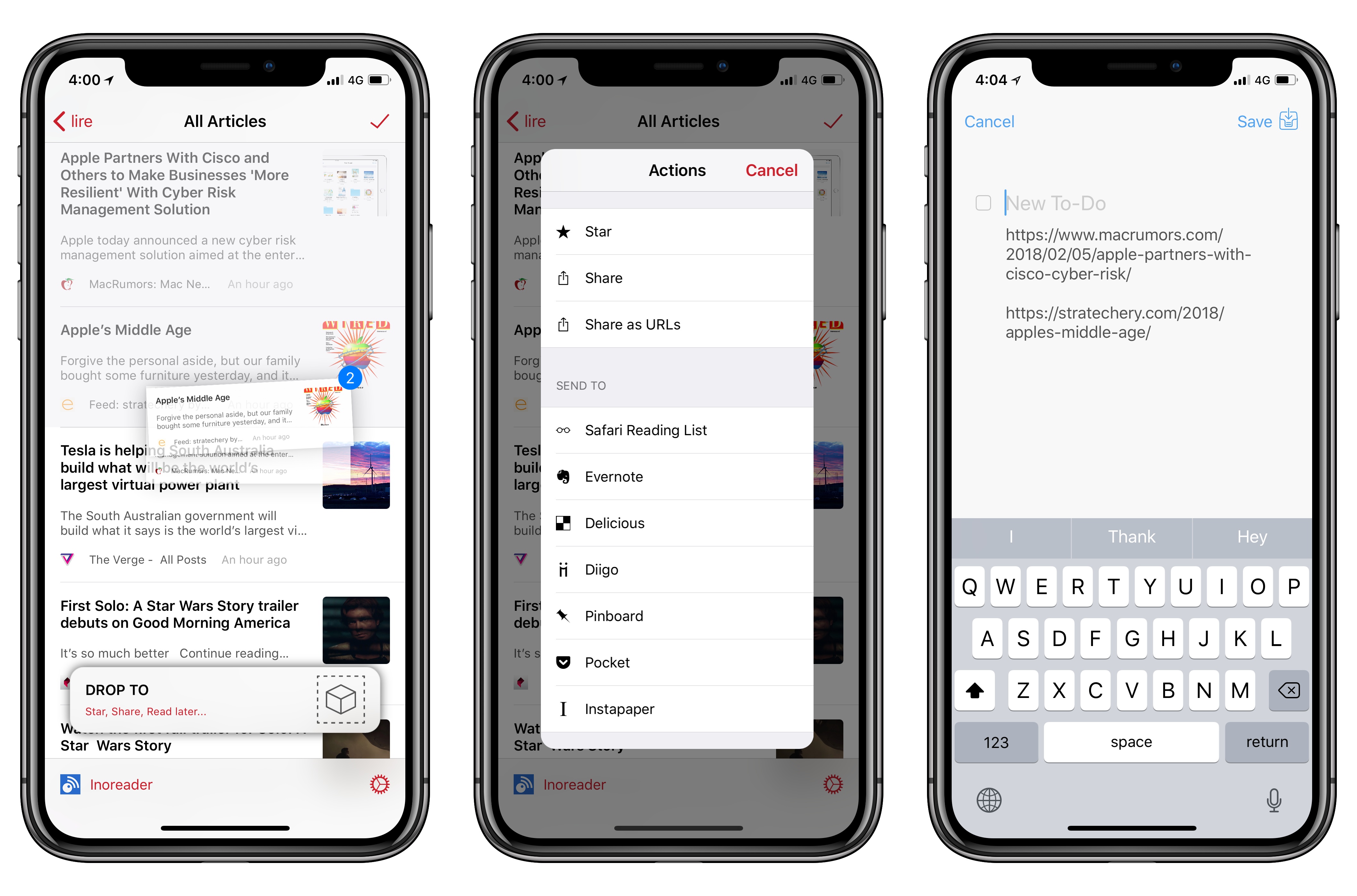
Lire RSS Client Adds Deeper iOS 11 Drag and Drop Support

At the end of last year in my annual Must-Have Apps roundup, I covered lire, an RSS client for iPhone and iPad that, despite having been around for several years, had flown under my radar until its iOS 11 update.

I wrote:

I settled on lire, an RSS reader that’s been around for years and that never grabbed my attention before. lire has been fully redesigned for iOS 11, taking advantage of Apple’s large title design style to neatly indicate different folders and sections. In addition to a clean design that feels good on the iPhone X and iPad Pro, lire has two peculiarities: it supports all the most popular RSS services (including Inoreader) and it comes with its own text extraction tool to load the full text of truncated stories. The full-text option can be enabled on a per-site basis, and it works well in combination with caching for read articles. lire looks native to iOS in a way that the official apps by Inoreader, NewsBlur, and Feedly don’t, and it’s actively supported by its developer with frequent updates.

I’ve been using lire in combination with Inoreader since November; four months later, I still haven’t found any other RSS reader that mixes iOS 11’s aesthetic with support for all the most popular RSS services. Unlike other apps, lire looks native to iOS 11 and it lets you choose the sync service you prefer. Plus, the ability to load specific websites in full-text mode and a pure black theme make lire a fantastic reading experience on the iPhone X as well.

With today’s 3.0.32 update, developer Kunal Sood has brought deep integration with iOS 11’s drag and drop to lire, shipping one of the best implementations of the feature on both the iPhone and iPad. Which isn’t surprising considering that lire’s drag and drop enhancements have been directly inspired by Bearalready a terrific example of what developers can build with drag and drop in iOS 11.

Read more