Federico Viticci

10804 posts on MacStories since April 2009

Federico is the founder and Editor-in-Chief of MacStories, where he writes about Apple with a focus on apps, developers, iPad, and iOS productivity. He founded MacStories in April 2009 and has been writing about Apple since. Federico is also the co-host of AppStories, a weekly podcast exploring the world of apps, Unwind, a fun exploration of media and more, and NPC: Next Portable Console, a show about portable gaming and the handheld revolution.

Twitter Now Supports Third-Party Apps for Two-Factor Authentication

https://twitter.com/TwitterSafety/status/943542421698125824

Earlier today Twitter announced that you’ll now be able to use a third-party app (such as Google Authenticator, Authy, or 1Password) for two-factor authentication instead of SMS. The company has updated their support document with instructions on how to set it up here.

This is great news as Twitter was the last service with 2FA that only supported sending codes via SMS. Switching from text messages to 1Password (which I use for one-time codes) was easy: in Twitter for iPad, I went to Settings ⇾ Account ⇾ Security, and enabled the ‘Security app’ toggle. I then selected to use another app to generate my codes and opened 1Password on my iPhone, where I hit Edit on my Twitter login item and scrolled to the OTP section. Here, I tapped the QR button, scanned the QR code Twitter was displaying on my iPad with the iPhone’s camera, and that was it.

Unless you specifically want to receive 2FA codes from Twitter via SMS, you should consider switching to a dedicated authentication app: these codes work independently from carriers and location, and they can be generated offline.

Permalink

Connected, Episode 173: The Final Robin

Round out 2017 with fake apps and an anti-wishlist.

In the final episode of Connected for 2017, we revisit the classic wish list with a twist: what are the things we’d like Apple to stop doing? You can listen here.

Sponsored by:

  • Balance Open: Find out more about Balance Open and get $2 in Ethereum.
  • TextExpander, from Smile: Communicate smarter with TextExpander. Get 20% off your first year when you tell them you came from this show.
  • Incapsula: Secure and accelerate your website. Connected listeners get one month free.
Permalink

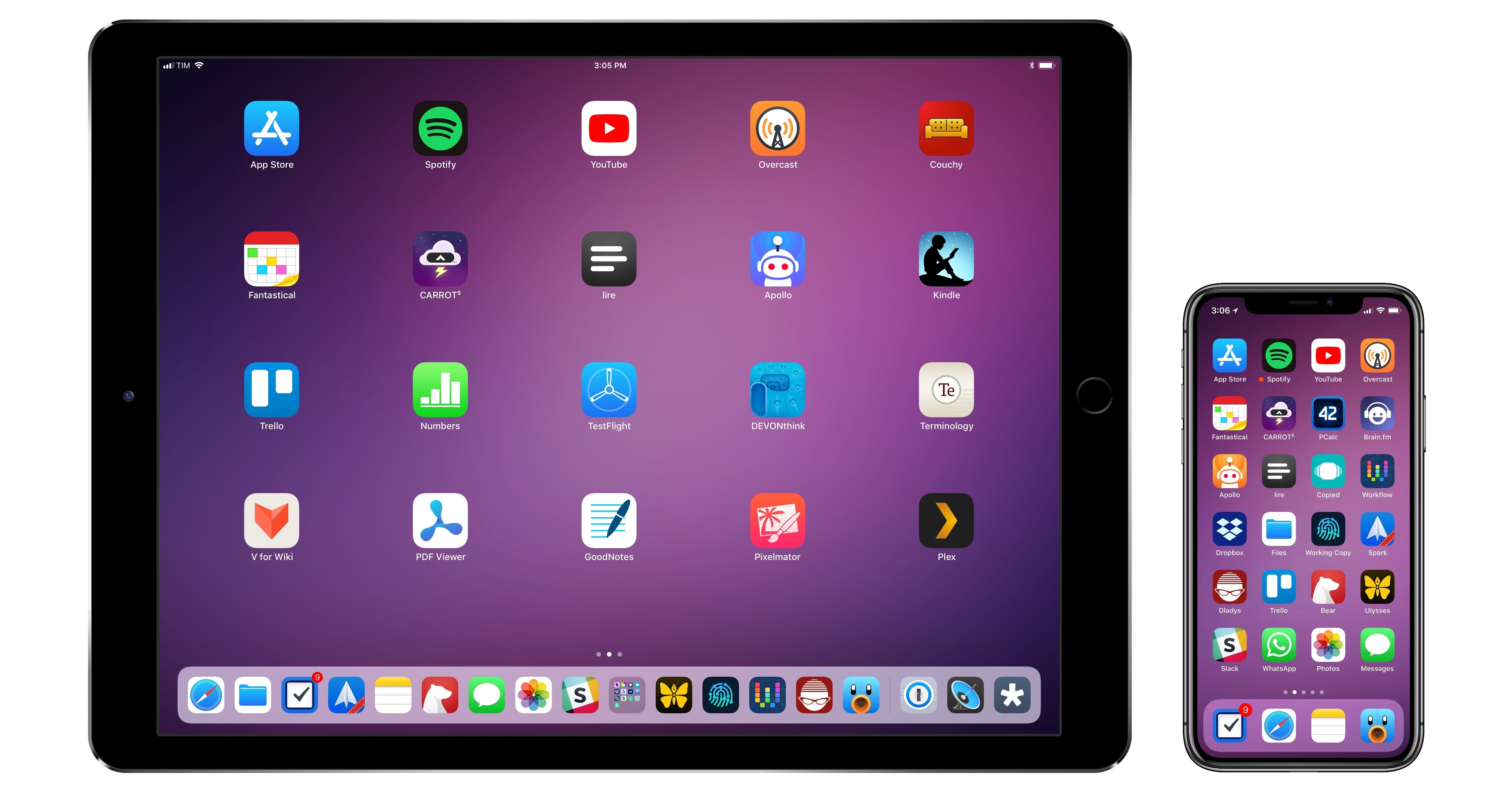
My Must-Have iOS Apps, 2017 Edition

With the transition to iPad Pro as my primary computer fully achieved in 2016 and not surprising anymore, in 2017 I turned my attention to three other key areas of my life: working with the MacStories team, managing my time, and finding my favorite apps among many competing alternatives.

For the first time in several years, I didn’t publish a story documenting my journey towards the iPad and iOS in 2017. In many ways, that’s a closed chapter of my career: the iPad Pro has convinced millions of people that it can be a suitable replacement for or addition to a Mac; with iOS 11 and its productivity features, Apple only cemented that belief. While part of me misses arguing in favor of the iPad against widespread skepticism, I felt it was time to move on from explaining the “why” of the iPad to helping others get the most out of the device. For this reason, I spent the better part of 2017 covering iOS 11 (first with my wish list, then with an in-depth review), discussing the details of iPad productivity, and creating advanced workflows for Club MacStories.

As much as I like to write in isolation, MacStories is also a team that requires a direction and a business that begets further responsibilities. Learning how to balance the multifaceted nature of my job with my hobbies and personal life (which got busier thanks to two puppies we adopted in April) has been an interesting challenge this year, and one that taught me a lot about allocating my time and attention, as well as the kind of writer I am and aspire to be.

There has been a recurring theme that has characterized my relationship with iOS in 2017: I’ve made a conscious effort to try as many new apps and services as possible, ensuring I would have a basic knowledge of all the available options on the market for different categories.

As I was settling on a routine and set of apps that worked well for me, I realized that I didn’t want to lose the spark of excitement I used to feel when trying new apps in previous years. My job is predicated upon writing about software and having a sense of where our industry is going; while finding something that works and using it for years is great, I don’t want to become the kind of tech writer who’s stuck in his ways and doesn’t consider the possibility that better software might exist and is worth writing about. Even though my experiments didn’t always lead to switching to a different app, they made me appreciate the state of the iOS ecosystem and helped me understand my app preferences in 2017.

Thus, I’m going back to basics for my annual roundup this year. In the collection below, you’ll find the 75 apps I consider my must-haves – no web services, just apps for iPhone and iPad. Apps are organized by category and, whenever possible, include links to past coverage on MacStories.

As in previous years, you’ll find a series of personal awards at the end of the story. These include my App of the Year and Runners-Up; this year, I also picked winners for Feature, Redesign, Update, and Debut of the Year.

Read more



    Rainbrow, a Game Controlled by the iPhone X’s TrueDepth Camera

    Joe Rossignol, writing for MacRumors about Rainbrow, a free arcade game for the iPhone X that requires you to raise your eyebrows or frown to move the character on screen:

    Simply raise your eyebrows to move the emoji up, frown to move the emoji down, or make a neutral expression and the emoji stays still. Note that if you raise your eyebrows, and keep them raised, the emoji will continue to move in an upwards direction, and vice verse when maintaining a frowning expression.

    While there are no levels, the game gets increasingly difficult as more obstacles appear. The goal is simply to get the highest score possible, but players can only compete against themselves right now. Gitter told us that he plans to integrate Apple’s Game Center for multiplayer competition in a future update.

    Here’s a video of the game in action:

    I played this for 20 minutes last night. It’s genius. Using the TrueDepth camera on the iPhone X, Rainbrow can detect the movements of muscles around your eyes and thus ask you to raise or lower your eyebrows to move an emoji up and down to collect points. What makes this game feel like magic – as if the iPhone is reading your mind – is that there’s no camera preview on screen and no buttons to press: you don’t see your face in a corner; the game simply reacts to your expressions in real-time without an interface separating you from the actual gameplay. It’s fun, and it’s a good demonstration of the accuracy of the TrueDepth system.

    Here’s what I wrote two weeks ago in the TrueDepth section of my iPhone X story:

    I’ve been asking myself which parts of iOS and the iPhone experience could be influenced by attention awareness and redesigned to intelligently fit our context and needs. I don’t think this idea will be limited to Face ID, timers, and auto-lock in the future. What happens, for example, if we take attention awareness farther and imagine how an iPhone X could capture user emotions and reactions? TrueDepth could turn into an attention and context layer that might be able to suggest certain emoji if we’re smiling or shaking our heads, or perhaps automatically zoom into parts of a game if we’re squinting and getting closer to the screen. A future, more sophisticated TrueDepth camera system might even be able to guess which region of the display we’re focusing on, and display contextual controls around it. Siri might decide in a fraction of a second to talk more or less if we’re looking at the screen or not. Lyrics might automatically appear in the Music app if we keep staring at the Now Playing view while listening to a song.

    It might be a silly game, but Rainbrow is the kind of different application of TrueDepth I had in mind. The same goes for Nose Zone, a game that uses ARKit’s TrueDepth-based face tracking to turn your nose into a cannon to shoot squares (I’m serious). While these first TrueDepth games are fun gimmicks, I believe we’re going to see invisible, persistent attention awareness and expression tracking become embedded into more types of apps over the next year.

    Permalink

    How Apple Watch Saved One Man’s Life

    Amazing story shared by Scott Killian with 9to5Mac:

    Then Killian, who wears his Apple Watch to bed three to four nights a week for sleep tracking, says his Apple Watch woke him up around 1 am with an alert from a third-party app called HeartWatch saying his resting heart rate was elevated while sleeping (Apple recently introduced a built-in feature that can do this with Apple Watch Series 1 and later). Killian experienced mild indigestion which can be a sign of a heart attack, but says he generally didn’t feel sick.

    His Apple Watch charted his heart rate at around 121 beats per minute in the middle of the night while data previously captured showed his average resting heart rate at around 49 beats per minute. The data also showed that this was the first time his resting heart rate had reached this level since he began wearing Apple Watch, so he decided to go to the emergency room as a precaution.

    I’ve been using HeartWatch since it came out in late 2015 – if you care about heart rate stats monitored by the Apple Watch, I can’t recommend it enough.

    Permalink

    PDF Viewer 2.1 Adopts iOS 11 Document Browser

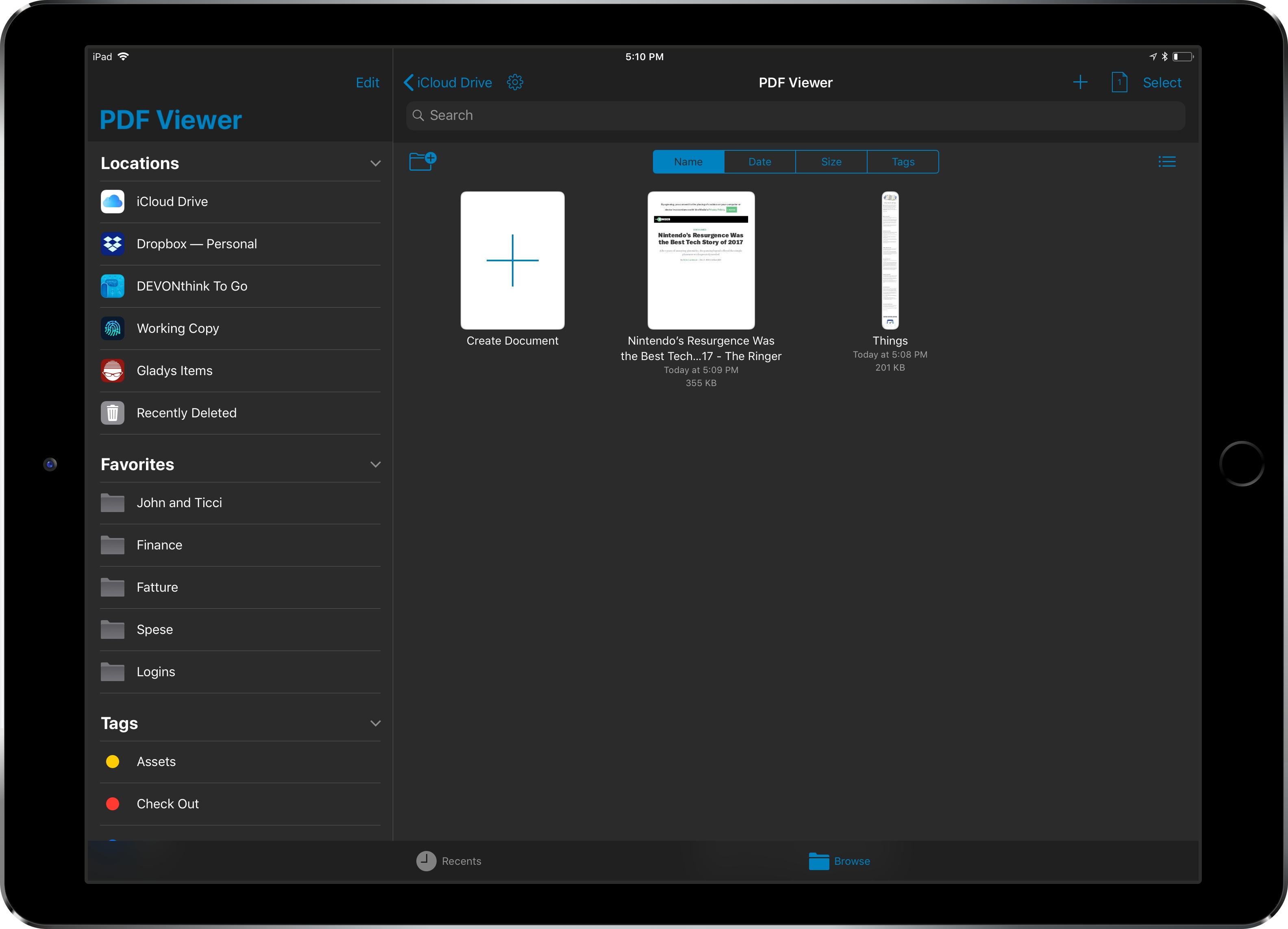
    Since the release of iOS 11, I haven’t seen many apps use the system’s new document browser – the built-in Files view that can be embedded in document-based apps as a root view. I covered this feature extensively in my iOS 11 review. Apple’s iWork suite of apps has switched to Files’ document browser, as did MindNode 5, but I’ve struggled to find other examples of high-profile third-party apps abandoning their custom file managers in favor of Apple’s solution. As I argued in September, my guess is that a combination of bugs and lack of deeper customization for the document browser is preventing more apps from embracing it. Which is too bad, as the Files integration brings substantial benefits in the form of drag and drop, iCloud Drive and third-party locations, recents and tags, and more.

    PDF Viewer, the powerful PDF editor for iOS we originally reviewed here and here, is adding support for iOS 11’s document browser with version 2.1, launching today on the App Store. After testing a beta of this update for the past week, I’m impressed by how the folks at PSPDFKit have been able to fine-tune the document browser to the app’s needs.

    Read more