Creating Launcher Shortcuts for Todoist Filters
...

 Creating Launcher Shortcuts for Todoist Filters
App Debuts
Q&A
Creating Launcher Shortcuts for Todoist Filters
App Debuts
Q&A The combination of iOS 11 and iPhone X is pushing developers to reconsider many of their interaction paradigms and interface affordances that predated the Super Retina display and drag and drop. In a span of two months, iOS 11 made custom implementations of multiple item selection and reordering effectively obsolete, while the iPhone X now requires apps to embrace its display and novel status bar design.
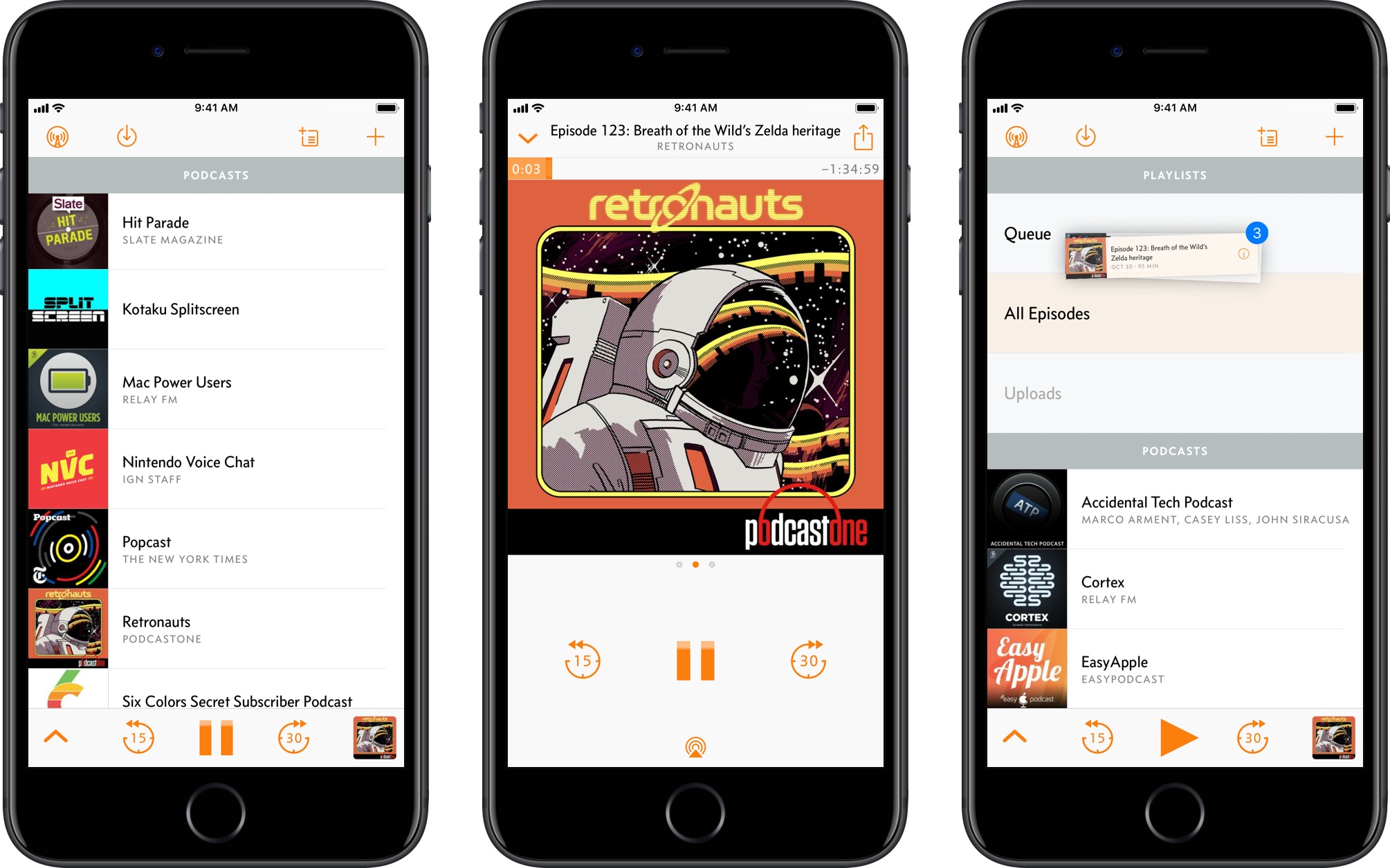
Overcast 4.0 is a good example of how Apple’s biggest releases of the year impacted apps that needed a lot of work to be updated for the iPhone X and iOS 11. Released today on the App Store, Overcast 4.0 bears no groundbreaking additions to the experience; instead, developer Marco Arment focused on design refinements and simplifying the app’s navigation, modernizing Overcast’s appearance and flow while bringing smaller enhancements to the listening and browsing experience.
There are some notable changes in this version – drag and drop is present, albeit in a limited fashion – but Overcast 4.0 is primarily aimed at foundational improvements and laying the groundwork for the future. Despite this “Snow Leopard approach”, however, heavy Overcast users should still find the many optimizations as well as the “by popular demand” tweaks more than welcome.
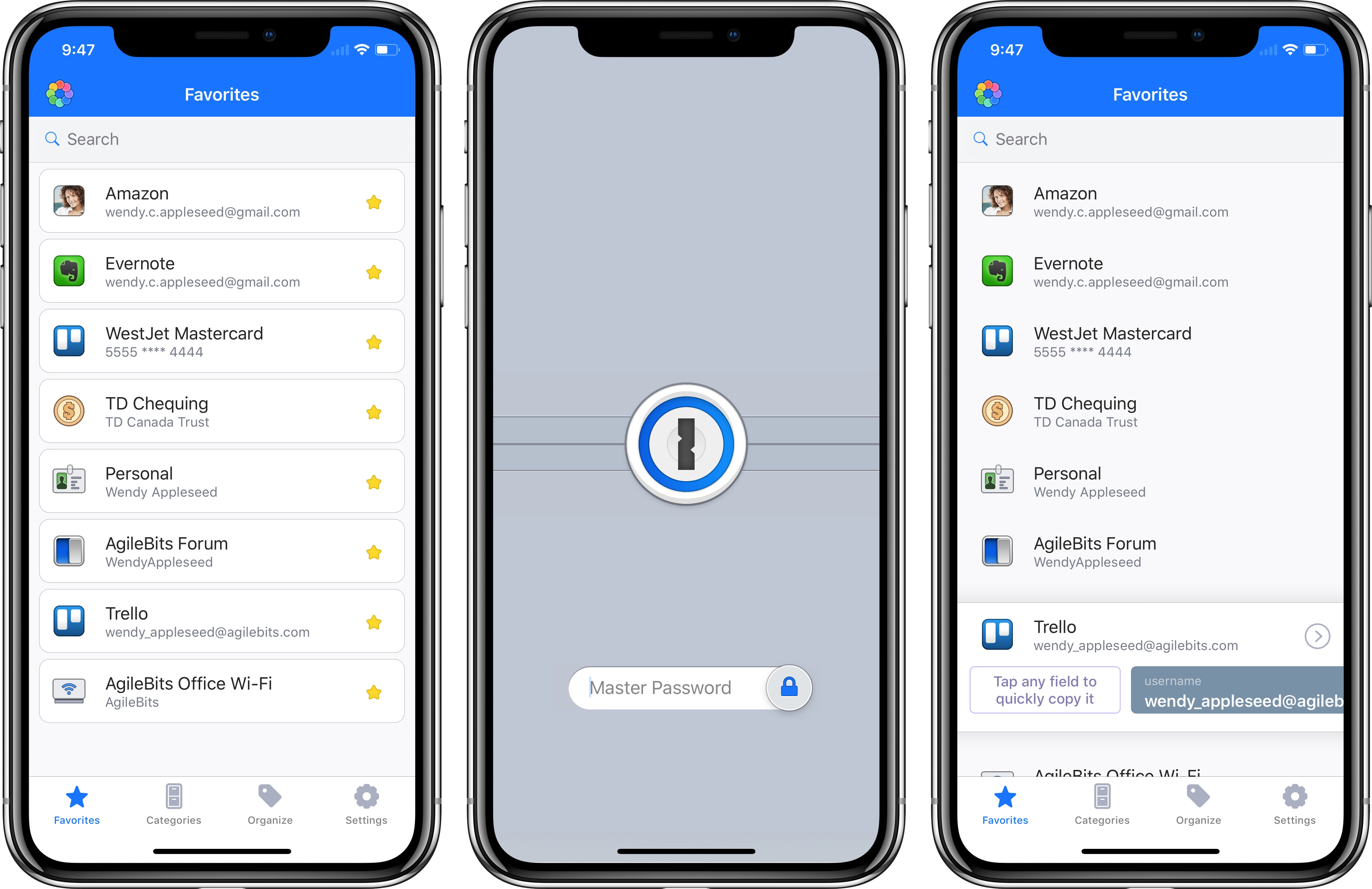
Ahead of the iPhone X’s public debut tomorrow, 1Password received a significant update today that brings native Face ID authentication, plus enhancements for clipboard integration and iPad users.
I’ve been a fan of Unread, the elegant RSS reader for iOS, since it came out in early 2014. I stopped using it when I moved to Inoreader as my RSS service (and also because Unread wasn’t receiving major updates anymore), but Golden Hill Software recently acquired the app, and development pace has picked up again.
With today’s version 1.8, Unread is finally gaining support for Split View and Slide Over on the iPad, allowing you to read articles next to your favorite note-taking app or Twitter client. In addition to these iPad multitasking improvements, Unread is now compatible with the iPhone X, and its readability mode should be more accurate as it’s now based on Mozilla’s fork of the popular third-party tool.
I still would like to see Inoreader integration and support for the Taptic Engine as well as drag and drop in Unread. I would love the ability to pick up an article from the main list and drop its URL in another iPad app. For now though, this is another much needed update that modernizes the app’s codebase and puts it on the same base level of other iOS 11 RSS clients. Unread 1.8 is available on the App Store.
iPhone X pre-orders are in, and reviews are out. There’s drama surrounding both.
On this week’s episode of Connected, I also explain why I recently bought an Nvidia Shield and we discuss how our iPhone X preorder plans worked out. You can listen here.
Sponsored by:
Ahead of the iPhone X’s launch on November 3rd, Apple today released iOS 11.1, the first major update since the OS’ debut in September. While iOS 11.1 doesn’t sport noteworthy enhancements to the iPad’s multitasking and drag and drop experience – arguably, the marquee functionalities of version 11.0 – it still contains welcome additions and fixes for every iPhone and iPad user.
An interesting tidbit from Steven Levy’s first impressions of the iPhone X: by default, the content of notifications on the Lock screen is hidden, and it’s only displayed once you look at the iPhone and thus authenticate yourself.
Alternatively, a good way to see when you’ve been recognized is to notice the generic messages on the lock screen saying “you have a notification” from Facebook, Gmail, or wherever. When you and your iPhone X make that turn-on connection, those flesh out with the actual content of the message. (This feature—withholding potentially private alerts until the phone was unlocked—had previously been available as an option but now is the default.)
What I find intriguing is the fact that – if I’m reading this right – the feature has been turned on by default for the iPhone X, as if to underline the role of Face ID. This option, in fact, isn’t new: on any existing device running iOS 11, you can go to Settings ⇾ Notifications ⇾ Show Previews and enable When Unlocked to achieve the same effect. On the Lock screen, the content of notifications (titles, preview messages, and media attachments) won’t be shown until you place your finger on the Touch ID sensor.
It seems like Apple sees Face ID as not only technically superior to Touch ID (more secure, powered by machine learning), but also as a better user experience for dealing with notifications – otherwise, why would they make it the default setting? I’m curious to play with this and see if I revert to the old option or not.