Federico Viticci

10804 posts on MacStories since April 2009

Federico is the founder and Editor-in-Chief of MacStories, where he writes about Apple with a focus on apps, developers, iPad, and iOS productivity. He founded MacStories in April 2009 and has been writing about Apple since. Federico is also the co-host of AppStories, a weekly podcast exploring the world of apps, Unwind, a fun exploration of media and more, and NPC: Next Portable Console, a show about portable gaming and the handheld revolution.

Apple Confirms WWDC Keynote on June 10

As first reported by John Paczkowski at AllThingsD, Apple has confirmed its WWDC ‘13 keynote for June 10 in San Francisco. Speakers haven’t been revealed yet, but it wouldn’t be a surprise to see CEO Tim Cook kicking off the keynote, with other executives following up on news and announcements during the event.

WWDC ‘13 was announced on April 24. Running through June 14, the conference will allow Apple to show developers “the latest advances in software technologies and developer tools to help them create innovative new apps”; Apple has also confirmed new versions of iOS and OS X will be seeded to developers. WWDC will feature more than 100 technical sessions presented by over 1,000 Apple employees. As usual, there will be hands-on labs where developers will be able to seek advice from Apple engineers for “code-level assistance, insight into optimal development techniques and guidance”.

Tickets for WWDC ‘13 went on sale on April 25 and sold out in two minutes in a new record for the company. Full-time or part-time students over the age of 13 had the chance of winning one of 150 scholarships to attend this year’s WWDC. As in previous years, Apple will reward outstanding achievement and excellence for well designed and innovative apps with the Apple Design Awards.

We’ll update this post with more information about WWDC schedule and keynote as the story develops.
Evernote Launches Reminders

Evernote Reminders

Evernote Reminders

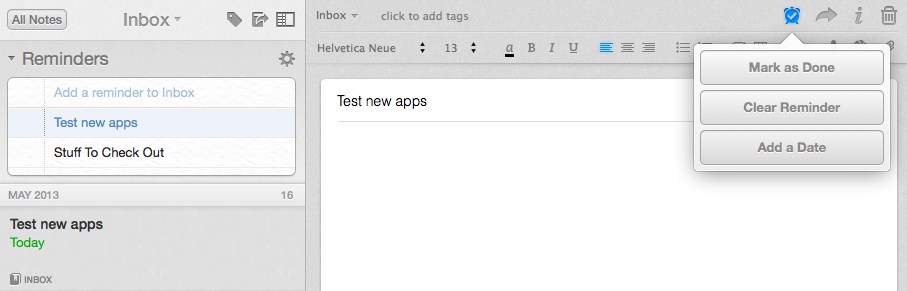
In the years I’ve spent using and recommending Evernote, I’ve always noticed a chasm between people who rely on the service to store reference material and notes, and those who want to also use Evernote as a “getting things done” system to keep track of their todos. The topic has been widely discussed on the Internet, with smart folks such as Sven Fechner and Fraser Speirs delving deeper into the subject of Evernote as a GTD system. Tutorials and eBooks have been published with tips on how to use tags and saved searches to turn Evernote into an app capable of equally handling documents, notes, and todos under a single, searchable archive. Clearly, there was a demand for a task management feature built right into Evernote.

Today, Evernote is releasing updates to its Mac and iOS clients to introduce a major new feature: native reminders. I have been testing the new versions of the app, and I believe reminders are a good addition that fit well with Evernote’s focus on remembering everything through a unified, polished interface. Read more


Rdio 2.2 Includes URL Scheme for Search

Rdio 2.2, released earlier today, includes – besides an improved interface and label search – a new URL scheme for launching searches from other apps (thanks, Adam). The URL scheme is fairly simple:

rdio://search/[search term]

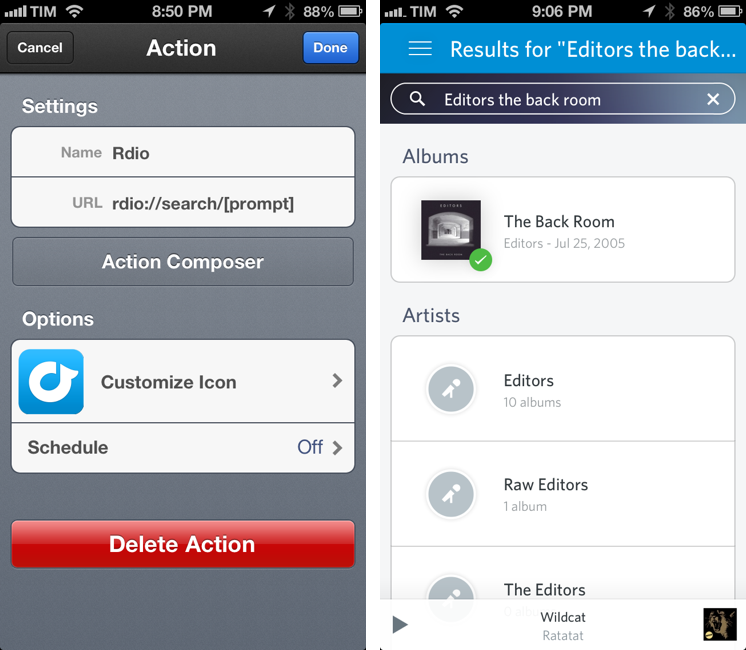
In the past, I relied on a hack made possible by Bang On to redirect Rdio web URLs to the Rdio app. The problem with that solution was that it was a finicky process that couldn’t launch full, native searches directly in the Rdio app. The new version enables just that: you can now use the URL scheme to create search actions that will display pre-populated results in Rdio for iOS.

The new URL scheme means it’s easy to set up actions that trigger Rdio searches in apps like Launch Center Pro or Drafts. For this kind of quick search, my pick is Launch Center Pro, which I already use to launch Chrome and Pinbrowser searches. Until the Launch Center Pro team adds support for Rdio search in the Action Composer (they’re aware of it), you can create a custom action with the following URL:

rdio://search/[prompt]

Then, every time you want to search for something on Rdio, instead of opening the Rdio app and manually heading to the search field you can just open Launch Center Pro, type your search terms in a keyboard prompt, and tap a button to be redirected to a search inside the Rdio app.

I’ve been looking forward to a Rdio URL scheme for search for a long time. If you don’t want to use Launch Center Pro, you can build a custom action for Drafts, Mr. Reader, or any app that supports launching other apps via URL scheme.


Chrome for iOS Getting Voice Search Soon

Following this morning’s rollout of the Voice Search for desktop, Google has also announced through the official Chrome blog that Chrome for iOS will receive the same feature “over the coming days”.

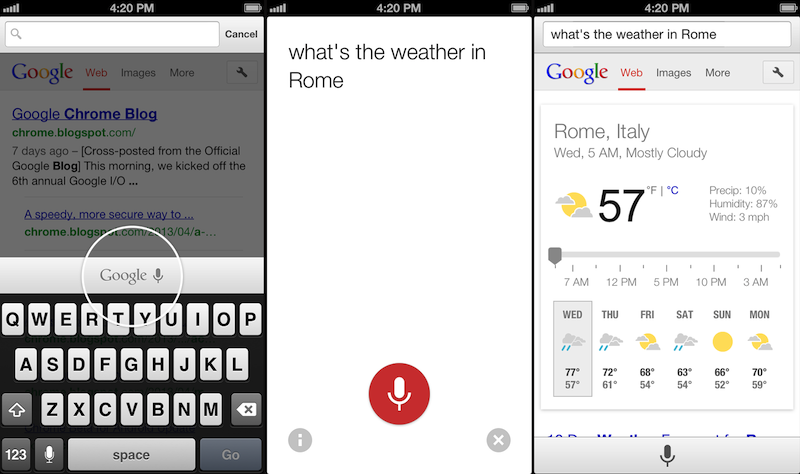
Voice Search, already available through the standalone Google Search app, will be activated in Google Chrome by tapping on a microphone button above the iOS keyboard:

Over the coming days, we’re rolling out an update for iPhone and iPad as well. You can now speak your searches into the omnibox. Touch the microphone, say your search query aloud and see your results (in some cases spoken back to you), all without typing a single letter.

Interestingly, the screenshot shown by Google displays the microphone button in the same additional keyboard row that’s currently occupied by buttons aimed at enabling users to more easily type URLs. Because Chrome for iOS, unlike Safari, uses a unified address bar for URLs and web searches, the extra keyboard buttons were necessary to let users quickly insert URL-related characters. It’s possible that Google will figure out a way to show both keyboard rows – the buttons and the new microphone – by letting users swipe horizontally above the keyboard.

Alongside performance improvements, Google also notes that “iOS apps can now give you the option to open links in Chrome and then return to the app with just one tap”. Assuming that Google is referring to the Chrome URL scheme with support for x-callback-url, that wouldn’t be new as it is already used by a variety of iOS apps (and as I showed today, users can play with it as well). However, Google has been quite vocal about its existing support for URL schemes lately, and it wouldn’t be surprising to see the company advertising the feature as new again.

Chrome for iOS, free on the App Store, was last updated in April.


Twitter for Mac Gets Notification Center Support

Twitter updated its official Mac app today to include support for Notification Center and fixes for Growl (among other improvements). Notifications can be configured in the Settings, and, in my initial tests, they worked fine for mentions and direct messages.

In my Mountain Lion review, I noted that I didn’t like clicking on Twitter notifications because they were taking me to Twitter’s website instead of an app (they still do). It’s good to see Twitter updating their Mac app again.

Permalink

Rdio for iOS Update Brings Label Search, Revamped Sidebar, New “Find People” Feature

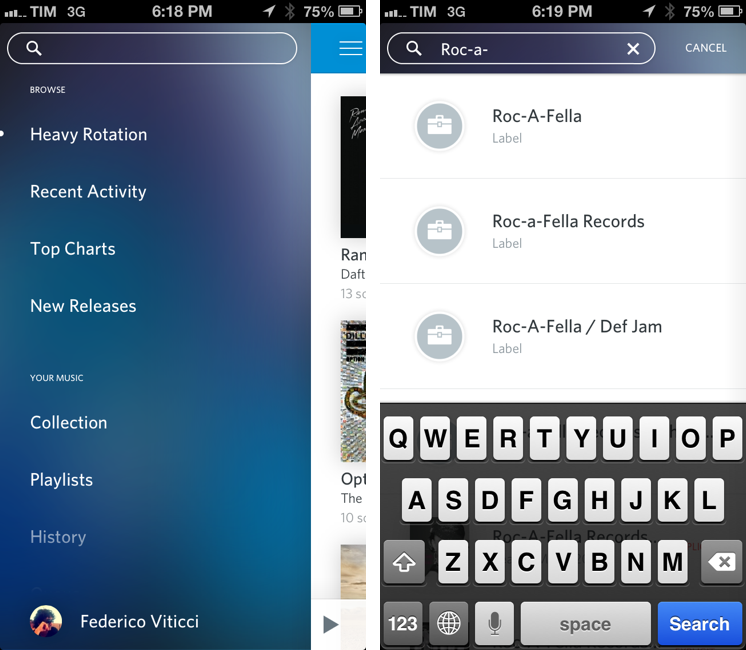
Rdio 2.2, released today for the iPhone and iPad, brings a series of important new features such as label search and improved user search, plus a revamped look for the slide-out navigation.

A feature highly requested by Rdio’s userbase, label search allows you to view top albums and artists of a specific label; if you want to see more artists or records, there are links to view a complete list – which, surprisingly, doesn’t support the tap & hold menu for quick actions that was introduced a few updates ago.

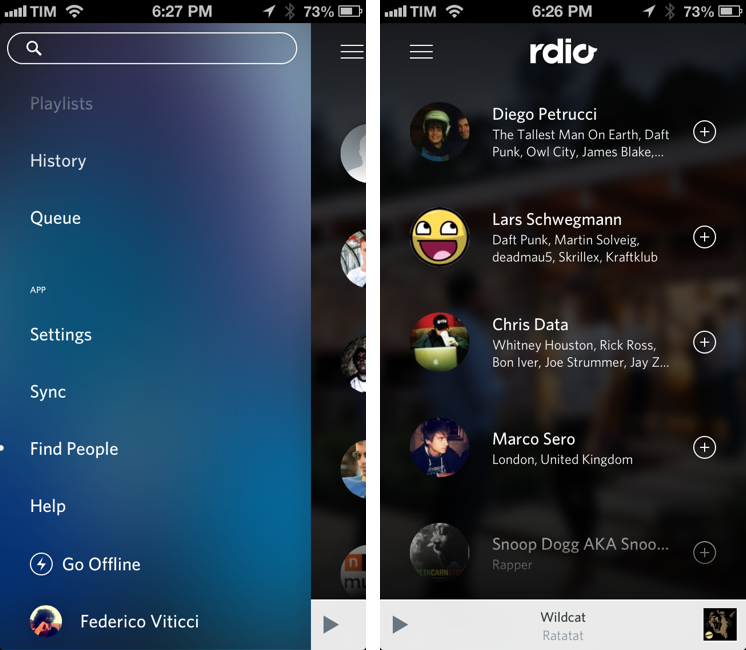
In the refreshed sidebar (also available on the iPad) a new Find People functionality allows you to find friends and artists you can follow by simply tapping on their profile pictures. It’s unclear how Rdio is determining user suggestions, but it’s likely that the service is looking into data provided by Twitter and Facebook accounts configured with it.

Today’s new version follows a series of updates that streamlined the app’s interface and enhanced its sharing capabilities. Rdio 2.2 is available on the App Store.


The Omni Group Launches OmniPresence For Automatic Document Syncing

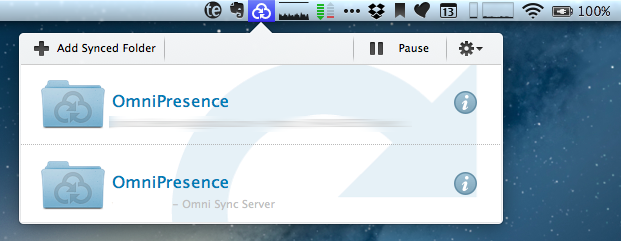
Announced in December 2012, The Omni Group has today started the public rollout of OmniPresence, their new free automatic document syncing solution for OS X and iOS. OmniPresence, based on open web technologies, is available inside OmniGraffle, OmniGraphSketcher, and OmniOutliner for iPad, and it also comes with a companion Mac app that runs in the menubar.

“The way we are doing it is not to hook it up into some backend proprietary service”, The Omni Group CEO Ken Case told us in an interview during Macworld|iWorld earlier this year. As a long-time user of Omni products such as OmniOutliner for the iPad and Mac, I was eager to see whether Case’s promises of a fast, reliable automatic syncing technology would grow into a stable product capable of fitting seamlessly into my daily workflow. After nearly two months of testing, I’m glad to say that, in some ways, The Omni Group has even exceeded my (already high) expectations. Read more


Share To Flipboard Magazines From Drafts

Flipboard

Flipboard

I’m a big fan of Flipboard’s magazine feature, which was introduced earlier this year with version 2.0 of the app. By leveraging Flipboard’s existing presentation style – capable of re-formatting web articles, videos, and photos with a beautiful print-like layout – magazines allow anyone to put together a collection of interesting links that others can subscribe to, read, and share. I am subscribed to dozens of Flipboard magazines and I send links to my Games one on a daily basis.

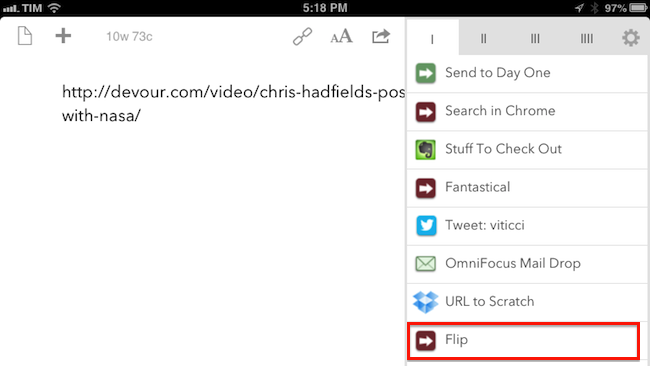
Most of my automation tips stem from minor annoyances with default solutions, so yesterday I decided to create a simple, yet effective Drafts URL action to easily open Flipboard’s share interface without having to read a webpage in the browser. Read more