

It was a busy week on the Club MacStories+ Discord, and I’ve tried my best to collect highlights from the community below. There isn’t a Discord URL scheme to reopen these links in the Discord app directly; my preferred approach for these is to view them as separate tabs in Safari for iPad or Mac....
WordleBot 1.1, Now Fully Accessible with Native Emoji-to-Image Conversion
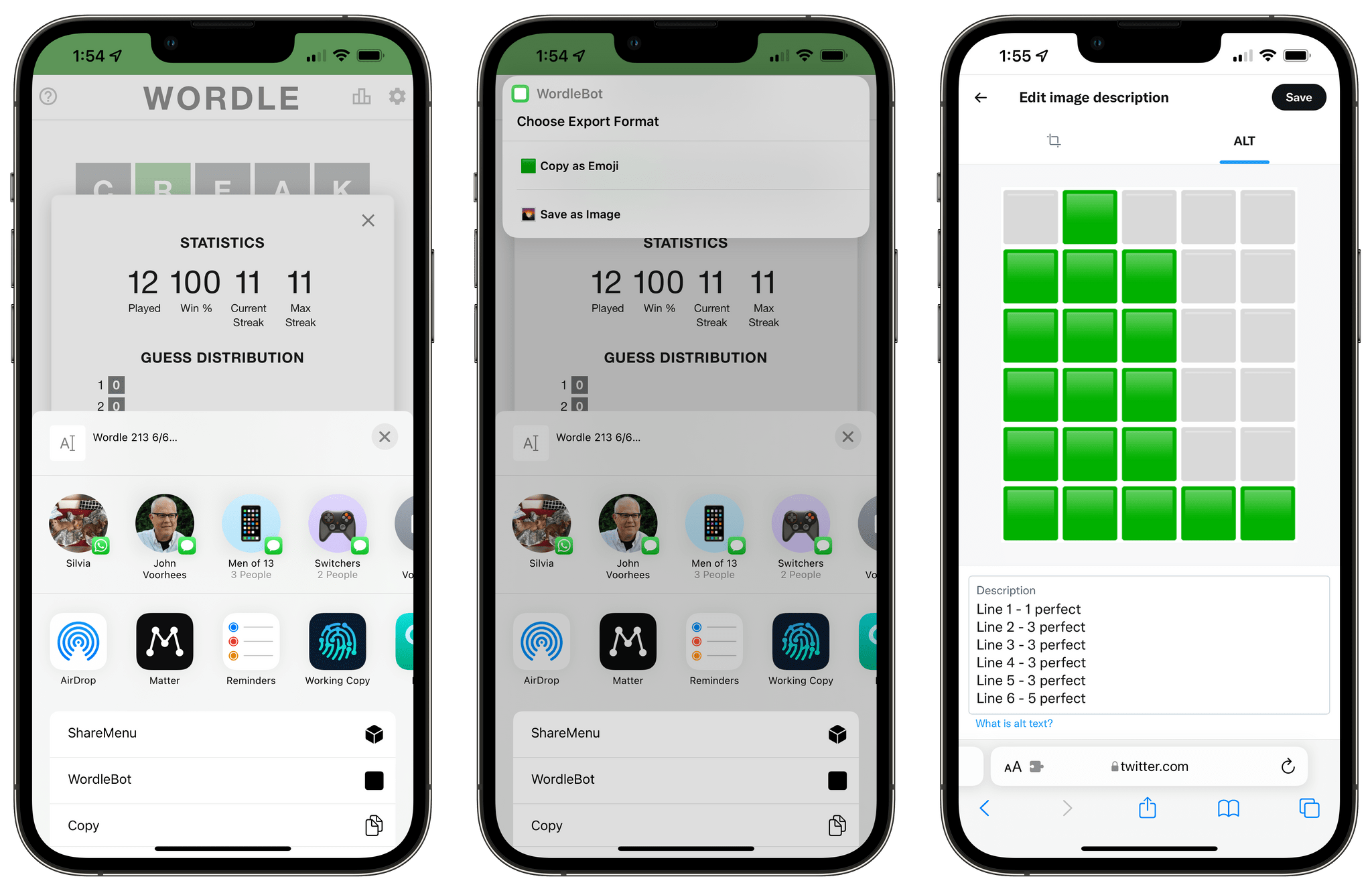
Following the release of my WordleBot shortcut last week, I’ve received a lot of useful and informative feedback from users in the accessibility community regarding the shortcut’s ability to annotate Wordle results with descriptions. Although well-intentioned, my original approach was misguided: even with line-based scores, the grid of emoji characters still performed horribly with screen-reading technologies such as Apple’s VoiceOver. WordleBot didn’t do much to make results more accessible for VoiceOver users since it was only reformatting the grid of emoji characters with additional text.
 Obsidian In-Depth: More Third-Party Plugins (Part 4)
 John
John
AppStories Episode 256 - Obsidian In-Depth: More Third-Party Plugins (Part 4)
0:00
40:32
40:32
Federico and John continue their coverage of third-party Obsidian plugins and how they use them to customize the app’s functionality.
if [appstories]
On AppStories+, John lays out the signs that change is afoot for Apple’s Music app for Federico and they consider what might be next for the app on the iPhone, iPad, and Mac.
 Spotlight On Club MacStories+
Apple Arcade and Hide My Email Tips and Member Shortcuts for Meal and Calorie Tracking and Obsidian It was a busy few weeks on the Club MacStories+ Discord, and I’ve tried my best to collect highlights from the community below. There isn’t a Discord URL scheme to reopen these links in the Discord app directly;...
My Obsidian Setup, Part 6: Dataview and Cards for Recent Notes and Rich Links
I’ve spent a good portion of my holiday break studying and playing around with Dataview. If you’re into Obsidian and its plugin ecosystem, you’ve probably heard of Dataview already and seen the examples of people who use this plugin to create all sorts of custom views in the app. But in case you’re not aware...
WordleBot: A Shortcut to Annotate Your Wordle Results with Scores
Update, January 18: I have released version 1.1 of WordleBot with support for converting emoji results to a single image. You can read the article here and redownload the updated shortcut below.
I, like the rest of the Twitter over the past few weeks, have fallen in love with Wordle, Josh Wardle’s ingenious daily word game (if you somehow missed it, check out Wardle’s profile in The New York Times). It’s so refreshing to have something so disarmingly simple, yet challenging that isn’t out to scam us (although some have tried) or sell our data on the Internet these days. Wordle reminds me of Brain Age for Nintendo DS in its heyday: everyone I know does it and is talking about it, at least for now. For me, Wordle has become this nice, daily ritual that I try to complete with my girlfriend to improve our English skills.
Wordle is a web app, and it comes with a clever built-in sharing feature that lets you share your results with other people by visualizing them as emoji of different colors based on the letters you guessed in the daily puzzle. I’m sure you’ve seen those tweets featuring lots of green and yellow emoji pass by on your timeline. While I think Wordle’s default sharing mechanism is fun, on-brand, and already iconic, I don’t like how its output is not accessible or descriptive enough. Folks with visual impairments such as colorblindness may find the emoji-laden Wordle tweets nearly impossible to decipher; those blocks of emoji don’t play well with screen-reading technologies such as VoiceOver; and, I just thought it’d be useful to figure out a way to score each line of the puzzle to bring some additional context to your Wordle results.
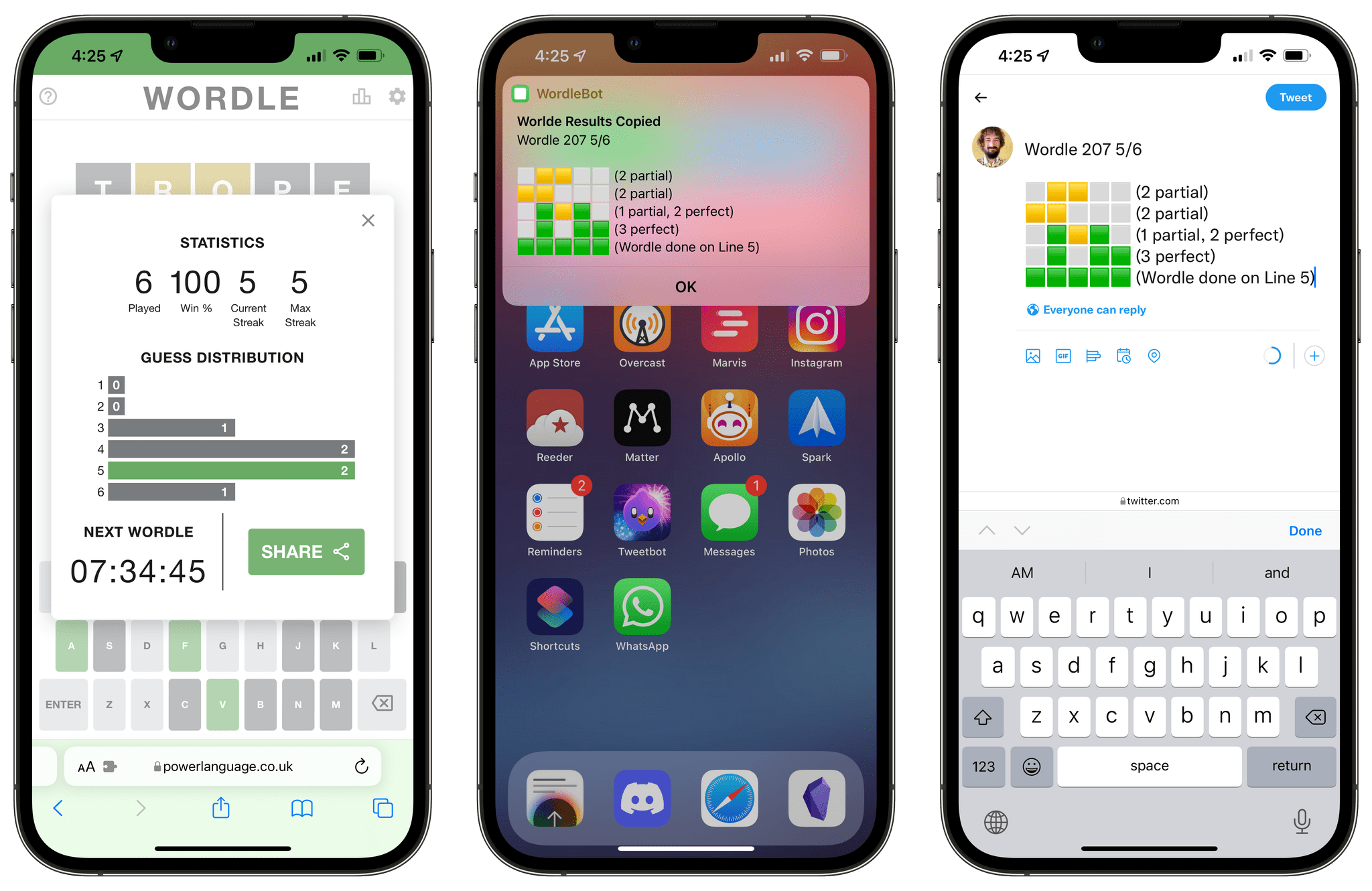
So, I made WordleBot, a shortcut that takes Wordle’s default shareable text and reformats it with partial and perfect scores for each line. With WordleBot, you’ll be able to share results that keep the original Wordle aesthetic and format but also include scores for ???? and ???? letters on each line, like this tweet:
Apple Frames 2.1: Apple Watch Series 7 and 2021 MacBook Pro Support, New Update Flow, Plus Chinese and Czech Localization
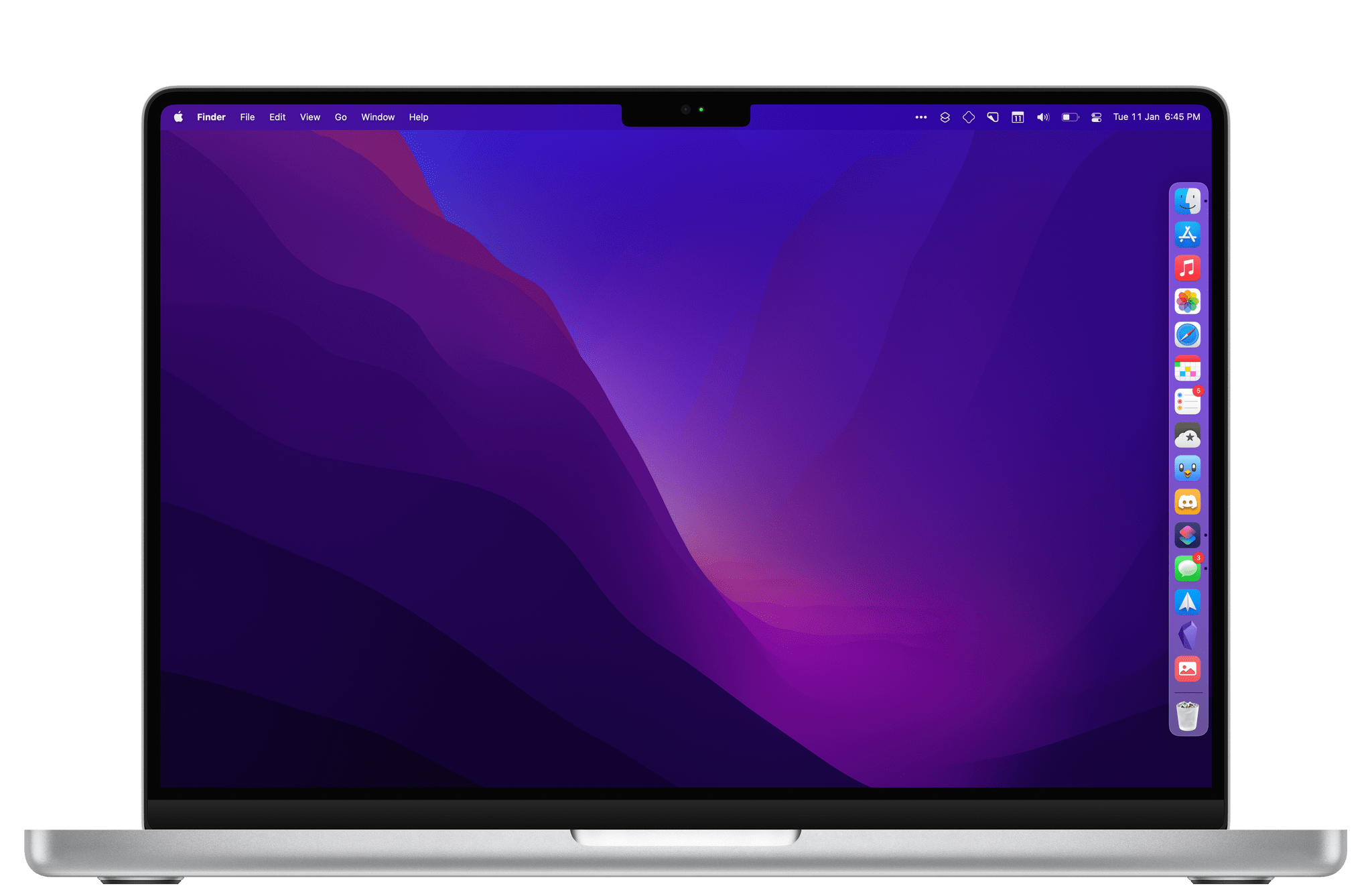
Today I’m pleased to announce the release of Apple Frames 2.1, the first major update to version 2.0 of my popular Apple Frames shortcut, which I launched last October. It took me longer than I hoped to put together this update, but I’m happy that I was able to add compatibility fo all the latest device frames supported by Apple, new languages, as well as a brand new update flow that will make it easier to download the latest templates powering Apple Frames in the future.
Let’s take a look.
Obsidian In-Depth: Third-Party Plugins (Part 3)
Nick Heer on Apple Music and Last.fm→
Nick Heer perfectly encapsulates what I also think about Apple Music’s lackluster recommendation engine as opposed to the old-school simplicity and pleasure of Last.fm:
Apple Music is a remarkable deal for me: spending ten bucks a month gives me access to almost any record I can think of, often in CD quality or better. There are radio features I do not use and music videos I rarely watch, but the main attraction is its vast library of music. Yet, with all that selection, I still find new music the old-fashioned way: I follow reviewers with similar tastes, read music blogs, and ask people I know. Even though Apple Music knows nearly everything I listen to, it does a poor job of helping me find something new.
Here is what I mean: there are five playlists generated for me by Apple Music every week. Some of these mixes are built mostly or entirely from songs it knows I already like, and that is fine. But the “New Music Mix” is pitched as a way to “discover new music from artists we think you’ll like”. That implies to me that it should be surfacing things I have not listened to before. It does not do a very good job of that. Every week, one-third to one-half of this playlist is comprised of songs from new albums I have already heard in full. Often, it will also surface newly-issued singles and reissued records — again, things that I have listened to.
And on Last.fm, Nick adds:
So: Last.fm. There are a few things I like about it. First, it seems to take into account my entire listening history, though it does give greater weight to recency and frequency. Second, it shows me why it is recommending a particular artist or album. Something as simple as that helps me contextualize a recommendation. Third, its suggestions are a blend of artists I am familiar with in passing and those that I have never heard of.
Go read the whole piece – I was nodding in agreement the whole time.
As Club MacStories members know, after years of inactivity, I re-activated my Last.fm account a few months back and started scrobbling everything I listen to again thanks to the excellent Apple Music client for iPhone and iPad, Marvis. Not only is the Last.fm website more fun to explore than Apple Music, but the reports they generate (on a weekly, monthly, or annual basis) are actually interesting in a way that Apple Music’s barebones ‘Replay’ summary just isn’t.
It feels somewhat odd to type this in 2021 2022, but if music still is in Apple’s DNA, there’s a few things Apple Music could learn from the simplicity and care that permeate Last.fm.