John
John
AppStories Episode 172 - WWDC 2020: The Mac, Big Sur, and Shortcuts
0:00
37:40
37:40
Wrapping up AppStories’ WWDC coverage, Federico and John talk Apple Silicon, the macOS redesign, and dig into the many changes to Shortcuts.


 WWDC 2020: The Mac, Big Sur, and Shortcuts
WWDC 2020: iOS and iPadOS 14 First Impressions, Favorite Small Details, and App Clips
WWDC 2020: The Mac, Big Sur, and Shortcuts
WWDC 2020: iOS and iPadOS 14 First Impressions, Favorite Small Details, and App Clips
In today’s special daily WWDC 2020 episode, Federico and John report on their first two days using the iOS and iPadOS 14 betas, obsess about some of their favorite small details, and examine App Clips.
WWDC 2020: Widgets Come to the iPhone, iPad, and Mac
In today’s special daily WWDC 2020 episode, Federico and John look at widgets, the dynamic, but not interactive, extensions available in iPhone, iPad, and Mac apps that provide new ways to deliver quick, glanceable updates to users.
WWDC 2020: Keynote Overview and Reactions
In today’s first WWDC 2020 episode, Federico and John cover the highlights of Apple’s keynote, including widgets, the App Library, App Clips, and design changes in iOS 14, system-wide sidebars and Apple Pencil updates in iPadOS 14, sleep tracking and the Fitness app in watchOS 7, and macOS Big Sur’s big redesign, Safari, and the transition to Apple Silicon.
 Using MacStories Perspective Icons with Other Apps
Our iOS WWDC Wishes
Using MacStories Perspective Icons with Other Apps
Our iOS WWDC Wishes This week Federico and John cover the latest news about WWDC and conclude their WWDC wishes series with a look at iOS, including Messages, Files, Shortcuts, the share sheet, the App Store, and more.
Opening Articles Saved for Later in GoodLinks or Reeder A few weeks ago, we released the latest product under the MacStories Pixel brand: MacStories Perspective Icons, a set of 20,000 custom perspective icons for OmniFocus Pro. You can find more details on the product page, read the FAQ, and check out my announcement blog post here. The set is available at $17.99 with a launch promo; Club MacStories members can purchase it at an additional 15% off.
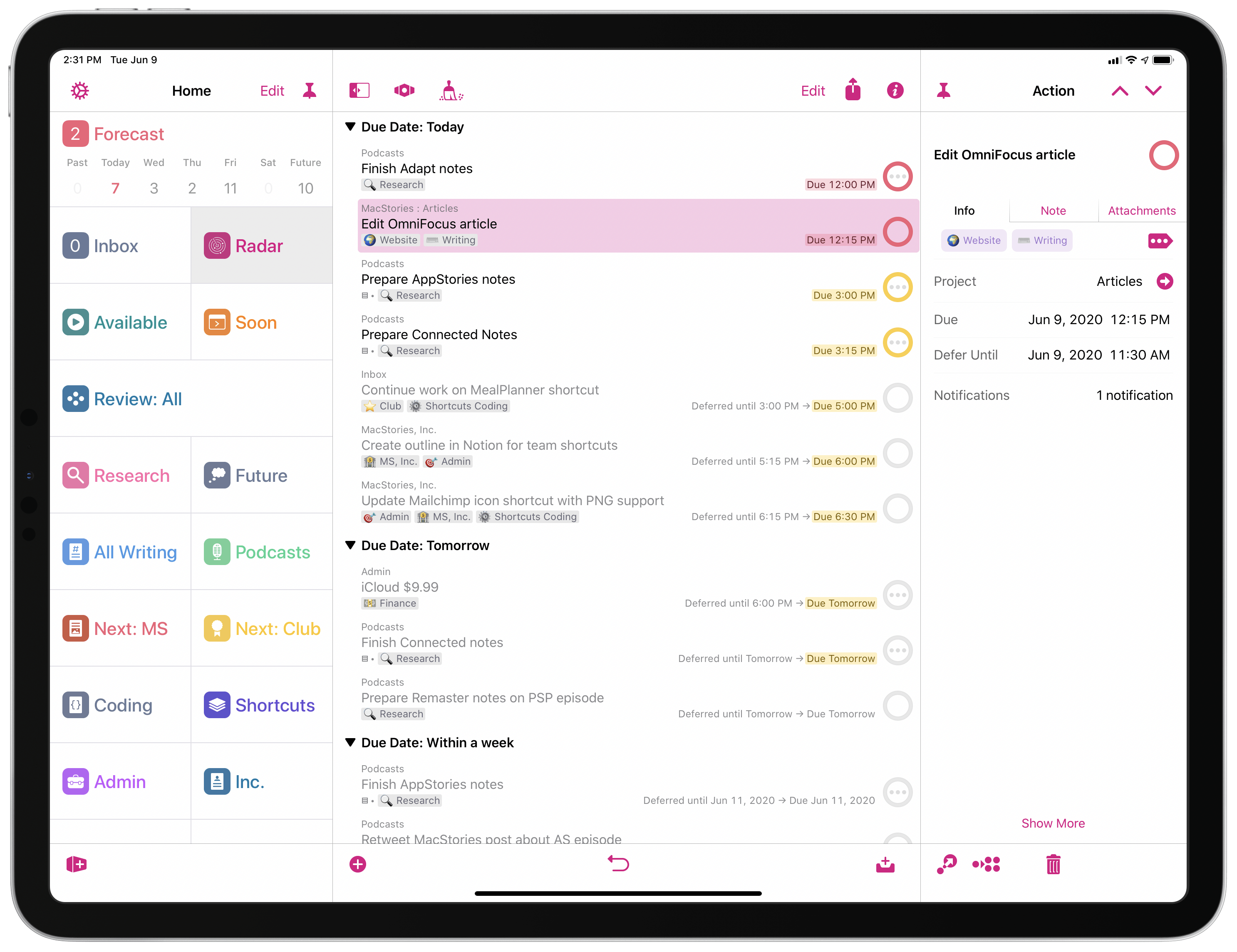
As part of the release of MacStories Perspective Icons (which, by the way, takes advantage of a new feature in OmniFocus 3.8 to install custom icons with a Files picker), I wanted to write about my perspective setup in OmniFocus and explain why custom perspectives have become an integral component of my task management workflow.
Let me clarify upfront, however, that this article isn’t meant to be a primer on custom perspectives in OmniFocus. If you’re not familiar with this functionality, I recommend checking out this excellent guide over at Learn OmniFocus; alternatively, you can read The Omni Group’s official perspective documentation here. You can also find other solid examples of OmniFocus users’ custom setups around the web such as these two, which helped me better understand the power and flexibility of perspectives in OmniFocus when I was new to the app. In this story, I’m going to focus on how I’ve been using perspectives to put together a custom sidebar in OmniFocus that helps me navigate my busy life and make sense of it all.
Our macOS WWDC Wishes
This week Federico and John continue their WWDC wishes series with a look at macOS, including the bug fixes, system-level changes, and Apple app enhancements they would like to see at WWDC this year.