

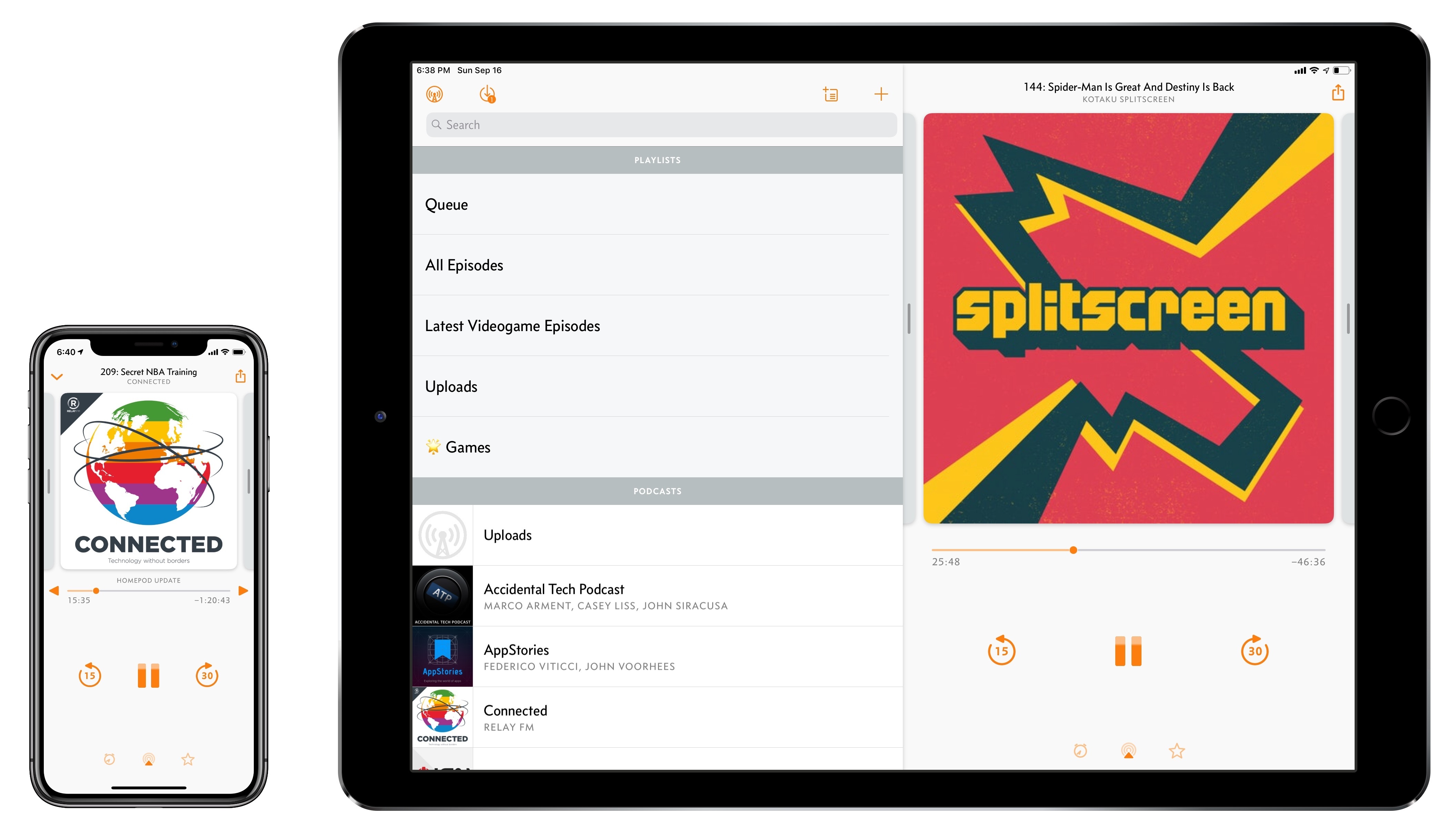
Overcast, Marco Arment’s popular podcast client for iPhone and iPad, received a major update today to version 5. While I’ve long praised Apple’s work on their built-in Podcasts app for iOS – particularly since getting three HomePods and leveraging Podcasts’ support for AirPlay 2 – I also recognize the appeal of Overcast’s advanced features and powerful audio effects. Sprinkled throughout Overcast’s release history are design details and enhancements big and small that make it a sophisticated, versatile client for podcast aficionados who don’t want to settle for a stock app. From this standpoint, despite welcome improvements to Podcasts in iOS 12, changes in Overcast 5 make it an even more attractive option that has caused me second-guess my decision to embrace Apple’s native app.
Overcast 5: Redesigned Now Playing Screen, Search, Siri Media Shortcuts, and More
tvOS 12: The MacStories Review
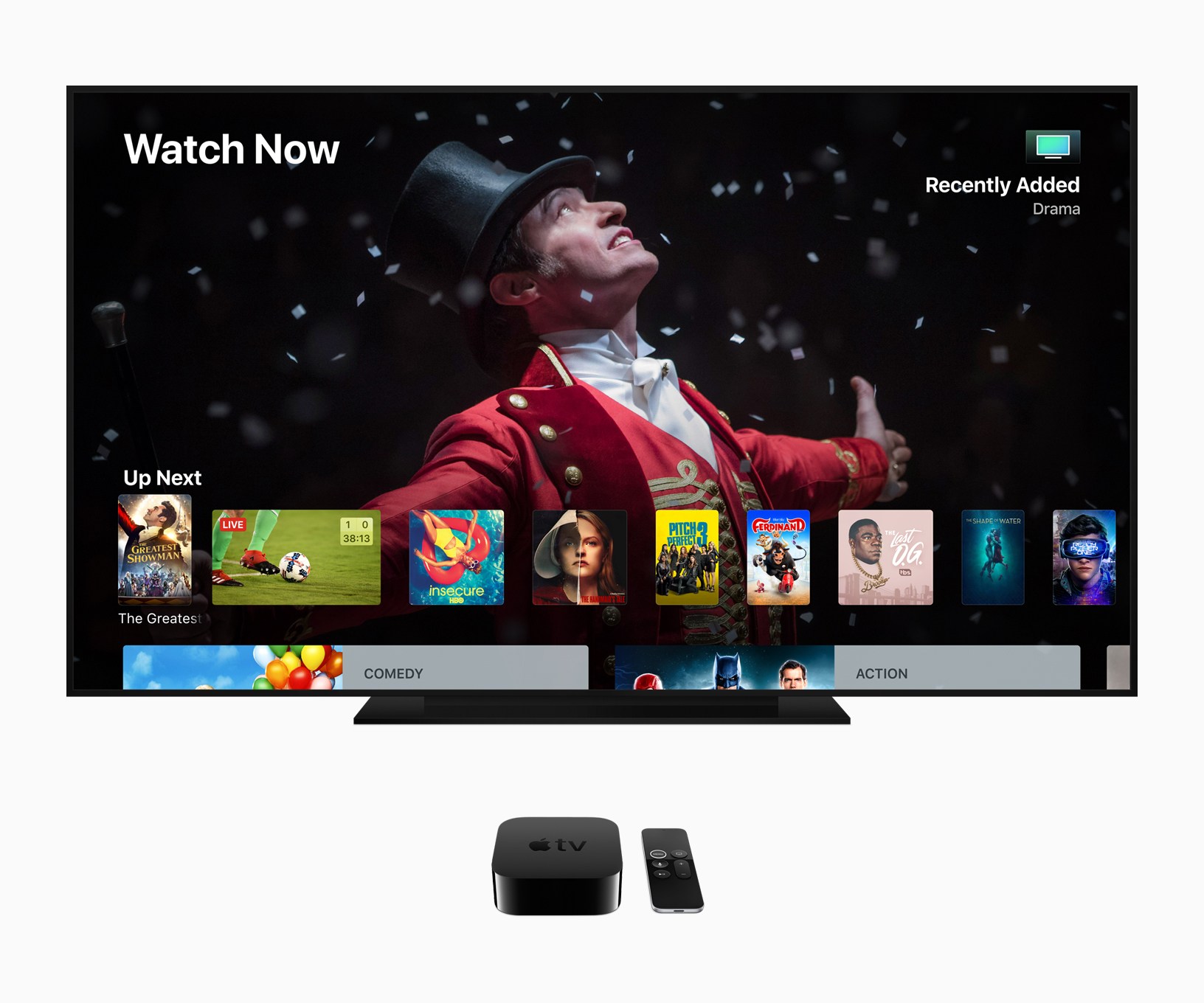
tvOS 12 is available today, the latest major software version for the Apple TV. tvOS releases are never as significant as those found on Apple’s other platforms, and that remains true this year; however, tvOS 12 does include a handful of new features that have the potential to truly improve the Apple TV experience on a daily basis. Improvements include upgrades to aerial screensavers, Dolby Atmos support, an easier way to enter passwords, and more. Let’s dive in.
When CARROT Met Siri: Shortcuts and Siri Watch Face Support Added to CARROT Weather
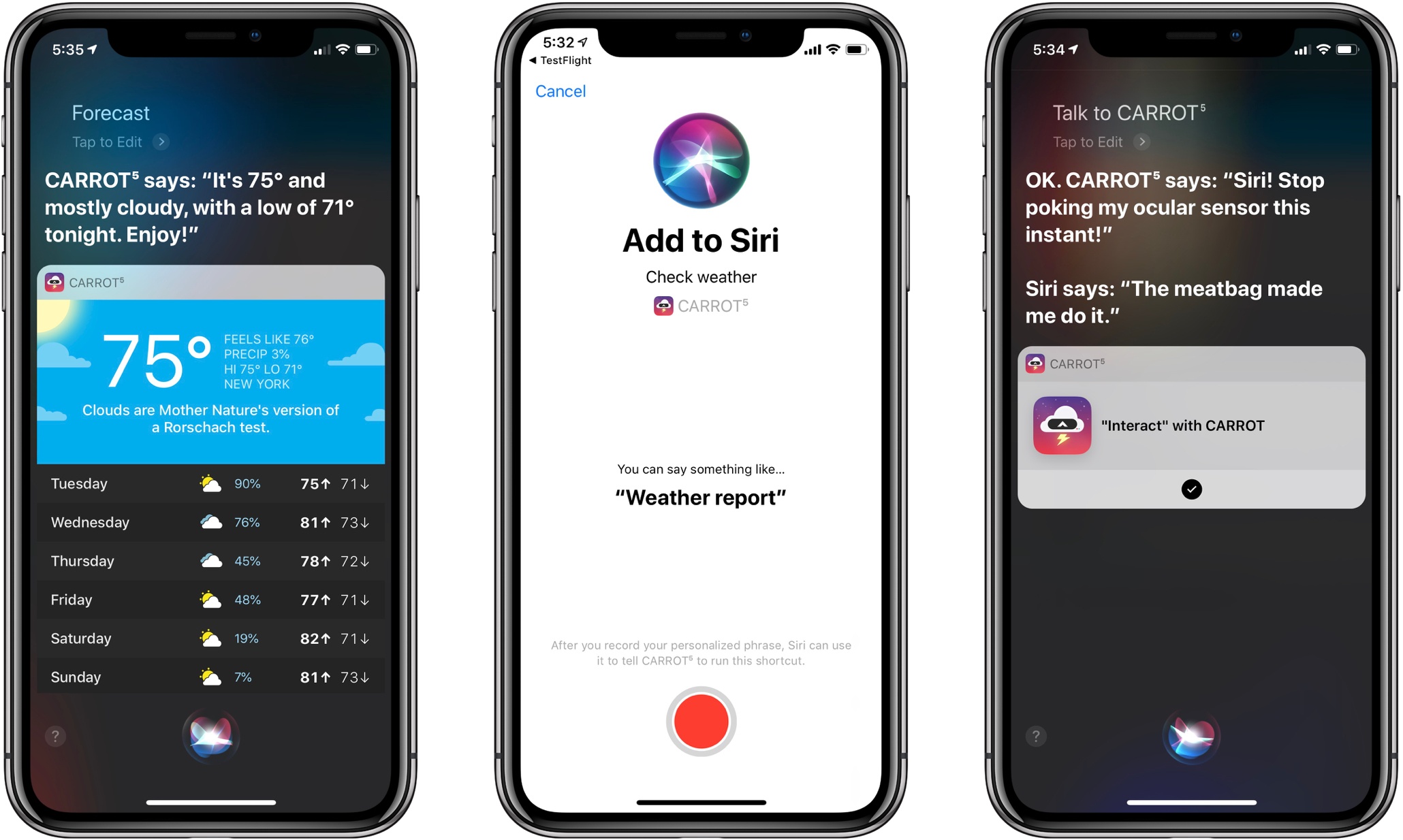
One of the big themes of Apple’s software releases this fall is the opening up of Siri. With day one adoption of both Siri shortcuts and Siri face integration on the Apple Watch, CARROT Weather makes for a wonderful demonstration of how valuable this new, extended Siri can be in all its various forms. Finally, Siri can provide weather data from sources besides the first-party app, both through the standard voice interface and, to my delight, on the Siri watch face. And CARROT Weather takes great advantage of both new capabilities.
Things 3.7 Brings Support for Shortcuts, Siri Watch Face, iPhone Landscape Mode, and More
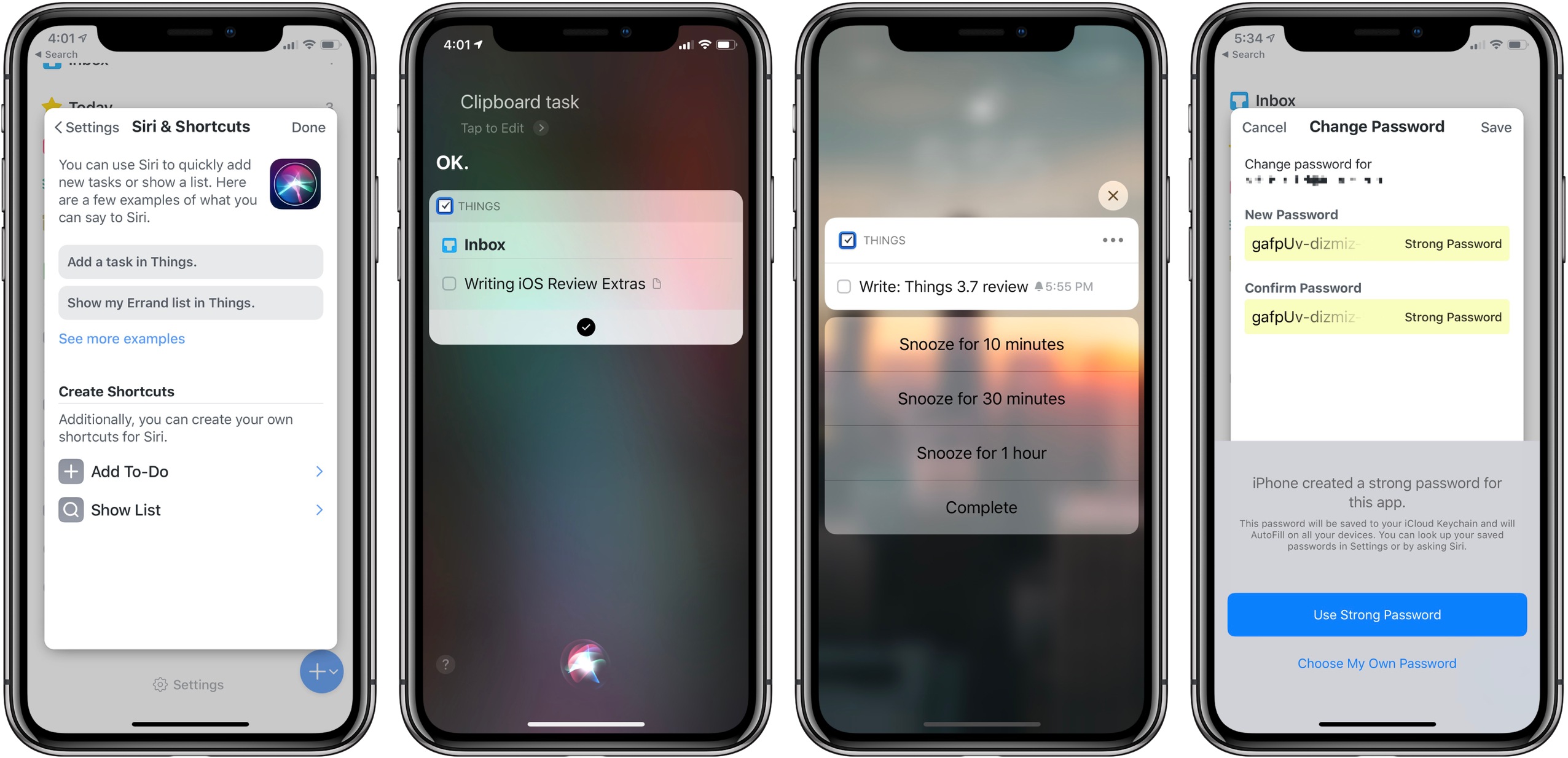
Today Cultured Code launched the latest update to Things, version 3.7, on iPad, iPhone, and Apple Watch. The app’s headline feature is full support for Siri shortcuts, but it also brings welcome improvements in a few other areas: integration with the Apple Watch’s Siri face, landscape support on iPhone which includes the iPhone X, dynamic notifications, and more. Taken together, it’s a broad set of enhancements that takes full advantage of all the latest APIs Apple has to offer.
iOS 12 Review Extras: Audiobook, Shortcuts, eBook, and Making Of
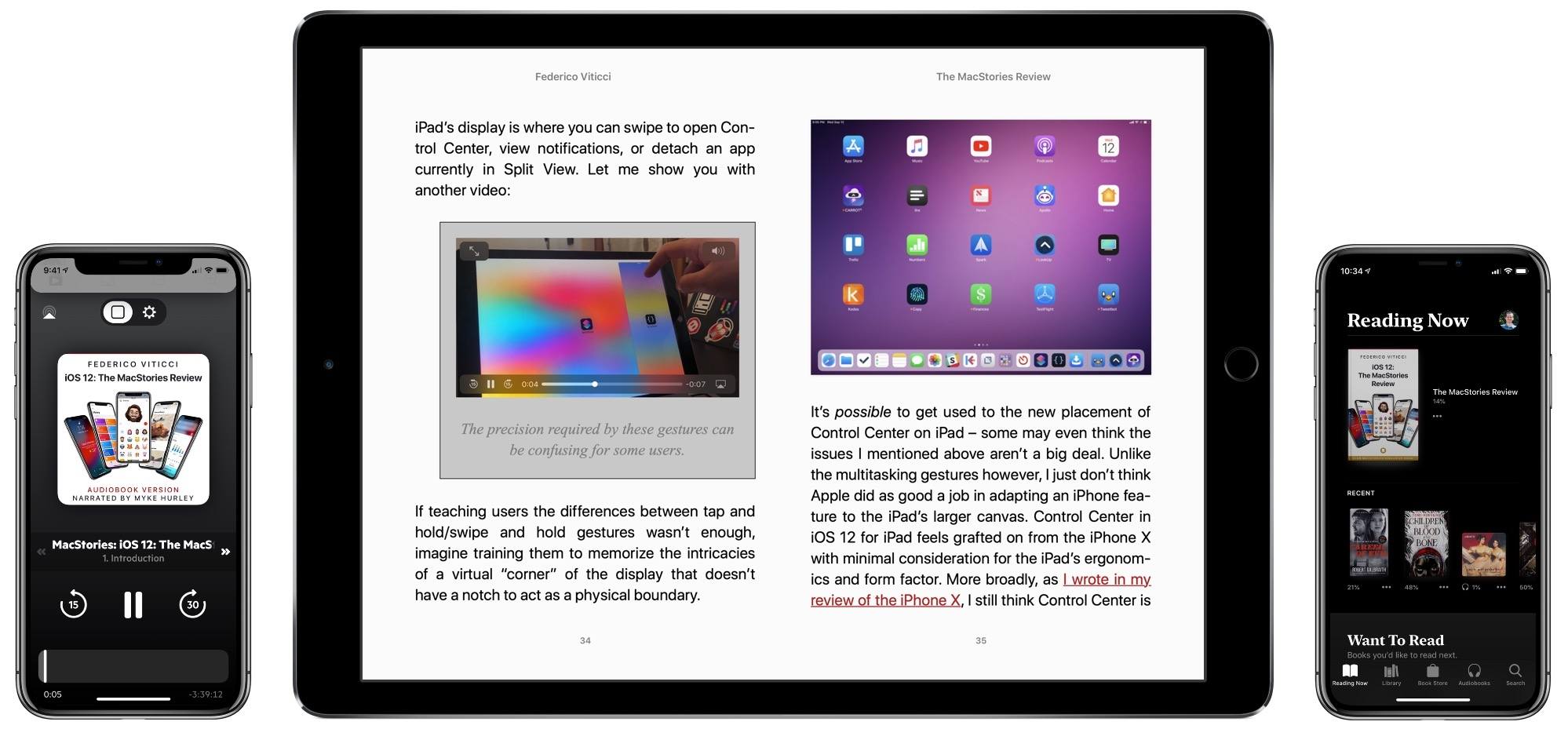
It’s a big week ahead for Apple fans, with the company launching the next major versions of iOS, watchOS, and more later today, plus the arrival of the iPhone XS/XS Max and Apple Watch Series 4 in a few days time. It’s also a big week for MacStories, with coverage planned for many exciting app updates and the publishing of Federico’s iOS 12 review.
Over the last few years, Federico’s annual iOS review has grown into the center-point of our September Apple coverage, and as such we always enjoy providing a variety of extras to accompany the review. Here’s what we have in store for this year.
iOS 12: The MacStories Review
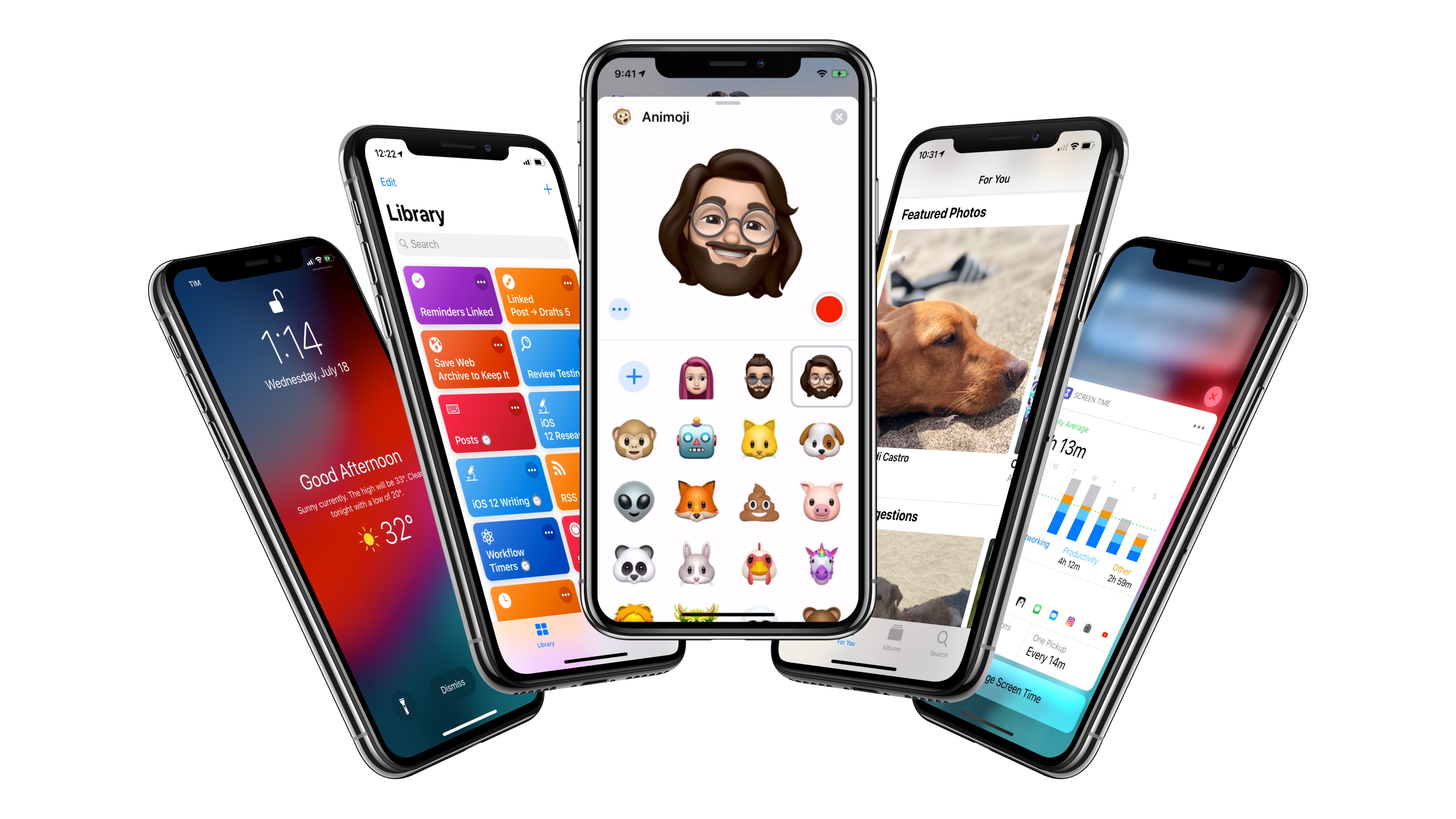
After years of unabated visual and functional changes, iOS 12 is Apple’s opportunity to regroup and reassess the foundation before the next big step – with one notable exception.
We left last year’s iOS 11 update with a palpable tension between two platforms.
On one hand, following a year of minor changes to the iPad and a hardware refresh that came in later than some expected, Apple once again devoted plenty of attention to reimagining the tablet’s role in the world of modern computing. iPad updates in iOS 11, despite having their fair share of critics, largely did not disappoint. On the other hand, the iPhone – by and large still Apple’s crown jewel – had to play second fiddle to a platform that was more in need of a strong, coherent message. And so despite blessing the iPhone with the same features of its larger multitouch cousin (at least most of them), Apple seemed content ceding the smartphone’s spotlight to the iPad. There was a healthy array of new functionalities for both, but iOS 11’s “Monumental leap for iPad” tagline pretty much told the whole story.
iOS 12, available today for the same range of devices that supported iOS 11, feels like a reaction to changes that have occurred around Apple and consumer technology over the past year.
While iOS 11 may go down in Apple software history as the touchstone of the iPad’s maturity, it will also be remembered as one of the company’s most taxing releases for its users. You don’t have to look far into the iOS 11 cycle for headlines lamenting its poor stability on older hardware, plethora of design inconsistencies (which were noted time and time again), and general sense of sluggishness – issues that may have contributed to a slower adoption rate than 2016’s iOS 10.
There were debacles in Apple’s PR and marketing approach as well: performance problems with battery and power management were handled poorly during a key time of the year, culminating with a year-long discounted battery replacement program and a somewhat rushed battery-related addition to iOS’ Settings. Then, of course, there was the much derided iPhone X ad clearly showing one of the many reported iOS bugs on TV, which had to be fixed with an updated commercial before the actual software was fixed. No matter how you slice it, it’s been a rough few months for Apple in the realm of public perception of its software.
At the same time, toward the beginning of 2018, technology observers witnessed the rise of Time Well Spent – an organization and, perhaps more broadly, a public movement demanding that tech companies prioritize enabling healthier relationships with mobile devices. The principles underlying Time Well Spent, from battling smartphone addiction and notification overload to including superior parental controls in mobile OSes, may have originated as a natural consequence of breakneck technological progress; as some argue, they may also be a byproduct of global socioeconomic and political events. Time Well Spent’s ideas found fertile soil in Silicon Valley: earlier this year, Facebook made key changes to its news feed to improve how users spend time on the social network; Apple made a rare commitment to better parental features in a future version of iOS; Google went all out and turned digital well-being into a suite of system features for Android.
It’s important to understand the context in which iOS 12 is launching today, for events of the past year may have directly shaped Apple’s vision for this update.
With iOS 12, Apple wants to rectify iOS’ performance woes, proving to their customers that iOS updates should never induce digital regret. Perhaps more notably though, iOS 12 doesn’t have a single consumer feature that encapsulates this release – like Messages might have been for iOS 10 or the iPad for iOS 11. Instead, iOS 12 is a constellation of enhancements revolving around the overarching theme of time. Apple in 2018 needs more time for whatever the next big step of iOS may be; they want iOS users to understand how much time they’re spending on their devices; and they want to help users spend less time managing certain system features. Also, funnily enough, saving time is at the core (and in the very name) of iOS 12’s most exciting new feature: Shortcuts.
iOS 12 isn’t Apple’s Snow Leopard release: its system changes and updated apps wouldn’t justify a “No New Features” slide. However, for the first time in years, it feels as if the company is happy to let its foot off the gas a little and listen to users more.
Will the plan work?
Text Case Adds Siri Shortcut Support for Text Transformations
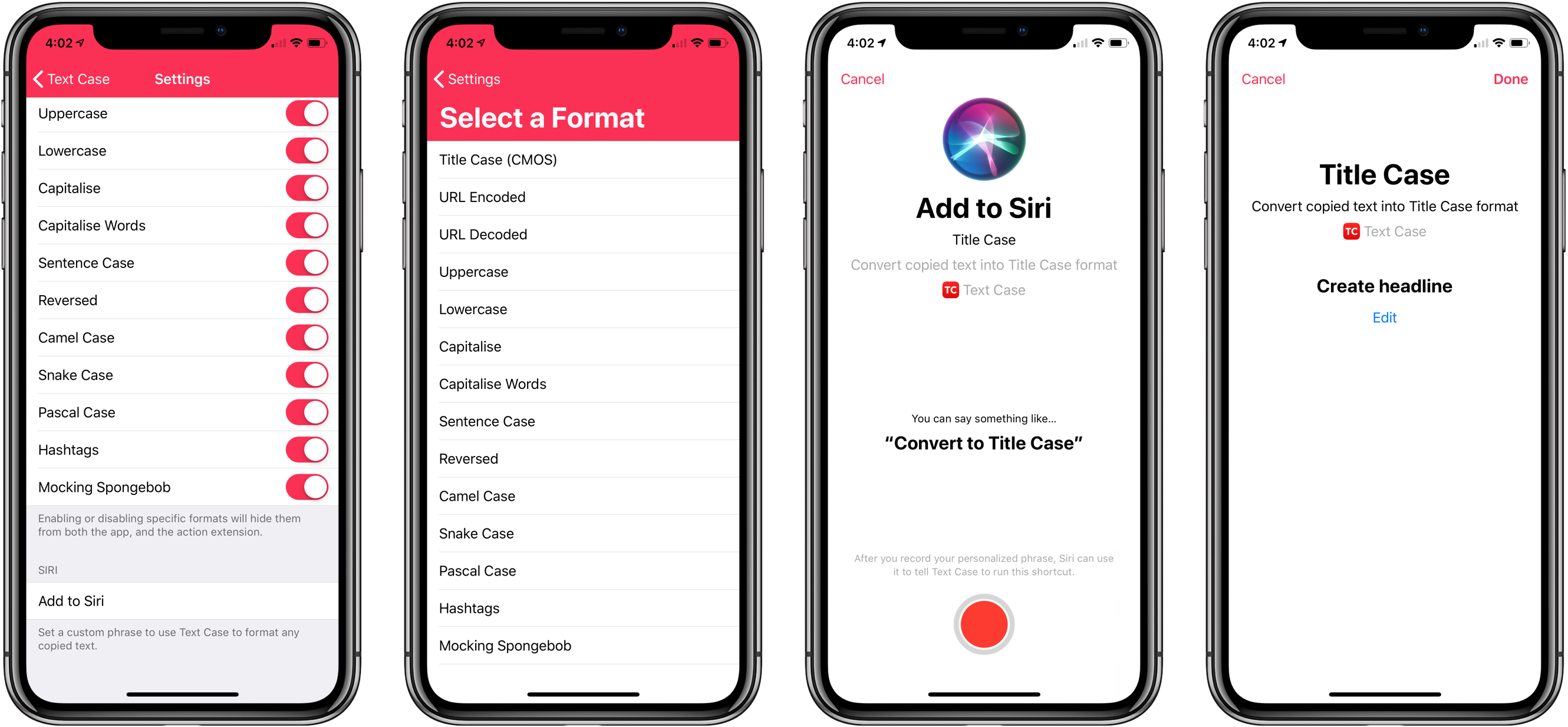
Not long ago, I reviewed an update to a new text transformation utility for iOS by Chris Hannah called Text Case. That update added support for title casing text according to popular style guides including the Chicago Manual of Style that we use here at MacStories. The app can do 13 other text transformations too like URL encoding and decoding, all caps, sentence capitalization, and many more.
I have the title casing rules of the style guide internalized for the most part, but every now and I want to check on a headline to be sure. In the past, I used an online service, which works well, but switching to a browser is an interruption. It’s a small interruption, but it’s one that may lead me to check another open tab or do something else that distracts me from completing an article. When I’m writing, I’d rather stay immersed in my text editor.
With Text Case’s extension, I can run a headline conversion right inside my text editor from the share sheet that’s accessible from the contextual popup menu that appears when you select text. With version 1.3 out today, Hannah takes the app a step further by adding Siri Shortcut support too.
Streaks 4 Adds iPad Support, Timed Tasks, HealthKit Improvements, and Siri Shortcuts
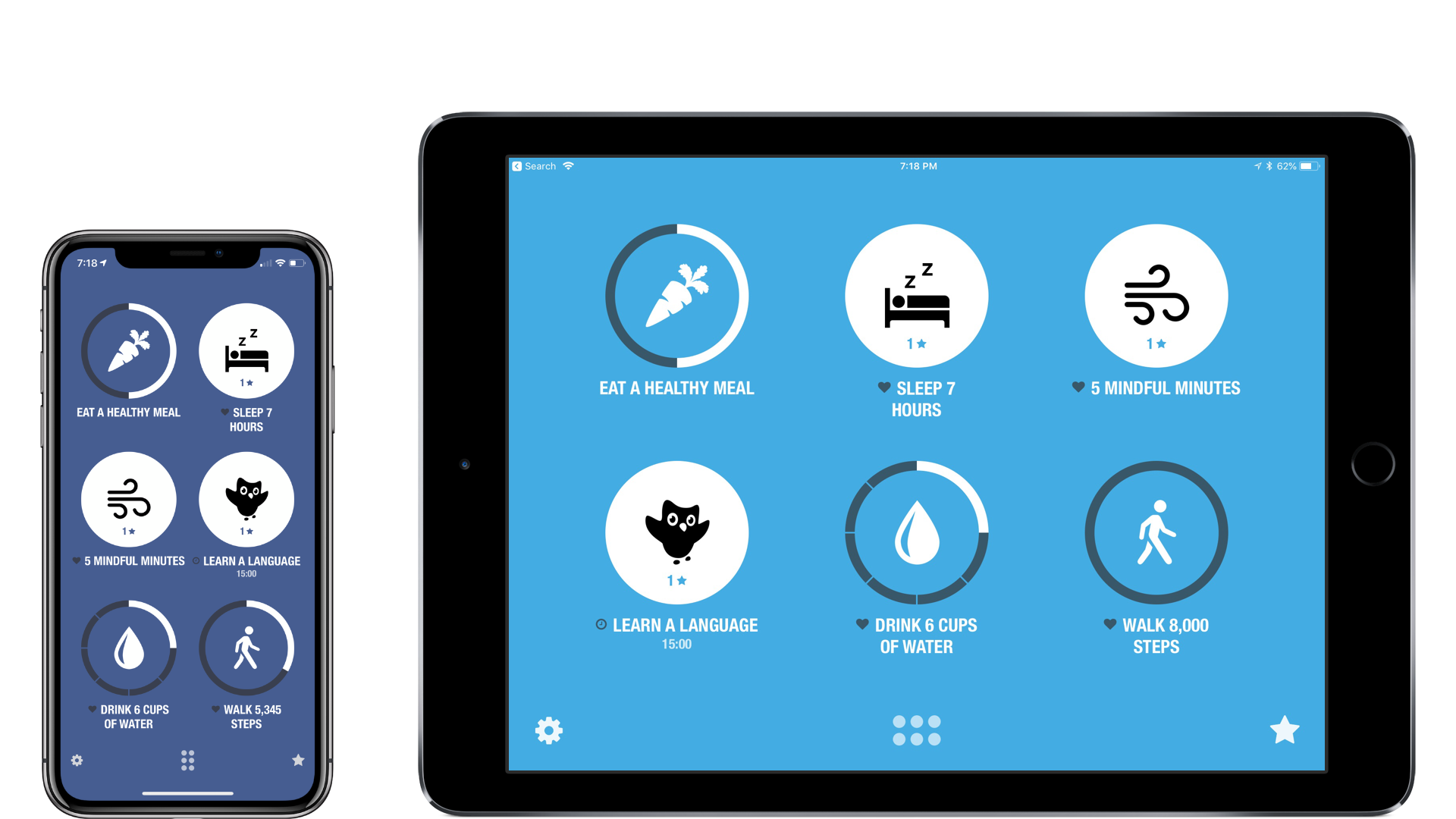
There are a lot of habit trackers on iOS, but Streaks was one of the first and remains the gold standard against which I measure all other trackers. Even as Crunchy Bagel has added new features and customization options, Streaks’ simple, elegant design has remained at the center of its user experience. That’s important because habit tracking only works if it’s easy to log events. Even the slightest friction makes it too easy to abandon your efforts.
I’ve reviewed Streaks 2 and last summer’s major 3.0 update before, so I won’t cover that ground again here. Instead, I’ll focus on what’s new: an all-new iPad app, timed tasks, improved health tasks, and Siri shortcuts.
Focus: The Best Pomodoro App for iPhone, iPad, Apple Watch, and Mac [Sponsor]
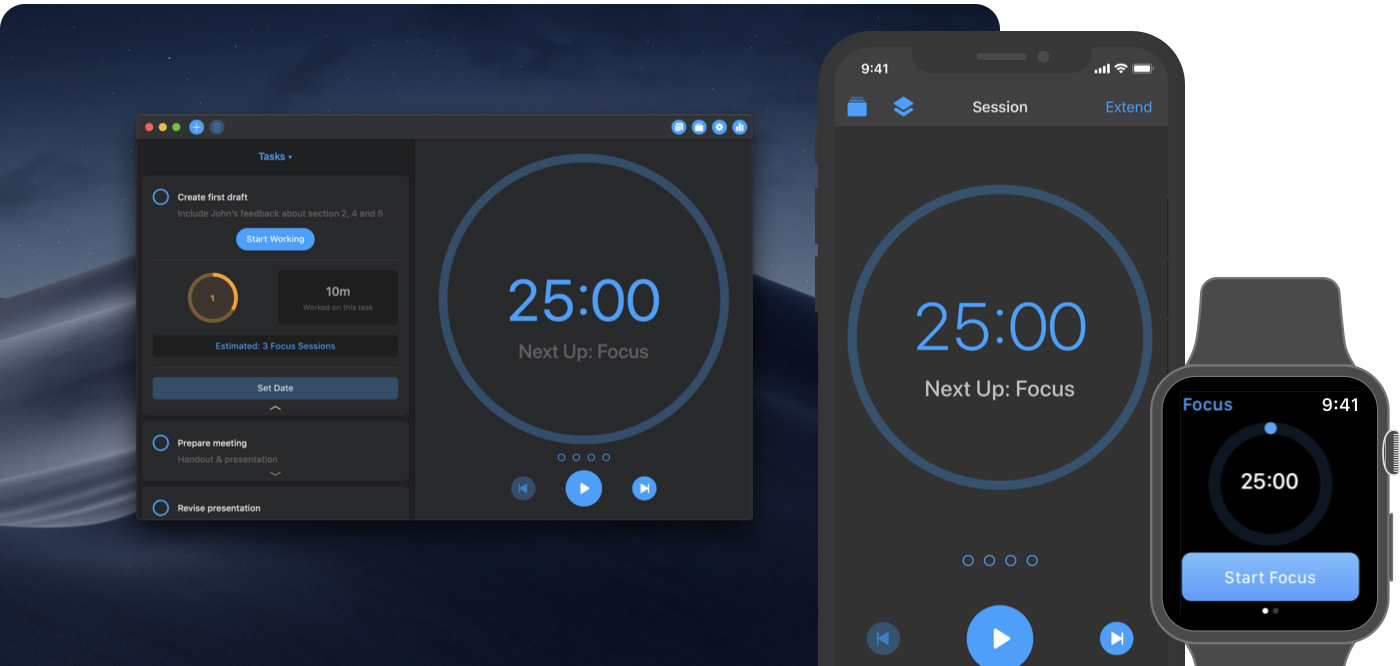
Focus is a time manager that helps you beat procrastination and work more efficiently using the Pomodoro Technique. Available on iOS, the Mac, and the Apple Watch, Focus teaches you to work in intervals and reminds you to take regular breaks.
Taking breaks enables you to reenergize and concentrate better, be more thoughtful, and ultimately, work more productively. With its simple and lightweight way to organize and manage your tasks, Focus is the best way to get organized and achieve daily goals that keep you motivated. Because its task management features are unobtrusive by design, you’ll spend your time working on your tasks instead of fiddling with the app.
Focus is designed to work seamlessly across all platforms and devices through Apple’s latest technologies. You can switch devices by using Handoff and count on fast, reliable iCloud sync among devices. On iOS, you can see your current progress with a Today widget, and use rich notifications to start, stop, and extend your work. The beautiful and clear design feels right at home on macOS, and a menu bar app lets you see your current progress at a glance. Focus also helps you gain powerful insights about your work with charts comparing your activities day-to-day, week-to-week, and month-to-month.
Focus is right on top of Apple’s new OS releases too. The iOS and watchOS apps feature Siri shortcut support, and the Mac app will include a Dark Mode that looks fantastic in Mojave when it’s released next week.
Be more productive and effective by adding Focus to your workflow. This week only, MacStories readers can purchase a Focus Pro subscription for 15% off the usual price using the promo code macstories18 from within the app. So don’t delay, get Focus on iOS and on the Mac today.
Our thanks to Focus for sponsoring MacStories this week.