This Week's Sponsor:

Turbulence Forecast

Know before you go. Get detailed turbulence forecasts for your exact route, now available 5 days in advance.


Posts tagged with "iPad"

Apple’s Tablet Computer History

Apple’s Tablet Computer History

Now that Apple has released the market-leading iPad, with a barrage of other tablet computers and dedicated eReaders flooding the market, it’s worthwhile to look back and see where all of this came from. The focus will be on Apple, and their history with tablet computers.

I didn’t know many of those devices even existed. Great collection.

Permalink

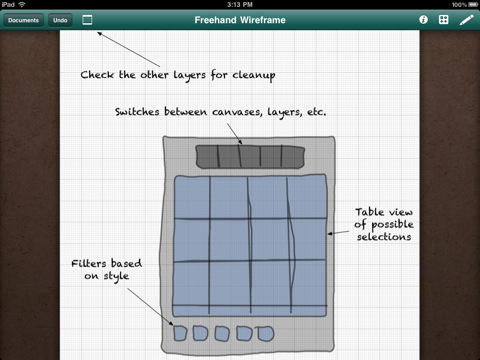
Adobe Ideas 1.1 Adds Layers, iOS 4 Support, Goes Universal

A huge update to Adobe Ideas for iPad has been released a few hours ago in the App Store. First off, the app is now Universal for iPhone and iPod Touch, supports the Retina Display and iOS 4 multitasking both on iPhones and iPads. A Universal version of the app was one of the most requested features since the app came out on the tablet, and it’s a great addition to an already popular app.

Then, layers: available as in-app purchase (smart move, Adobe), you can insert up to 10 layers plus a photo layer in each sketch. The user interface for this functionality looks fairly simple and accessible. You can also “redo” actions now. Last, the app is now much faster and optimized for every device.

Adobe Ideas is available for free here. Check out the introductory video below.


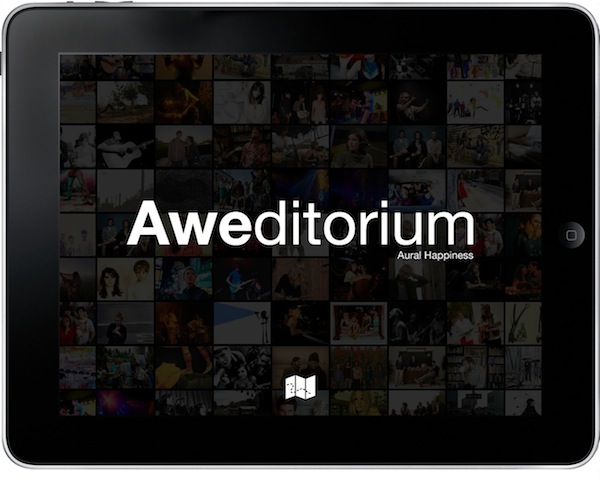
Aweditorium Aims At Revolutionizing Music Discovery On The iPad

It’s great when you wake up and you find an awesome new app waiting for you in the App Store. You see, I’ve been keeping an eye on Aweditorium for a while (months, I believe) since Robert Scoble first tweeted he had tested an early demo. The name was cool, the website featured some bands I didn’t know. I was intrigued, so I started following the developers on Twitter.

Aweditorium is now available in the App Store, and it’s more than I thought it would be – but it’s got a few technical limitations I hope will be addressed in future updates. Aweditorium aims at changing rules and conventions, but it has to deal with some iOS restrictions and a few bugs I’m pretty sure are caused by iOS 4.2 incompatibilities. The main concept, however, is all there: Aweditorium wants to change the way you discover great new music on the iPad.

After two hours using the iPad app I’ve already discovered more new music than in the last two weeks reading NME or Pitchfork. Read more


Verizon’s First iPad Commercial [Video]

Fresh off Youtube, here comes Verizon’s first official iPad commercial. Featuring a man with an iPad on his lap and a Verizon MiFi unit, the ad outs the focus on the “magical iPad” now available on the nation’s most reliable network.

It’s very well done, Apple-ish yet aimed at promoting Verizon’s network. We like it. [via The Next Web]


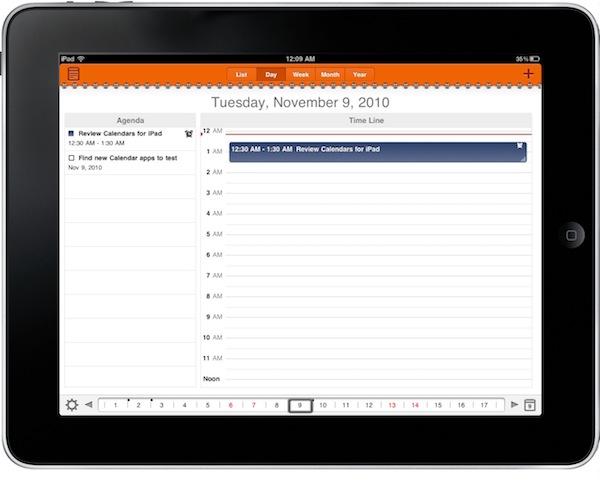
Calendars for iPad: Google Tasks and Calendar Sitting In A Tree

In my ongoing search for the best iOS and OS X calendar setup, I found a great iPhone app called Calvetica which I’m currently using and loving. Calvetica features a great UI design and a simple yet powerful feature set, make sure to read my review if you missed it. I asked for calendar suggestions on Twitter and I received lots of app recommendations, but I’m sticking with Calvetica on the iPhone. No wonder it was also the most recommended app.

On the iPad, though, the situation is much different. The device has been around for a few months, there aren’t as many calendar apps as on the iPhone (whose App Store launched in 2008) and Apple’s own calendar software is simply great – anything like the iPhone counterpart. There’s a huge market for alternative calendar solutions on the tablet, and it looks like developers are starting to understand this. A slew of iPad apps came out in the past weeks, and we’ll review the most notable ones here on MacStories in the next weeks.

Today I’m taking a look at Calendars by Readdle, the same guys behind my beloved PDF Expert, which aims at blending the usual calendar environment with the possibilities offered by another Google product, Google Tasks. Read more


OmniGraffle for iPad 1.4 Ships With iOS 4.2 Support, Sync, Stencil Management

A major new version of OmniGraffle for iPad has been approved – and it’s one hell of an update. OmniGraffle 1.4 introduces full iOS 4.2 compatibility, which means the app can now store its persistent state when you switch to another application and can print your diagrams and wireframes using AirPrint.

The OmniGroup didn’t stop at new OS support, even though that would have been enough. They added an enhanced Document Browser with improved sorting and filtering options, stencil management and remote file syncing to iDisk and WedDAV.  You can now also create your own stencils from scratch and access a Font Inspector popover from anywhere.

What a great update. OmniGraffle for iPad is available at $49.99 in the App Store. Check out the full 1.4 changelog below. Read more


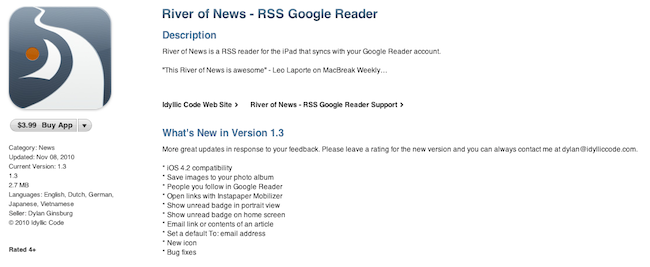
River of News 1.3: iOS 4.2 Compatibility, New Icon, Bug Fixes

I’m a big fan of River of News for iPad: it’s a well-designed RSS app that instead of presenting news as a list on unread items inside folders (much like most iPad and iPhone apps do), tries a different approach by enabling you to scroll a constantly updating “stream” (or, yeah, river) of articles. When you reach the bottom of the stream, the app will automatically load the next items until there’s nothing left to load.

A few weeks ago the developer of River of News also posted the results of the app’s sales, fully committing to iOS development as his new day job. Today an update to RoN has been approved: with version 1.3, the apps comes with a new icon (even though I used to like the old one), full iOS 4.2 compatibility and a “save image” feature. You can also open links with the Instapaper Mobilizer, email articles, check on items from people you follow on Google Reader.

Read more


MacJournal for the iPad

It used to hold true that I’d occasionally coordinate my nefarious plans for world domination inside of the iPad’s very own Notes application. I don’t like using Simplenote (as many will tell me to do) for such radical means, which is its own whitespace dedicated for short bursts of random prose. The only solace I could find was with MacJournal, though for a while, it only existed on OS X. And MacJournal is appealing not as a blogging solution, but as a database solution for maintaing multiple journals with optional encryption and password protection. When I can avoid it, I don’t like maintaining multiple files in the Finder.

Read more


Andrew Hyde’s iPad Experiment Gone Wrong

Andrew Hyde’s iPad Experiment Gone Wrong

I like writing, and the touch interface just wasn’t cutting it, so I purchased the bluetooth keyboard for when I wanted to write posts. It was pretty brilliant as a setup. On my last flight I was forced to check my bag, and in the rough handling the keyboard was turned on, keys were pressed, the iPad took this as incorrect password guesses and it locked.

I had all sorts of screenshots and apps to show off, those are all gone, because once your iPad gets in this mode, the only way to get it out is to restore it to the computer it was last synced with. I, not owning that computer, had no choice but to delete everything.

Delete everything.

I can imagine the frustration – more evidence that the iPad still can’t live on its own. [via BrooksReview]

Permalink