This Week's Sponsor:

Turbulence Forecast

Know before you go. Get detailed turbulence forecasts for your exact route, now available 5 days in advance.


Posts tagged with "iPad"

EyeTV App Update Adds AirPlay Support

In its latest update, Elgato’s EyeTV, introduces support for AirPlay - something many users have been requesting be added.  You’ll be able to stream both live TV and recordings from either the iPhone or iPad version of the app straight to any TV connected with an Apple TV.

One might ask why you would bother streaming TV (particularly live TV) via a Mac to an iPhone to only send it back to a TV. But this can be handy if you have another TV, perhaps in a bedroom and don’t want the hassle of having to install another antenna or set top box which can also cost a lot more than just an Apple TV. That way you could just set up your Mac and EyeTV to record your favourite TV shows and stream it to that bedroom TV.

Don’t forget that there are a number of hacks/workarounds that allow you to stream (using AirPlay) from your iPhone or iPad to another iOS device using AirTuner or even to a Mac using Banana TV.

[Via TUAW]
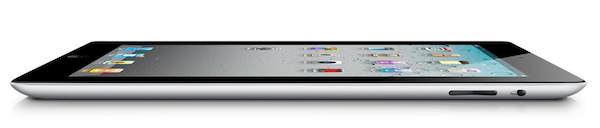


Woz: “The Tablet Is For The Normal People”

Woz: “The Tablet Is For The Normal People”

Apple co-founder Steve Wozniak, speaking at the Storage Networking World in Santa Clara, California:

The tablet is not necessarily for the people in this room,” Wozniak told the audience of enterprise storage engineers. “It’s for the normal people in the world,” Wozniak said.

“I think Steve Jobs had that intention from the day we started Apple, but it was just hard to get there, because we had to go through a lot of steps where you connected to things, and (eventually) computers grew up to where they could do … normal consumer appliance things,” Wozniak said.

The roots of the iPad can be easily found in the first Macintosh, “the computer for the rest of us”. I have no doubt Steve Jobs thought from the beginning that, someday, a single screen to hold in our hands would become many people’s standard way of using a “computer”. This is happening now – almost 30 years later –  thanks to technological and engineering advancements.

And if you think that the concept of the iPad as we know it came years before the iPhone – it makes you wonder what the next 10 years are going to be like.

Permalink

Q&A: MLB.com Boss Bob Bowman on Android Owners, Facebook Video and Apple’s Subscription Rules

Q&A: MLB.com Boss Bob Bowman on Android Owners, Facebook Video and Apple’s Subscription Rules

Peter Kafka: You’ve complained publicly before about the difficulty in supporting multiple flavors of Android for your apps. But this year you’ve expanded the number of Android handsets you’re supporting from 6 to 11. Did you ever consider not working with Android at all?

Bob Bowman: The short answer is no. But what we have done is that we don’t support every Android phone. Because at some point, it’s diminishing returns. The Android user typically is less likely to buy, and therefore the ROI on developing for Android is different than it is for Apple.

In comparison, the NFL Network announced that 76% of NFL Mobile Only From Verizon customers subscribed to watch video of Combine events, with a 128 percent increase in NFL.com’s total video streams from last year. The NFL Network also announced a record 2010 season with 6.6 million viewers.

In the first season of NFL Mobile Only from Verizon, a record number of fans turned to their mobile devices for NFL coverage as NFL Mobile is one of Verizon’s most successful apps.

The success of NFL Mobile was only available to select Android phones on Verizon, and I’d argue the MLB would do just fine support a few of the worth mentioning Android phones in the market. Kafka and Bowman also discuss Apple’s subscription model, and the MLB’s desire in primarily supporting the iPhone and iPad.

Permalink

#MacStoriesDeals - Monday

If you didn’t already know, we’ve set up a new twitter account for Deals, it’s @MacStoriesDeals. We’ll tweet the daily deals there as well as exclusive weekend deals too. Help spread the word! Here are today’s deals on iOS, Mac, and Mac App Store apps that are on sale for a limited time, so get ‘em while they’re hot!

Read more


This Album Was Recorded Entirely In GarageBand for iPad

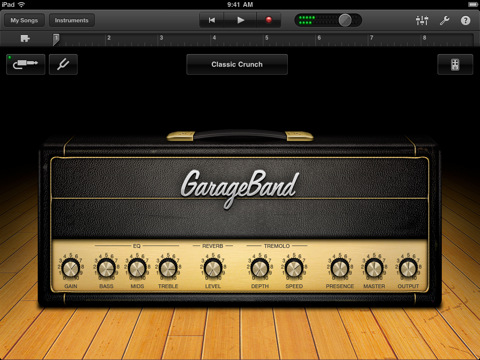
As noted by Jim Dalrymple at The Loop, we knew this was going to happen. Ever since the release of GarageBand for iPad, I have wondered: “when will someone come out with an album recorded entirely using this app?” Well, someone did, and the album is now available for download on iTunes.

This is not the first time musicians have shown interest in Apple’s iPad as a content creation platform for music. The Gorillaz, for example, released last year a new album completely realized using music apps available in the App Store. Similarly, hundreds of videos surfaced on Youtube and other social media websites showing people making music on the iPad or doing live performances with the tablet and other iOS devices. This new experiment from pop punk band The Ultramods relies on Apple’s GarageBand software for the recording of digital instruments, and voice through the iPad’s mic.

Pop punk band The Ultramods on Monday released its latest album that was done using GarageBand for iPad’s eight-track recording studio. All of the instruments used to record the album come bundled in GarageBand, according to the band.

The Ultramods’ “Underwear Party” is available now at $9.99 in the iTunes Store. It’ll be interesting to see whether or not Damon Albarn will consider GarageBand’s features for a new, digital-only Gorillaz record.


Universal Version of World of Goo Coming Soon

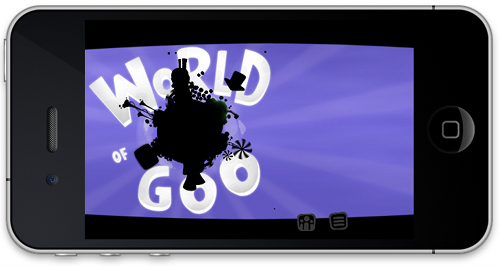
World of Goo had such a huge success for the iPad that an iPhone version is on it’s way. A universal version is waiting approval that will give iPhone users some of their own Gooey action! 2D Boy has submitted an iPhone version of World of Goo to Apple for approval, so it could be available any day. The regular price will be $2.99 (iPad version is $4.99), but it will be only $.99 cents for the first twenty-four hours of the iPhone version’s release.

If you already have that iPad version, you already have the iPhone version. 2D Boy is making the iPad app universal, so it’ll be freely playable on iPhone. World of Goo will not support the iPhone 3G, only iPhone 3GS and iPhone 4. Now get Gooing!

[via 2D Boy]


Review: Mr. Reader Takes On Reeder For King of iPad RSS Apps

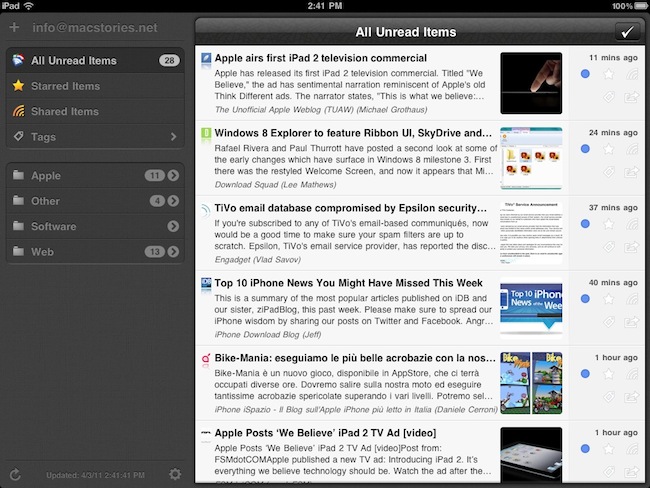
I read a lot on my iPad. Either with Instapaper, Read It Later, Flipboard or iBooks, there’s lots of content to consume and these apps made specifically for the tablet are a real pleasure to use. I don’t reckon I read as many articles saved from the web or discovered through social media on the iPhone as much as I do on the iPad. But of course, Instapaper and Twitter aside, there’s another category of apps I’m constantly going back to: RSS readers. Both for work and personal purposes, RSS plays a huge role in my workflow that requires me to stay on top of news, save items for later, and forward them to my colleagues. Google Reader is my RSS service of choice.

On the iPad, there’s no doubt Silvio Rizzi’s Reeder has become the most popular RSS app currently available on the App Store. I love Reeder, and I use it on the Mac and iPhone as well. Reeder is beautiful, fast, stable, has lots of options and syncs with Google Reader. Ever since it came out on the iPad last year, I haven’t looked back. But you know I’m always curious to try out new things and alternatives, because you never know what might be coming out from the minds (and Xcodes) of thousands of iOS developers out there. Mr. Reader, an iPad app released last week in the App Store, is a new Google Reader client that I’ve been testing for the past 3 weeks. I was impressed by the quality of the app, so I took it for a spin on my homescreen. Read more


Enable Display Mirroring On The iPad 1

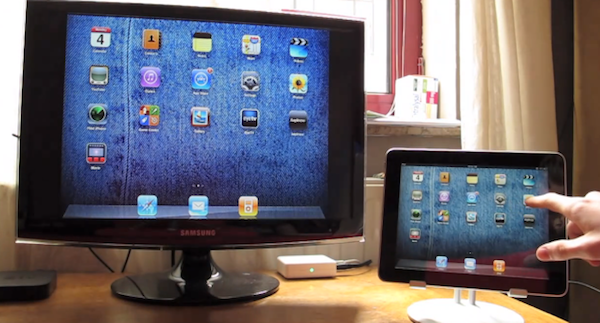
One of the most interesting features of the iPad 2 (cameras and thinner design aside) is the possibility to activate video mirroring: thanks to Apple’s Digital AV Adapter or VGA Adapter, any app on your iPad 2 can be mirrored on the television’s bigger screen with just an additional cable and no setup required. It works out of the box – meaning all your apps, presentations and websites can be sent off to a monitor that supports HDMI or VGA. This has been touted as one great functionality of the iPad 2 especially among teachers and people who always wished to mirror the iPad’s display to an external monitor during business meetings.

Unfortunately, the feature is “officially” iPad 2-only – but thanks to a jailbreak hack it is now possible to enable system-wide display mirroring on the original iPad with a few easy steps. As detailed by Nature’s Eye Studios, you’ll need a jailbroken iPad 1 running iOS 4.3 to modify some system files and activate video mirroring. This can be easily achieved with the latest redsn0w that brought untethered 4.3.1 jailbreak last night. Read more


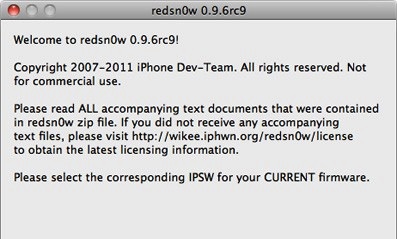
redsn0w Untethered Jailbreak Now Available For iOS 4.3.1

The Dev-Team today released version 0.9.6rc9 of their jailbreaking tool redsn0w, which jailbreaks all iOS devices running 4.3.1 - except for the iPad 2. So effectively that includes the iPhone 4 (GSM), iPhone 3GS, iPod Touch 4G, iPod Touch 3G, iPad 1 and the Apple TV 2G (PwnageTool only). However if you depend on ultrasn0w you must wait until there’s a compatibility fix, which is currently in the works.

The key (untethered) exploit is all thanks to Stefan Esser (@i0n1c) who is a security researcher in Germany that is experienced in vulnerability research. He was previously known in the iPhone jailbreak community for his “antid0te” framework which actually improved security by adding ASLR support for jailbroken iPhones, and before Apple had even implemented it. Needless to say the Dev-Team is pleased to see Stefan help them with jailbreak exploits.

As for the iPad 2, Apple unfortunately patched the two bootrom exploits that the Dev-Team had ready (SHAtter and limera1n) and so until a new one is found, no untethered jailbreak can be developed.

You can download this latest edition of redsn0w for either Windows or Mac. You can also get the latest PwnageTool (Mac only) here, and the latest edition of sn0wbreeze (Windows only) here.