


Here are today’s deals on iOS, Mac, and Mac App Store apps that are on sale for a limited time, so get ‘em while they’re hot!
Posts tagged with "iPad"
#MacStoriesDeals - Wednesday
Analyst Predicts Apple To Be Tablet Market Leader Until 2013
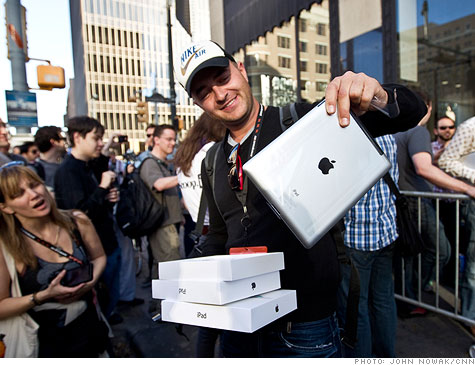
According to at least one research firm, DisplaySearch, Apple will remain firmly as the market leader for tablets for at least the next two years with substantial market share and sales. The firm believes the market will grow at a very rapid rate, accelerated primarily by the iPad, which it believes that Apple will sell 40 million units of this year – a very significant increase from last year’s 15 million units.
Perhaps one of the most fascinating statistics that the firm is floating is that by 2016 the tablet market will be selling 260 million units per year worldwide. That is a very considerable figure considering that in 2010, 351 million PCs were shipped. Indeed if these suggested figures ring true, it could be the case that tablets in 2016 replace a number of PC sales and perhaps even exceed PC sales.
As for Apple’s competitors, DisplaySearch believes that somewhere around the beginning of 2013 would be when they match Apple’s sales volume (combining all Apple’s competitors together though), which would still leave Apple as the market leader for presumably some time. Whether indeed Apple’s competitors can catch up by early 2013 will rely heavily on how well they do this year in launching their first iPad competitors. If they fail, the tablet market could well become similar to the MP3 player market in which Apple has strongly dominated for a decade with its iPod family.
[Via The Apple Blog]
FileMaker’s Bento for Mac Updated to Version 4; iOS Version Updated
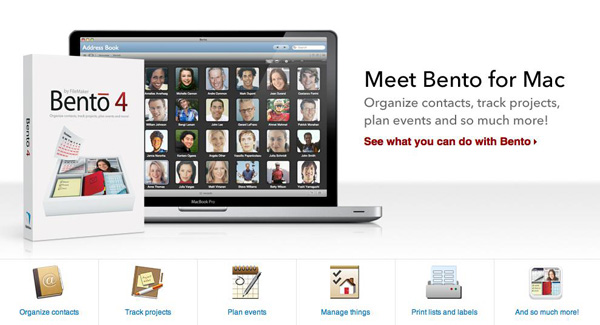
Filemaker has released Bento 4 for Mac today, and it’s a major update to the previous version of their popular personal database software. It’s also now available via Apple’s Mac App Store, a first for Bento. It will cost you $49 but if you own a previous version, they will give you a $20 rebate. If you want a ‘family pack’ with 5 licenses, they offer a $99 version of Bento.
New features to Bento 4 include the ability to print labels using Avery and Dymo file formats. Sharing databases is easier with this version as well; the user can export the app’s libraries that are populated with data for other Bento users.
You can also upload a database template to the ‘Bento Template Exchange’ that has over 800 free downloadable templates to use. Bento has also added the ability to use geographical location data, grabbed through Wi-Fi, GPS or cell tower triangulation.
Another new feature adds the ability to lock forms to prevent unnecessary changes from being made to your layout. Improved performance and faster launch times have also been added, along with an easier way to switch from Table to Form view.
Bento for iOS was also updated to version 1.1. Changes include the ability to record voice memos, and sync iCal tasks (when paired with Mac). Multitasking support and better image support for retina displays are also included; here’s the link.
If you want to buy Bento 4 from somewhere other than the Mac App Store, you can always visit an Apple Retail Store or buy it directly from Filemaker’s website.
[via The Loop]
Photoshop Express For iOS Updated To 2.0, Adds Enhanced Camera Features
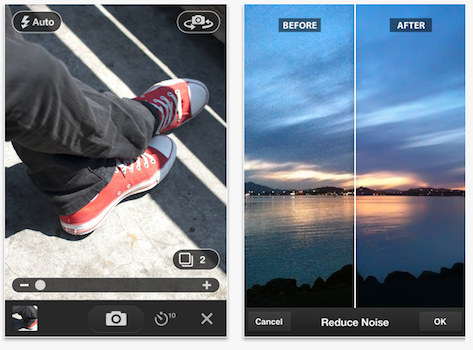 Adobe’s Photoshop Express
for iPhone and iPad has today been updated to version 2.0 and it brings a few substantial, and much needed improvements, to the mobile photo editing app. Perhaps of most importance is the addition of full Retina display support and multi-tasking support, which is a feature that all apps really should have had a few months ago.
Also included in the update is a new camera workflow for what they describe as “rapid in-app photo-taking” but in addition to that is the inclusion of a $4.99 in-app purchase for an ‘Adobe Camera Pack’. This pack improves upon the apps in-built camera functions by adding the features of reducing noise, self-timer and auto reviewing functions.
The app remains free and the 2.0 update can downloaded now, but to get the Adobe Camera Pack you’ll need to fork out the cash for that in-app purchase.
[Via The Loop]
Apple Rolling Out iAds for iPad

Back in December, Apple launched the first iAd for the iPad – a fullscreen interactive experience for the Tron: Legacy movie that allowed users to check out characters’ bios, trailers and storyline within a well-designed interface that was the first to make use of the iPad’s larger screen for the iAd platform. When the Tron iAd was launched, however, Apple confirmed that it would be the only one for 2010, with more iPad-specific iAds coming in 2011. As noted by CNET, the rollout of these new iAds has begun today with Unilever and the NCAA.
Unilever has teamed up with the National Collegiate Athletic Association “to give users an up-close view of three of its stars”. The ad runs in fullscreen mode and comes with video ads featuring Earvin “Magic” Johnson, John Thompson III, and Bobby Hurley. The iAd also enables users to answer NCAA-based questions, and check out daily game schedules directly from the iPad.
With the introduction of iOS 4.3, it was clear that Apple had implemented full iAd support in the tablet. The application to design and develop iAds on the Mac, iAd Producer, was in fact updated last week to include iOS 4.3 support and “creation of ads with multiple banners”. The news of new iAds for the iPad comes after Apple cut the minimum iAd buy in half at the end of the first round of campaigns, probably to address advertisers’ complaints that iAds, although successful and well-targeted, weren’t worth the $1 million minimum spending required by Apple.
#MacStoriesDeals - Tuesday

Here are today’s deals on iOS, Mac, and Mac App Store apps that are on sale for a limited time, so get ‘em while they’re hot!
Apple: Donate Your Old iPads to Teach For America→
Apple: Donate Your Old iPads to Teach For America

Apple is asking US customers to donate their old first-generation iPads to Teach For America on its official Retail webpage. By visiting this link, you’ll notice a box on the right that says:
Your old iPad can help teach kids a thing or two. Donate your old iPad at an Apple Retail Store, and Teach For America will give it to a teacher in a low-income community.
As noted by Macnn, there’s no mention of tax deduction for the donation, but Teach For America is a corporation listed among those that provide tax deductions for direct donations. So if you’re interested in donating your old iPad for a good cause, give your nearest Apple Store a call to get more details. I wish there was such a program in Italy.
Due, The Best Reminder App for iPhone, Now Available on the iPad
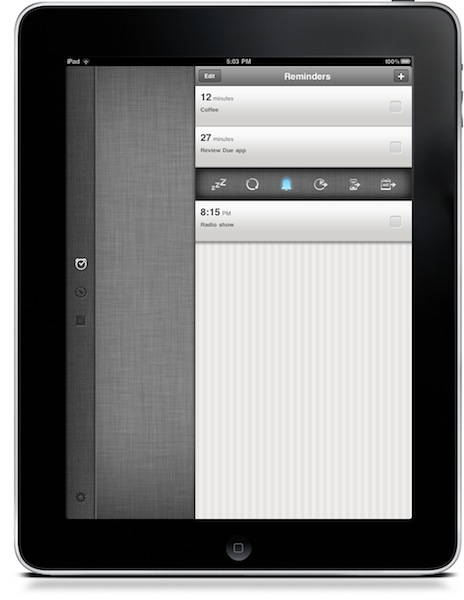
Due, a popular reminder and timer application for the iPhone we at MacStories reviewed several times in the past, was updated last night to include a native iPad version that, together with OTA sync through Dropbox introduced in version 1.3.1, now allows you to have your reminders, timers and logbook always in sync and available across a variety of devices.
Due for iPad sports a completely new interface for the tablet that reminded me of the official Twitter app at first with a vertical navigation bar on the left and a middle panel to add and customize your reminders and timers. The bar on the left lets you switch between the sections of the app, as well as the Settings which now have their own dedicated tab. As you may know Due syncs with Dropbox upon launch and exit, so if you’re running both the iPhone and iPad versions at the same time don’t expect changes to occur simultaneously. It’s highly recommended that you only use one version of Due at a time to avoid sync conflict issues. That said, sync is pretty reliable and fast enough to enable you to switch from a device to another within seconds.
New design aside, Due for iPad follow the steps of the iPhone app to offer an easy to use solution for your reminders and timers. Many of the interface elements are the same so you’ll feel comfortable when using the new Due for iPad. This update also introduces a number of fixes and various improvements, such as the possibility to relaunch the app in its previous state (reminders / timers tabs), double tap to edit reminders and timers, extended undo support. When adding new reminders, the app will now open the “quick panel” automatically to customize snooze and repeat quickly – this one is a very welcome addition to further streamline Due’s workflow and usability.
Due keeps getting better on each release, and this iPad version plays an important role in making Due a ubiquitous way to have your reminders and timers available all the time. You can get the app for $4.99 in the App Store, and check out the full list of changes and fixes below. Read more
7,200 iPad 2s Sold at Apple’s 5th Avenue NYC Store on Day 1
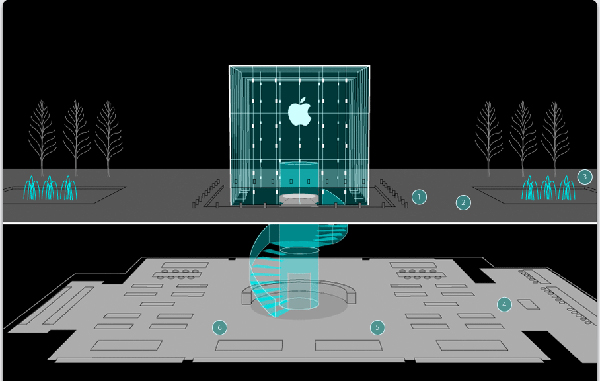
Apple has not officially released Day 1 sales for the iPad 2 but Business Insider is reporting that 7,200 iPad 2 devices were sold last Friday, March 11 at the flagship Manhattan store on 5th Avenue in New York City.
They claim a strong “well-connected source” released this number to them. To back up this number, there were over 1,100 people lined up this weekend, up from 700 when the original iPad came out about a year ago.
Apple has also reportedly stretched the waiting time for an iPad 2 to a 4 to 5 week wait now, it’s a good thing our Cody Fink made the hike to his local Apple store to purchase one for Federico and himself, but I am hoping that by next month I can buy one in person when I’m in Chicago. At least I hope Apple can reload and meet the more demands for the iPad 2.
[via Cult of Mac]