Posts tagged with "mac"

Activate AirPrint On OS X 10.6.5 With One Click

Even though it is believed that people nowadays don’t print much (I surely don’t), Apple’s removal of support for AirPrint shared printing on the latest version of OS X, 10.6.5, raised a few eyebrows. They had announced the feature, but they didn’t deliver with 10.6.5 – even if previous developer version of the OS update had AirPrint enabled.

It seems like it was too unstable to make it to the final version, but some are suggesting the folks at Cupertino are dealing with patent trolling issues for shared printers in AirPrint. We don’t know. Read more


Hacker Runs Microsoft’s Kinect on OS X

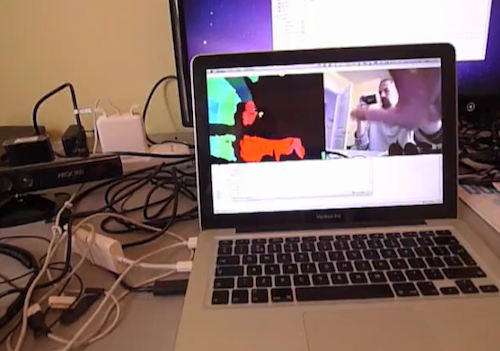
A few days after Microsoft released Kinect (and years later Apple’s interest in the device), a motion-based game controller for the Xbox 360 console, a group of hackers managed to modify the device’s settings, hack it and let it run on Windows 7.

Microsoft of course isn’t interested in this kind of hacks and will never support such efforts – also because there’s not really much you can do with Kinect on computers. It “runs” and  displays the images it captures from the camera, but you can’t do much after all. Read more


How To Sync Your Entire iTunes Library With Dropbox

Those who follow me on Twitter have probably read that I’ve been struggling in trying to make iTunes play nice with Dropbox. As I wrote many times here on MacStories in the past, I moved all the files and app databases I access on a daily basis into Dropbox, but iTunes was missing. I read in many forums and blog posts that making iTunes work fine with Dropbox sync across multiple computers was quite a mess, and I wasn’t sure I was ready to take the effort and spend hours messing with 80GB of music (and hours of uploads for my connection) and all those apps I have in my library. Fortunately, I don’t store movies in iTunes.

So as I wrote, I was having doubts about going Dropbox all the way with iTunes. The advantages of this method are obvious: you can sync your devices on multiple computers as long as Dropbox is updated to the latest version, you can check for app updates on any of your computers – you can add music to your library no matter the computer you’re using. With Dropbox, iTunes simply thinks it’s running on a single machine, while in fact you’re using it on multiple machines. I have a MacBook Pro and an iMac, but I’m sure the same method works on 2 or more computers.

There are some tricks you must know, however, and some steps you have to follow in order to make it work and avoid errors. iTunes is not exactly the most stable app for the Mac or the easiest to tweak: by default, it stores its database in a directory other than /Library (where most apps usually reside), it relies on a .xml library file that can easily be corrupted and if you go ahead and store app betas in your iTunes Library, you’ll have to deal with additional folders. In my experience, iTunes has turned out to be the hardest application to sync with Dropbox, but I think I’ve nailed it. Here’s how. Read more


Return AirPrint Sharing To Mac OS X 10.6.5

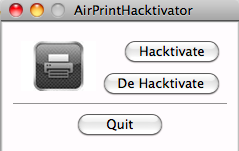
Return AirPrint Sharing To Mac OS X 10.6.5

Steven Troughton-Smith found a way to make printer sharing work on 10.6.5, but you’ll need an old developer version of the OS to enable it:

The files you need are:

/usr/libexec/cups/filter/urftopdf
/usr/share/cups/mime/apple.convs
/usr/share/cups/mime/apple.types

The final key thing is you have to remove and re-add your printer in the Print & Fax preferences pane.

Permalink

Mac OS X 10.6.5 and AirPrint: Not Found

Just like we previously reported, it looks like Apple removed AirPrint support from 10.6.5. Available to developers in previous beta versions, the feature allowed iPad, iPhone and iPod Touch users on iOS 4.2 to print documents to printers shared via Mac OS X or Windows.

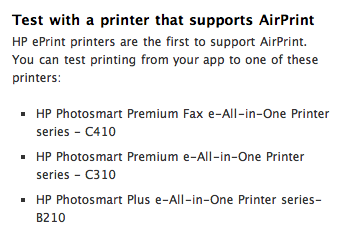
It turns out AirPrint now only works with supported HP printers, as noted by Macworld and Ars Technica. We’re also getting reports from readers who have already installed 10.6.5 (which came out a few minutes ago) confirming that, indeed, AirPrint to shared printers from iOS 4.2 GM isn’t working. Read more


Preview: Daisy Disk 2 for Mac

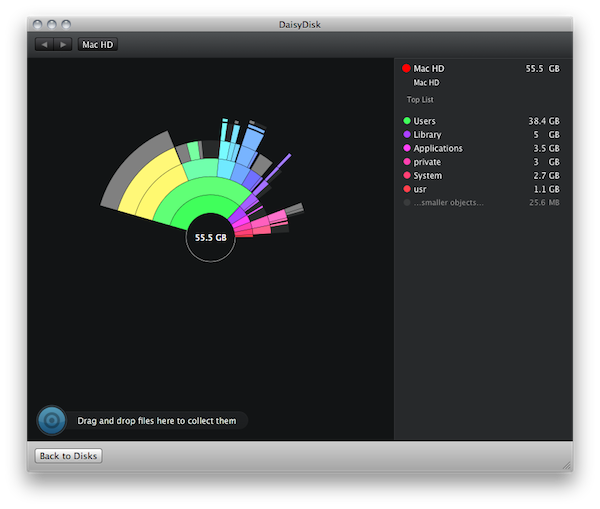
Daisy Disk is a very popular app for Mac that allows you to find files that are eating up space on your Mac’s drive. Many apps do that, and with a little bit of patience and with the help of Smart Folders you can achieve a similar functionality in the Finder itself, too. So what’s special about Daisy Disk? Read more


Beautiful Modeler Sculpts 3D Models Using An iPad [Video]

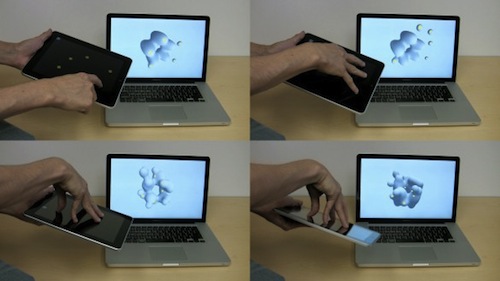
Of all the purposes we’ve seen the iPad used for, 3D models are kind of a novelty. Interactive Fabrication released a software tool for “gestural sculpting” which uses the iPad as a multitouch-based remote controller. The software renders 3D models on a Mac, the iPad is used for touch controls up to 5 fingers.

TUAW reports:

As you can see, the iPad works as a controller for the app running on the MacBook, and not only is touchscreen information passed on to the 3D modeling program (I like that multitouch works as well, so you can mold five different points in the sculpture at once), but accelerometer information is also passed across, so tilting the iPad around also tilts the onscreen view.

You can even pass the information along to a 3D printer and get a physical result of what you’ve been creating with the iPad and OS X. The developers released the tool as open source code, it’s available on their website. Check out the video below. Very cool. Read more


1Password 3.5 Released With New Chrome Extension, Better Dropbox Integration

Last week we talked about the new Google Chrome extension included in 1Password for Mac beta: it looks great and it retains the look of the app we all love on our Mac desktops. With the public release of 1Password 3.5 today, AgileWeb Solution is bringing the new and updated Chrome extension to life together with lots of bug fixes, better Dropbox sync status visualization in the sidebar and overall performance improvements.

1Password 3.5 for Mac is available here. Check out the full changelog below. Read more