John Voorhees

5429 posts on MacStories since November 2015

John is MacStories' Managing Editor, has been writing about Apple and apps since joining the team in 2015, and today, runs the site alongside Federico. John also co-hosts four MacStories podcasts: AppStories, which covers the world of apps, MacStories Unwind, which explores the fun differences between American and Italian culture and recommends media to listeners, Ruminate, a show about the weird web and unusual snacks, and NPC: Next Portable Console, a show about the games we take with us.

First Look: RTRO by Moment Vintage Video Camera App

Source: Moment.

Source: Moment.

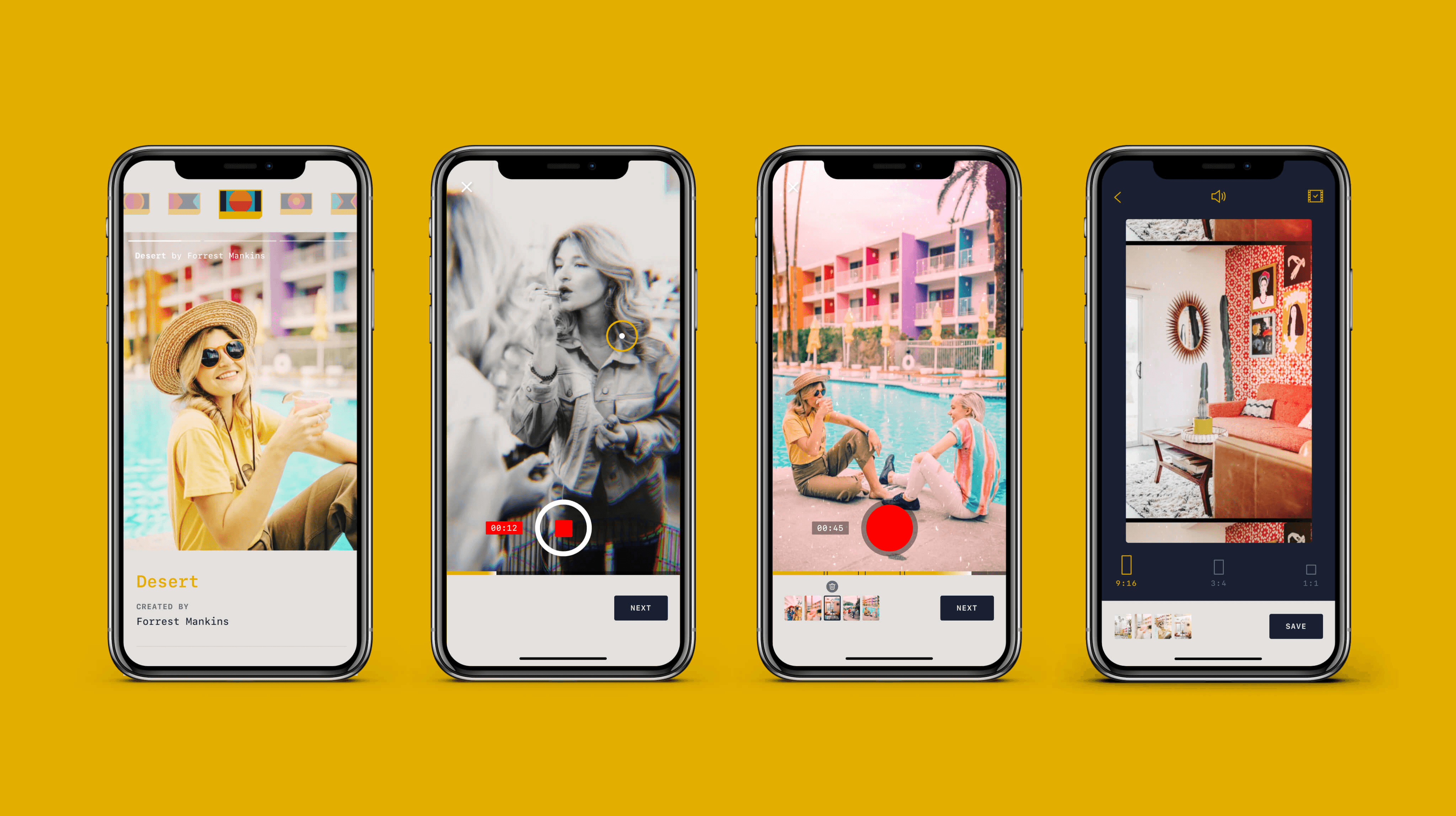
RTRO by Moment is a brand new vintage video camera app for iOS from the makers of my favorite add-on camera lenses for the iPhone and the excellent Moment Pro Camera app.

The app is a new direction for Moment. The company’s Pro Camera app, combined with its add-on lenses for the iPhone, push the boundaries of what’s possible with the iPhone’s camera. Packed with settings and customizations, the Pro Camera app can create stunning photos and video in the hands of a skilled photographer.

In contrast, RTRO is a video-only camera app focused first and foremost on making fun, short videos for sharing that use filters crafted by photographers to create unique retro looks. It’s those filters, which Moment calls ‘looks,’ paired with a simple, approachable interface that make the app work. It’s easy to get started, fun to use, and the videos the app creates have a unique vibe that makes even the most mundane video more interesting for viewers.

Read more


Apple’s Blending of Apps and Services

AppStories+ Deeper into the world of apps

AppStories Episode 151 - Apple’s Blending of Apps and Services

0:00
43:00

AppStories+ Deeper into the world of apps

This week, Federico and John explore how Apple is increasingly blending services with its apps, where the mix has worked, where it hasn’t, and where they expect the trend will lead next.

Read more


Twitter Simplifies Adding Tweets to Past Threads

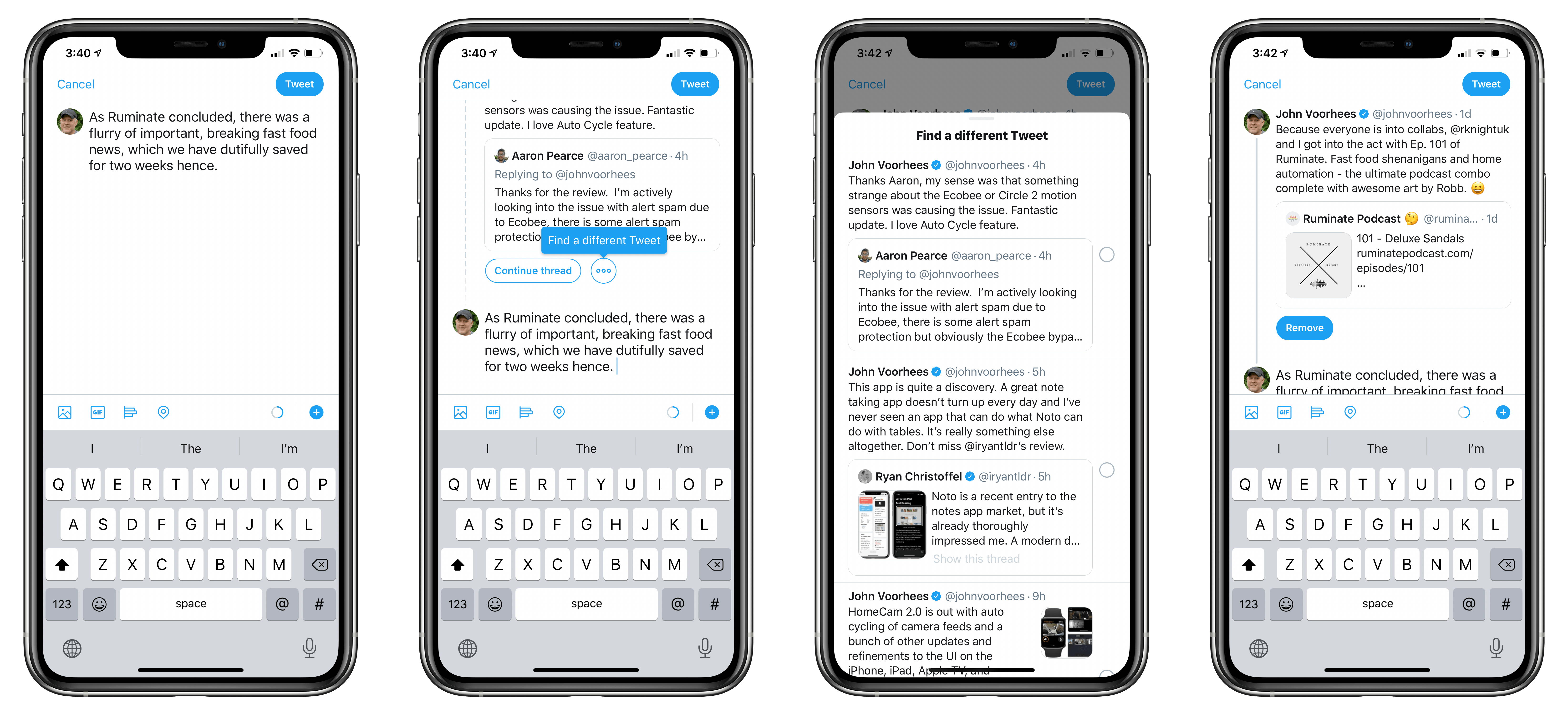
Yesterday, Twitter rolled out a useful new feature that makes it easier to append new tweets to a past thread in its iOS app. Although you could already find an old thread and add to it, the new feature lets you do so from inside the compose field. That way, you can start a fresh tweet and decide after you’ve written it that you want to tack it onto an old thread.

The mechanic is simple. From the tweet compose view, pull down. Your most recent tweet will appear so you can continue it as a thread. Alternatively, there’s also an ellipses button next to ‘Continue Thread’ that you can tap, and all of your tweets come into view in reverse chronological order. Pick one, and the tweet you were composing is added to that thread. If you have second thoughts, there’s still an option to remove the tweet from the thread before tapping the Tweet button and sending the new message.

Twitter announced the feature with a tweet that includes a GIF demonstrating how it works:

https://twitter.com/Twitter/status/1230267622903689225

Features like this have slowly but surely led me to start using the official Twitter app again. It’s been a painful process after years of using third-party Twitter clients, and I’m still doing a lot of my tweet reading in Tweetbot where I have an extensive collection of muted terms. Yet, as my overall time using the service has waned a little, I’ve found that the features that I can’t get from third-party apps have drawn me in more and more.


HomeCam 2 Brings Auto Cycling of Camera Feeds, Improved Data Layers, and More

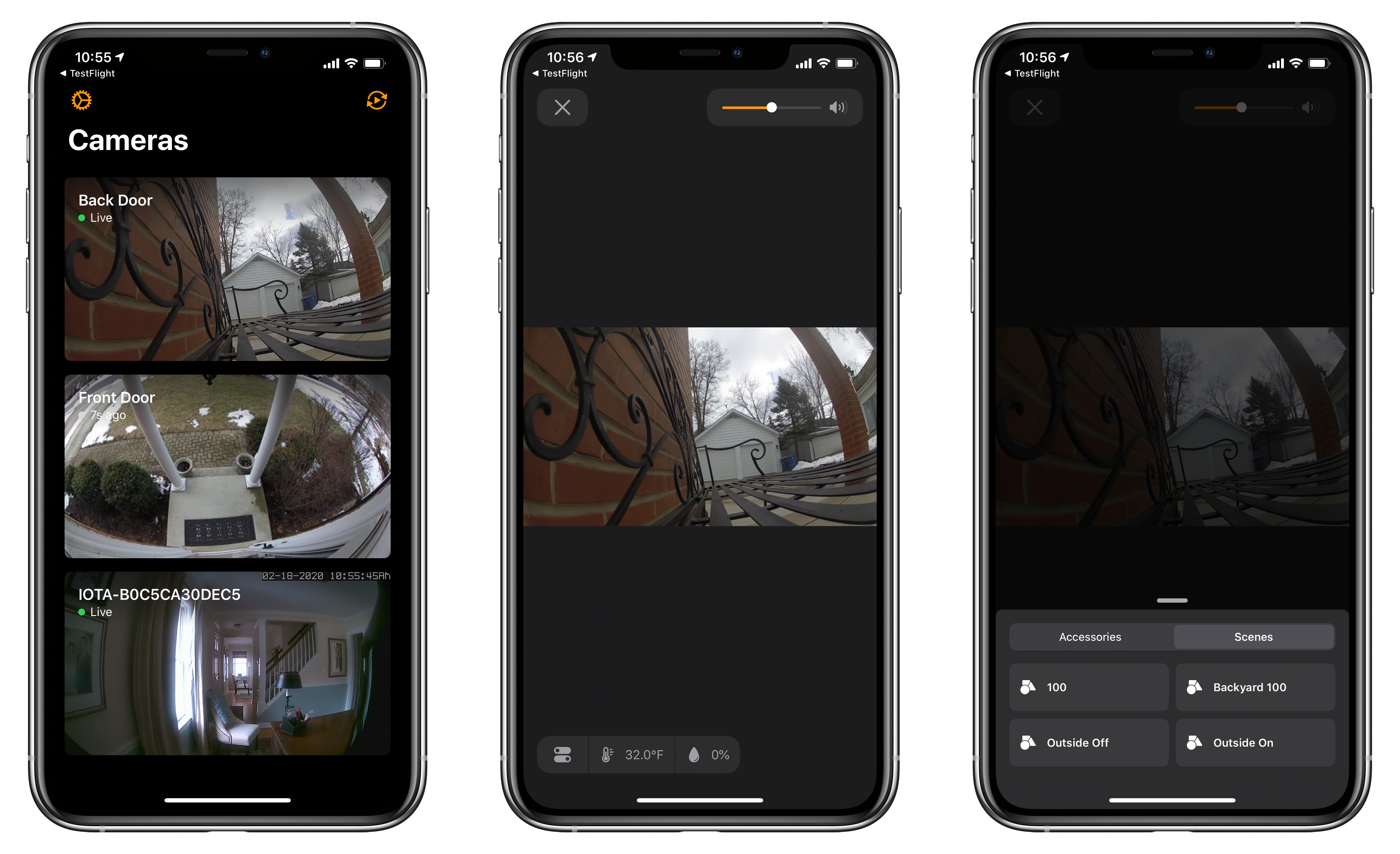
HomeCam by Aaron Pearce, which consolidates all of your HomeKit-compatible cameras into a simple, streamlined UI, has been updated to version 2.0 across the many platforms it supports. I’ve been a fan of the app since it debuted, and this update is an excellent refinement of the app’s original concept.

The value of HomeCam lies in its elegant UI that focuses first and foremost on your HomeKit video cameras. Apple’s Home app displays feeds from HomeKit cameras in one of two places. You can add them as favorite devices, so they show up at the bottom of the Home tab. Otherwise, though, your cameras only show up in the rooms to which they are assigned where they compete for space and attention with other accessories and scenes and aren’t live until tapped. I’ve been testing HomeCam with two Logitech Circle 2 cameras and an abode iota security kit camera, and the app’s design and availability on a wide variety of devices adds a level of flexibility to monitoring multiple cameras that isn’t possible with Apple’s system app.

Read more