


V for Wikipedia V for Wikipedia is an award-winning iOS app that’s been my favorite way to browse Wikipedia for years now. The app has a beautiful design, which makes researching, exploring, and reading Wikipedia a pleasure. The latest update adds support for iOS 13’s dark mode, which looks fantastic. V has a slightly...
 Q&A
Q&A
Question: I’d like to fall asleep and be awoken to music of my choice. I’d also like to receive reminders of when I should go to bed. Any suggestions? (Lukáš Majer, @CBC_Raynor)
You can accomplish each of these things with Apple’s built-in Clock app. From the Clock app, first pick the Timer tab and...
 iOS and iPadOS 13: The MacStories Review
 Federico
AppStories Episode 130 - iOS and iPadOS 13: The MacStories Review
0:00
50:16
50:16
Federico’s iOS and iPadOS 13 review is out, so we’ve got a special episode of AppStories all about the big-picture changes to the OSes, the evolution of Shortcuts into a Siri development tool supported by third-party developers, the balancing act Apple performs when updating apps distributed to hundreds of millions of users, and lots of interesting little details about iOS and iPadOS 13.
iOS and iPadOS 13 Review Extras: eBooks, Wallpapers, Shortcuts, Podcasts, and Making Of
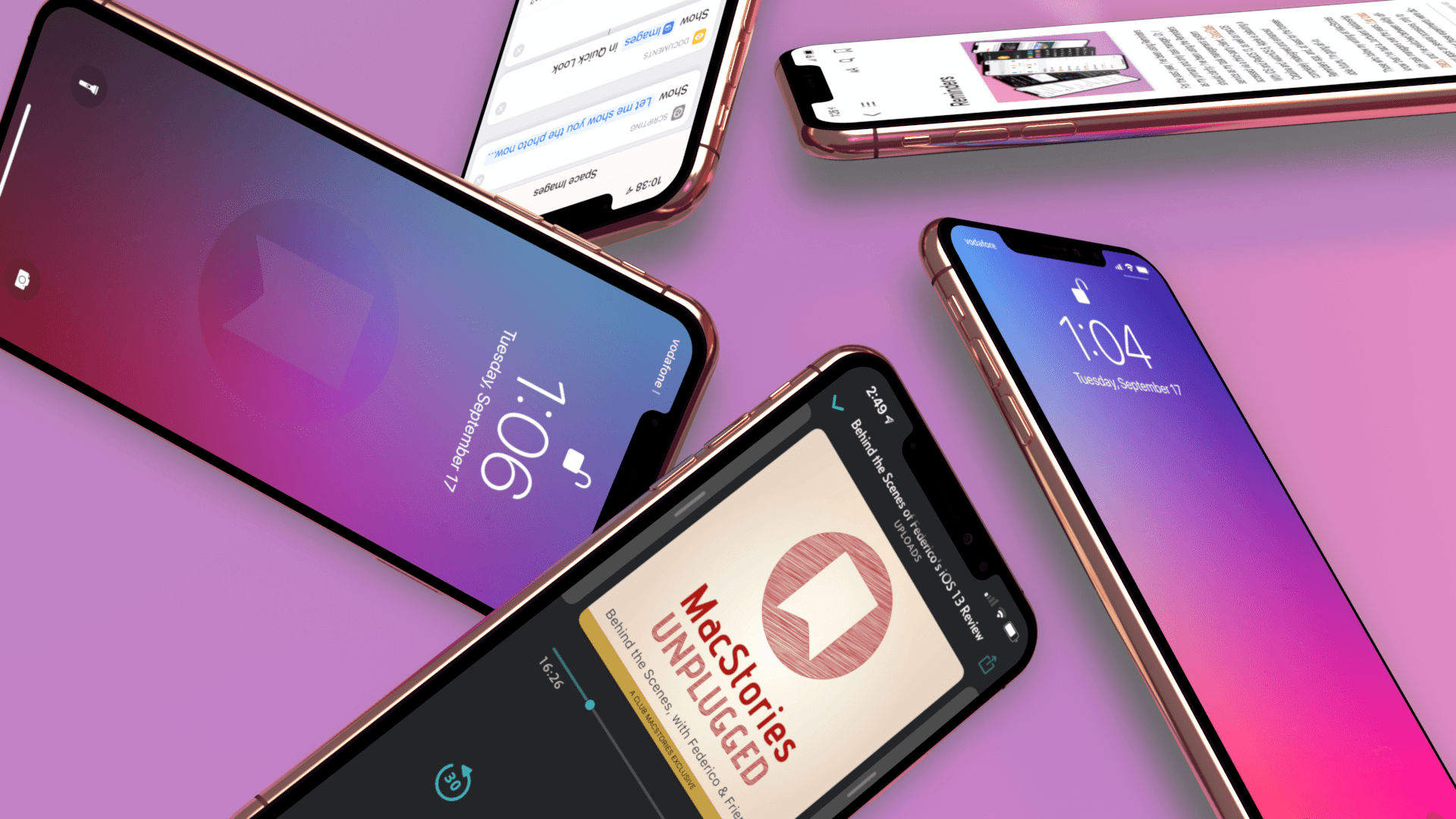
Today, Apple released iOS 13, watchOS 6, and Apple Arcade, and tomorrow, the iPhone 11, 11 Pro, 11 Pro Max, and Apple Watch Series 5 will begin arriving on doorsteps worldwide. The publication of Federico’s iOS and iPadOS 13 review makes it a big day for MacStories too, which has evolved in recent years into a multi-week affair when combined with the Club MacStories anniversary, our iOS 13 app coverage, and related podcasts.
As in the past, the centerpiece of our coverage is Federico’s iOS and iPadOS 13 review. We’re also excited to share Alex Guyot’s comprehensive watchOS 6 review with you tomorrow, as well as a long list of app updates and debuts that spotlight the new features of iOS 13 that we will be publishing in the coming days.
We’ve got a lot more in store though, including a bunch of Club MacStories exclusives.
Among the Club-only extras this year are two eBooks, a set of stunning desktop and mobile wallpapers, advanced shortcuts, and bonus podcast episodes. Check out all of the details after the break. If you’d like to learn more about the Club or sign up to take advantage of all these extras, plus perks from previous years, please visit //staging.macstories.net/club.
Austin Mann on the iPhone 11 and 11 Pro Cameras→

Every year I look forward to Austin Mann taking the latest iPhones through their paces somewhere in the world. This year, Mann is on tour with cellist Yo-Yo Ma in China where he went out into the countryside to capture some stunning portraits and landscapes.
Mann’s review covers the new Ultra Wide lens, Night Mode, Smart HDR improvements, and ability to capture outside the frame, along with wishes for additional improvements. Mann’s take on Night Mode:
As long as I can remember, the top question I’ve received from iPhone photographers, beginners and pros alike, is How can I shoot better pictures in low light? This year’s addition of Night mode is the answer to the question. It’s easy to use, crazy powerful, and because it’s automatic it will completely change how everyone shoots on their iPhone.
Mann confirms what seemed to be the case from the photos that Apple showed off last week at its event in Cupertino – Apple has implemented Night Mode in a way that doesn’t try to turn night into day:
One thing I love about Apple’s approach to Night mode is the strategic balance of solving a technical problem while also caring deeply about artistic expression. When you look at the image above, it’s clear their team didn’t take the let’s-make-night-look-like-day approach, as some of their competitors have. Instead, it feels more like an embrace of what it actually is (night) while asking, “How do we capture the feel of this scene in a beautiful way?”
How Apple accomplishes Night Mode is interesting. As Mann explains:
From what I understand, the way Night mode actually works is the camera captures a bunch of short exposures and slightly longer exposures, checks them for sharpness, throws out the bad ones and blends the good ones. On a traditional dSLR/mirrorless camera, a 5 second exposure is one single, continuous recording of the light throughout the duration of the shutter so any movement (of subject or camera) is recorded.
But with iPhone 11 Pro the rules are different… it’s not capturing one single continuous frame but blending a whole bunch of shots with variable lengths (some shorter exposures to freeze motion and longer shots to expose the shadows.) This means the subject can actually move during your exposure but still remain sharp.
If you’ve been wondering about the new Ultra Wide camera on the new iPhones or the other new features of the camera app, be sure to check out Austin Mann’s full review for great technical and artistic insights about what Apple has accomplished with its new cameras as well as some absolutely fantastic examples of what they can do.
PCalc 3.9 Adds Dark Mode and the Latest Shortcuts Features, Expanding the App’s Automation Capabilities
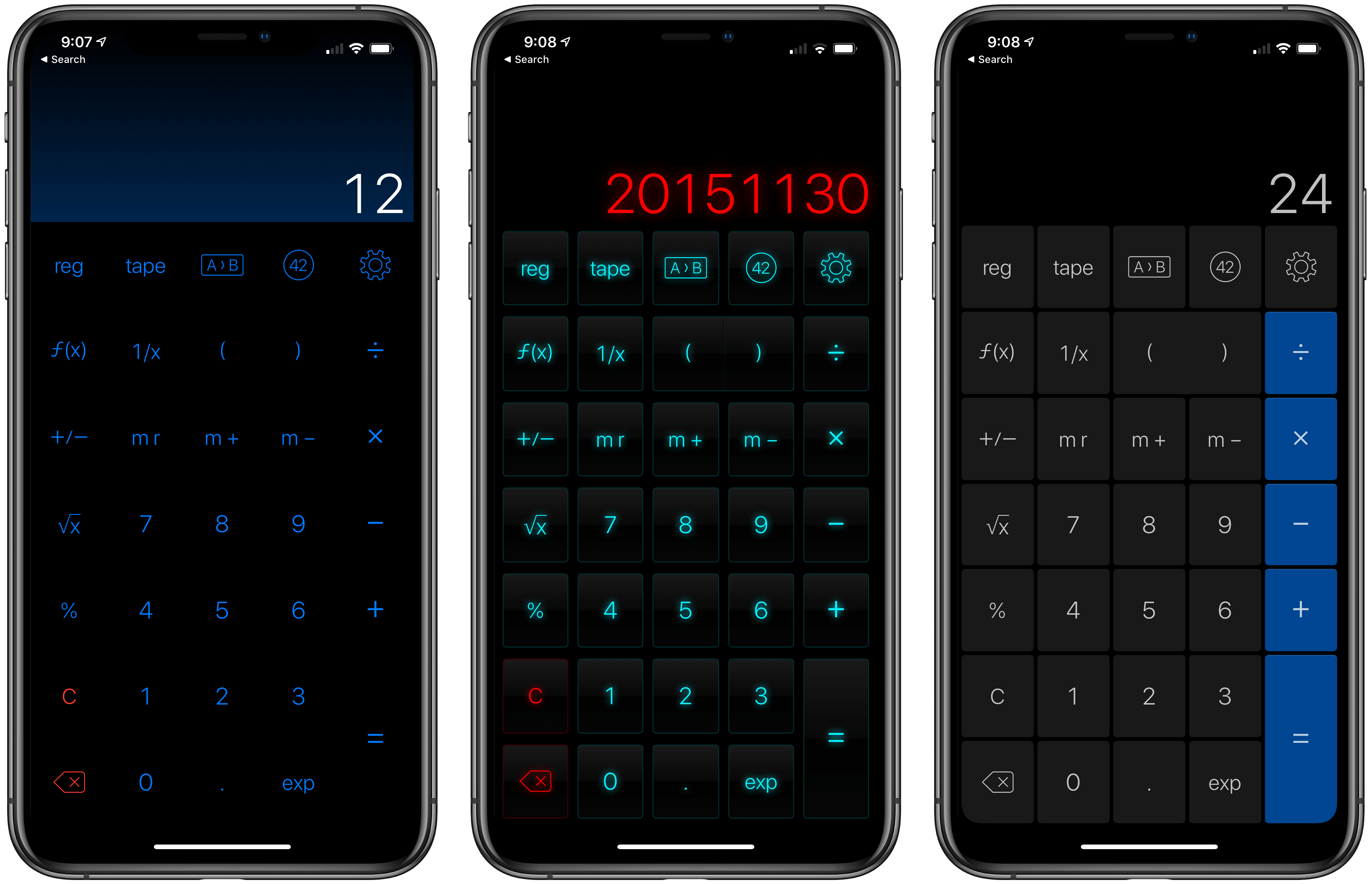
Last year when Siri shortcuts debuted on iOS 12, developer James Thomson added one of the first and best implementations for creating custom shortcuts with his calculator app PCalc. However, iOS 12 required PCalc to rely on the system clipboard as a means of passing inputs to calculations and then outputting the results, which added complexity to shortcuts that used PCalc actions. iOS and iPadOS 13 free PCalc of that constraint, and with the addition of parameter support and the conversational Siri shortcuts coming in iOS and iPadOS 13.1, PCalc’s automation features are vastly more powerful.
Federico’s review of PCalc 3.8 featured a shortcut called PCalc Currencies, which is a terrific example of what a PCalc-based shortcut looked like in iOS 12. The shortcut coverts Euros to US Dollars and British Pounds. The first step is to pass the number of Euros to the shortcut from the system clipboard and then create a variable to store that value. Next, the shortcut uses PCalc’s conversion action to calculate the US Dollar equivalent, store it in a separate variable, and then do the same for pounds. The final step displays the results using each of the three currency variables. In total, the shortcut uses twelve actions, many of which involve moving data on and off the clipboard.
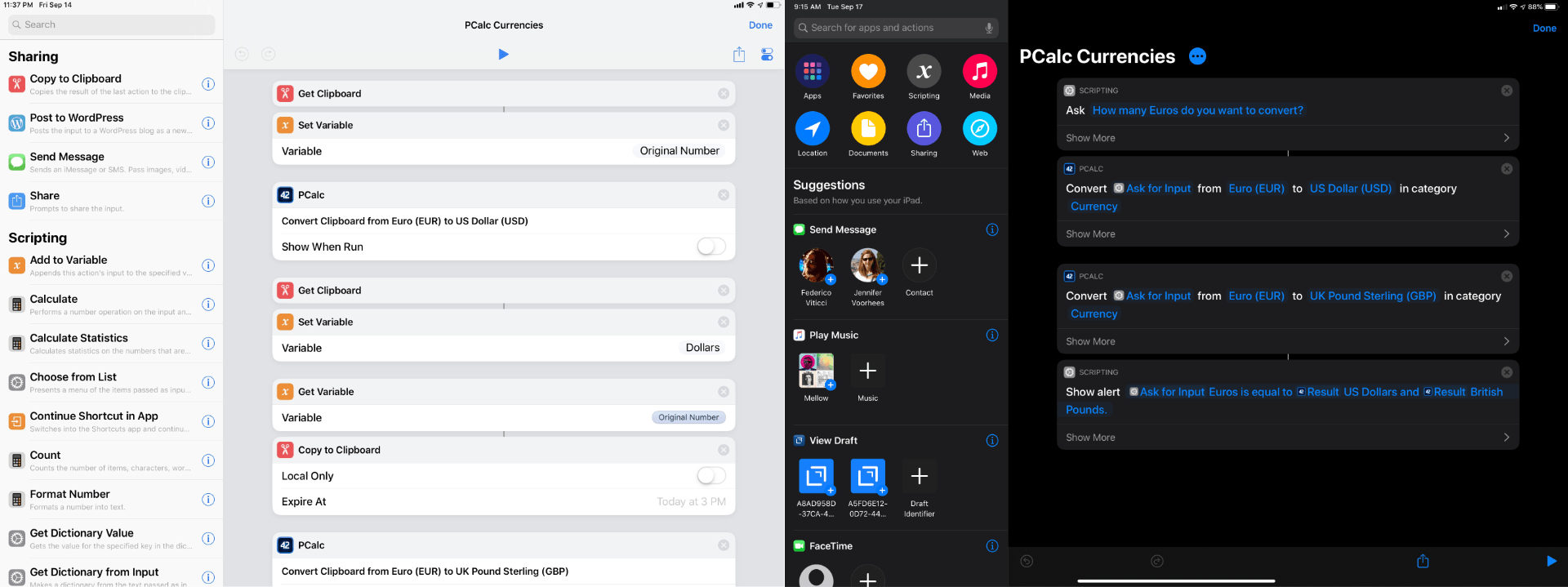
With PCalc’s new Shortcuts actions, we can reduce the number of actions from twelve to just four. It’s a fantastic demonstration of the power that iOS and iPadOS 13 add to third-party shortcut actions and the reduction in complexity that can be achieved with even a relatively simple shortcut. Okay, let’s update Federico’s shortcut.
AppStories, Episode 129 – The Apps of Apple’s Fall Event→
On this week’s episode of AppStories, we dive into the new and updated apps announced at Apple’s fall keynote including Compass, Camera, and the upcoming Apple Arcade game subscription service.
Sponsored by:
- Linode – High performance SSD Linux servers for all of your infrastructure needs. Get a $20 credit.
- Setapp, from Macpaw – More than 100 powerful apps for your Mac.
- Direct Mail – Create and send great looking email newsletters with Direct Mail, an easy-to-use email marketing app designed exclusively for the Mac.
https://staging.macstories.net/podcasts/appstories/episodes/129/embed/






Arcade Launches for Some iOS Beta Testers

Earlier today, a series of reviews of Apple Arcade were published across the web and on YouTube. Shortly thereafter, Apple took the wraps off the service itself for at least a subset of people running the iOS 13 or 13.1 betas. Arcade doesn’t officially launch until September 19th, but it appears that Apple is using a slow roll-out to some beta testers to test the service and create buzz around the launch.
The design of the Arcade tab is reminiscent of the App Store’s other tabs, although more space is reserved for spotlighting individual titles, and so far, there is little editorial content. It will be interesting to see how this mix evolves as more games become available and more editorial content is created. In addition to themed collections like ‘Start Your Adventure’ and ‘No Time to Blink,’ Arcade has a section dedicated to ‘New Arrivals,’ includes hint guides for three of the games and a button at the bottom of the view for accessing every game in the service.

The activation of Arcade for some users coincided with a press release from Apple highlighting four games by smaller game studios: The Enchanted World, Patterned, Overland, and Card of Darkness. I haven’t had a chance to comb through the entire catalog yet, but there are a lot of great-looking games featured at launch that jumped out at me including:
- Card of Darkness from Zach Gage
- Where Cards Fall and Skate City from Snowman
- A Mini Metro sequel called Mini Motorways from Dinosaur Polo Club
- Overland from Fiji
- Oceanhorn 2 from Cornfox & Brothers
- Various Daylife from Square Enix
- Assemble with Care from usTwo Games, the makers of Monument Valley 1 and 2
- Sayonara Wild Hearts from Annapurna Interactive
- Bleak Sword and Exit the Gungeon from Devolver Digital
- Spek. from RAC7 Games
I’m looking forward to trying all of these as well as discovering new titles.
As I said on AppStories this week, I’ve been cautiously optimistic and excited about Arcade. What I’ve seen of the new service in my brief time with it so far today is perfectly in line with what I hoped for. Apple seems to have struck a nice balance among many different categories of games, and with only about half of the 100+ titles that should be coming soon, that is an excellent start.
The Apps of Apple’s Fall Event
AppStories Episode 129 - The Apps of Apple’s Fall Event
0:00
37:48
37:48
This week, Federico and John dive into the new and updated apps announced at Apple’s fall keynote including Compass, Camera, and the upcoming Apple Arcade game subscription service.