

Deciding which Mac apps to include as ‘must-haves’ is always an interesting exercise in reflecting on the apps I use day in and day out. This year was no different. At the core of the exercise is the question ‘why?’ Why this app instead of another one? Sometimes it’s an app that stands out...
My Must-Have Mac Apps, 2018 Edition
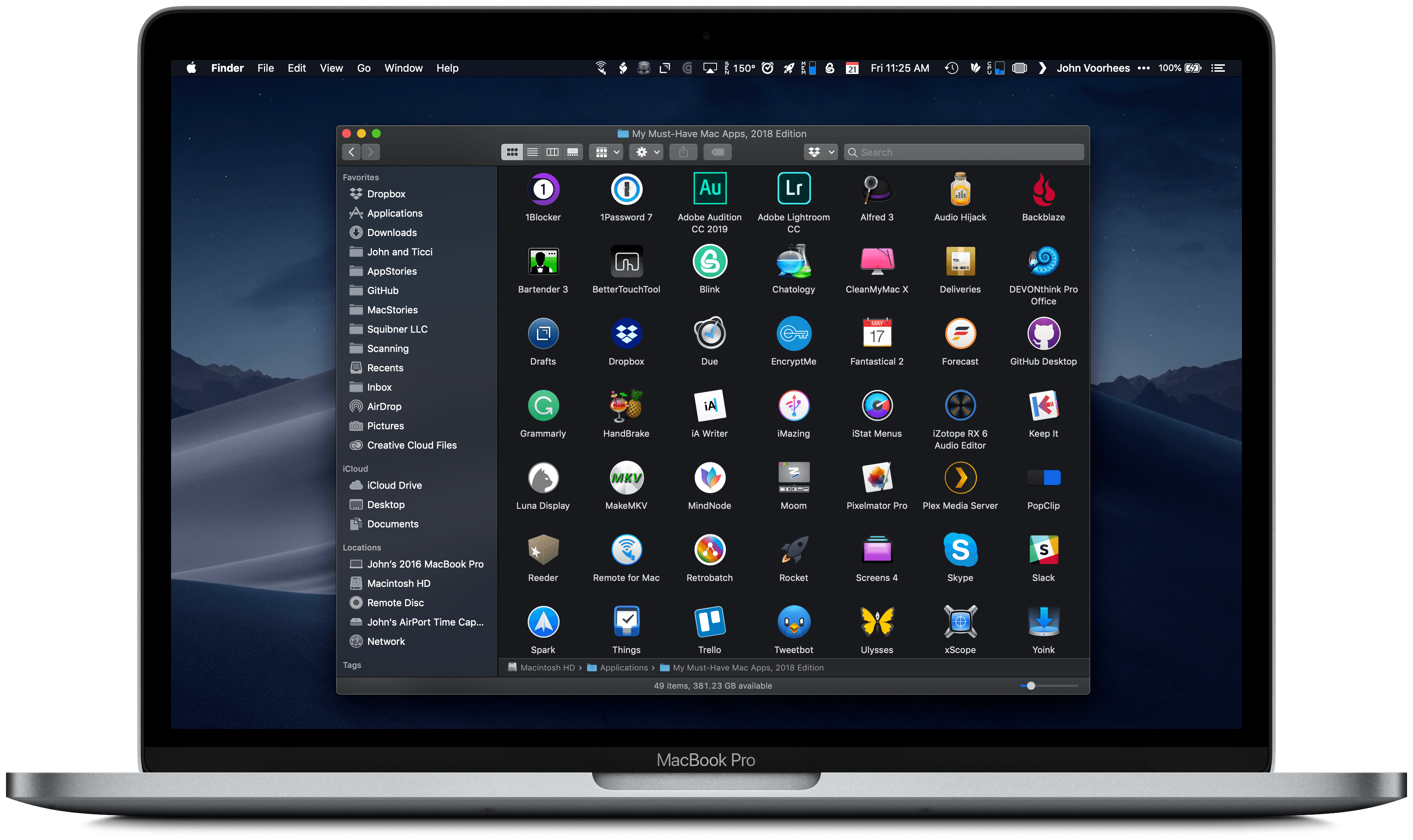
Last year when I wrote about my must-have Mac apps, I was coming off a tumultuous year that started with a daily commute into Chicago for my old job and ended with me working from home. As the year came to a close, I was exploring what that meant for the way I work on the Mac.
That process continued into 2018. With the number of new things I took on in 2017 and the transition to indie life, I made the conscious decision to step back and settle into my new life. That wasn’t easy. There’s a natural tendency to take on everything that crosses your path when you go out on your own, but I’ve seen too many people fall into that trap in the past. Instead, I concluded that 2018 would be the year to improve the way I already work by refining existing workflows and reevaluating how I get things done, including on the Mac.
Three events led me to work on my Mac more in 2018. The first was the 27-inch LG 4K display I bought in January. It was a big step up from the 23-inch 1080p one I had before and, combined with a VESA arm, improved working at my Mac substantially.
The second factor was our MacStories coverage of the App Store’s tenth anniversary. For it, we produced seven extra episodes of AppStories that were released in the span of one week, which kept me in front of my Mac recording and editing for long periods of late May through June.
Third, just after WWDC, I destroyed the screen of my iPad Pro thanks to the trunk hinges that invade the interior of the 2016 Honda Accord.1 I decided to hold out for the new iPad Pros, but that meant writing for four of the busiest months at MacStories without a good iOS work solution. I used a current-generation 9.7-inch iPad some, but it couldn’t compete with my LG display.
As 2018 comes to a close, the changes I’ve made haven’t been dramatic despite the extra time I’ve spent in front of my Mac. Instead, I’ve fine-tuned existing workflows and added new apps for specific tasks.
Below, I’ve broken down the 49 apps I use roughly by activity and function. I’ll mention where Apple’s apps fit into my workflow as I go because without them there would be a few big holes in the landscape of apps I use, but the focus of this roundup is on third-party apps, not Apple’s.
- I’m right there with you on this one John. ↩
 App Debuts
Fantastical Flexibits added support to Fantastical for opening directions in Transit, one of my favorite apps for finding public transportation routes. Also, the app’s Infograph complication for the Apple Watch has been updated so it no longer shows any data if you have no events or reminders for the day. A new Siri shortcut...
The iPhone Should Be a Better Apple Watch Companion
I’m very happy with my Series 4 Apple Watch. The slightly bigger screen makes a bigger difference than I expected and the battery life is excellent. Moreover, the changes to the watchOS 5 APIs that allowed Overcast to implement podcast playback without an iPhone nearby has had a bigger impact on the way I...
Q&A
Question: By default, the Smart Keyboard Folio puts a capital letter as the first letter of the word you type. It doesn’t let you type “iPhone”, for instance – it types “Iphone”. Yes, we can disable this in Settings, but I’m also writing articles and fiction where automatic capitalization of the first letter of my...
Apple Heavily Promotes the Amazon Echo’s Apple Music Integration
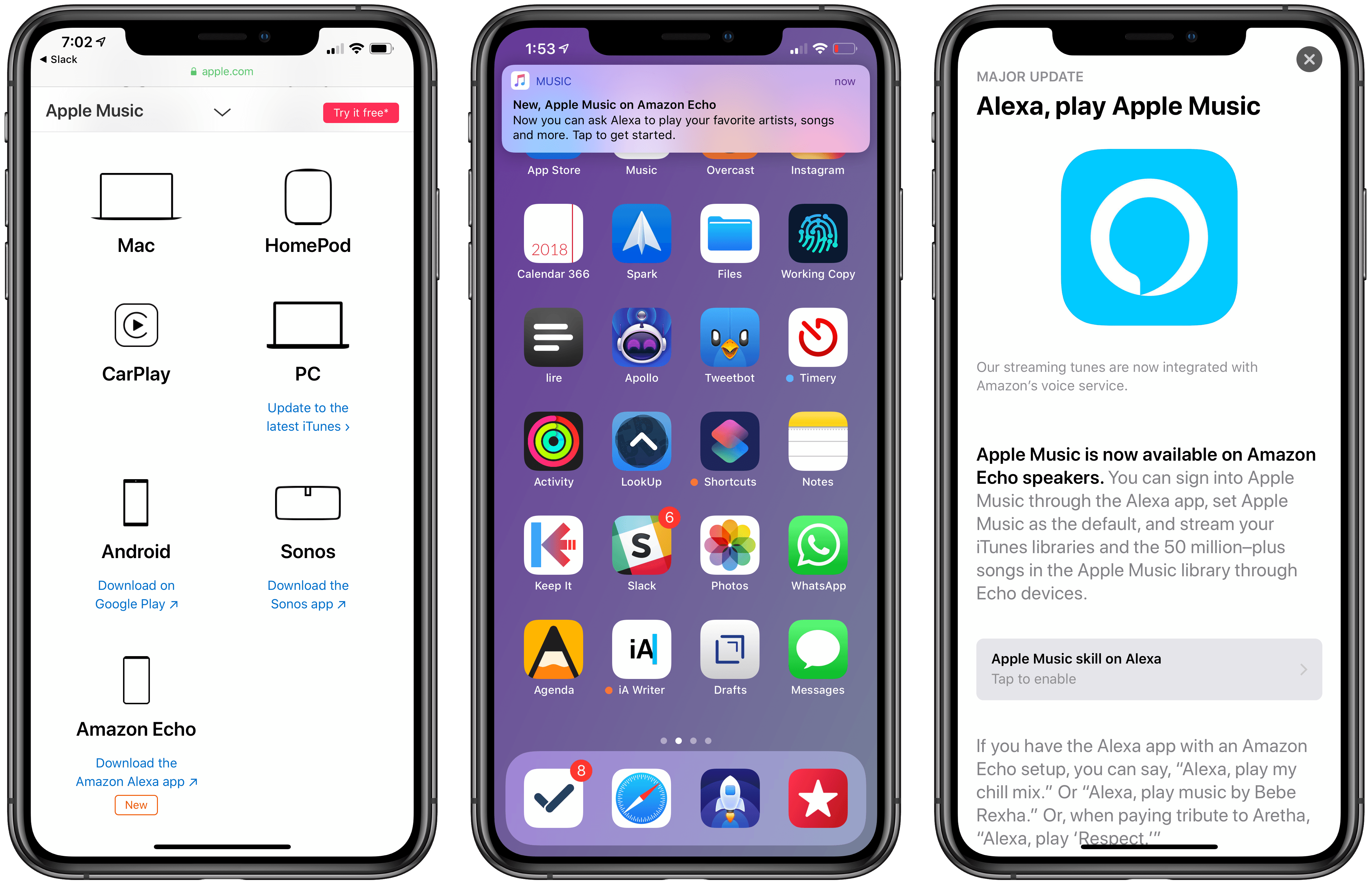
At the end of November, Amazon announced on its blog that Apple Music would be coming to Echo devices the week of December 17th. The music streaming service showed up on Echos a little earlier than expected last Friday, December 14th.
Today, Apple began promoting Apple Music’s availability on Echo devices through three different channels. The Echo integration first appeared on the App Store, which gave the Alexa app top billing in a Today tab story that highlights the new feature. Apple is also promoting the Echo integration on the Apple Music features page of its website along with other third-party devices like PCs, Android devices, and Sonos music players. Finally, late in the day US time, the Apple Music app began delivering push notifications highlighting the Echo feature.1
Amazon’s Echo devices aren’t the first third-party hardware to get Apple Music support as the Apple Music website demonstrates, but it is unusual for Apple to promote another company’s hardware alongside Apple Music to this degree. It’s also surprising because, in the two weeks that followed Amazon’s announcement, Apple said nothing. Nor did it acknowledge the change four days ago when the Alexa app was updated.
I wouldn’t be surprised if promoting the Echo was part of a bigger deal that got Apple products back on Amazon shelves in early November. Whether or not that’s the case, it’s still interesting to see Apple, which offers the competing HomePod, put so much promotional weight behind Amazon’s smart home speaker.
- I’m not a fan of promotional push notifications like these, which violate App Review Guideline 4.5.4 against using push notifications for advertising and promotional purposes. Unfortunately, that’s a rule that Apple has violated itself before and one that it has never meaningfully enforced against third parties. ↩
Darkroom 4.0: The MacStories Review
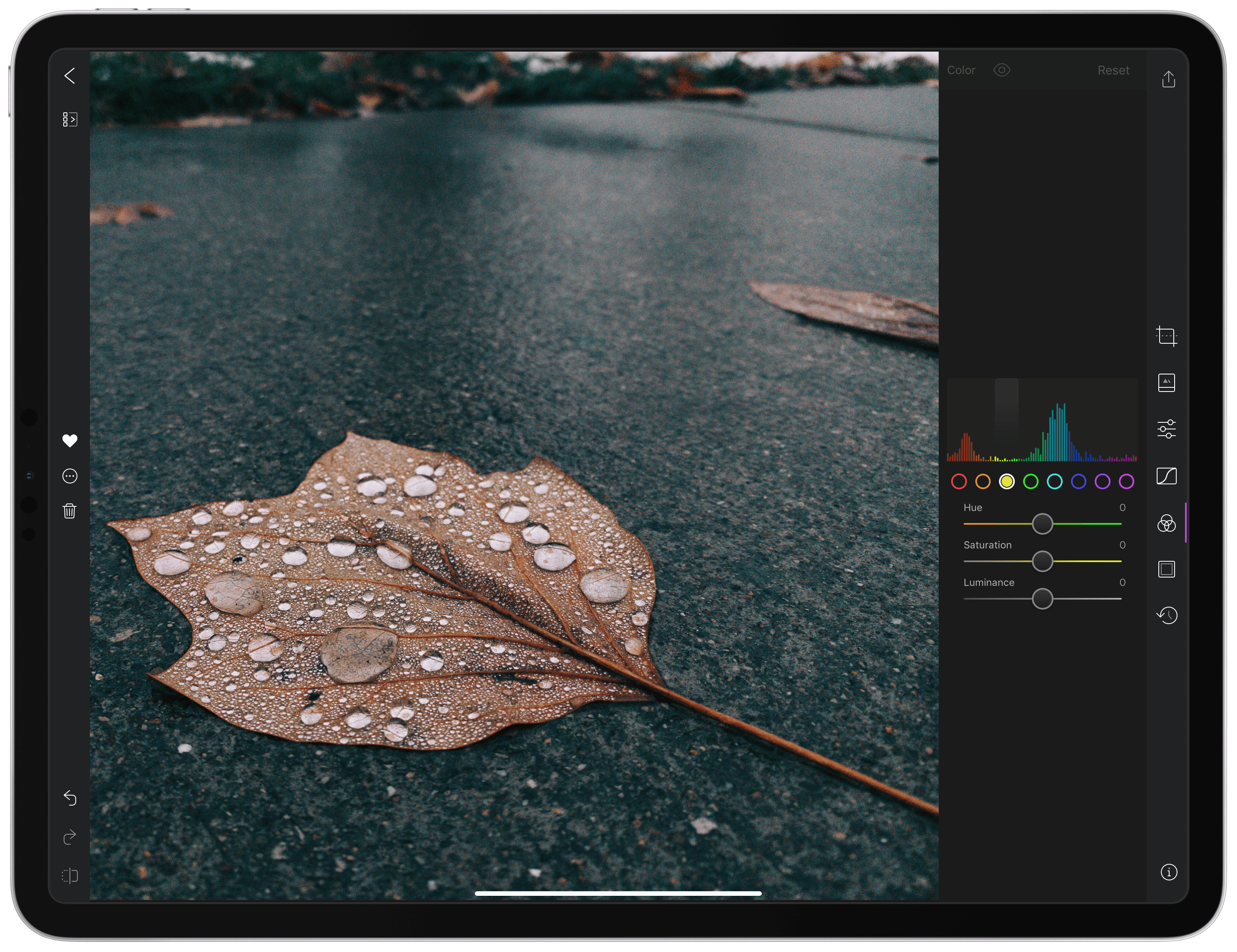
With version 4.0 released today, Darkroom has emerged as a photo editing force to be reckoned with on iOS. The highlight of the release is a brand-new iPad app, which is the version I’ll focus on in this review. I ran into a couple of bugs and would like to see Darkroom push its photo management and a few other tools even further in the future. However, the app’s combination of thoughtful design and platform-aware functionality together enable Darkroom to scale its full suite of tools gracefully from iPhone to iPad, which makes it an excellent choice for mobile photo editing.
AppStories, Episode 92 – Introducing the 2018 MacStories Selects→
On this week’s episode of AppStories, we unveil the MacStories team’s 2018 MacStories Selects for Best New App, Best New Game, and Best App Update.
Sponsored by:
- Outcast – The best standalone podcast player for Apple Watch.
- Luna Display – The only hardware solution that turns your iPad into a wireless display for your Mac. Use promo code APPSTORIES at checkout for 10% off.
https://staging.macstories.net/podcasts/appstories/episodes/92/embed/






Game Day: Tropico for iPad
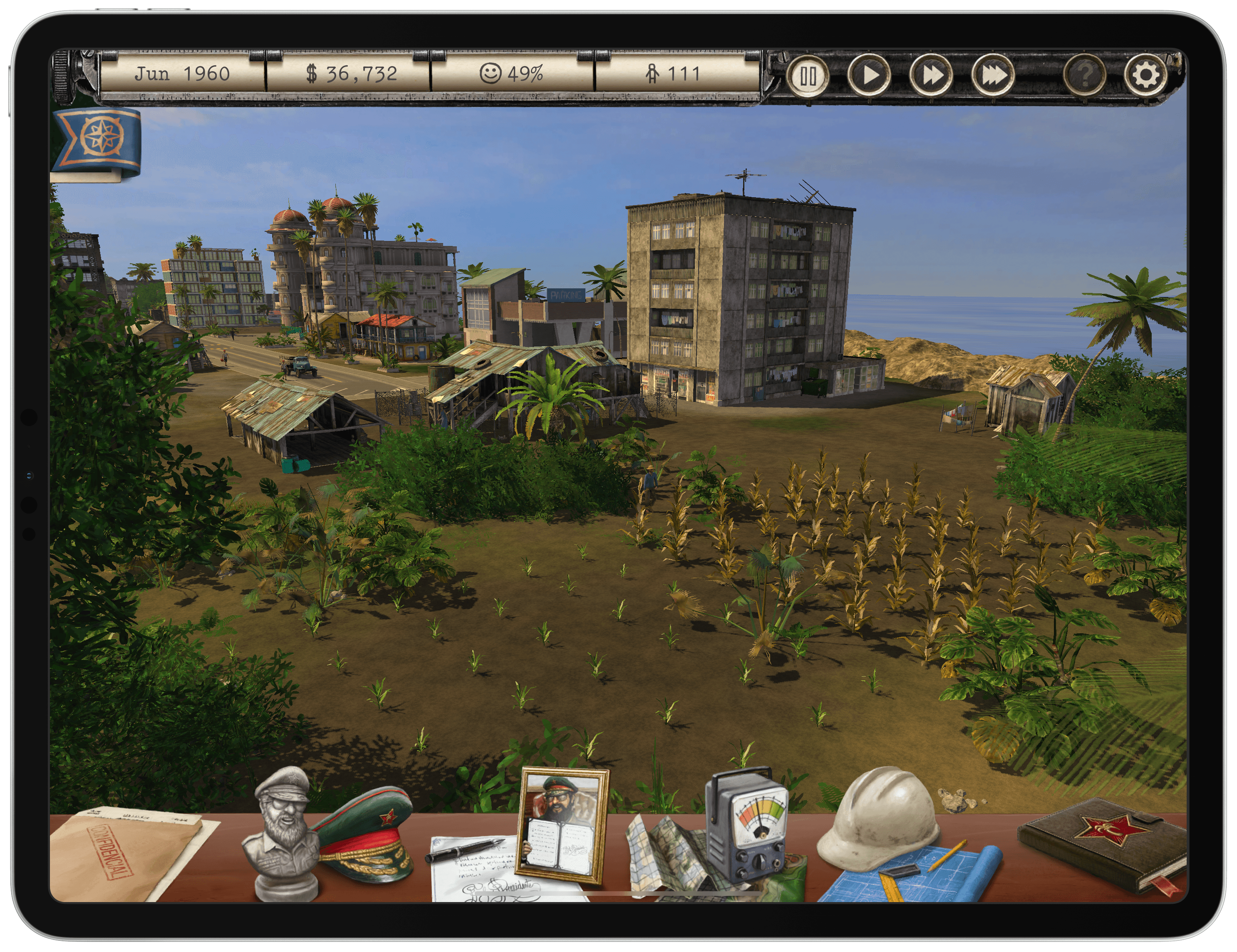
Tropico is a franchise that’s been around since 2001, but today marks its first time on an iOS device courtesy of Feral Interactive. Ruling a banana republic in the Caribbean as El Presidente is a natural fit for the iPad’s touch interface. Whether you’re navigating around your island nation or building out its infrastructure, touch makes the interaction with the game’s environment feel natural and tactile in a way that pointing and clicking with a mouse or trackpad can’t. Add a steady pace of challenges to overcome as a leader, and the results are terrific.