John Voorhees

5429 posts on MacStories since November 2015

John is MacStories' Managing Editor, has been writing about Apple and apps since joining the team in 2015, and today, runs the site alongside Federico. John also co-hosts four MacStories podcasts: AppStories, which covers the world of apps, MacStories Unwind, which explores the fun differences between American and Italian culture and recommends media to listeners, Ruminate, a show about the weird web and unusual snacks, and NPC: Next Portable Console, a show about the games we take with us.

Examining Dark Mode Implementations of Mac Productivity Apps

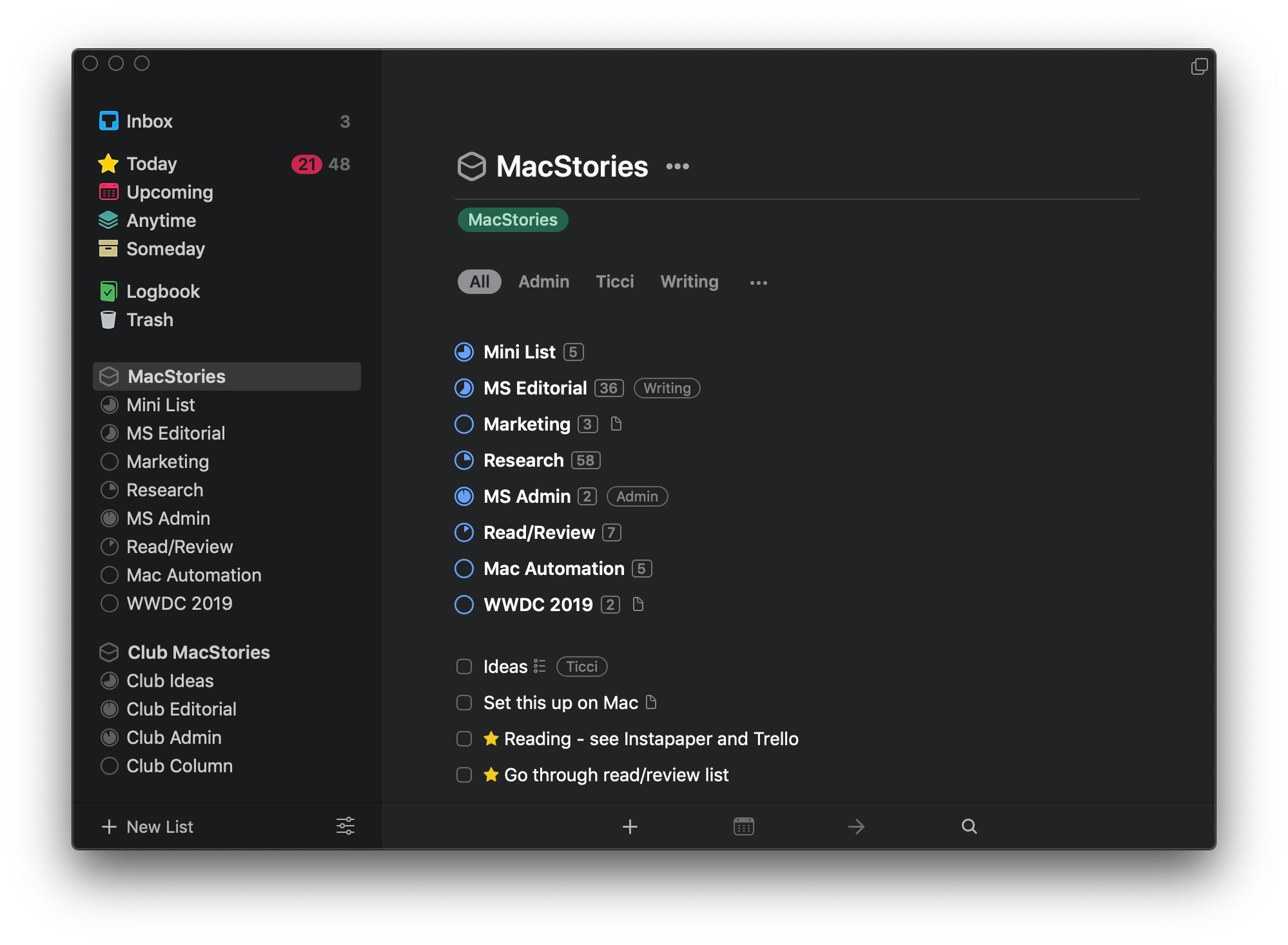
As I noted in my review of macOS Mojave, there’s a lot more going on with Dark Mode than dark gray window chrome. There were two sessions at WWDC dedicated to Dark Mode. Some apps are easier to adapt to Dark Mode than others from a technical standpoint, but beyond the coding, developers have to grapple with many design issues that affect apps differently.

As with many new features Apple introduces, there’s the way the company would like to see Dark Mode implemented and then there’s the way third-party developers use it in practice. Part of the variety you find is driven by the particular needs of each app. Other differences reflect compromises that are necessary to adapt existing designs to Dark Mode. Sometimes, however, developers intentionally ignore Apple’s recommendations, choosing to take a different path.

In my Mojave review, I collected some representative examples of apps that were ready with Dark Mode implementations when the OS update shipped. Since then, many other apps have been updated. I’ve spent time with many of them and have begun to see some design and implementation patterns among the early adopters that are interesting to compare to similar system apps by Apple. It’s also useful to consider how these variations will impact the experiences users have with these apps.

In the sea of dark gray floating before my eyes, I’ve identified a handful of app categories that illustrate some of the subtle differences between the apps I’ve tried. There are many other good examples, but email clients, task managers, text editors, and note-taking apps are categories that best illustrate how Dark Mode is being used by the first wave of developers to put the feature into practice.

Read more


More Than 70 New Emoji Coming Later This Fall Are Now Available in the iOS 12.1 Beta

Apple has announced that later this fall, it will release more than 70 new emoji. The emoji, which will be released when iOS 12.1 is shipped, will be included on the Mac and Apple Watch too.

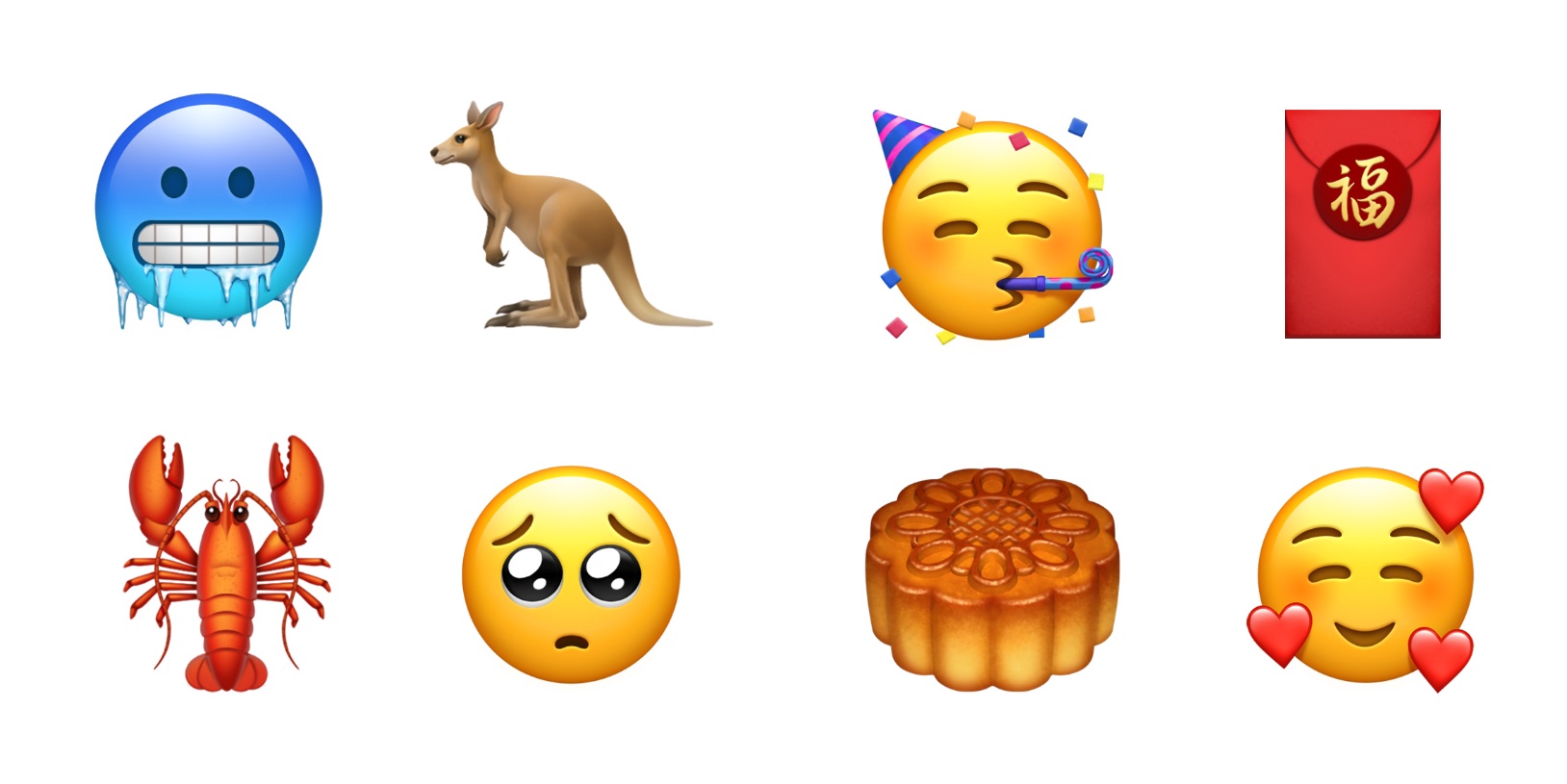
The new glyphs, which are based on the characters approved by the Unicode Consortium as part of Unicode 11.0, include a wide variety of themes. For people, there are new options for gray, red, and curly hair, and for bald people. The new set of emoji also includes new foods, animals, sports, and other activities like travel.

Among the animals added are a raccoon, kangaroo, lobster, swan, parrot, peacock, and llama. Foods include leafy greens, a cupcake, a bagel, moon cake, mango, and salt. Sports have added a softball, frisbee, lacrosse stick and ball, and skateboard. There are new emotive smiley faces too.

Looking to next year, Apple says that for Unicode 12.0, which will be the basis for emoji released in 2019, it is working with the Unicode Consortium to add disability-themed emoji. Although the emoji announced today will be officially released until later this fall, you can try them now as part of the iOS 12.1 beta and public preview released today.

Permalink

Apple Adds More Than 30 Worldwide Companies to Business Chat

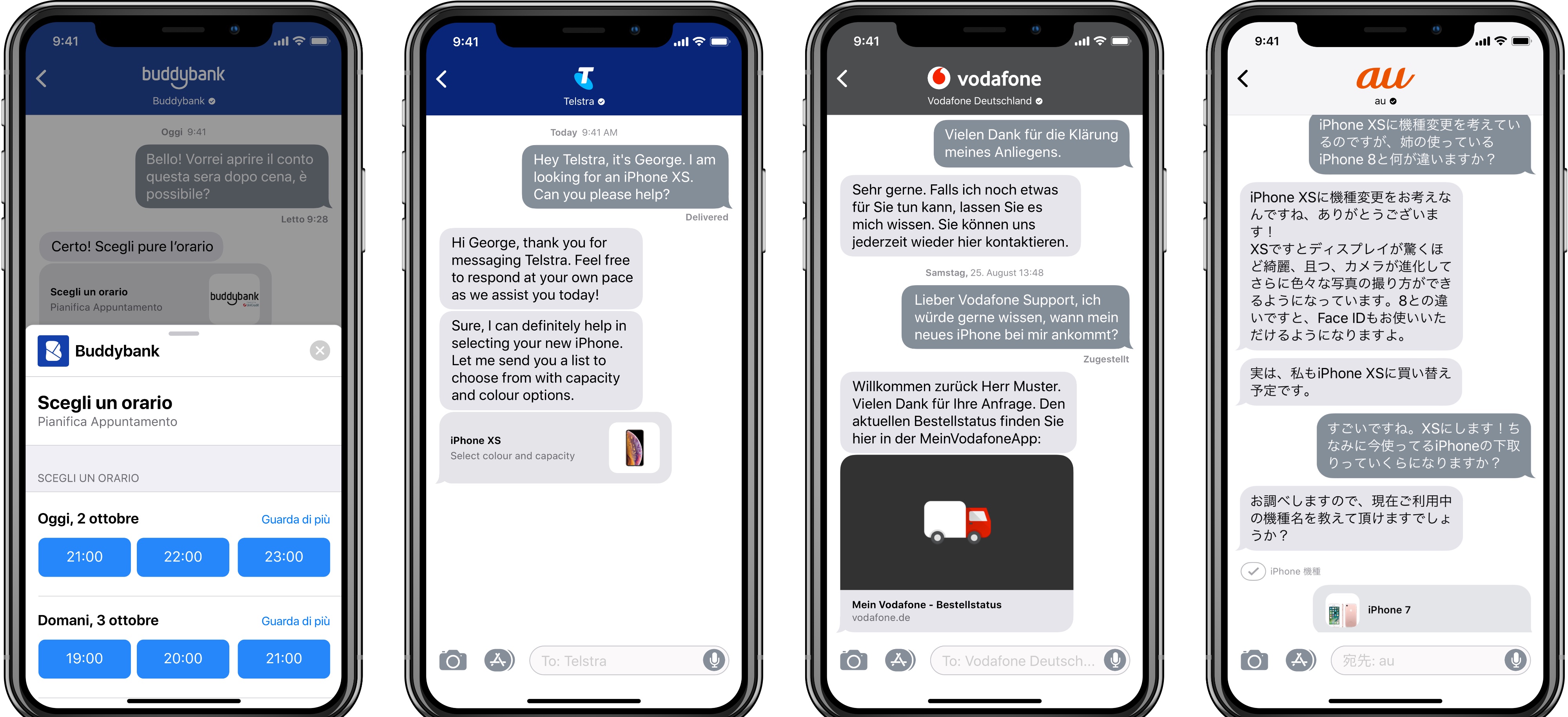
Apple introduced Business Chat at WWDC in 2017 and launched it with iOS 11.3 this past March. Today, Apple confirmed to TechRadar that the feature, which began as a beta with a handful of US business partners, has been rolled out worldwide.

As we explained in our overview of iOS 11.3:

Business Chat is a way for businesses to communicate with their customers directly over iMessage. Apple’s goal with Business Chat is to elevate the customer service experience to take advantage of the best native features of iOS, such as iMessage’s inherent privacy and security, iMessage apps, Apple Pay, and integration with Maps, Safari, and Spotlight.

Initially supported by only a handful of US companies like Discover, Hilton, Lowe’s and Wells Fargo, the roster was expanded in July to include Dish, Aramak, Four Seasons, Harry & David, and American Express. With today’s launch, that list has been expanded significantly to include companies based in Europe and Asia, as well as additional companies in North America. According to TechRadar, the additions include more than 30 companies:

Europe

  • Matchesfashion (UK)
  • nPower (UK)
  • Robins & Day (UK)
  • buddybank (Italy)
  • Engie (France)
  • La Redoute (France)
  • AXA Insurance (Switzerland)
  • Swisscom (Switzerland)
  • Vodafone Germany
  • NH Hotels (Europe) 

North America

  • 1800 Contacts 
  • DirecTV Now
  • Fairmont Hotels including the Claremont Club & Spa in Berkeley
  • Kimpton Hotels
  • Freshly 
  • Macerich Malls  including Scottsdale Fashion Square and Santa Monica Place
  • Mall of America 
  • Men’s Wearhouse 
  • Jos A. Bank
  • Overstock.com
  • Quicken Loans 
  • SnapTravel (US, Canada)
  • West Elm
  • Hendrick Automotive Group
  • Four Seasons (Canada) is expanding to 88 properties around the globe, 100+ languages
  • Lithia Group

Worldwide

  • Burberry

Asia

  • Telstra (Australia)
  • Harvey Norman (Australia) 
  • KDDI (Japan)
  • Credit Suisse (Singapore and Hong Kong)

Much like Apple Pay, Business Chat is the sort of feature that isn’t likely to see significant user adoption until a large enough pool of businesses use it to reach most iPhone owners. Still, today’s broad rollout in multiple countries shows that the service is beginning to get traction. It will also be interesting to see how much longer Business Chat retains the ‘beta’ label.

Permalink

AppStories, Episode 81 – Mac and iOS App Convergence

On this week’s episode of AppStories, we consider what the new Marzipan apps in Mojave may mean for the future of apps on all of Apple’s hardware platforms.

Sponsored by:

  • Linode - High performance SSD Linux servers for all of your infrastructure needs. Get a $20 credit with promo code ‘appstories2018’
  • Downie - Easily download videos from thousands of different sites.

https://staging.macstories.net/podcasts/appstories/episodes/81/embed/

Permalink

Mac and iOS App Convergence

AppStories+ Deeper into the world of apps

AppStories Episode 81 - Mac and iOS App Convergence

0:00
32:58

AppStories+ Deeper into the world of apps

This week, Federico and John consider what the new Marzipan apps in Mojave may mean for the future of apps on all of Apple’s hardware platforms.

Read more


Apple Releases Materials for the Everyone Can Create Curriculum

Last March, Apple held an education event in Chicago where it unveiled a 9.7-inch iPad with Apple Pencil support and a new curriculum called Everyone Can Create. Since then, Apple says over 350 schools worldwide have begun working with the program. A complement to its Everyone Can Code initiative, Everyone Can Create is designed to help teachers and students use iPads in creative pursuits such as drawing, music, photography, and filmmaking.

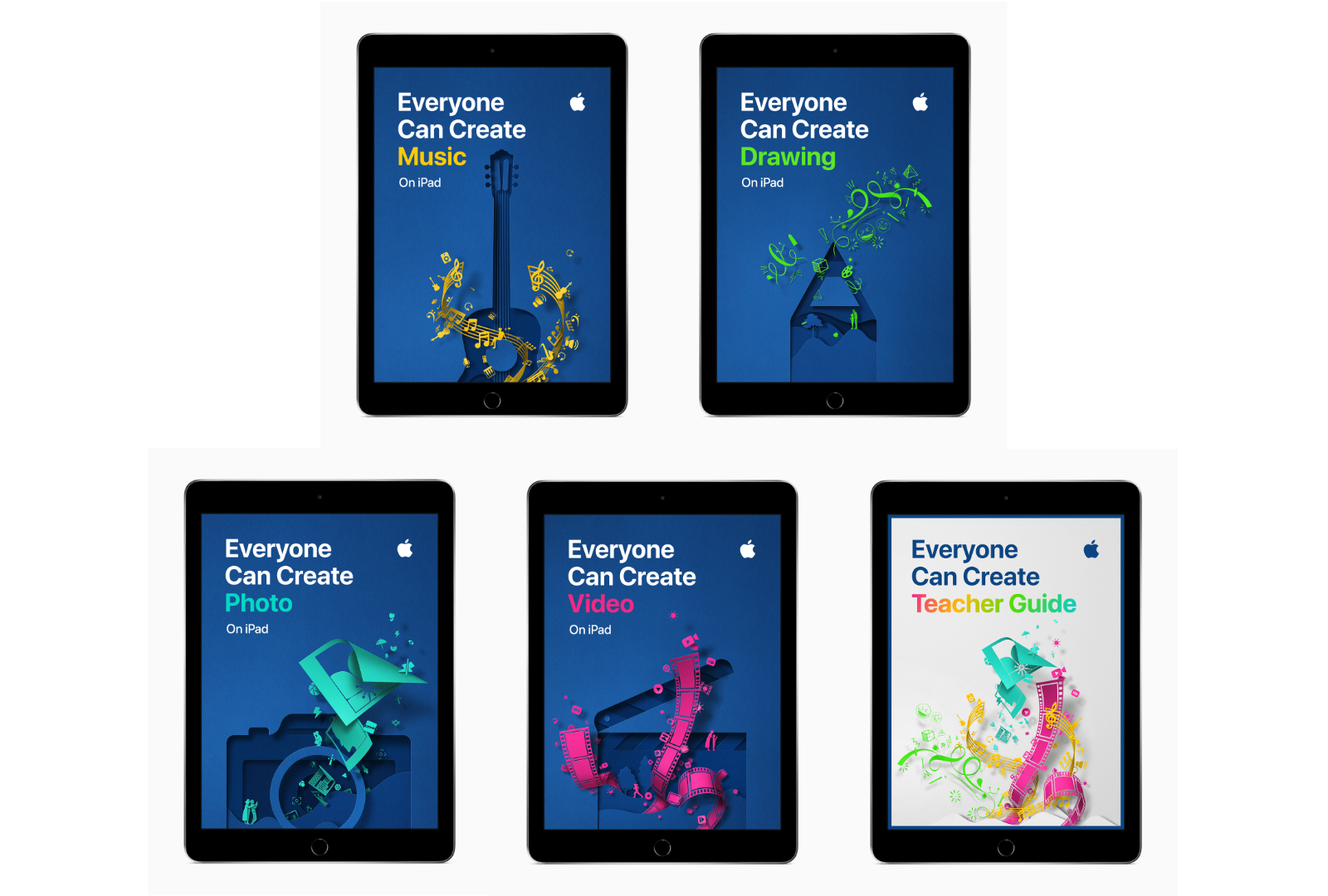
Today, Apple announced that as part of the Everyone Can Create initiative, it has released four student guides and a teacher guide that are available in Apple’s Books app.

“We believe Apple technology can help unleash every child’s creative genius,” said Philip Schiller, Apple’s senior vice president of Worldwide Marketing. “Working closely with teachers, we have built the Everyone Can Create curriculum to help bring creative expression and the arts into the classroom, and to help students stay engaged through creativity and ultimately be more successful.”

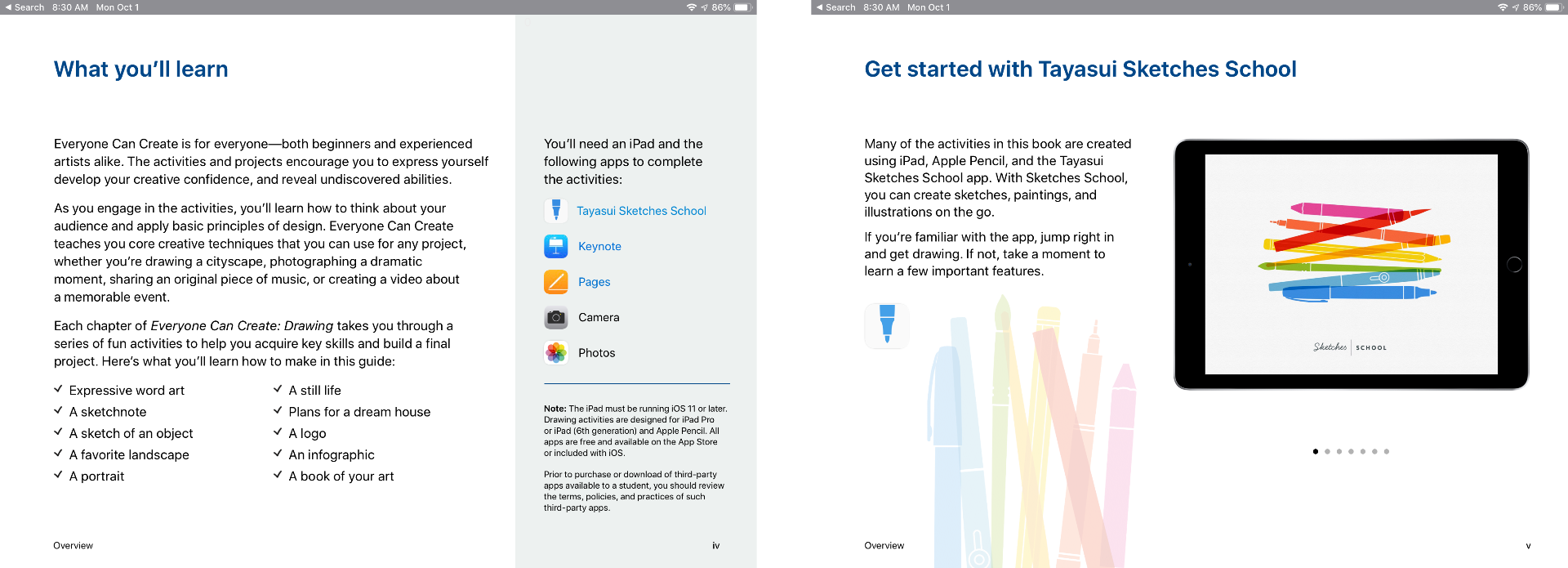
Each student guide, which is free to download in the Books app, includes projects designed to help students learn new creative skills progressively. There is also a teacher guide with over 300 lesson ideas that can be used in a variety of subjects.

The curriculum includes projects that use third-party apps like Tayasui Sketches School as well as Apple’s apps too.

Although the Everyone Can Create guides are being released after many students are already back in school, teachers have had preview materials since the summer, which should help them incorporate the new materials into their lessons if they’d like. Everyone Can Create extends Apple’s curriculum offerings beyond coding, which I like because it should reach a broader group of students. It’s also designed to fit with existing subjects taught in schools, which I expect will make the iPad more valuable to schools that have adopted them.

The Everyone Can Create books are available as free downloads in Apple’s Books app.


Google Maps Adds Commuting Features

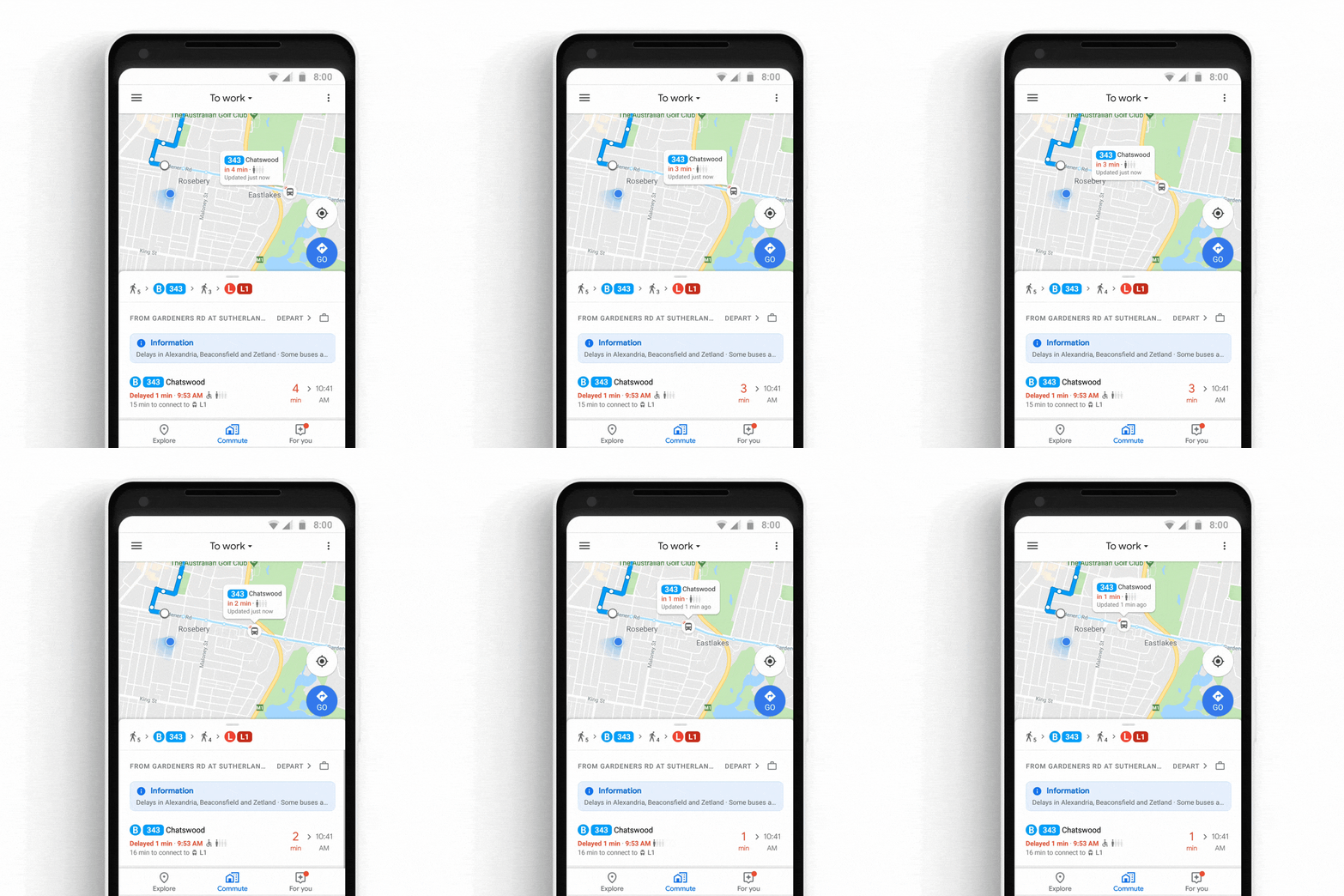
Google has announced that later this week, it will add several new features to its Maps app for iOS and Android commuters. The update includes live, personalized traffic data, support for ‘mixed-mode’ commutes, real-time bus and train tracking, and integration with Apple Music, Google Play Music, and Spotify.

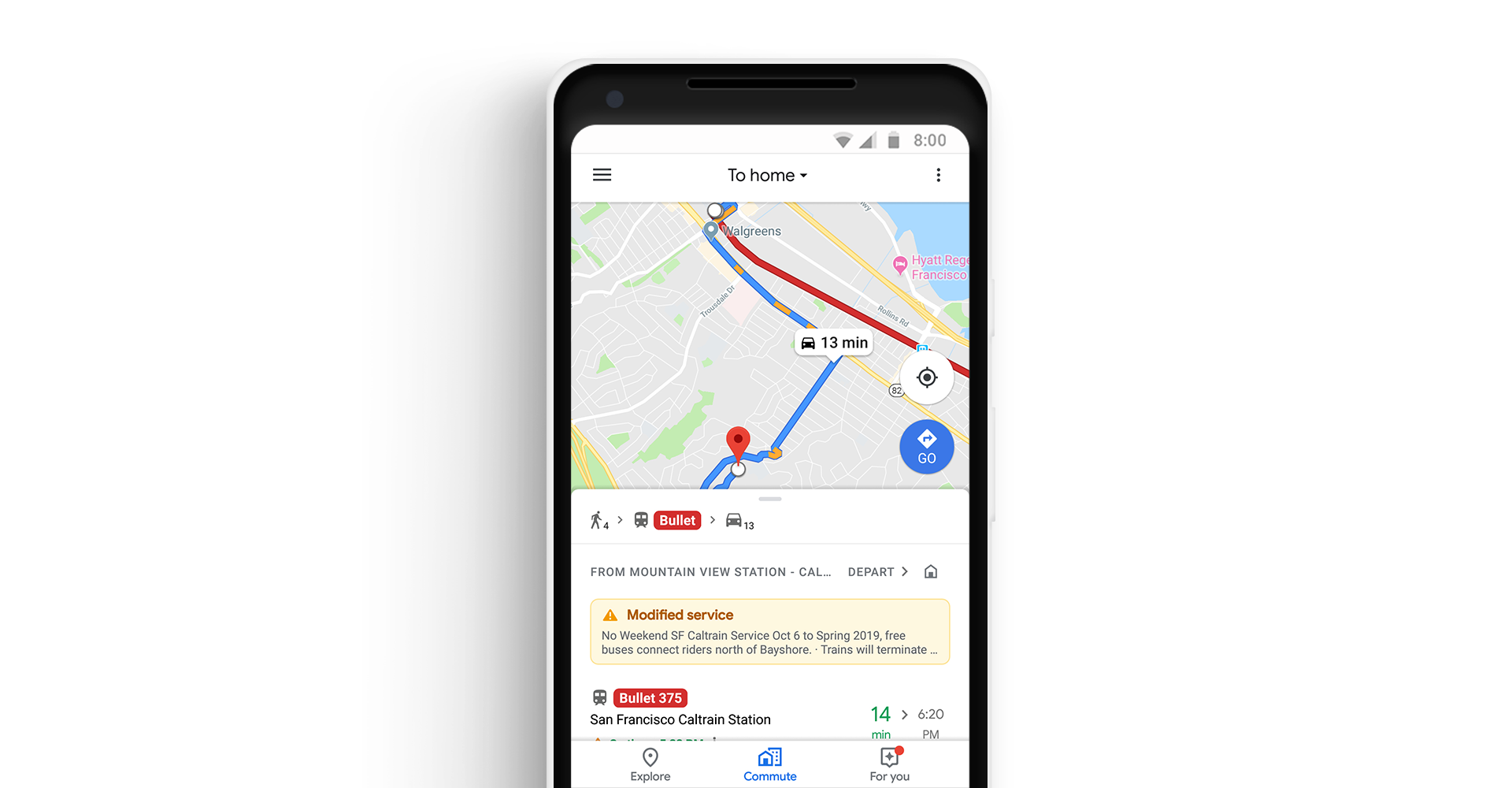
The update will include a dedicated ‘Commute’ tab in the Maps app. After users identify their commute, Google Maps will provide live traffic data about the route. The Android app will also include notifications about delays as they happen so you can adjust your trip.

Google Maps will also support mixed-mode commutes. That means, for example, commuters who travel by car, train, and on foot will see commute information relevant to each leg of their journey. Real-time bus and train tracking is being added in 80 cities worldwide too.

Playback controls for Apple Music, Spotify, and Google Play Music is coming to Google Maps. Spotify users on Android will also be able to browse and select content from inside the app.

As someone who used to commute by train every day, I particularly appreciate the focus on public transportation. Google hasn’t said, but hopefully, these new features are included as part of Google Maps’ CarPlay integration too.

Google Maps is available as a free download on the App Store.