John Voorhees

5429 posts on MacStories since November 2015

John is MacStories' Managing Editor, has been writing about Apple and apps since joining the team in 2015, and today, runs the site alongside Federico. John also co-hosts four MacStories podcasts: AppStories, which covers the world of apps, MacStories Unwind, which explores the fun differences between American and Italian culture and recommends media to listeners, Ruminate, a show about the weird web and unusual snacks, and NPC: Next Portable Console, a show about the games we take with us.

Apple Announces Video Deal with Oprah Winfrey

In a brief press release today, Apple announced a multi-year deal with Oprah Winfrey to produce original video content. From the press release:

Together, Winfrey and Apple will create original programs that embrace her incomparable ability to connect with audiences around the world.

The project joins more than a dozen others that have been signed by Apple for video content in the past year or so. There is no word yet on when the programming might be released, but CNN Money reports that Oprah is expected to have an onscreen role as a host and interviewer.

Competition among Apple, Netflix, and Amazon for original video content continues to heat up. Against the backdrop of consolidation among traditional media companies and telecommunications companies like the recently-closed AT&T/Time Warner merger, the stage seems set for major shifts in the video entertainment industry.


WWDC Opens Up

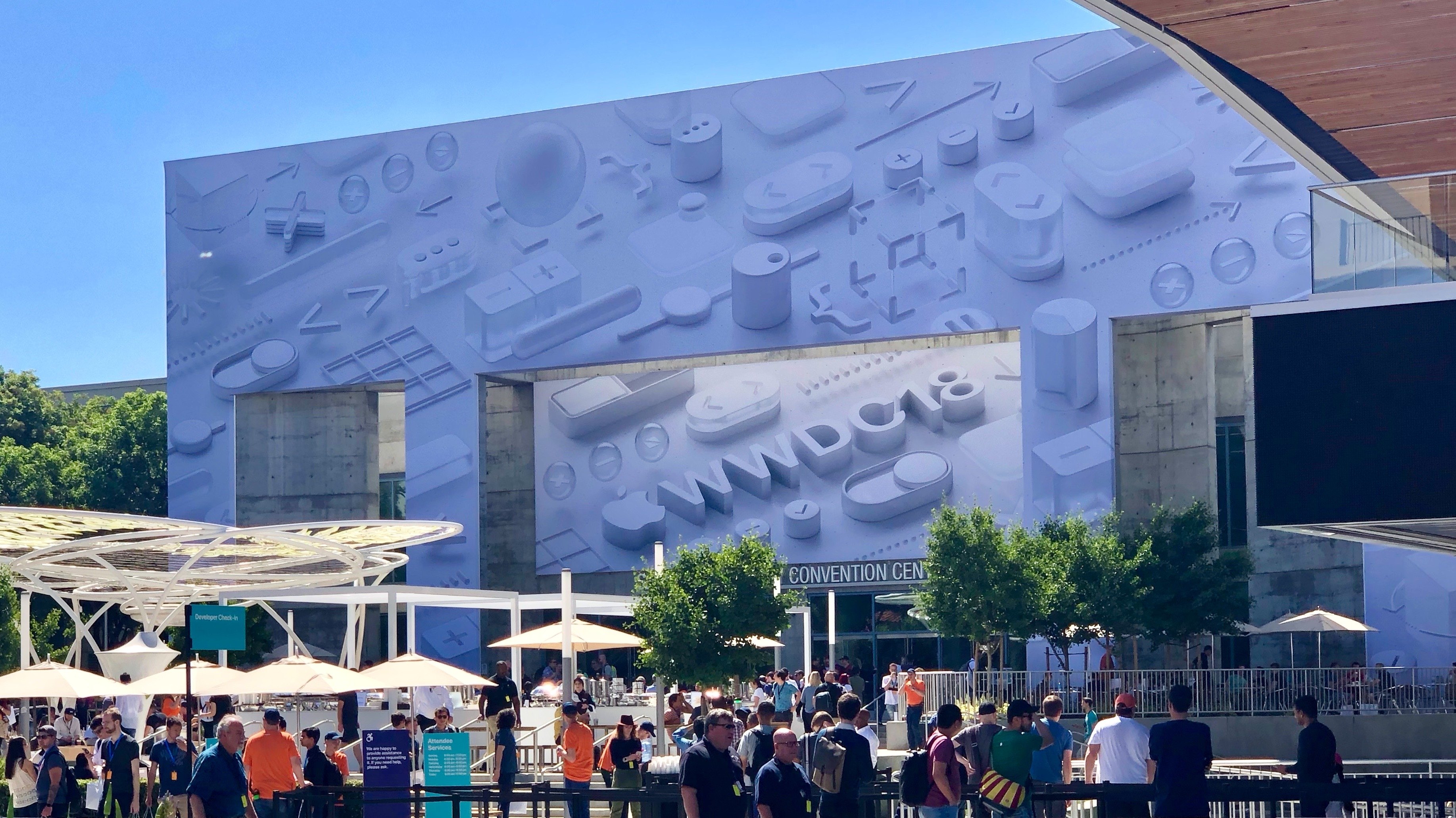
I’ve witnessed a slow but encouraging evolution take place over the past six years that has transformed WWDC for the better. When I first flew to San Francisco in 2013, WWDC was a self-contained event. Other than the Thursday night bash, the conference happened entirely within the fortress-like hulk of Moscone West. Developers and others in town for the week gathered outside the convention center in restaurants, bars, and hotel lobbies, but there were few organized activities if you didn’t have a ticket. That’s changed.

Read more


Behind the Mac: A Video Series Profiling How Creators Use the Mac

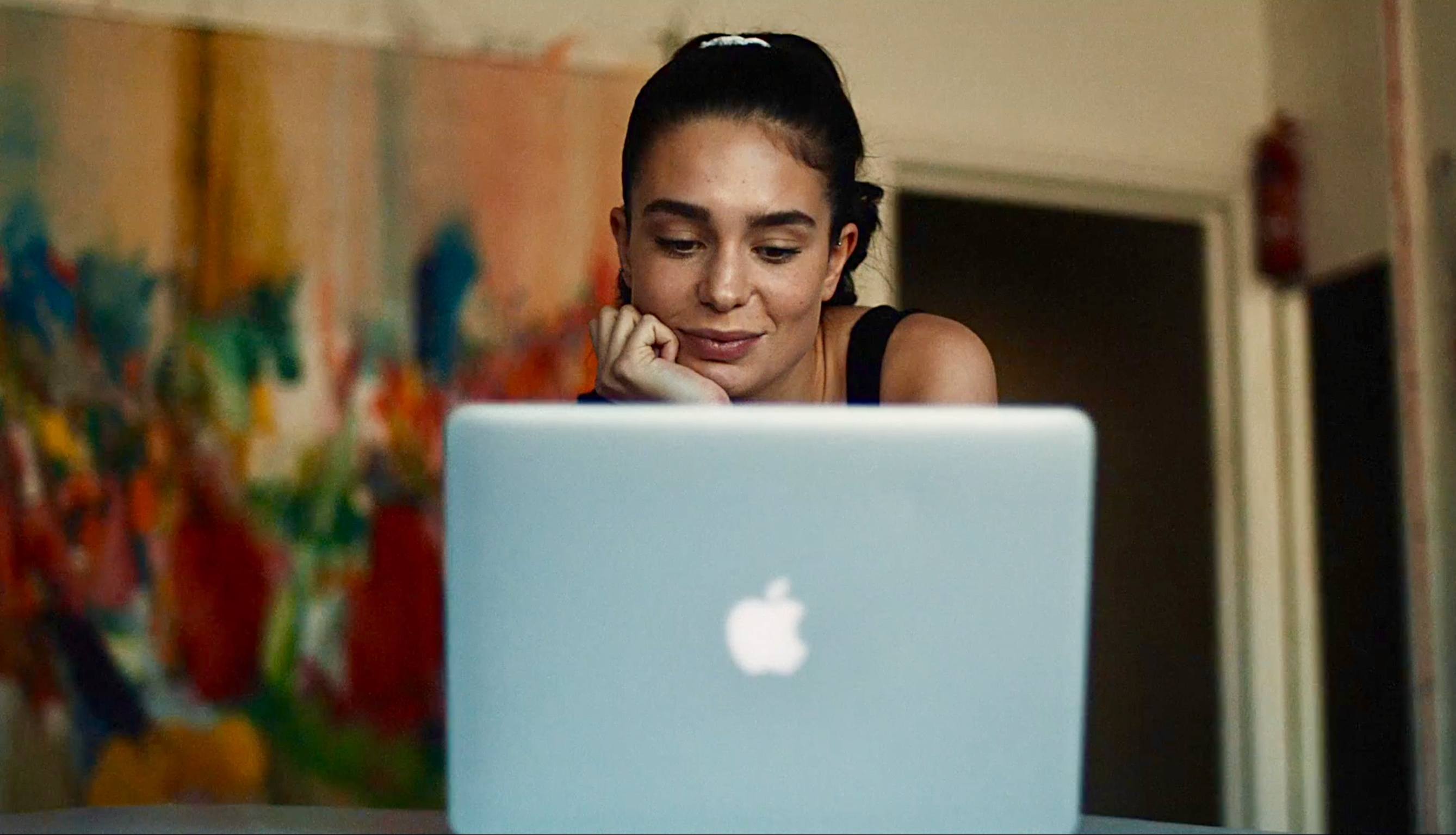
Apple has debuted a series of four videos on its YouTube channel called Behind the Mac that focus on the Mac as a tool to unleash creativity.

Three of the videos profile individuals. Recording artist Grimes is interviewed about how she uses a MacBook to create music, Peter Kariuki explains how he built an app to monitor driver safety in Africa, and Bruce Hall, a legally blind photographer, shows how he uses a Mac to process his photographs.

The fourth video is an montage that includes clips of each of the creators along with other people using Macs to make art. Interestingly, the spot includes a wide range of Mac laptops ranging from the white polycarbonate MacBook to current MacBook Pros. Each of the videos closes with the prompt ‘Make something wonderful.’

What I like best about these videos is their focus on the work of each creator. Like many users, I’ve been frustrated by the lack of updates to parts of Apple’s Mac lineup and issues with its laptops’ keyboards, but I still enjoy seeing what even older-model Macs can help people create. I expect we’ll see more of these videos debut in the coming weeks.


Twitter Announces News Features, Opt-Out Push Notifications, and Redesigned Moments

Twitter has begun introducing a series of features aimed at highlighting the news and events of the day. The company has also updated how Moments are displayed in the official Twitter app. According to Twitter, the goal of the changes is to make it easier for users to follow the news without having to know which accounts, hashtags, and Moments to follow.

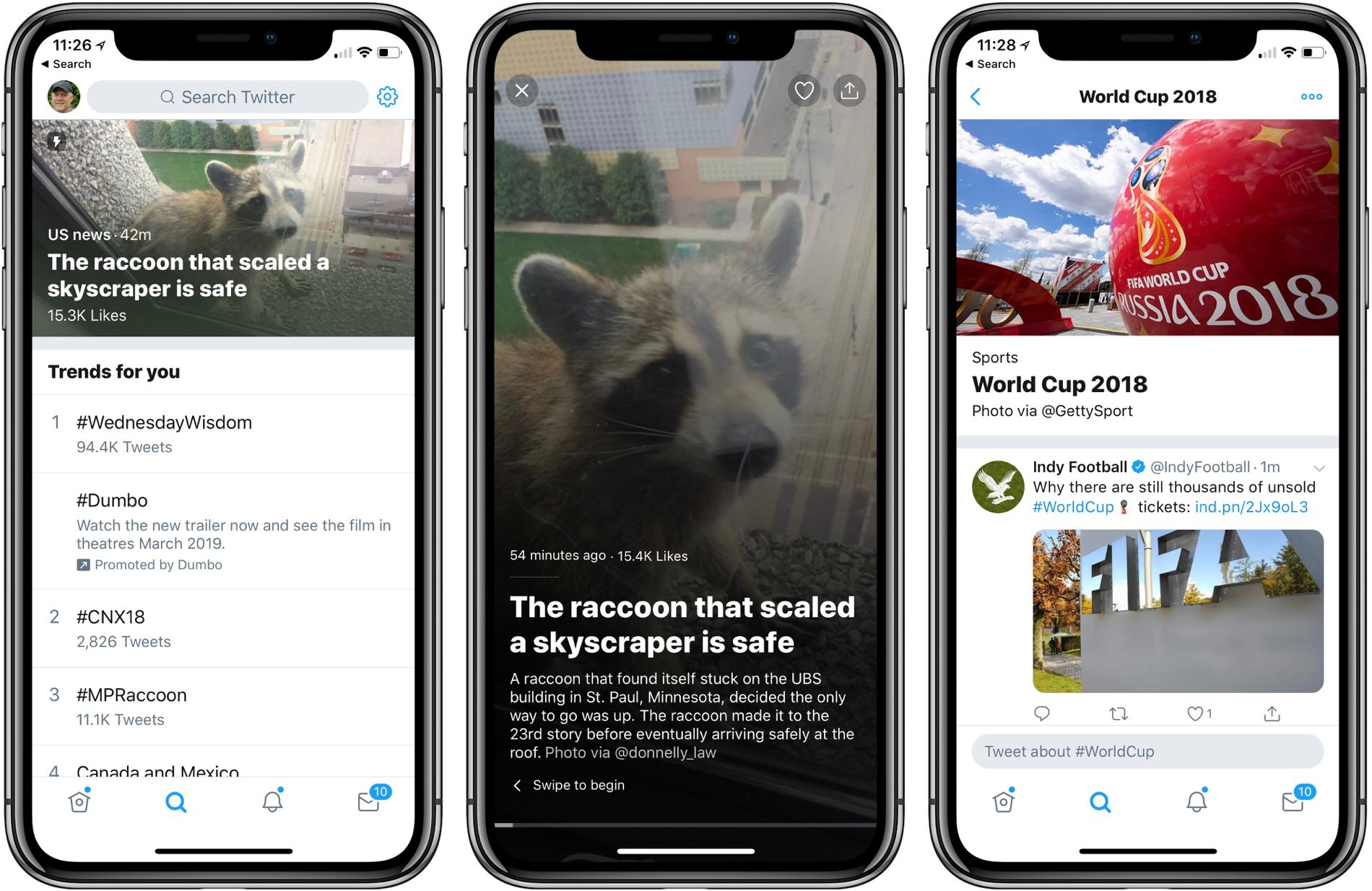
Current events is the primary focus of the new Twitter features, many of which will not be rolled out for weeks or months according to a Twitter blog post. The Explore tab now includes breaking news stories displayed as captioned image banners across the top of the section. Tapping into a story opens a collection of images, video, and tweets in a horizontally scrolling narrative.

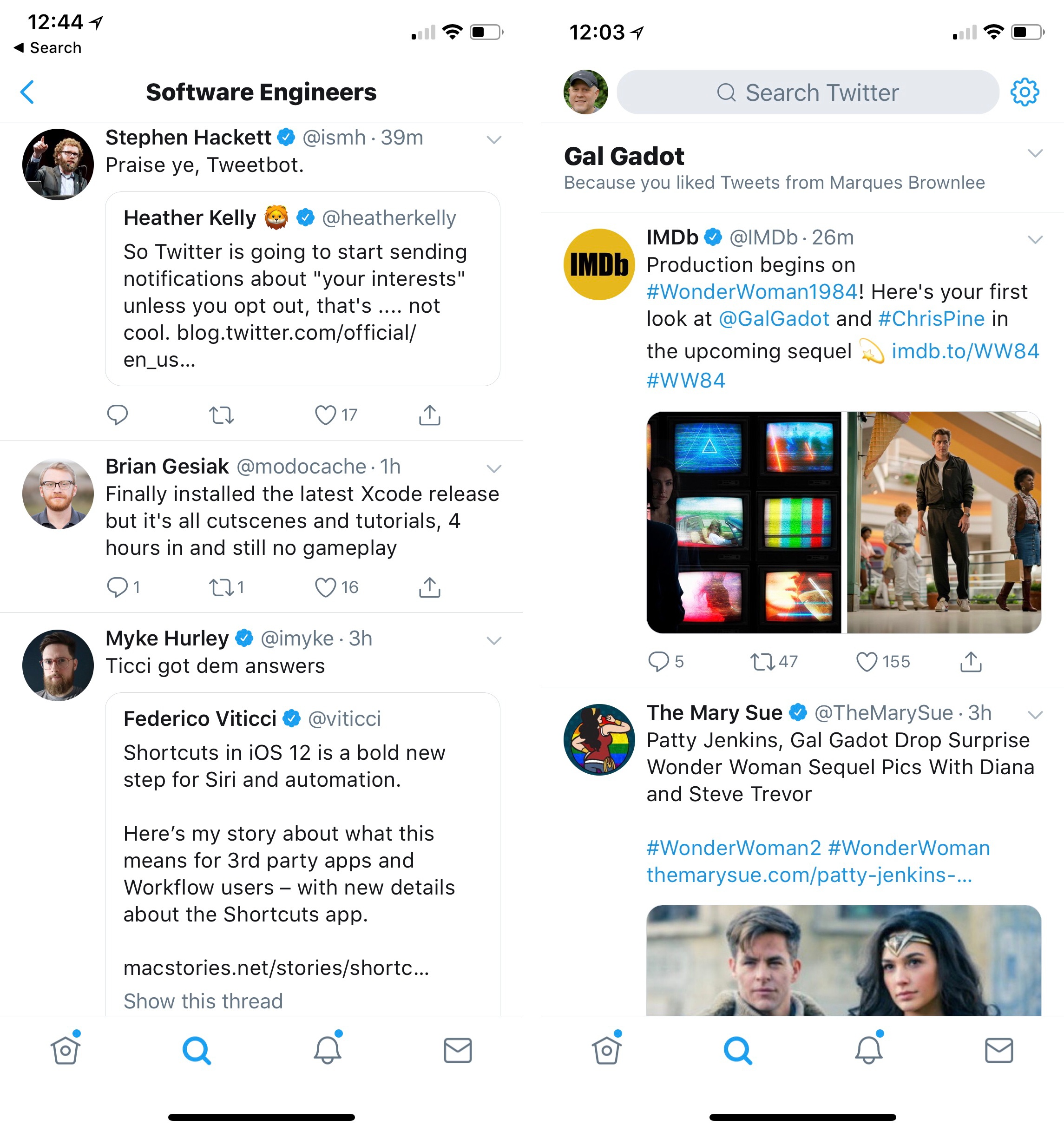
Below the highlighted story, Explore is divided into separate sections according to topic. My sections include ‘Trends for you,’ and ‘Today’s Moments’ followed by topical tabs like Software Engineers, Gal Godot, Technology Journalists, and Indie Game Developers. The quality of the content of each section is hit or miss. As you can see from the screenshot below, Twitter’s definition of ‘Software Engineer’ is loose and I got a section full of tweets about Gal Godot because, as Twitter helpfully explains, I liked an MKBHD tweet that mentioned her.

Twitter could use some help figuring out who is a software engineer, and adding a section dedicated to Gal Godot after I liked one MKBHD tweet mentioning her is a bit of a stretch.

Twitter could use some help figuring out who is a software engineer, and adding a section dedicated to Gal Godot after I liked one MKBHD tweet mentioning her is a bit of a stretch.

In the coming months, Twitter plans to add breaking and personalized news at the top of users’ feeds similar to the sports news feature that the company introduced in 2017. Twitter has said that it plans to start sending users push notifications based on their interests in the coming weeks too. From Twitter’s blog post, it appears these will be turned on by default requiring anyone who doesn’t want to see the notifications to turn them off:

Now we’re experimenting with sending notifications to you based on your interests (like who you follow and what you Tweet about), so you won’t miss a beat. You can always turn off these notifications by going to your recommendations settings and toggling to not see news.

Twitter is also changing Moments to scroll vertically like your timeline and adding a dedicated World Cup page.

None of these changes has a meaningful impact on my Twitter use because I use a third-party client, but they still bother me. I prefer to manage what I see on Twitter myself. Twitter may think it knows what I want to see, but judging from the suggestions in my Explore tab today, it’s ability to do that is questionable. Also, the addition of notifications that will be turned on by default strikes me as tone deaf considering current efforts of companies like Google and Apple to help users better manage notifications.

For now, the changes are contained mainly in the Explore tab. It will be interesting to see how users react when the changes spread to targeted news in their timelines and they begin receiving push notifications about raccoons climbing skyscrapers.


A Close-Up Look at macOS Mojave’s Dark Mode

One of the marquee features that Apple showed off for macOS Mojave at WWDC is Dark Mode. As the company demonstrated during the WWDC keynote, Dark Mode is a far more ambitious feature than the dark theme added to macOS Yosemite in 2014. The new look extends much deeper into the system affecting everything from app chrome to window shadows and Desktop Tinting.

There is a lot more to Dark Mode than you might assume. To help developers navigate when and how to implement Dark Mode, Apple has provided developers with guidelines, which Stephen Hackett covers on 512 Pixels:

The biggest is that not all apps should always follow the Appearance that has been set by the user. As before, Apple believes that media-focused tools should be dark at all times. I don’t foresee something like Final Cut Pro X gaining a light theme anytime soon.

Apple has also given developers the ability to use the Light Appearance in sections of their applications. One example is Mail, which can use the Light Appearance for messages, but the Dark Appearance for its window chrome, matching the system[.] This lets text and attachments be viewed more easily for some users. I think it’s a nice nod to accessibility for text-heavy apps, and I hope third-party developers take advantage of this ability.

Hackett also covers Accents, an adaptation and expansion of what is currently called Appearances that affect the look of things like drop-down menus, and how Accessibility features affect Dark Mode.

I like the look of Dark Mode a lot and hope third-party developers adopt it quickly. I expect the pressure to add Dark Mode to existing apps will rapidly increase as more and more third parties begin to use it and hold-out apps become bright, glaring reminders among a sea of muted windows.

Permalink