John is MacStories' Managing Editor, has been writing about Apple and apps since joining the team in 2015, and today, runs the site alongside Federico.
John also co-hosts four MacStories podcasts: AppStories, which covers the world of apps, MacStories Unwind, which explores the fun differences between American and Italian culture and recommends media to listeners, Ruminate, a show about the weird web and unusual snacks, and NPC: Next Portable Console, a show about the games we take with us.
Now that people have had a chance to dig deeper into macOS Mojave, a number of smaller features have been discovered that didn’t get mentioned during the keynote on Monday and weren’t included in our initial overview of the updated OS that will be released in the fall. Here are a few of our favorite discoveries:
macOS Updates in System Preferences. What Apple didn’t explain when it updated the Mac App Store is that macOS updates have been moved from the Mac App Store to System Preferences.
HomeKit Support for Siri. Among the iOS apps ported to macOS as part of the upcoming release of Mojave is Home. The app does not currently support AirPlay 2, but control of HomeKit devices is not limited to the Home app itself; Siri can also be used to control devices.
System-Wide Twitter and Facebook Support Removed. In High Sierra, users could log into Twitter and Facebook from the Internet Accounts section of System Preferences and share content using the share button in apps like Safari. Like iOS did in iOS 11, the Mojave beta has removed system-level support for sharing content via Twitter and Facebook.
The Final Version to Support 32-Bit Apps. During the State of the Union presentation, Apple confirmed that Mojave will be the last version of macOS to support 32-bit apps. When a user tries to open a 32-bit app, Mojave currently displays a one-time warning that the app will not work in future versions of macOS.
Favicon Support in Safari Tabs. Unlike Google’s Chrome browser, macOS doesn’t currently support favicons in Safari tabs. According to an article by John Gruber last summer, that led a significant number of people to use Chrome and third-party solutions like Faviconographer, which overlaid favicons on Safari’s tabs. When Mojave ships, Safari will add support for tab favicons, which are coming to iOS too.
Apple Mail Stationary Removed. According to the release notes for the macOS Mojave beta, Stationary, the HTML email feature that allowed users to choose from pre-built email templates, has been removed from the app.
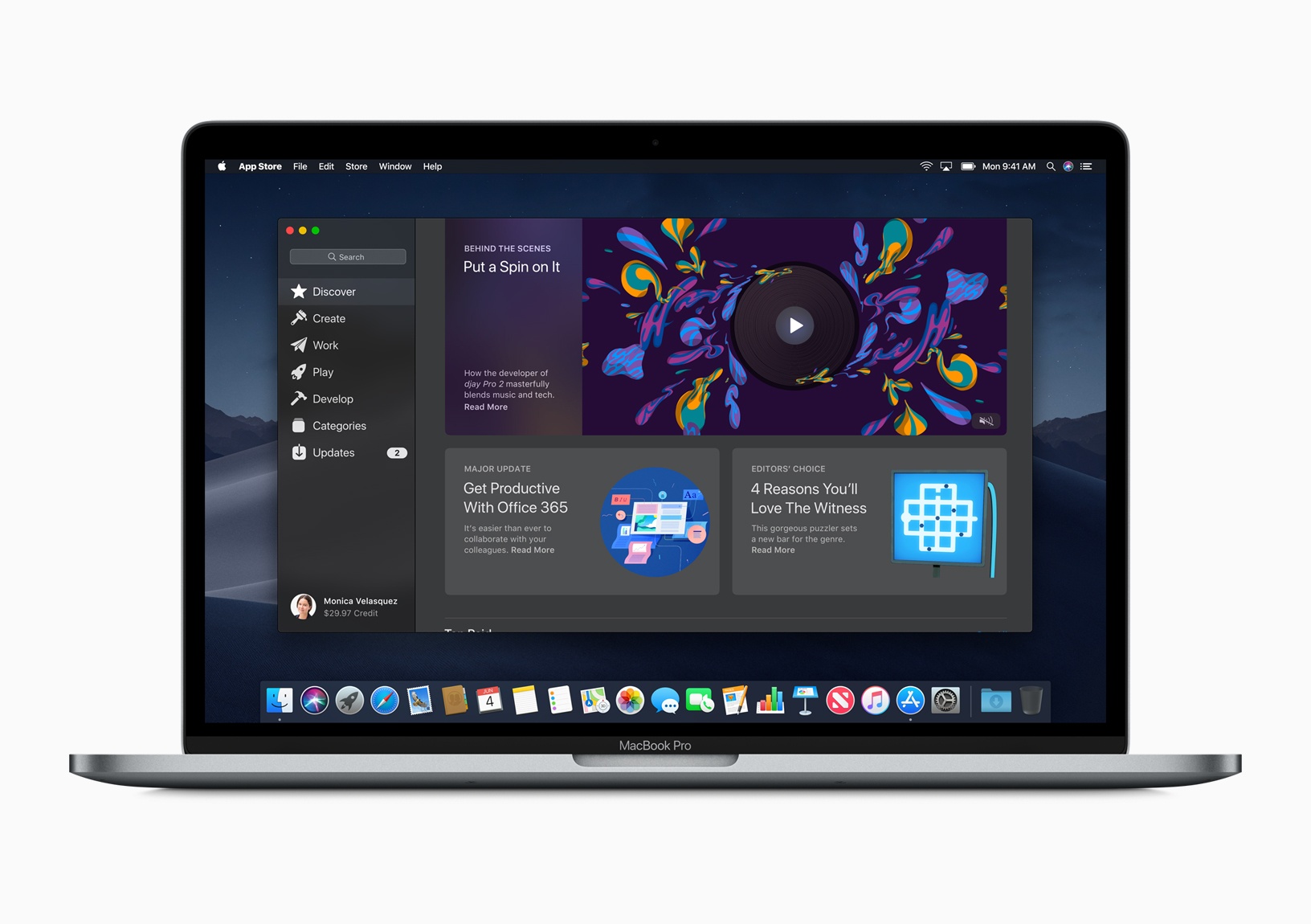
During the WWDC keynote today, Apple announced a redesigned Mac App Store, elements of which leaked this past Saturday in a 30-second Mac App Store preview video for Xcode 10.1 The video was discovered by Steve Troughton-Smith:
Unlike the iOS App Store, the Mac App Store has never included preview videos, which indicated additional Mac App Store improvements were likely.
Those suspicions were confirmed during the keynote this morning when Apple revealed an ambitious redesign of the Mac App Store. The update takes several cues from the iOS App Store, implementing lessons learned from that store’s successful update in iOS 11.
Transmit 5 by Panic takes the hassle out of managing files on a server and locally. For 20 years, Mac users have relied on Transmit for FTP and SFTP file transfers. That remains one of Transmit’s core strengths, but the app has evolved into much more.
Transmit’s power starts with its design. The clean, two-pane design makes it easy to understand which files are on your local drive and where they’re going. With version 5, Panic focused on every element, refining and modernizing its design, while remaining familiar to long-time users.
The app still works with FTP, SFTP, WebDAV, and S3, but it also works with Amazon Drive, Backblaze B2, Box.com, DreamObjects, Dropbox, Google Drive, Microsoft OneDrive and Azure, OpenStack Swift, Rackspace Cloud Files, and more, bringing a native Mac app experience to every service.
The new cloud support opens up all sorts of possibilities. For example, Transmit can see your entire Dropbox, even if you sync only a subset of your files to your Mac. That means if you’re short on storage space, you can turn off Dropbox sync for a folder full of large files with the peace of mind of knowing you can still access them with Transmit.
Transmit 5 has other great features too. It supports:
Panic Sync, which provides secure, encrypted sync of your data across all of the Panic products you use;
File Sync, which keeps your files in sync across local and remote computers, or even multiple local machines;
Batch file renaming; and
Yubikey devices and the Krypton iOS app for easy, secure password-less connections.
Transmit is also much, much faster than its predecessor.
Whether you’re managing a server, or even just local files across multiple drives, Transmit 5 is the tool with the flexibility and power you need to get the job done quickly, safely, and securely.
MacStories readers can purchase Transmit directly from Panic using this link to receive 20% off automatically at checkout through June 11, 2018. As announced earlier today, Transmit will be returning to the Mac App Store later this year as a subscription-based app. You will still be able to buy Transmit directly from Panic for an up-front payment, but whether you buy now or subscribe later, be sure to visit Panic’s website to learn more about Transmit 5.










 Federico