John is MacStories' Managing Editor, has been writing about Apple and apps since joining the team in 2015, and today, runs the site alongside Federico.
John also co-hosts four MacStories podcasts: AppStories, which covers the world of apps, MacStories Unwind, which explores the fun differences between American and Italian culture and recommends media to listeners, Ruminate, a show about the weird web and unusual snacks, and NPC: Next Portable Console, a show about the games we take with us.
Apple today announced that WWDC will return to the McEnery Convention Center in San Jose, California from June 4 - 8, 2018. Last year, the annual developer conference switched venues from the Moscone Convention Center in San Francisco to San Jose. The change came as quite a surprise, as did the timing of the announcement, which in past years came closer to the event. By and large though, the move was well-received by developers and easier for Apple engineers due to the venue’s proximity to Cupertino, so it’s not surprising to see WWDC return to San Jose for 2018.
Every year, WWDC provides an opportunity for millions of developers to learn more about how to create new experiences across Apple’s platforms for iPhone, iPad, Apple Watch, Apple TV, Mac and HomePod.
Tickets are available now through March 22nd at 10 a.m. PDT. According to Apple’s press release:
Tickets are issued through a random selection process, and developers will be notified of application status by March 23 at 5 p.m. PDT.
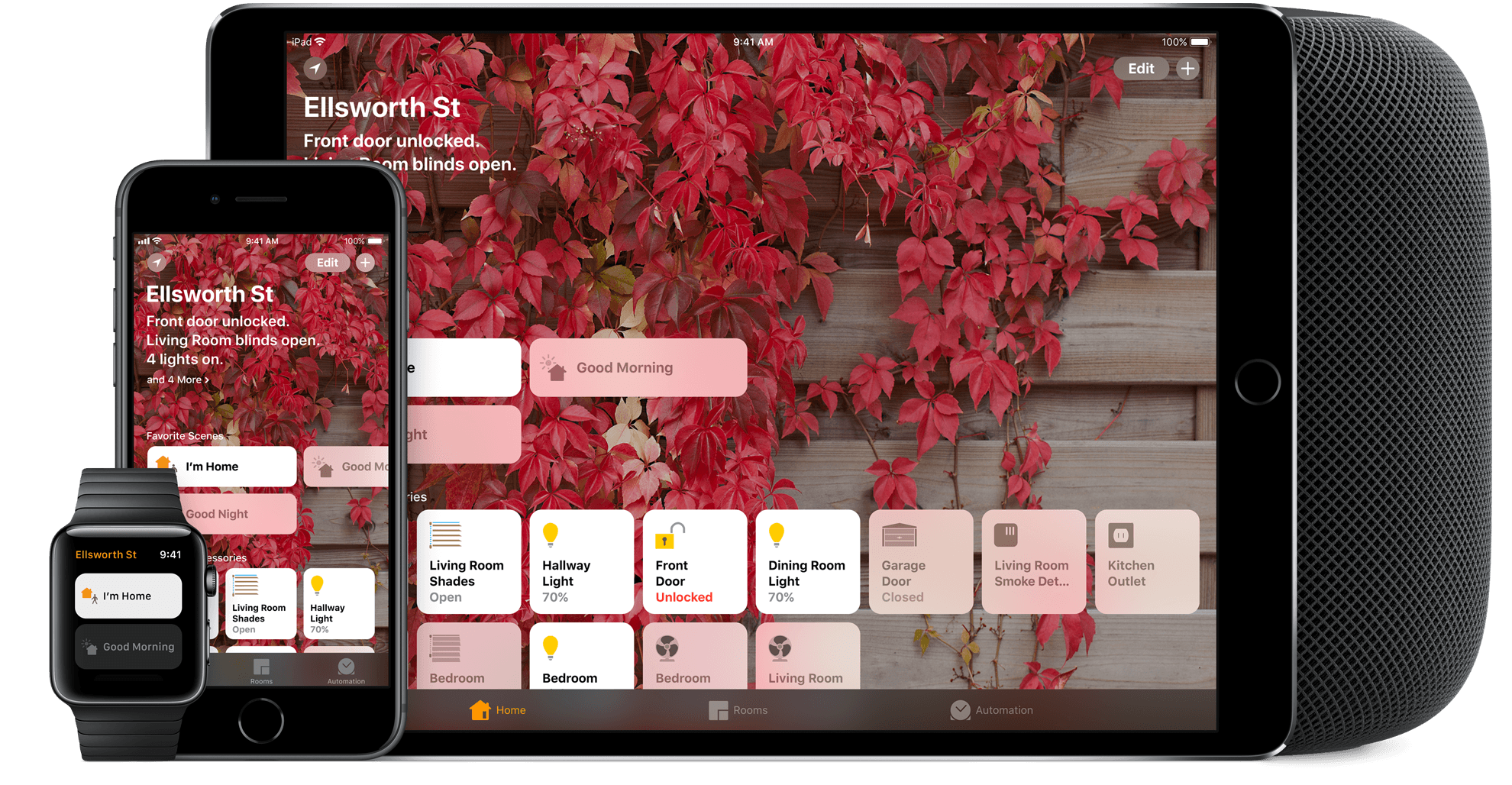
I’ve spent a lot of time experimenting with home automation gear since late last year: lightbulbs, light strips, electrical plugs, and door sensors, among other things. Most of the devices I’ve tested support Apple’s HomeKit APIs and those that don’t, I plan to integrate with Homebridge. That means I’ve also spent a lot of time in Apple’s Home app, and despite poking around in every corner of the app, I still find it frustrating and hard to use.
Last week, I tried to configure something new in my studio that illustrates several of the Home app’s problems. I have several Hue lights: there’s one over the steps leading to my workspace, four recessed ceiling lights, a floor lamp, and a desk lamp. It’s a lot of lights, but my studio is in the basement, and the lights help keep it from feeling like a cave.
I set the lights up as a group in Home and trigger them with a motion sensor. As soon as I open the door to the basement, the lights come on. I added a Hue switch on the wall as a shortcut for turning the lights on and off too.
I recently got an Elgato Eve door sensor for my back door. I figured it would be nice to know when my wife and son got home in the afternoon if I’m working away with the door closed, listening to music, and don’t hear the back door open. I can get alerts from the sensor on my Apple Watch and iPhone, but I thought it might be fun to also turn the Hue light on my desk red when the door opens as a visual cue. That turned out to be harder than I anticipated.
On this week’s episode of AppStories, we look back at where health, fitness, and quantified self apps have been, where they’re going, and how hardware and software advancements are changing the way we track and gain insights about our health and fitness.
Sponsored by:
Yoink: Simplify and improve drag and drop on your Mac, iPad, and iPhone to speed up your daily workflow.
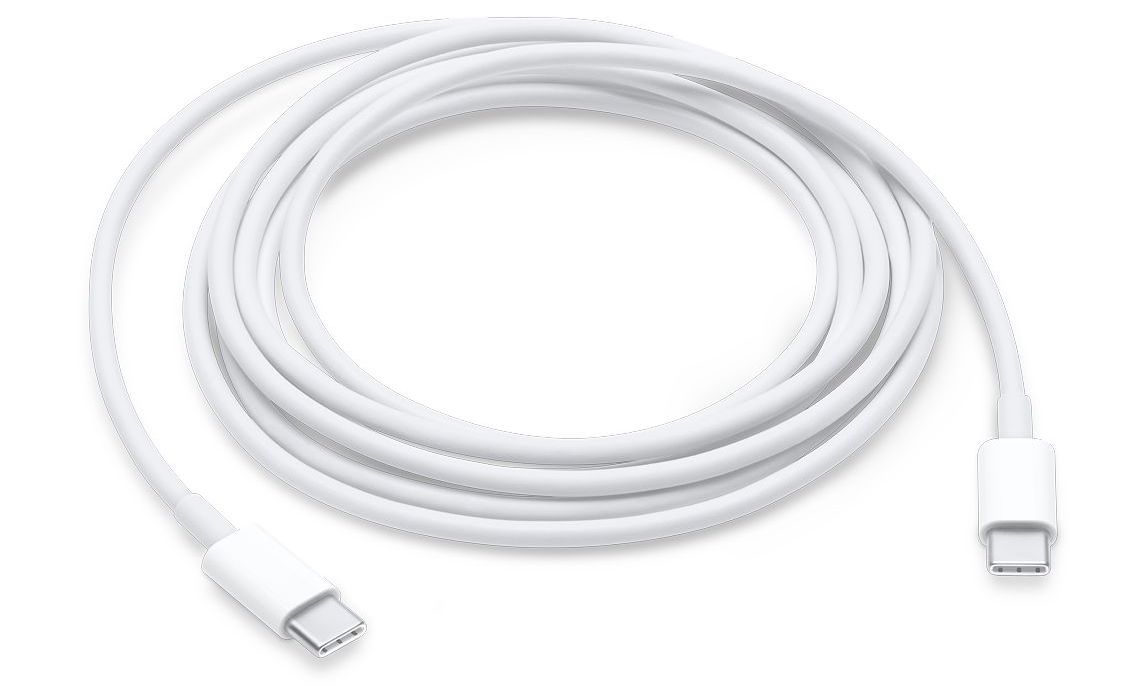
Apple’s MFi licensing program, which allows accessory makers to manufacture Apple-certified products that are compatible with iPhones, iPads, and iPods, has been updated to allow accessory makers to create licensed devices that feature USB-C connectors. According to a report by 9to5Mac, the connectors cannot be used for passthrough charging or syncing of iOS devices, but will allow battery packs, speakers, and other accessories to be charged using the USB-C cables included with compatible Macs and from third parties. The specification does not include USB-C to Lightning cables, which are only available from Apple and are necessary to fast-charge iPhones and iPads.
The Lightning to 3.5mm output cable specification allows accessory makers to make cables to route the output of a Lightning port to a 3.5mm headphone jack input. This was only possible previously by chaining Apple’s Lightning to 3.5mm input adapter with a male-to-male 3.5mm cable. With the new specification, accessory makers will be able to reduce that setup to a single cable that will work with devices like speakers that include a 3.5mm input.
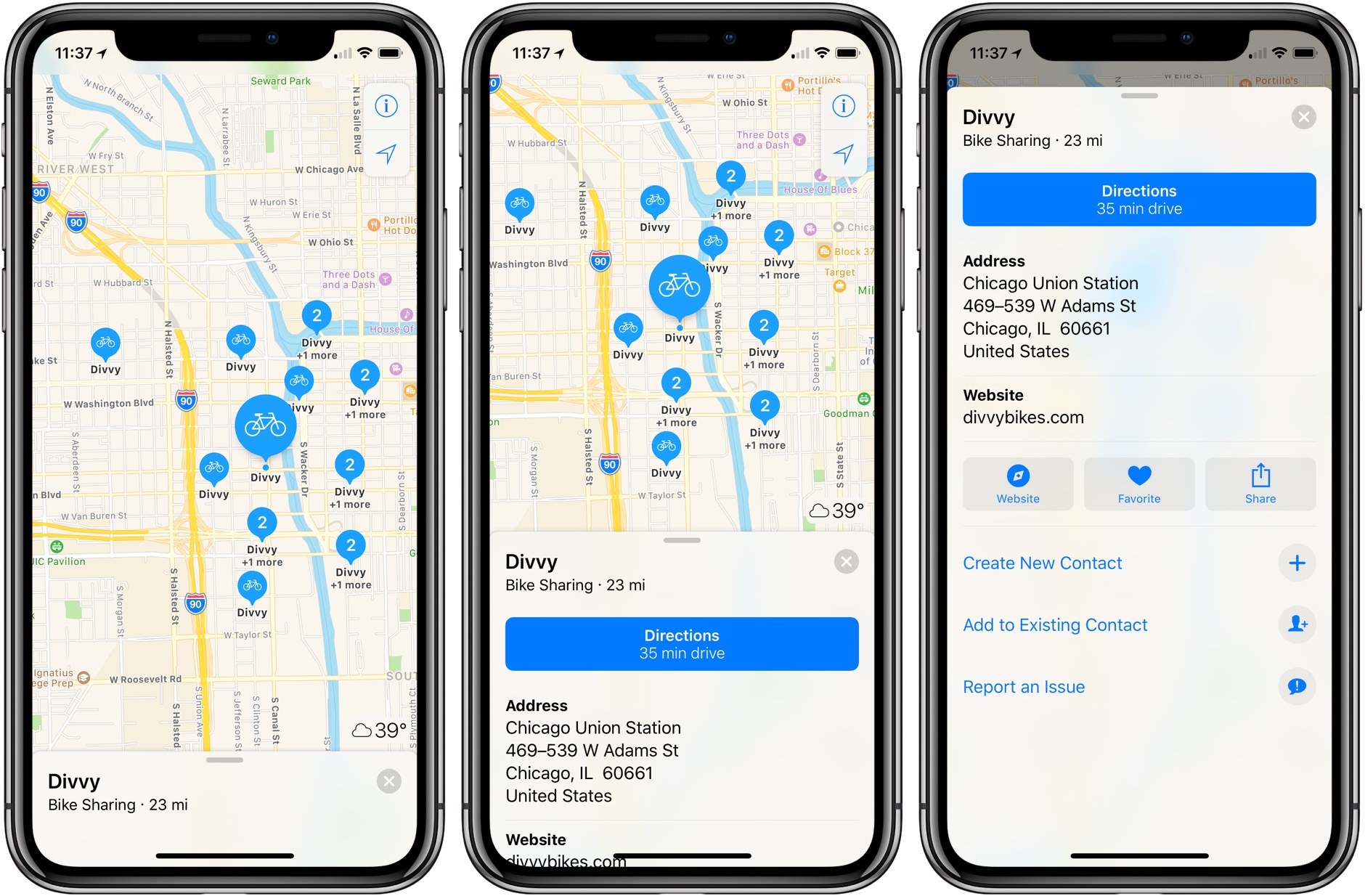
Bike sharing data in Apple Maps got a big boost today in a deal struck with Ito World, a real-time transit data company. Apple Maps already included some bike sharing data, but according to TechCrunch, the partnership means Apple Maps now has bike sharing data in more than 175 cities in 36 countries.
If you type ‘bike sharing’ into Apple Maps, it will scroll to the bike sharing station closest to you. The app also supports searches near other locations, using queries like ‘bike sharing near Chicago Union Station.’ Each entry in Apple Maps provides the address of the bike sharing station and a link to the website of the company that operates it, but there are no details about the number of available bikes or parking spots.
Apple has struck several deals with third parties over the past couple of years to add data like electric vehicle charging stations and parking lot data to Apple Maps. I expect we will continue to see third-party arrangements like the one with Ito World because it’s a faster way for Apple to try to close Google Maps’ local data lead over Apple Maps than collecting the data itself.
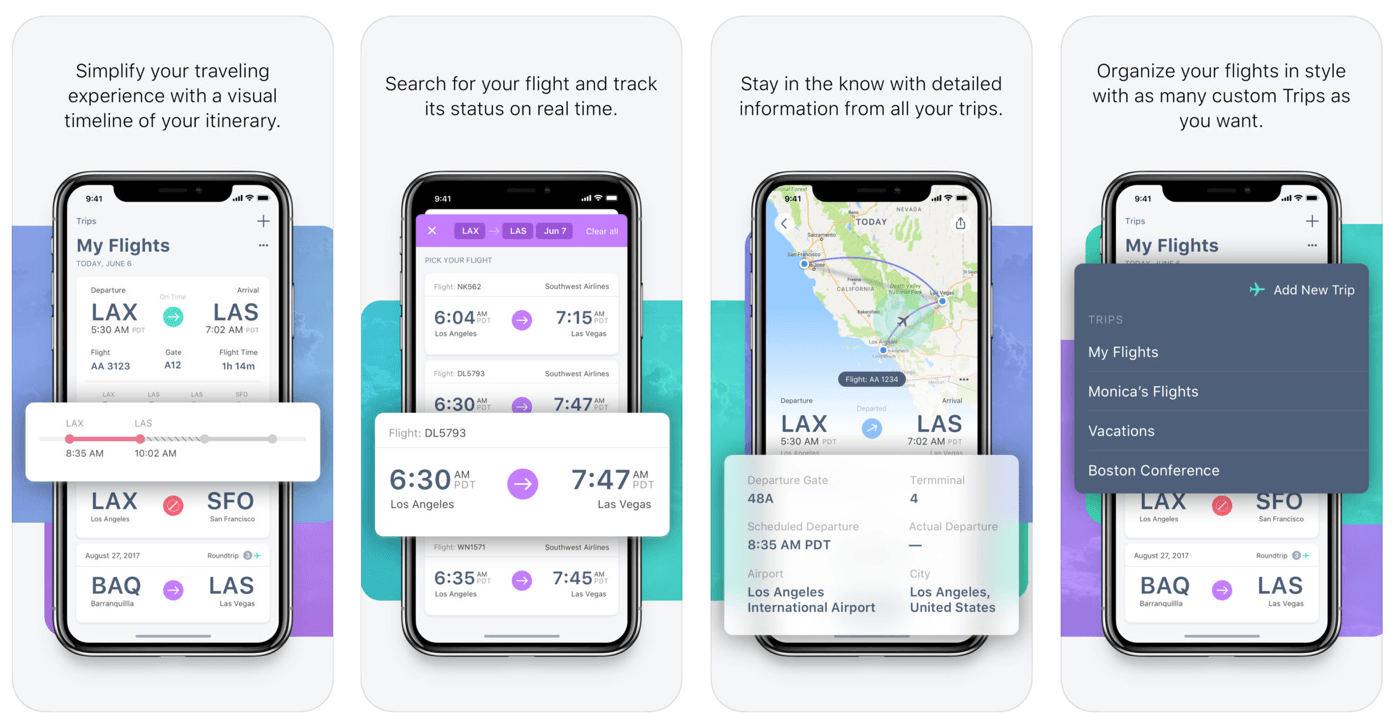
Air travel can be stressful. FlightLogger, which is available on iOS and Android, reduces the stress of travel by making it simple to search and save your flights, get up-to-date notifications on any changes to gates and terminals, share your travel plans with friends and family, and much more.
Too many flight tracking apps are a cluttered mess. FlightLogger’s design reduces the number of taps and information you have to input. Combined with a clear, glanceable timeline of your itinerary, FlightLogger is the perfect companion for the modern traveler.
FlightLogger is packed with innovative features:
Track the flights of over 1500 airlines and 30,000 airports worldwide for worry-free travel.
Add flights in-app or by forwarding flight confirmation emails to FlightLogger.
Track departure and arrival times, delays, cancellations, and gate and baggage claim information.
Receive flight status notifications on your iOS devices and Apple Watch.
Track flights on your Apple Watch and other iOS devices with iCloud sync.
View the approximate location of aircraft during flights.
Keep family and friends up-to-date by sharing your travel details.
Organize flights by trips, so you only see the information you need, when you need it.
Federico and John look back at where health, fitness, and quantified self apps have been, where they’re going, and how hardware and software advancements are changing the way we track and gain insights about our health and fitness.
Nick Heer at Pixel Envy tested how well 2018 Siri performs commands given to the voice assistant in a 2010 demo video. The video takes Siri, which started as a stand-alone, third-party app, through a series of requests like ‘I’d like a romantic place for Italian food near my office.’ Just a couple of months after the video was published, Siri was acquired by Apple and the team behind it, including the video’s narrator, Tom Gruber, began integrating Siri into iOS.
That was eight years ago. Inspired by a tweet, Heer tested how well Siri performs when given the same commands today. As Heer acknowledges, the results will vary depending on your location, and the test is by no means comprehensive, but Siri’s performance is an eye-opener nonetheless.
What’s clear to me is that the Siri of eight years ago was, in some circumstances, more capable than the Siri of today. That could simply be because the demo video was created in Silicon Valley, and things tend to perform better there than almost anywhere else. But it’s been eight years since that was created, and over seven since Siri was integrated into the iPhone. One would think that it should be at least as capable as it was when Apple bought it.
Eight years is an eternity in the tech world. Siri has been fairly criticized recently for gaps in the domains it supports and their balkanization across different platforms, but Heer’s tests are a reminder that Siri still has plenty of room for improvement in how it handles existing domains too. Of course, Siri can do things in 2018 that it couldn’t in 2010, but it still struggles with requests that require an understanding of contexts like location or the user’s last command.
Voice controlled assistants have become a highly competitive space. Apple was one of the first to recognize their potential with its purchase of Siri, but the company has allowed competitors like Amazon and Google catch up and pass it in many respects. The issues with Siri aren’t new, but that’s the heart of the problem. Given the current competitive landscape, 2018 feels like a crucial year for Apple to sort out Siri’s long-standing limitations.










 Federico