Using Inoreader to Filter Content from Individual Twitter Accounts
...

 Using Inoreader to Filter Content from Individual Twitter Accounts
App Debuts
Numi
Q&A
Using Inoreader to Filter Content from Individual Twitter Accounts
App Debuts
Numi
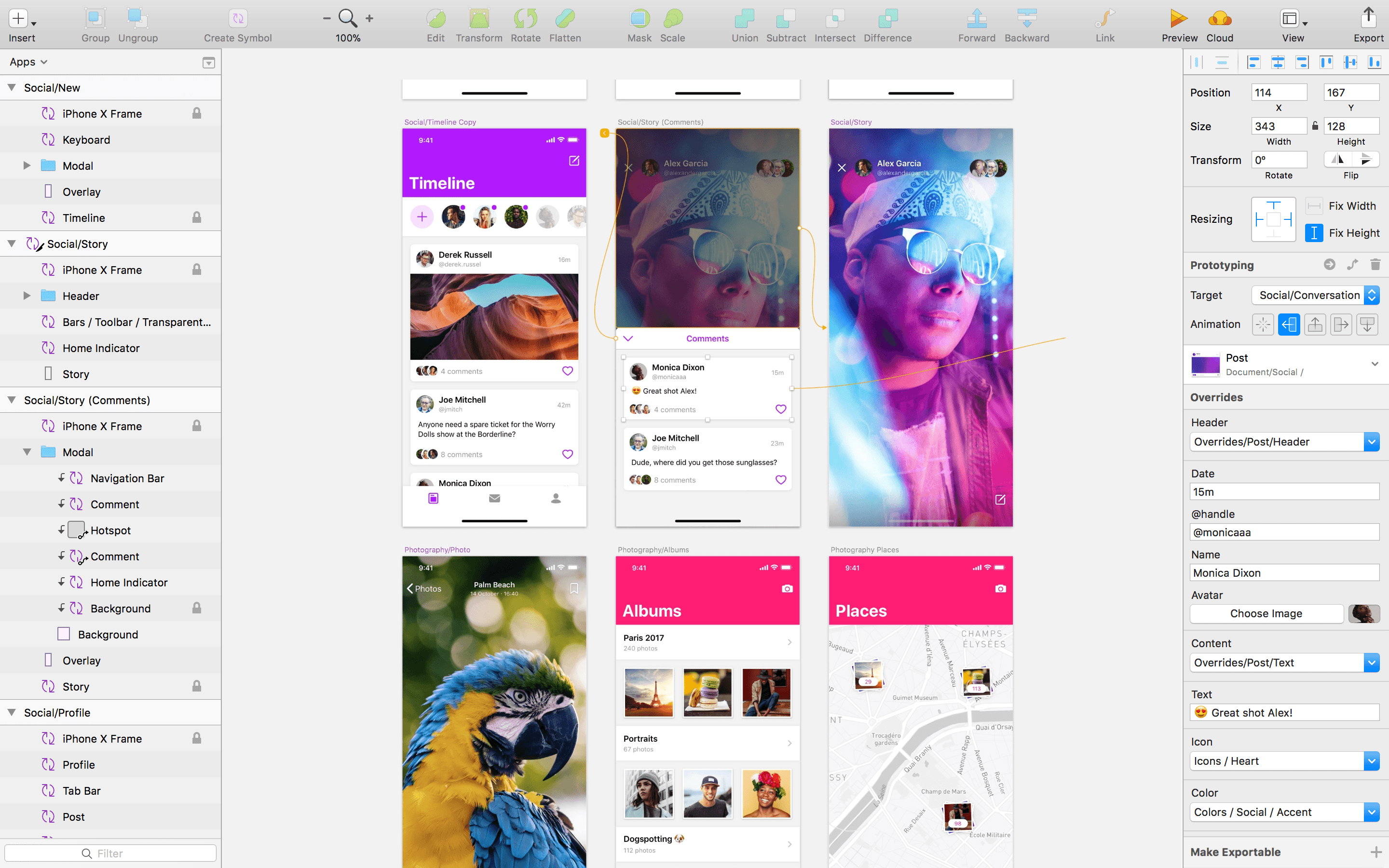
Q&A Sketch, the popular design app from Bohemian Coding, received a big update today, but perhaps the most interesting aspect of the update is the incorporation of Apple’s official iOS 11 design template. An earlier update of Sketch added Libraries, sets of design assets that can be saved, reused, and shared. With the new version of Sketch released today, those Libraries can be stored in Sketch Cloud and shared with other Sketch users who can download and subscribe to them.
The utility of the new feature is highlighted by the inclusion of Apple’s official iOS 11 UI Assets as a Shared Library.
We’re really excited to say that we’ve integrated Apple’s iOS 11 design template into Sketch, and can now offer this invaluable resource as a built-in Library.
The Apple iOS UI library has all of the components you’ll need to start working on your next project, carefully crafted for Sketch. This expansive Library includes everything, from tab bars and status bars to buttons and switches, ready to be inserted into your latest designs.
Users can download the iOS 11 design template from the Libraries tab of Sketch’s Preferences. Once downloaded, users will receive notifications of updates to the templates.
Sketch’s latest release also adds prototyping. The feature allows users to link artboards and add animated transitions. Prototypes can be previewed in Sketch, using Bohemian Coding’s Mirror iOS app, or using Sketch Cloud.
To get a sense of what can be done with Sketch’s new prototyping feature, check out the video below by Sam Beckett, who has worked with MacStories in the past on Federico’s iOS concept videos.
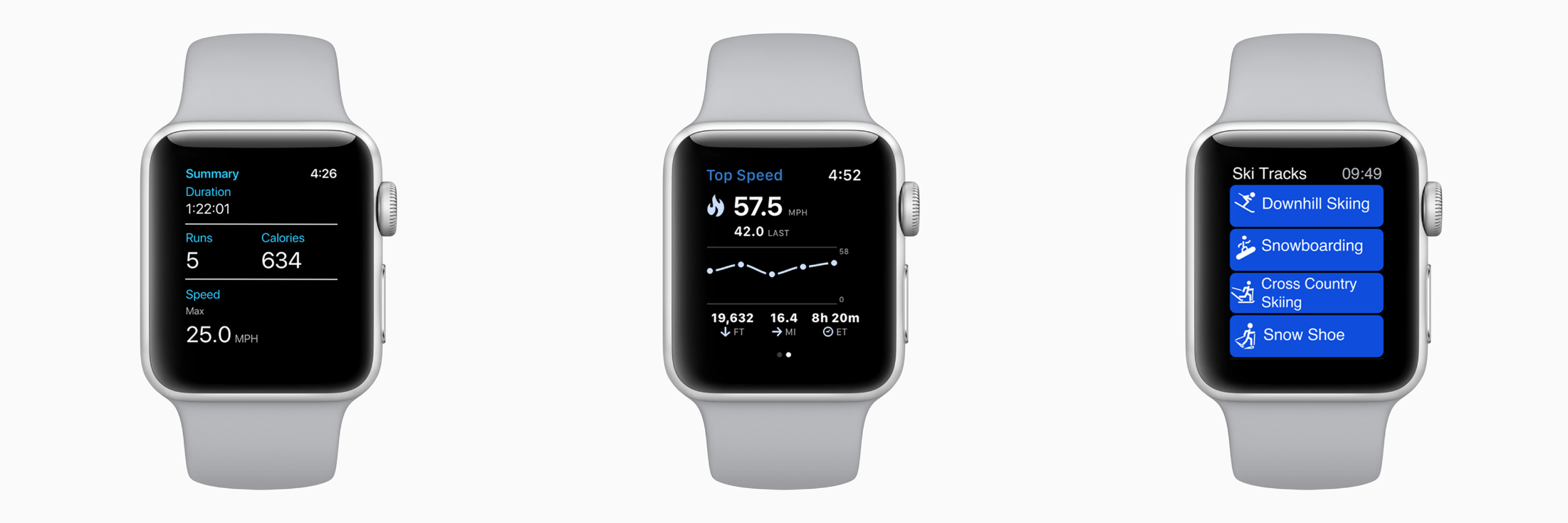
It’s Time for a Complete Home Makeover Apple released watchOS 4.2 in December with new workout APIs for skiing and snowboarding workouts. Those additions have allowed third-party developers to offer an enhanced workout experience to Apple Watch Series 3 users when they hit the slopes. In a press release today, which was timed with the release of updates to several popular skiing apps, Apple said:
Developers are taking advantage of the built-in GPS and altimeter in Apple Watch Series 3 as well as custom workout APIs released in watchOS 4.2 to enable tracking of specialized metrics. App updates for snoww, Slopes, Squaw Alpine, Snocru and Ski Tracks now track new metrics on the slopes including:
- Total vertical descent and horizontal distance
- Number of runs
- Average and maximum speeds
- Total time spent
- Calories burned
The new workout features include other benefits for skiers and snowboarders too:
Apps can auto pause and resume and users will get credit towards their Activity rings; workout information will also be recorded to the Health app on iPhone with user permission. Using Siri, users can start Slopes and snoww to track their runs using just their voice.
Apps that take advantage of the new watchOS 4.2 features are also spotlighted in the App Store’s Today section and include:
There’s more Apple could do to improve the overall experience of developing for watchOS, but it’s good to see the workout APIs continue to expand and third-party developers take advantage of them.
On this week’s episode of AppStories, we talk about the trends and app culture surrounding mindfulness and meditation apps.
Sponsored by:
https://staging.macstories.net/podcasts/appstories/episodes/44/embed/






Earlier this month Alike Studio released Bring You Home, a charming puzzle game about a blue alien on a quest to save its pet from thieves. It’s a delightful game that showed up one day with little fanfare. The game, from the creators of Love You to Bits, was teased almost a year ago, but its sudden appearance on the App Store means it hasn’t gotten the coverage it deserves. That’s a shame because this is a low-key but captivating game that should appeal to a wide audience.
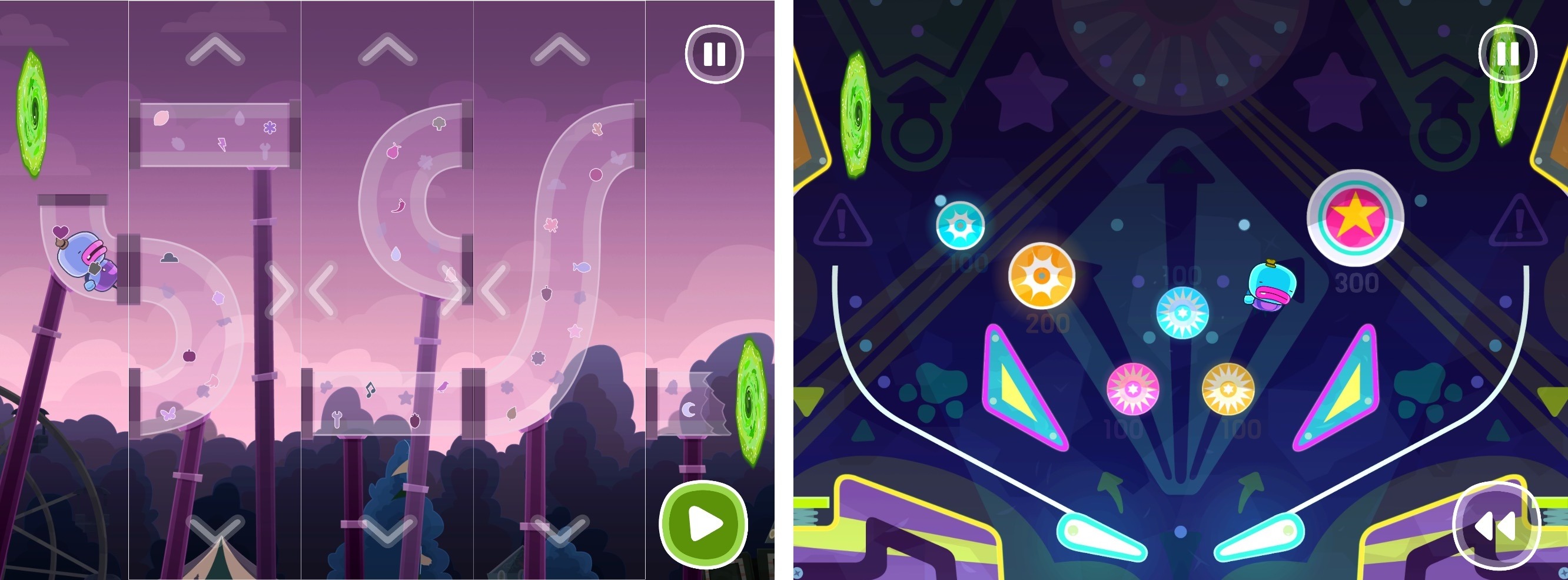
Exploration is at the core of Bring You Home. As soon as the alien’s pet is whisked away, it leaps out the window after the thieves landing face-first on the ground. Time rewinds, and you’re shown how to swipe panels up and down until there’s a cart of hay under the window to break the alien’s fall. It’s a simple mechanic similar to the hit game Framed but executed with a style and personality that fits Bring You Home.
The goal is just as simple. By manipulating the environment around the alien, you help steer it from scene to scene in pursuit of the thieves. As you move through Bring You Home, new layers are added to the gameplay. Instead of just cycling through panels vertically, you can swap their position horizontally too. Next, the game adds multi-step puzzles, which require you to rearrange the scene, pause, and make further adjustments. Along the way, there are also collectible photos featuring your alien and his pet, which is a nice touch suggesting that it’s ok to explore, fail, and explore some more.
There is an absurd logic to each of the nearly 50 levels of Bring You Home, which rewards thoughtful examination. There are no time limits or penalties for failure, which encourages a leisurely, calm approach. Sure, you can power through Bring You Home quickly, but that’s not the point. Trial and error is part of the fun. This is a game best-enjoyed at a pace at which you can absorb each scene’s brightly-colored, playful animations.
Bring You Home is a Universal app that’s also available on the Apple TV. The game looks great on a big screen TV, but the controls work better on an iOS device, so on balance, I prefer to play on my iPad. Also, achievements are tracked in Game Center, and your progress is synced between devices via iCloud, which I always appreciate.
Bring You Home is a relaxing game with a playful, sweet personality that will appeal to kids and adults alike. The puzzles range from easy to challenging without ever becoming frustrating, which makes it an excellent choice for relaxing on a quiet afternoon.
Bring You Home is available on the App Store.