John Voorhees

5429 posts on MacStories since November 2015

John is MacStories' Managing Editor, has been writing about Apple and apps since joining the team in 2015, and today, runs the site alongside Federico. John also co-hosts four MacStories podcasts: AppStories, which covers the world of apps, MacStories Unwind, which explores the fun differences between American and Italian culture and recommends media to listeners, Ruminate, a show about the weird web and unusual snacks, and NPC: Next Portable Console, a show about the games we take with us.

Game Day: Sticklings

One of my favorite games on SNES was Lemmings. Sticklings, by Austrian development house Djinnworks, is a clear evolution of the core elements of Lemmings, but with creative twists that make Sticklings an addictive casual puzzle game in its own right.

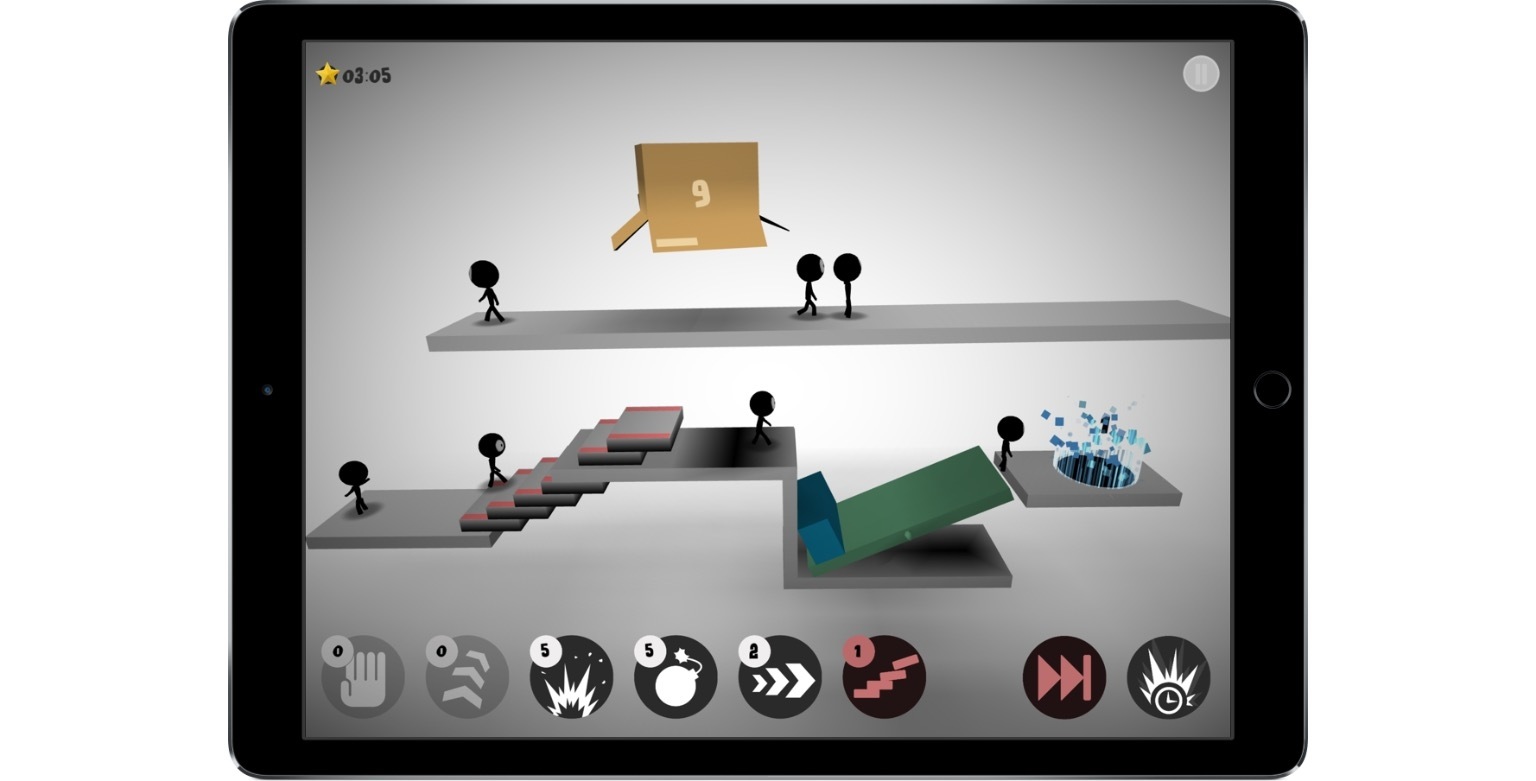
Stick figures emerge from a box at regular intervals. Your job is to maneuver them to a glowing portal. Each progressively harder level requires you to steer a certain number of stick figures into the portal before time runs out.
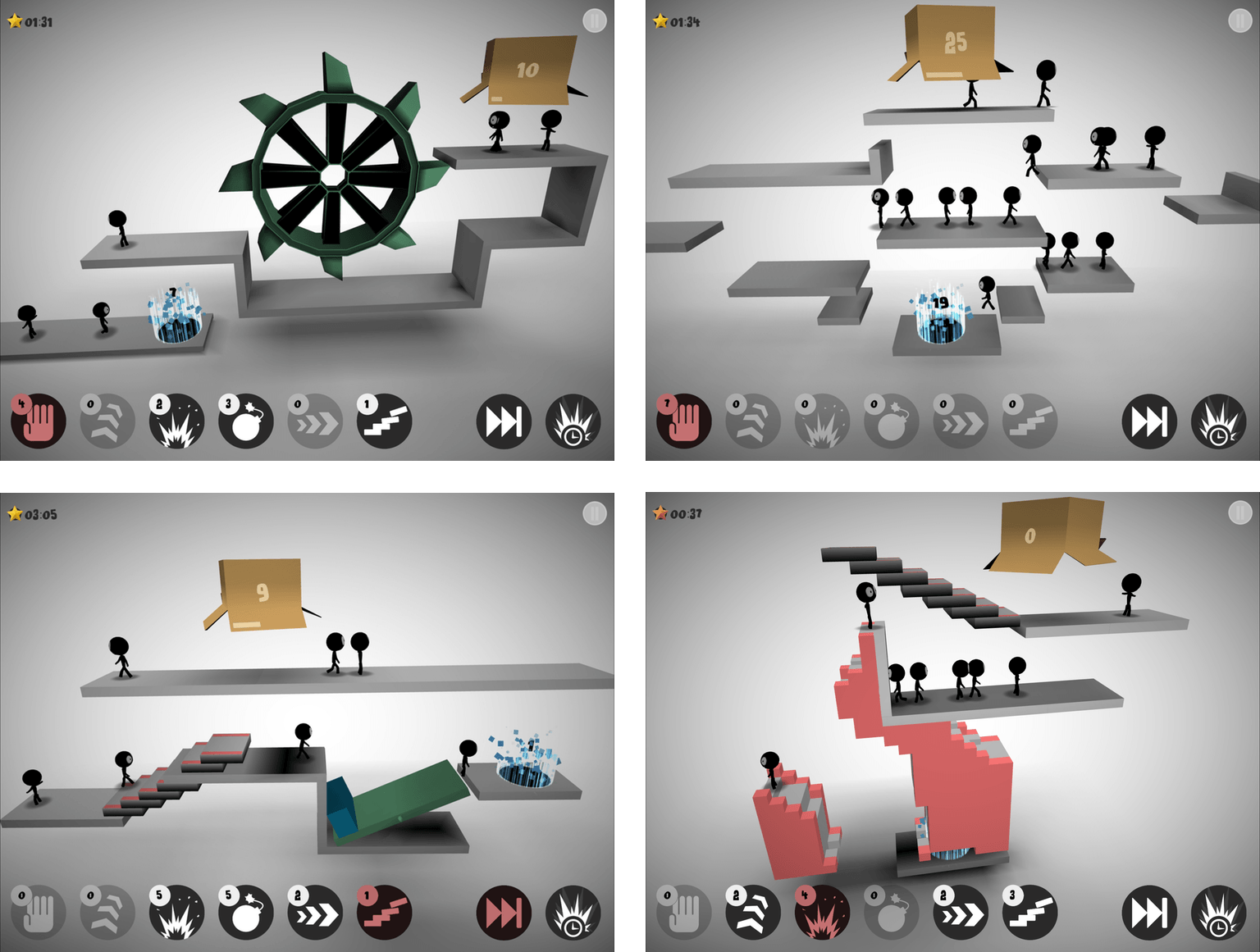
If you do nothing, stick figures will walk off the end of platforms, disappearing as they seemly melt into the background. To get the stick figures to their destination, each level has some combination of up to six tools that give your stick figures special abilities. You need to use abilities sparingly though, because Sticklings limits the number of each tool you get per level. Among other things, you can use stick figures as ‘blockers’ that reverse the course of figures that walk into them, for building staircases to clear obstacles, or for throwing bombs that blow up barriers.

Sticklings is striking. The first thing you’ll notice is the spare use of color. Each 3D puzzle is rendered almost entirely in grayscale and lit from above in a way that adds to the game’s dimensionality. Special segments of the platforms are in color as is the the box from which your stick figures emerge and the portal goal to which you steer them, but that’s about it. The effect gives the game a modern, abstract feeling that I like.

There are a couple things that bother me about Sticklings. The first is interstitial ads for Djinnworks’ other apps when you start the game and between levels. I don’t mind a link to other apps by a developer that I can choose to tap, but these appear full screen and require you to tap a tiny ‘x’ that doesn’t appear for a couple seconds, which is is too disruptive for my taste. I also don’t like that progress isn’t synced between devices, which is an all too common occurrence among iOS games.
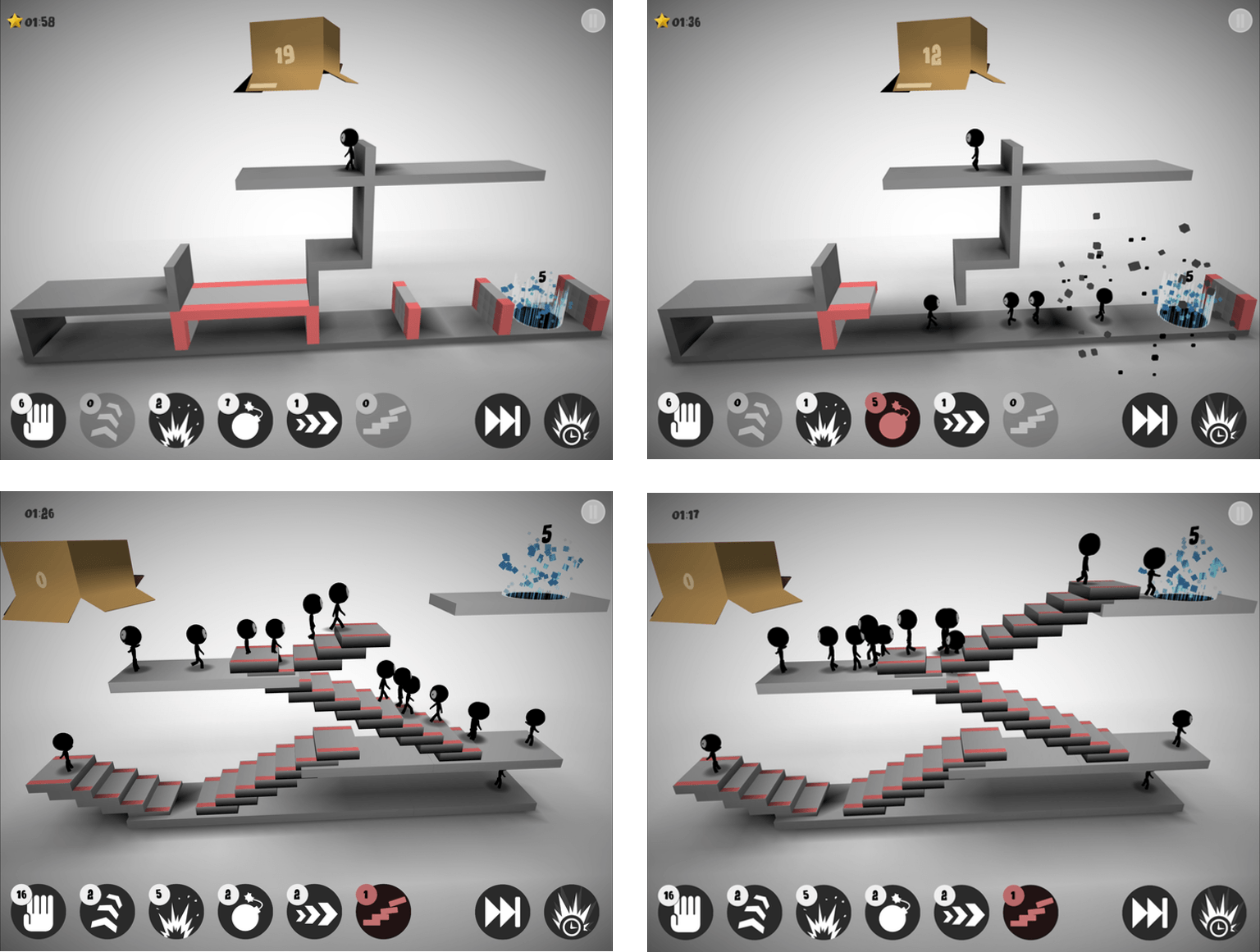
That said, I like Sticklings for the Lemmings nostalgia factor, the visual aesthetic, and the challenging puzzles. A few of the games I’ve reviewed lately have been ones where you’ll want to set aside some time to play. Sticklings is perfect for killing time and boredom by playing a few levels here and there as time permits.

Sticklings is available on the App Store for $0.99.


Deliveries for watchOS

Deliveries has been a MacStories favorite for a long time. It’s the best way to track packages on iOS devices and the Mac. Deliveries for iOS comes with an excellent watchOS app too. Deliveries for the Watch is limited to tracking your packages. You can’t input tracking numbers or other information necessary to set...


Ongoing Development

Creating a Great Press Kit When I finished my talk on how to get attention for an app at CocoaConf this past Spring, one of the first questions I got was ‘What should be included in a press kit?’ I had mentioned that a press kit is good to have when pitching your app to...


macOS Sierra Picture in Picture Tips

macOS Sierra brings Picture in Picture (PIP), which was introduced to the iPad in iOS 9, to the Mac. Where it’s supported, PIP is a simple matter of clicking the PIP icon, which pulls a video from a website and throws it in a corner of your screen. You can resize a video to...


Apple Reveals Balloons Ad

Apple released another advertisement in its ‘practically magic’ series, focusing on the new effects that can be used with Messages. ‘Balloons’ begins with a single red balloon floating out the window of a house. The balloon travels across landscapes, through forests, swamps, and across a large body of water. Eventually, it’s joined by a second balloon under a rusted structure.

When the camera pulls back, it becomes apparent that the balloons are in Chicago. As the camera follows the balloons, they pass by several Chicago landmarks, including an ‘L’ train, the Chicago Board of Trade, and finally, the Chicago River near the Wrigley Building.

The scene cuts to an office where a woman is working. Balloons begin to blow into an open window as she receives an iMessage wishing her a happy birthday, which is sent with Messages’ new balloons effect, echoing the scene surrounding her. The spot ends with the camera pulling back to a wide angle view of millions of balloons rising among Chicago’s skyscrapers, including the Willis (née Sears) Tower with the tag line ‘expressive messages on iPhone 7.’

Previous spots have focused on iPhone 7 hardware features like its water resistance and camera. This is the first ad since iOS 10 was released that focuses solely on a new feature of iOS.


Nebo’s Handwriting Recognition Elevates Your Notes

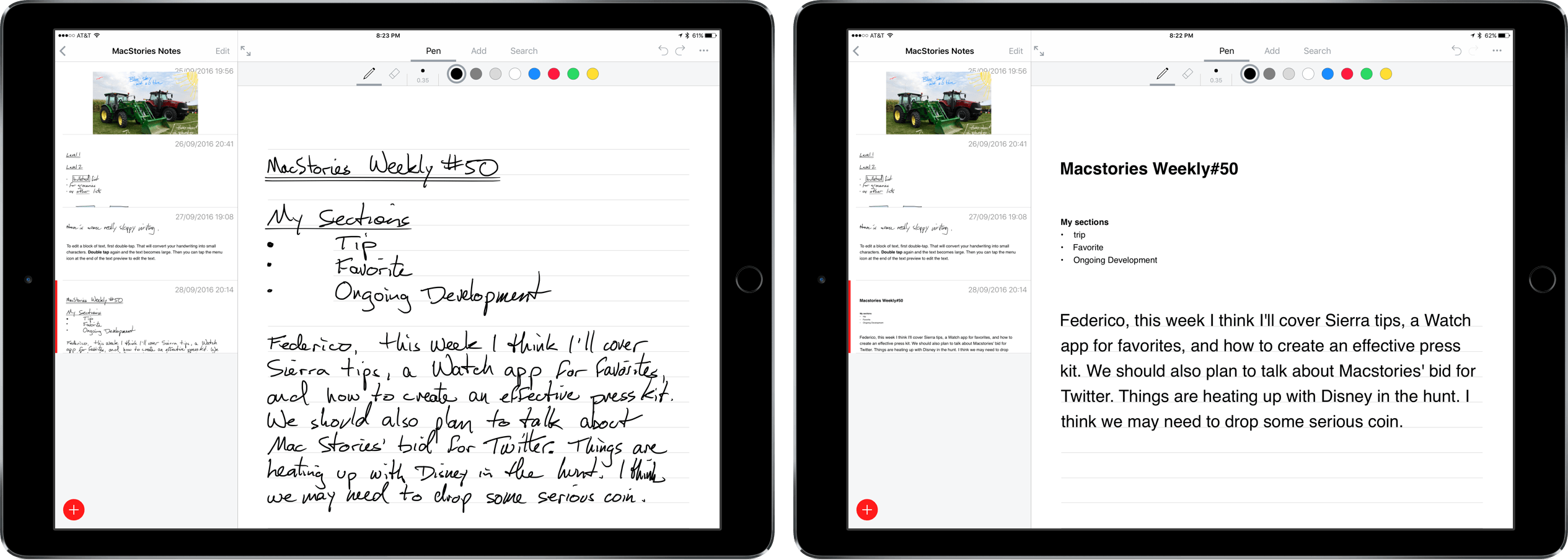
Nebo is a digital notetaking app that was created by MyScript to showcase its handwriting recognition technology known as Ink. The app is iPad-only because it requires an Apple Pencil for input. Nebo can also convert hand-drawn diagrams and mathematical equations and embed photos and sketches within notes. I’ve been using Nebo to research this review and the accuracy of its handwriting recognition is remarkable. Nebo is a solid notetaking tool. It lacks a few features that would make it more competitive with notetaking apps that have been around longer, but the handwriting recognition is so good, that Nebo has become my default notetaking app.

Read more


Apple Starts Selling App Store Search Ads, Launching October 5th

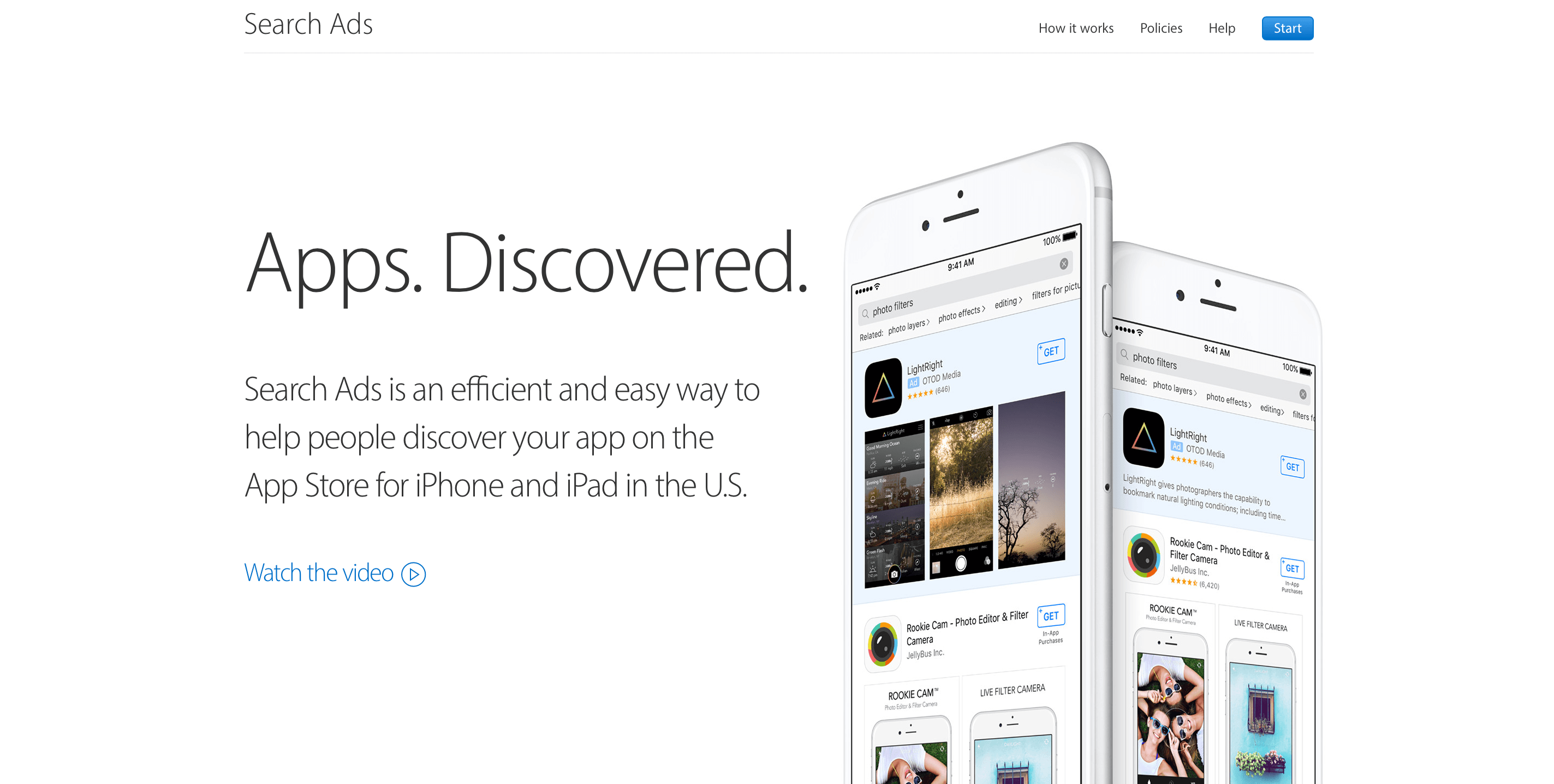
First announced at WWDC in June and beta-tested over the Summer, Apple launched Search Ads for iOS apps today. The ads will appear at the top of App Store customers’ search results based on a combination of search relevancy and bidding. According to Apple, the program is designed to be a simple way for developers to get their apps in front of potential customers. Developers can sign up today and schedule campaigns, but ads won’t go live until October 5, 2016.

In an email to developers Apple says:

Search Ads was designed to be effortless for small and independent developers. Invest as much or as little time as you have and still get results. We create your ads and match them to relevant searches. You can refine who sees your ad with optional keyword, audience and location features, and you only pay when a customer taps on your ad.

Read more


ProTube Review

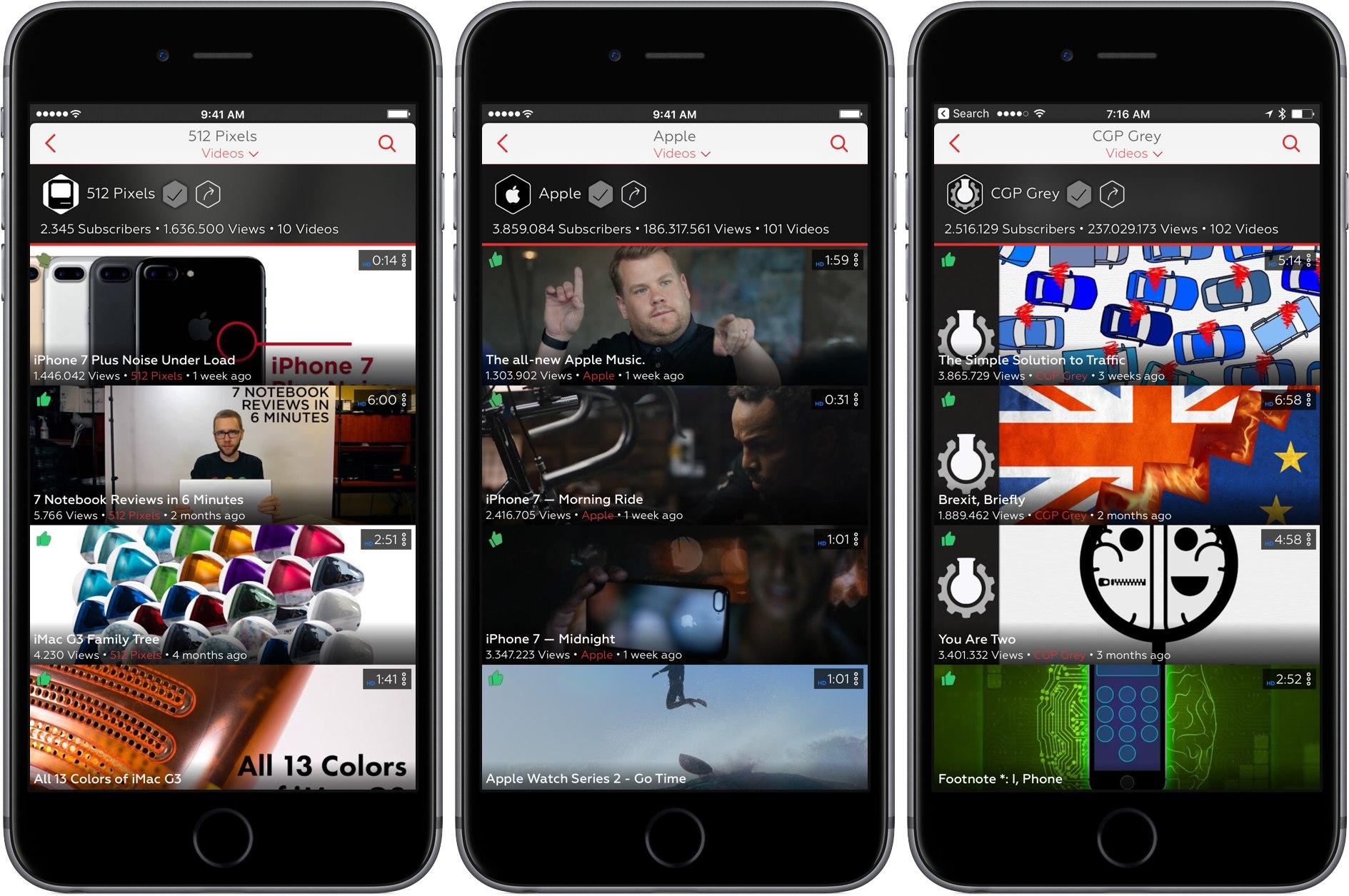
I’m writing this as I listen to Frank Turner play a live show at Wembley Arena. That would be unremarkable if the show were available in Apple’s Music app (it’s not). Instead, I’m listening to the audio portion of a YouTube video with Ulysses full screen on my iPad. In a little while, I’ll take a break for dinner and AirPlay the rest of the concert audio while I eat. That’s not possible with the YouTube app unless you pay for a YouTube Red subscription, but it is with ProTube, a highly-customizable YouTube client by indie developer Jonas Gessner that lets you enjoy YouTube on your own terms.

The YouTube app isn’t bad, it’s just made with an average user in mind. There aren’t many ways to customize it. You watch videos the way YouTube decided they should be watched. ProTube takes the opposite approach putting users in control, which makes it perfect for YouTube power users and anyone who has ever been frustrated by the one-size-fits-all approach of the YouTube app.

Read more


Spotify Introduces Daily Mix

At WWDC in June, Apple announced ‘Discovery Mix,’ a playlist of Apple Music songs based on your musical taste, similar in name and substance to Spotify’s Discover Weekly playlist. When iOS 10 launched, the name of Apple’s music discovery playlist had changed to My New Music Mix and was joined by a second playlist that wasn’t discussed at WWDC – My Favorites Mix. Both Apple Music playlists are updated weekly.

Spotify didn’t have a favorites mix of its own until today when it responded with Daily Mix, a daily playlist featuring tracks that users mark as favorites as well as new music. According to Spotify:

As your music taste evolves, so will your Daily Mix. In fact, the more you listen, the better your Mixes will become – offering an effortless music experience based entirely on your personal listening habits. Don’t like that new discovery? Simply “ban” a tune to remove it from future playlists. If you love it, be sure to “heart” the hit to add it to your collection.

Spotify’s Daily Mix adds some nice touches that differentiate it from Apple Music’s My Favorites Mix. I like the idea of a more frequently updated daily mix, but I wonder whether adding new music to the mix makes sense in this context. One of the benefits of a favorites mix is knowing you will like everything played. Adding new music potentially undermines that.

Daily Mix is currently available on iOS (in the latest update to the iOS app) and Android only. Spotify says other platforms will be added soon.