John Voorhees

5429 posts on MacStories since November 2015

John is MacStories' Managing Editor, has been writing about Apple and apps since joining the team in 2015, and today, runs the site alongside Federico. John also co-hosts four MacStories podcasts: AppStories, which covers the world of apps, MacStories Unwind, which explores the fun differences between American and Italian culture and recommends media to listeners, Ruminate, a show about the weird web and unusual snacks, and NPC: Next Portable Console, a show about the games we take with us.

Game Day: Paul Pixel - The Awakening

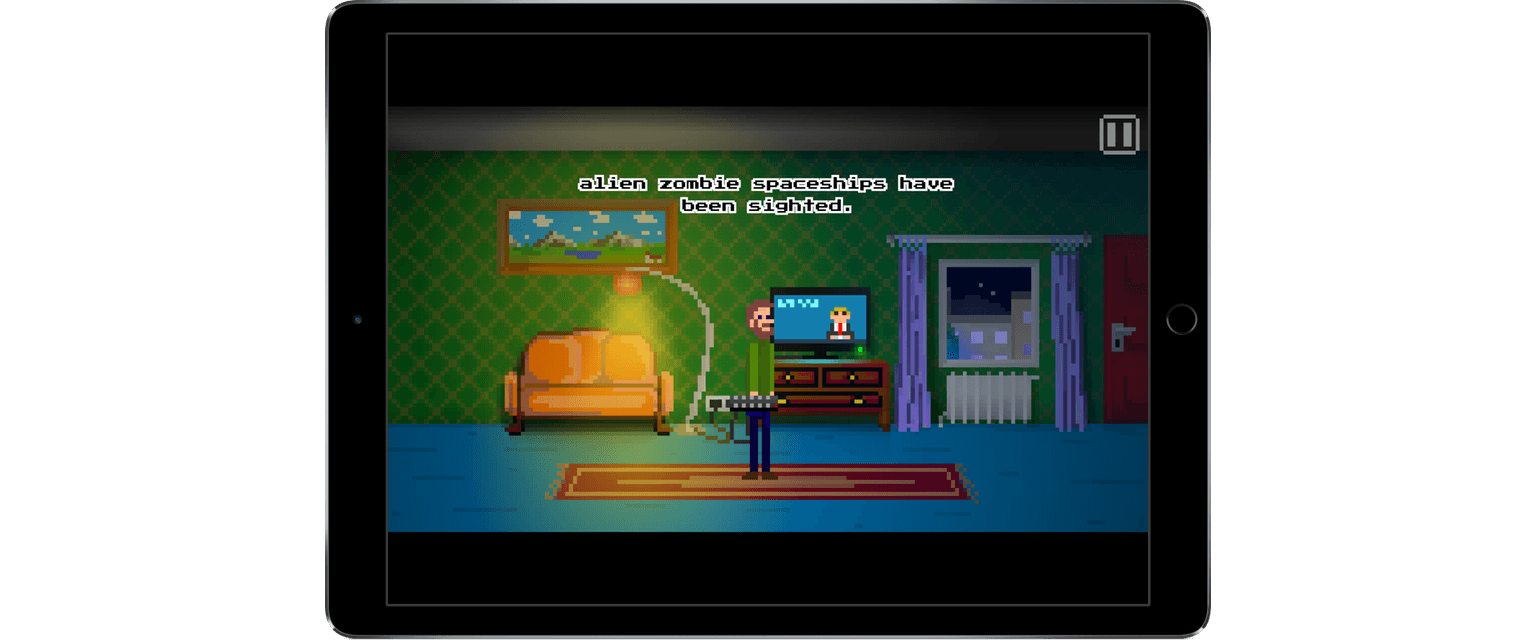
Paul Pixel - The Awakening by Xoron GmbH is a classic adventure game reimagined for touch. The game is set in a post-apocalyptic world where alien space zombies have overrun the Earth. I felt like a change of pace this week and when I saw Paul Pixel, the combination of retro game art and zombies caught my eye. By and large the game delivers with a fun story, great artwork, chiptunes, and wry sense of humor, though it is fairly short and not difficult.

The story opens with zombies emerging from a spaceship before cutting to Paul Pixel’s home where the game begins. The first order of business is to escape the zombie-infested city, but ultimately, Paul must save the world. The mechanics of Paul Pixel are simple - tap where you want Paul to walk, tap things you want him to interact with or pick up, and tap a hand icon in the corner of the game to access your inventory.

In classic adventure game style, all of the dialogue in Paul Pixel is text-based. The dialogue is kept relatively short in most cases, with a touch of humor that helps to keep the text from getting tedious. If you tap a character and get the same interaction a second time though, it would be nice if there was a way to skip through the text more quickly.
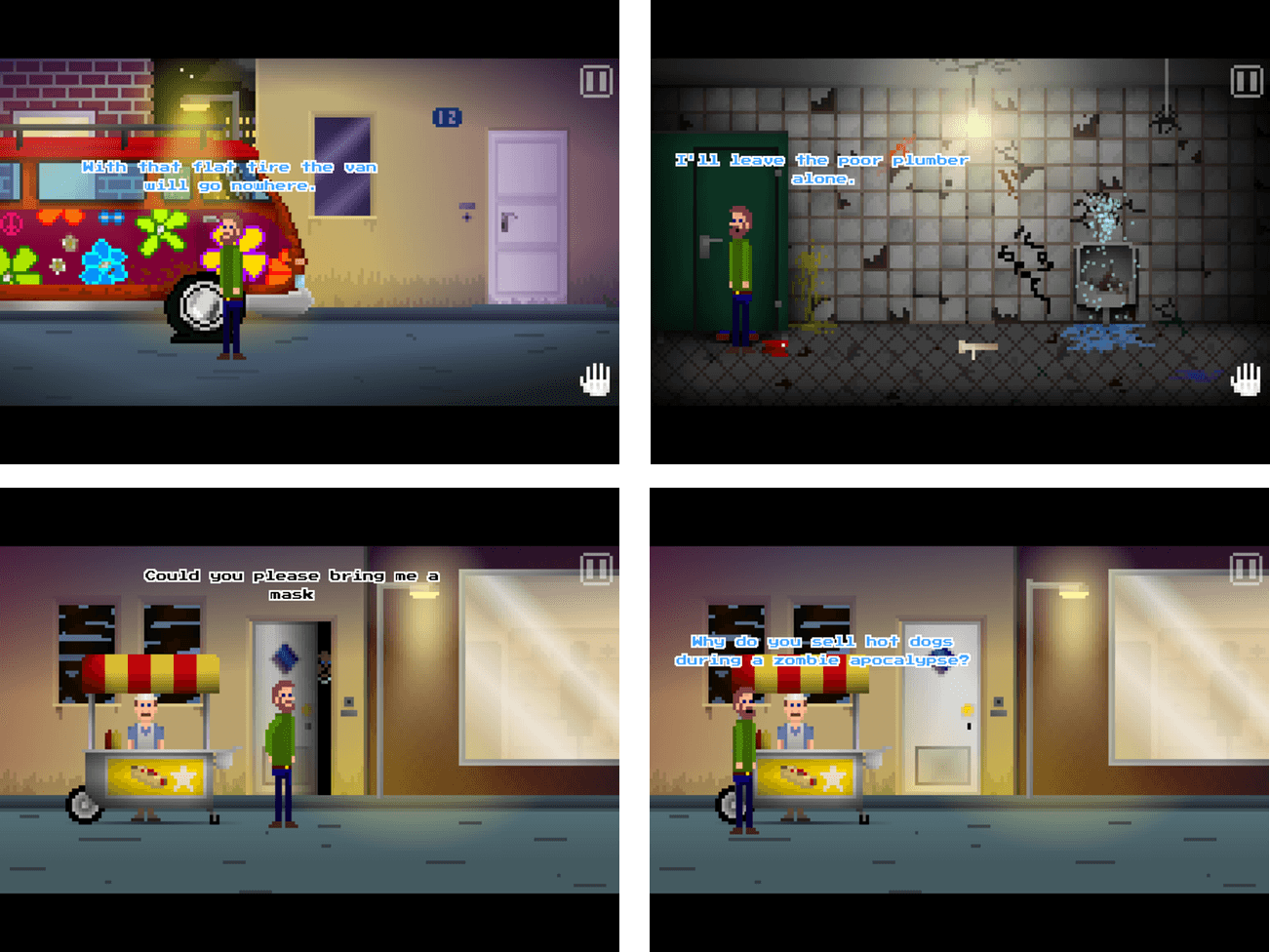
The colorful pixel art of Paul Pixel is the handiwork of artist Paul Veer and adds a lot to the experience of the game. Because the pace of the game is relaxed, I enjoyed sitting back to absorb the vibrant colors and surprising detail of each scene. The soundtrack to Paul Pixel is solid too. In a fitting touch, all of the music was composed on an original Commodore C64 SID.

Paul Pixel does a great job of capturing the vibe of old-school adventure games, but with updated artwork and gameplay designed for touch. The release notes are up front about the fact that the game will only take 2.5 - 3 hours to play. Paul Pixel is also not that difficult, which may make this game a non-starter for some, but I have found that on balance, the story, humor, artwork, and soundtrack more than make up for its shortcomings.
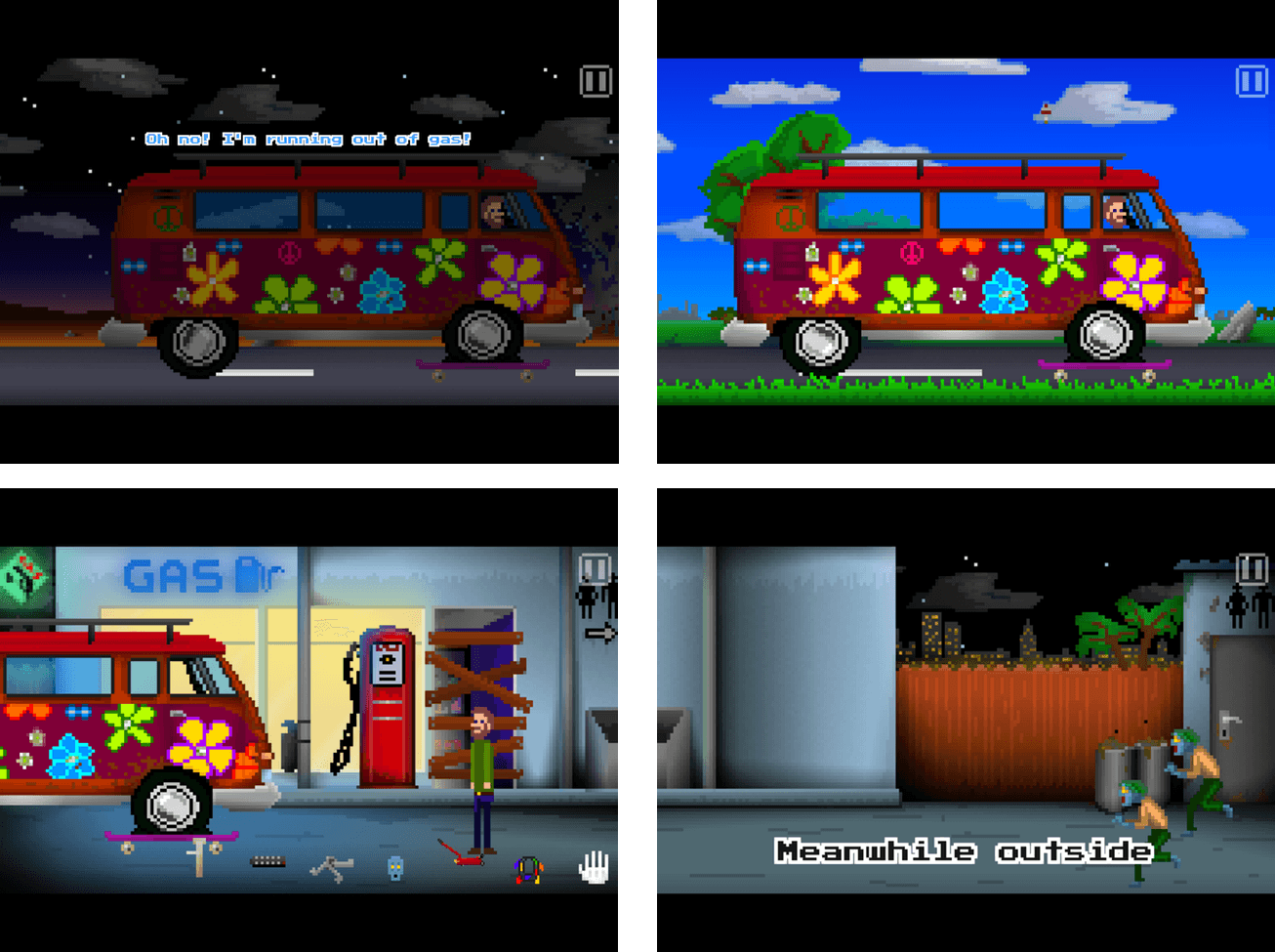
According to the developers a Mac and Apple TV version of Paul Pixel will likely be made too, with the Apple TV version bundled with the iOS game at no additional cost. I can’t wait to see Paul Pixel on tvOS. The vivid artwork and chiptunes feel like they would be great on a TV and the simple game mechanics should work well with the Siri Remote.

Paul Pixel - The Awakening is available on the App Store for $1.99.

Skype Integrates with SiriKit and Contacts

iOS 10 introduced seven domains that third-party developers can use to hook into Siri. One of those domains lets VoIP providers like Skype use Siri. Apple also debuted CallKit with iOS 10, which lets VoIP providers tie into the Lock screen of the iPhone in the same way the built-in Phone app does.

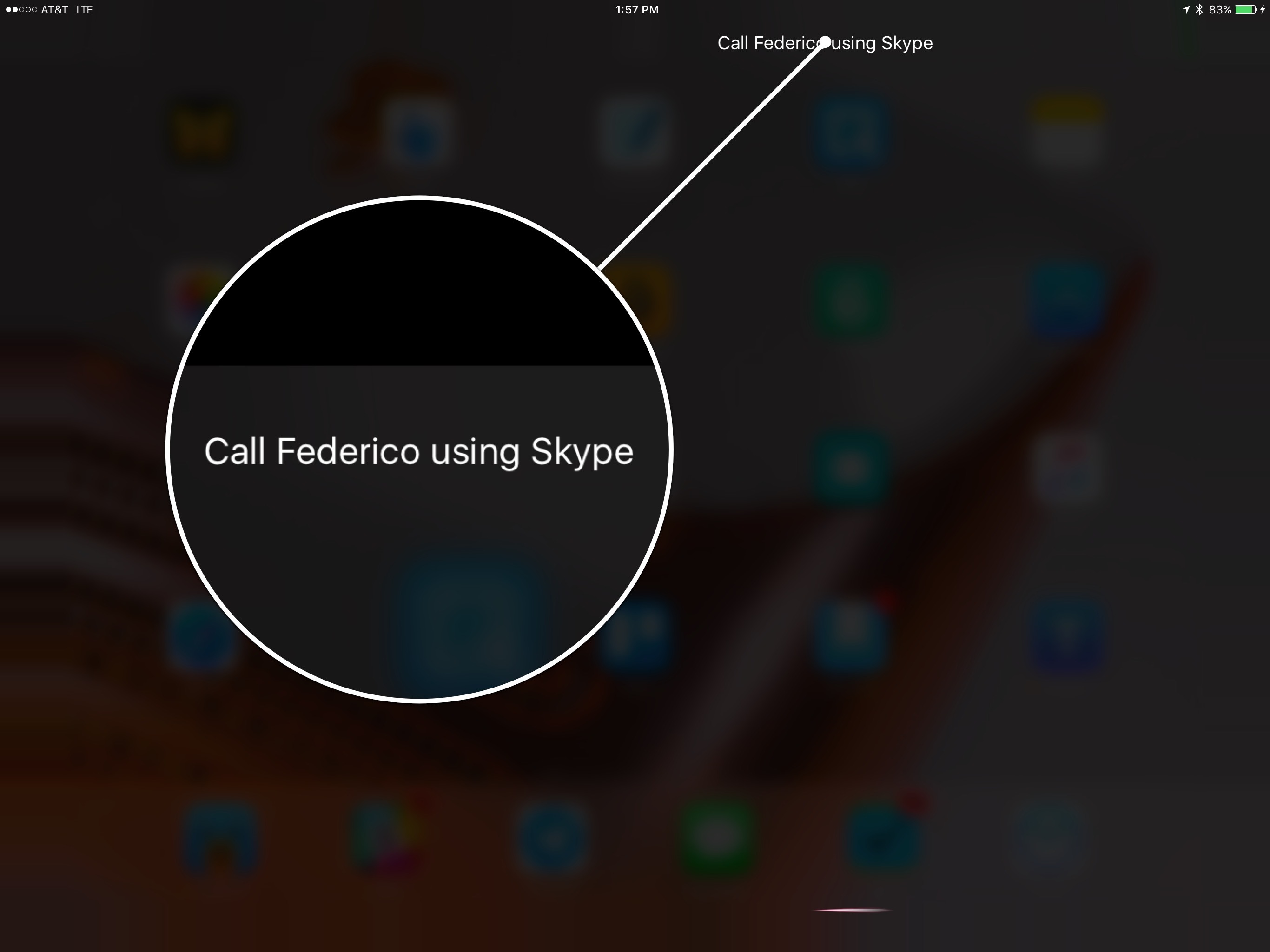
Today, Microsoft updated Skype for iPad (and presumably an iPhone update, which is a separate app, will be coming soon) to take advantage of both new iOS 10 APIs. Now you make Skype calls with a variety of spoken commands via Siri like ‘Call Federico with Skype’ or ‘Make a Skype call to Federico.’ The first time you try it, you will be prompted to go to Settings to turn on Siri integration, which is off by default.

Skype’s access to the Lock screen means that calls you receive will show up on, and can be answered from, the Lock screen and the full-screen interface that appears everywhere else in the iOS UI when a call comes in, just like a standard phone call. Previously, all Skype could do was send a notification that a call recipient could tap to answer. Now when a call comes in, the only difference from a standard phone call interface is that the alert on the Lock screen indicates under the caller’s name that the call is using Skype.

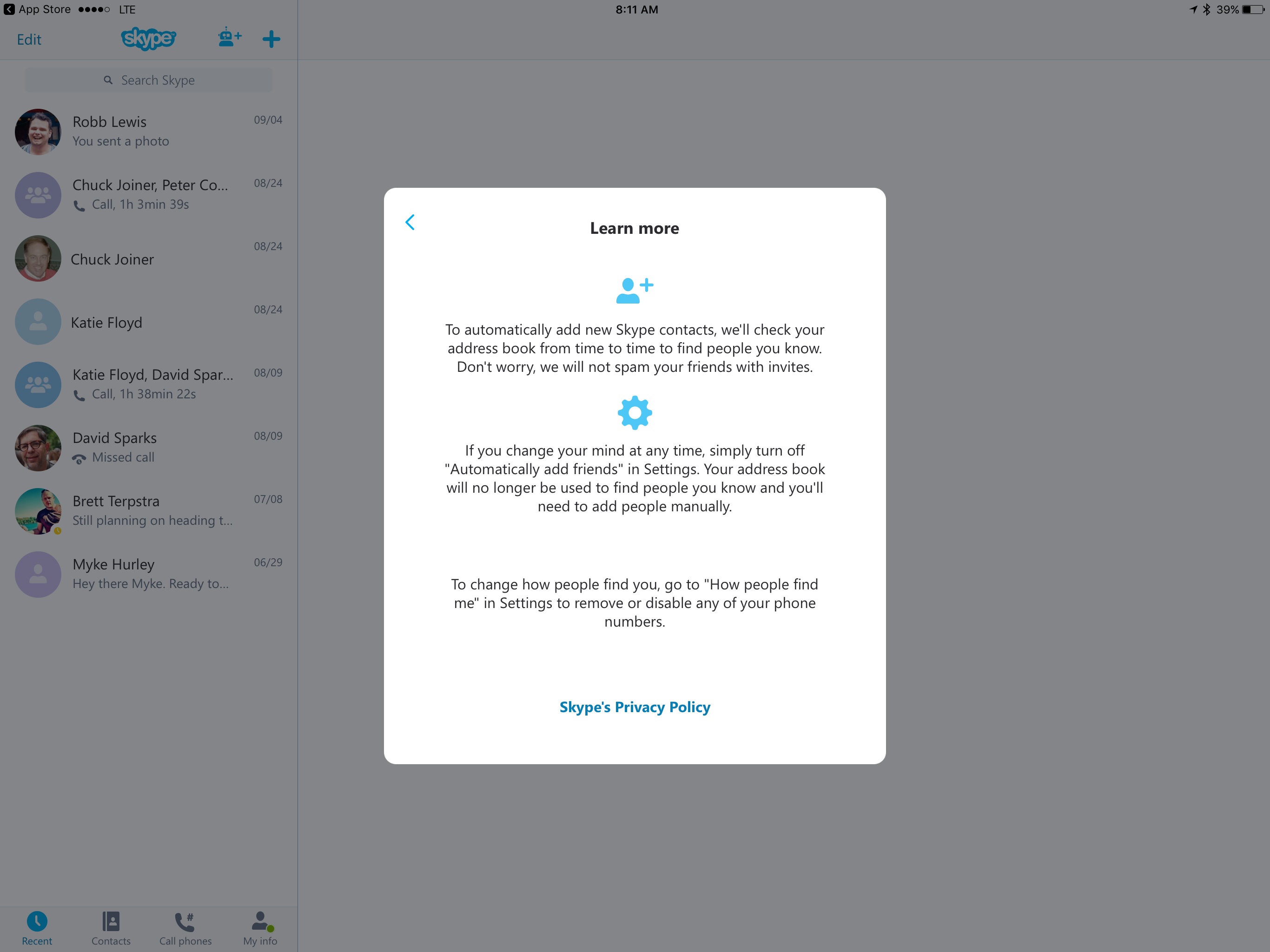
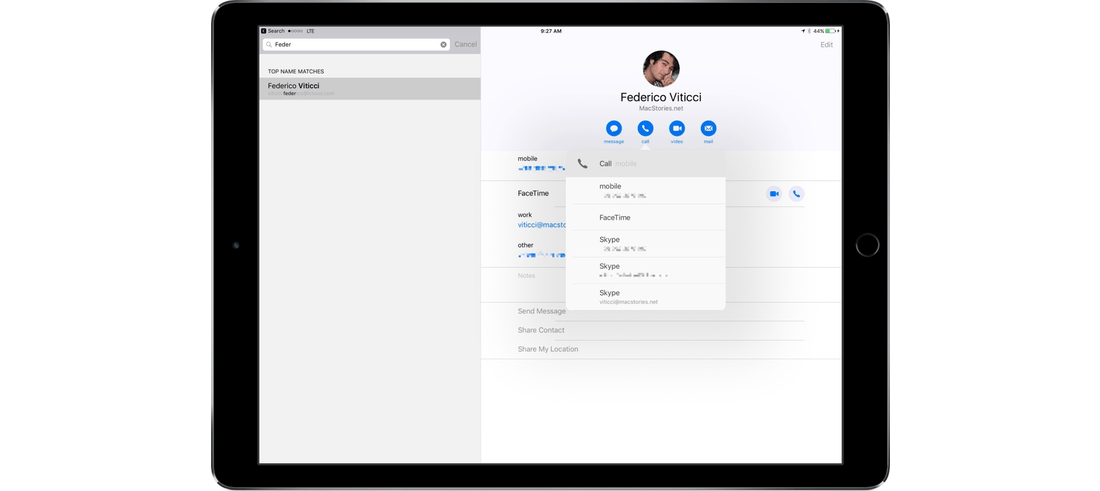
The Skype update also works closely with the Apple’s Contacts app. If you grant permission to Skype to use your contacts, you can tap and hold the call icon on a contact card to get a popup that will include the option to initiate a call via Skype. Skype will also take any Skype contact data that it finds in the Contacts app and add it to its own contact list.


Great iOS 10 App Updates, Vol. 2

Giphy Giphy is a great way to search for and find popular GIFs. Last week, Giphy added an iMessageapp to its iOS app that includes search for its extensive GIF database and twenty common GIF categories for browsing. Giphy also includes an eclectic selection of animated stickera. Scanbot The idea of a scanner...


TaskPaper

Over the weekend, I like to map out the upcoming week. Every week is a mix of deadlines and unstructured time, but the hours available are always finite. I use TaskPaper to understand where there is flexibility for long term projects and other things that don’t have a hard deadline. I also use 2Do...


Album

Rag Tag Classic Pack A selection of animated emoji, done in a peculiar style. I love the mic-drop one. CORGi Who doesn’t love corgi dogs? Now you can share your mutual love for these adorable creatures with a variety of animated stickers that feature a corgi in different everyday situations. Gestures If you find...


Google Allo Is Available

Allo, the messaging app that Google announced in May, has been released for iOS and Android. Dieter Bohn at The Verge has this to say about Allo:

I’ve been using it for a few days now, and it’s fine. Totally, completely fine. It does the things you expect from a messaging app…. If for some reason you abhor the dozen or so widely-used chat apps out there today, maybe Allo will appeal to you (assuming you can also get your friends to use it).

But to succeed, Google needs much more than fine. It needs something special. It needs something to make users switch away from those other apps (and to redeem itself after the slow, sad slide of Google Hangouts).

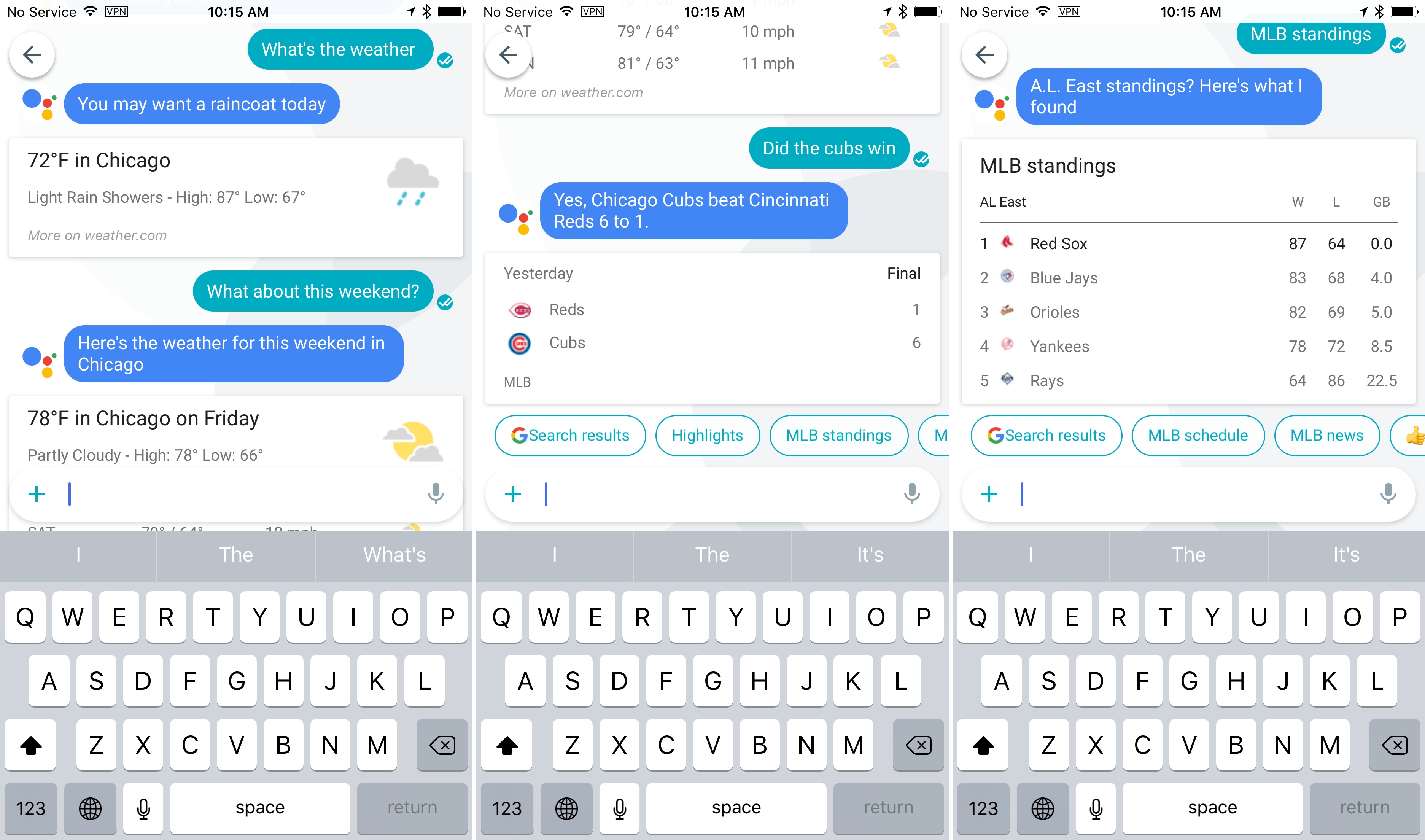
Google’s attempt at ‘something special’ is Google Assistant, a bot that can pull information from your calendar, email, the web and other sources. The feature is handy, but I agree with Bohn that it’s not enough if you are already invested in another messaging service.

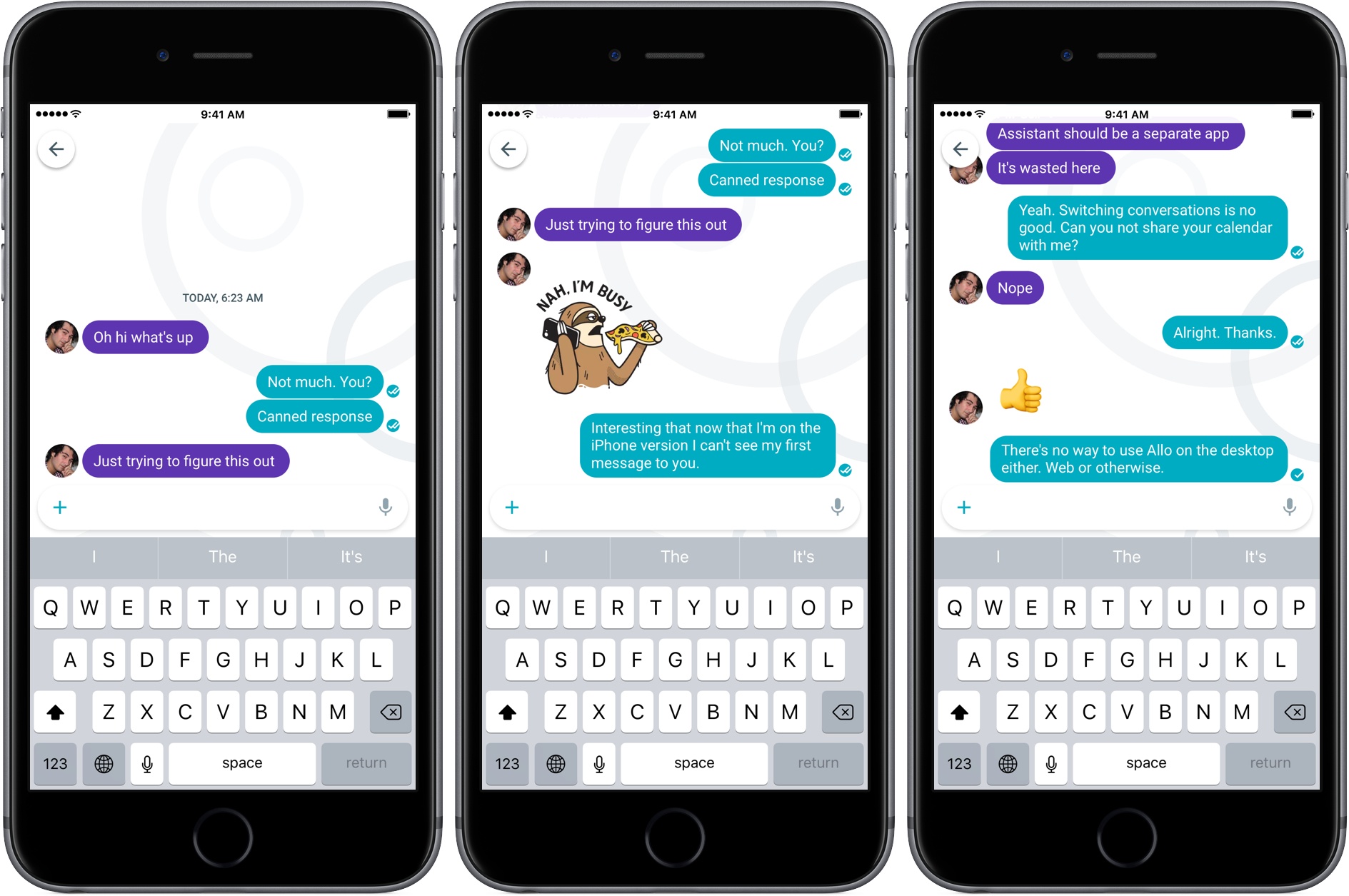
What you can do with Google Assistant depends on where you use it. In one-on-one conversations with the bot, you can receive personal information like upcoming flight information or calendar appointments along with things like the weather, driving directions, and sports scores. Google Assistant can also be called upon in conversations with another person to do web searches and retrieve other data, but it will not share personal information in this context. For example, when Federico and I briefly tried Allo this morning, he couldn’t use Google Assistant to share a calendar appointment with me.

There are other limitations that iOS users should keep in mind. Allo does not work with the iPad, except in iPhone compatibility mode. Even then, when I sent a message to Federico on my iPad and then switched to my iPhone, I could no longer use my iPad with Allo and the message I sent from my iPad didn’t show up in the conversation on my iPhone. In addition, the notifications you receive on the iPhone are not the rich iOS 10 notifications many apps have already adopted. Nor is there a desktop native app or web client, which further limits Allo’s utility.

Allo also reflects the difference in approaches to privacy taken by Google and Apple. Whereas iMessages are encrypted end-to-end, Allo’s messages are unencrypted and stored on Google’s servers, unless you delete them or use Incognito Mode to send them. That’s because Google Assistant learns from your past messages to do things like suggest personalized canned responses to messages you receive.

It’s hard to get excited about any messaging service that is iPhone only. If you have friends and family that use Android devices though, Allo may be a good way to communicate with them and enjoy some of kinds of media-rich features offered by other services. Google Assistant is also off to a solid start and something I would like to see it incorporated in other Google products or as a stand-alone app.

For a comprehensive rundown of Allo’s features, check out Dieter Bohn’s review on The Verge.

Permalink


Apple Pay Arrives on Safari

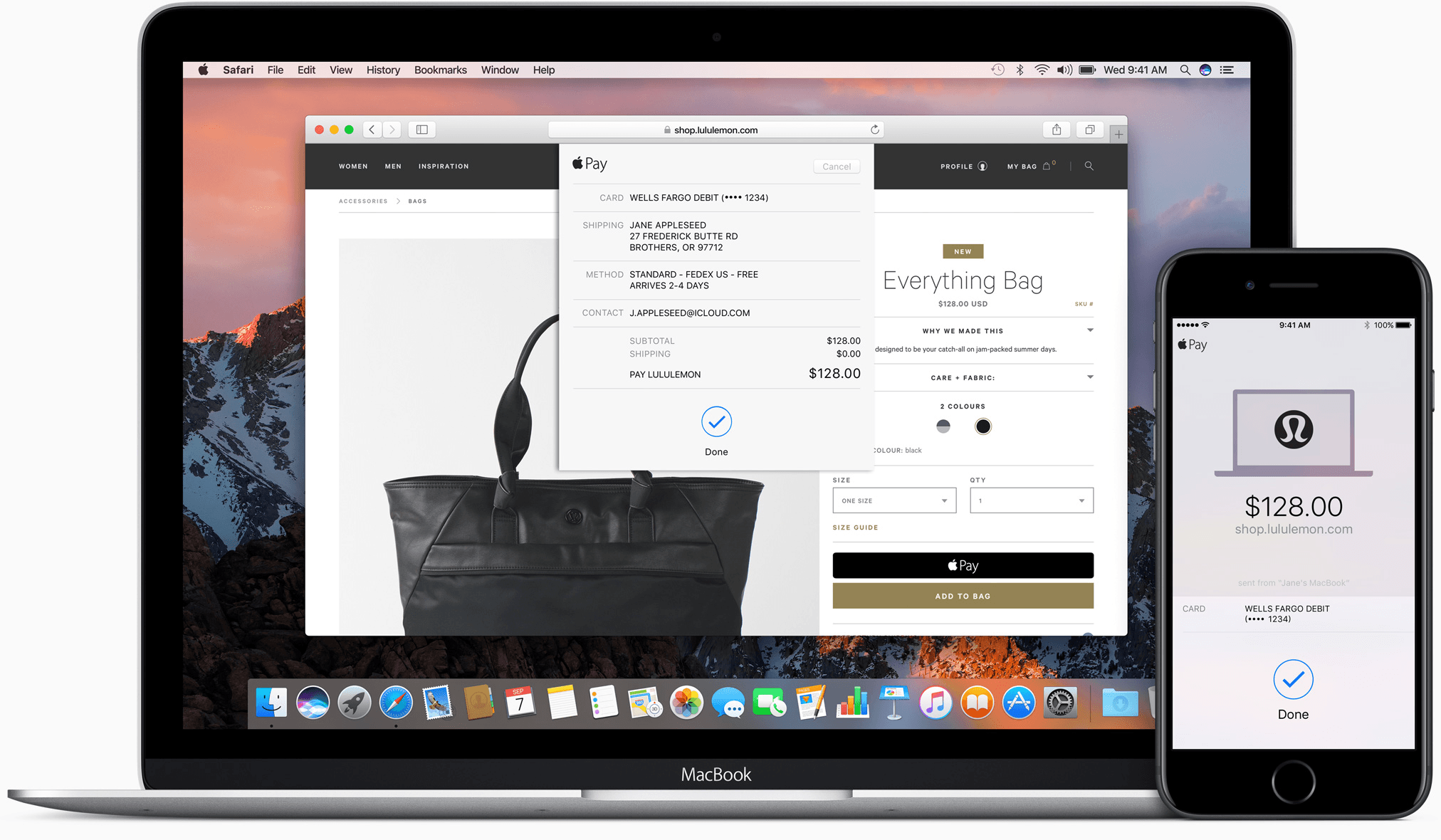
Apple Pay started with point of sale terminals and iOS apps. With iOS 10 and macOS Sierra, Apple has extended Apple Pay to include web-based purchases made with its Safari browser. Despite being limited to Safari, Apple Pay’s combination of simplicity and security has the potential to make it a de facto requirement for online retailers.

Read more


Sketch Updated with Improved Vector Editing

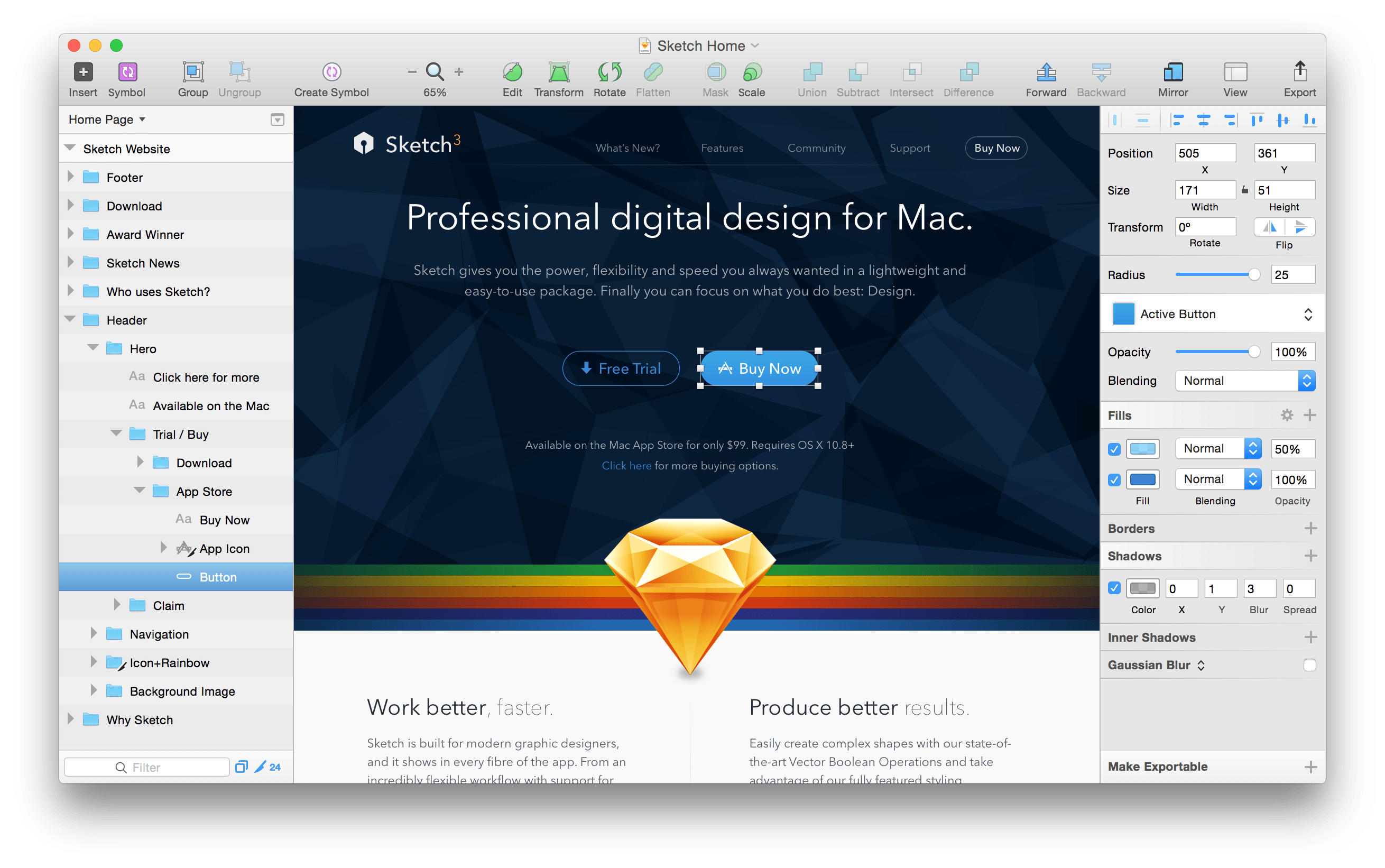
Bohemian Coding, the maker of Sketch, the popular vector design program, announced a significant update to the app today. Sketch 40, simplifies and improves the editing of complex vector shapes:

In Sketch 40, you can now simply press the Enter key on [a complex shape with multiple subpaths and points] to reveal all the points and paths contained within it, no matter how many layers are there. With multiple points selected, across different layers, you can adjust them at once without the need to select each layer individually.

Bohemian Coding also improved existing text transformation features, which are contained behind an Options button in the Inspector, by making them non-destructive. Complete release notes describing other enhancements and bug fixes in Sketch 40 are available here.

Sketch, which moved to an annual license model for upgrades in June, is $99 and available on Bohemian Coding’s website.

Permalink