John Voorhees

5429 posts on MacStories since November 2015

John is MacStories' Managing Editor, has been writing about Apple and apps since joining the team in 2015, and today, runs the site alongside Federico. John also co-hosts four MacStories podcasts: AppStories, which covers the world of apps, MacStories Unwind, which explores the fun differences between American and Italian culture and recommends media to listeners, Ruminate, a show about the weird web and unusual snacks, and NPC: Next Portable Console, a show about the games we take with us.

Google Trips Debuts on iPhone

Google launched a free trip planning app called Google Trips today with a deep set of features that work online and off. The motivation for the app was described by Richard Holden, a Google vice president of product management, to Casey Newton of The Verge in an interview:

We’re doing a great job on the planning stages, but we really need to help consumers when they’re actually at their destination.

I have spent a short time with Google Trips and it looks like Google has delivered.

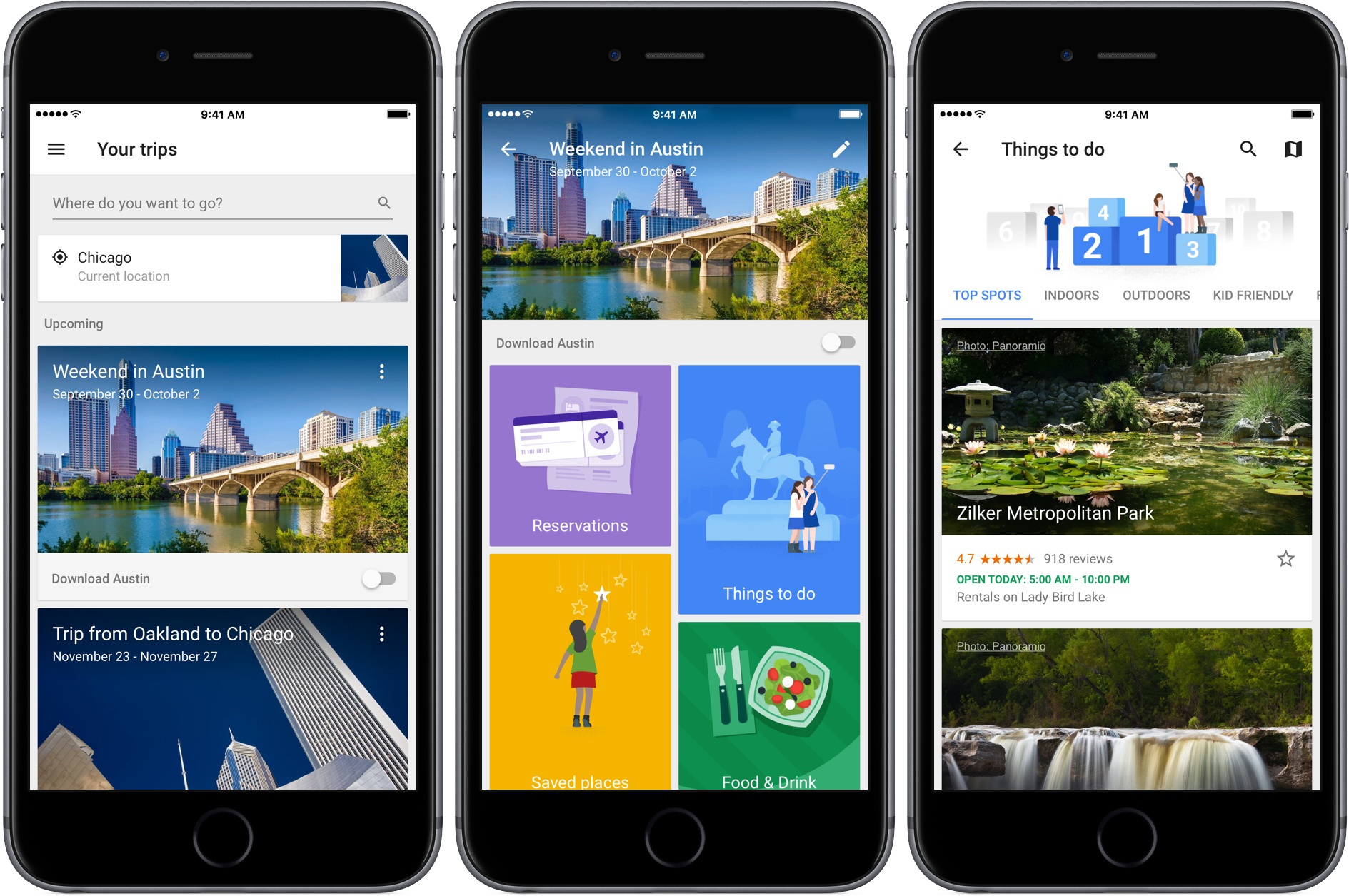
After signing into Google Trips with the Gmail account I typically use to make travel plans, Trips showed an upcoming trip to Austin and past trips going back to 2008. Tapping on a trip opens a page with buttons to view any reservations the app finds in your Gmail, ‘Things to Do,’ ‘Food & Drink,’ and ‘Saved Places,’ which are any destinations you mark with a star as you browse through Trips’ suggestions.
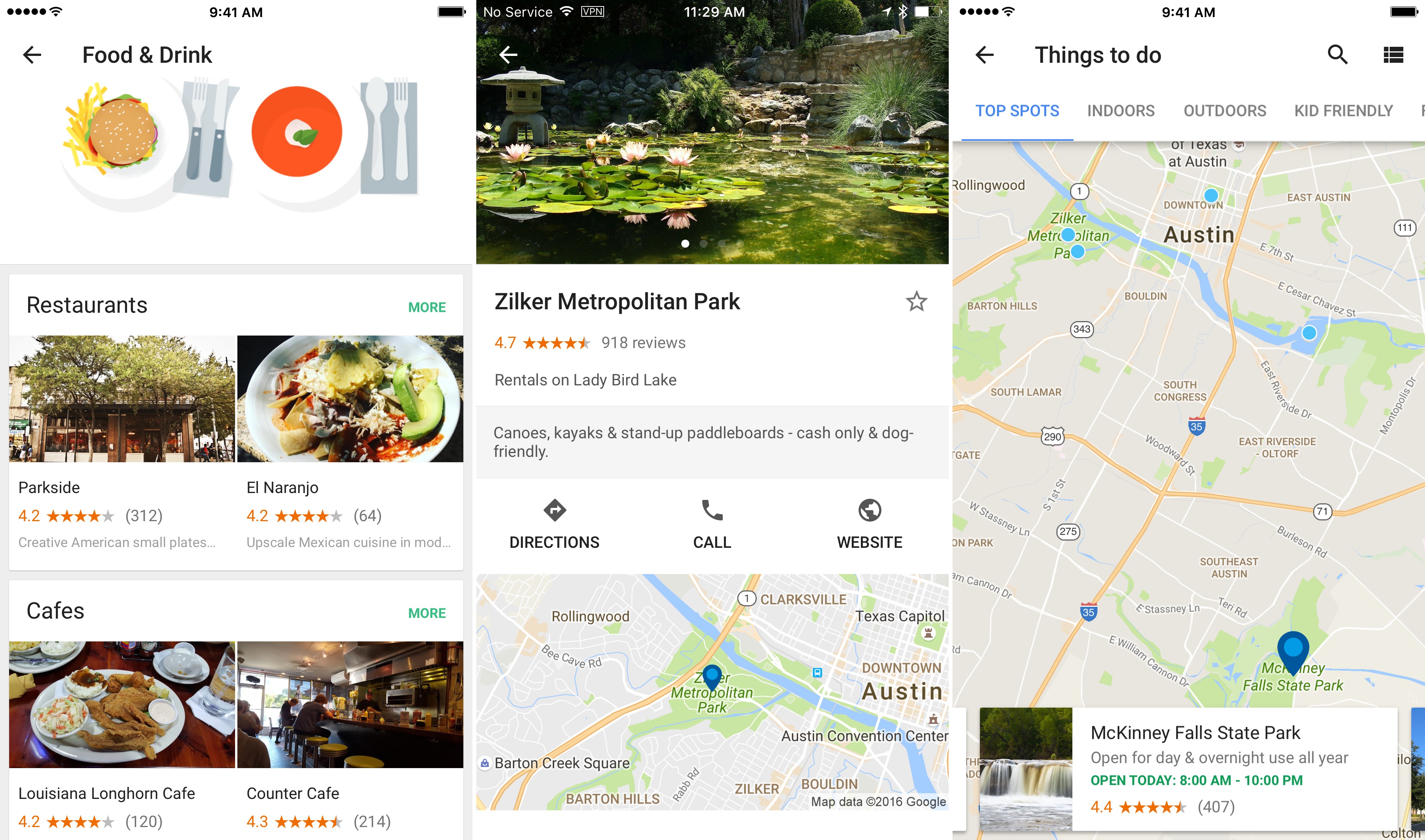
Trips’ recommendations are further divided into categories like ‘Top Spots’ and ‘Outdoors’ for activities, and restaurants, cafes, and places near where you are staying for food and drink suggestions. Results can be viewed in a list view, where each item can be tapped to view more detail, or on a map. A toggle on the first page of each trip gives you the option to download the trip, a handy feature if you are traveling internationally and want to limit your data use.

Of course, to get the most out of Google Trips, you need to log into it with a Google account. If you are uncomfortable with Trips scanning your Gmail and search history to customize what it presents to you, Trips is probably not the app for you.

Google Trips is an iPhone-only app and is available as a free download on the App Store.


Twitter Reclaims Space for Text in Tweets

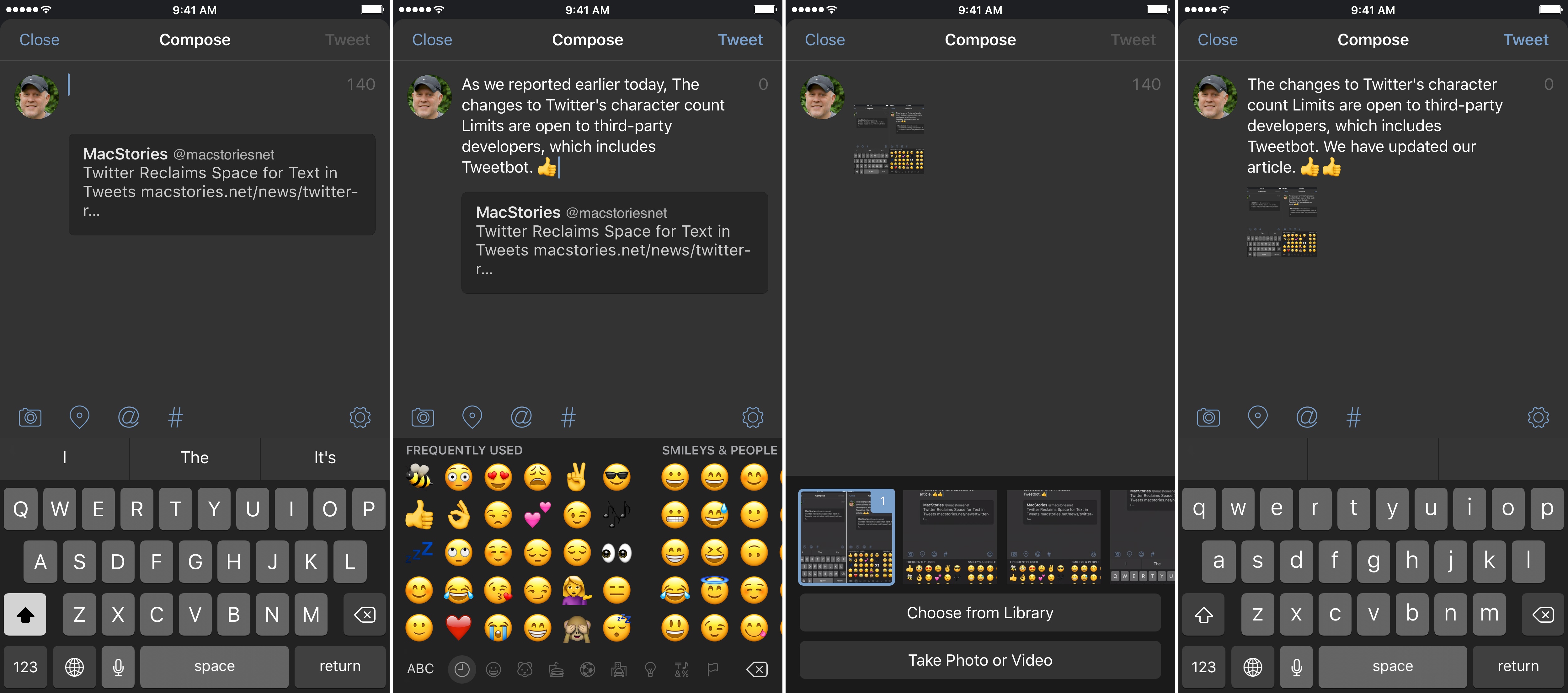
Update: As noted below, the changes to how the Twitter character limits are counted are available to third party developers. MacStories has learned that Tweetbot and Twitterrific will both be updated soon to support the changes to Twitter’s APIs.

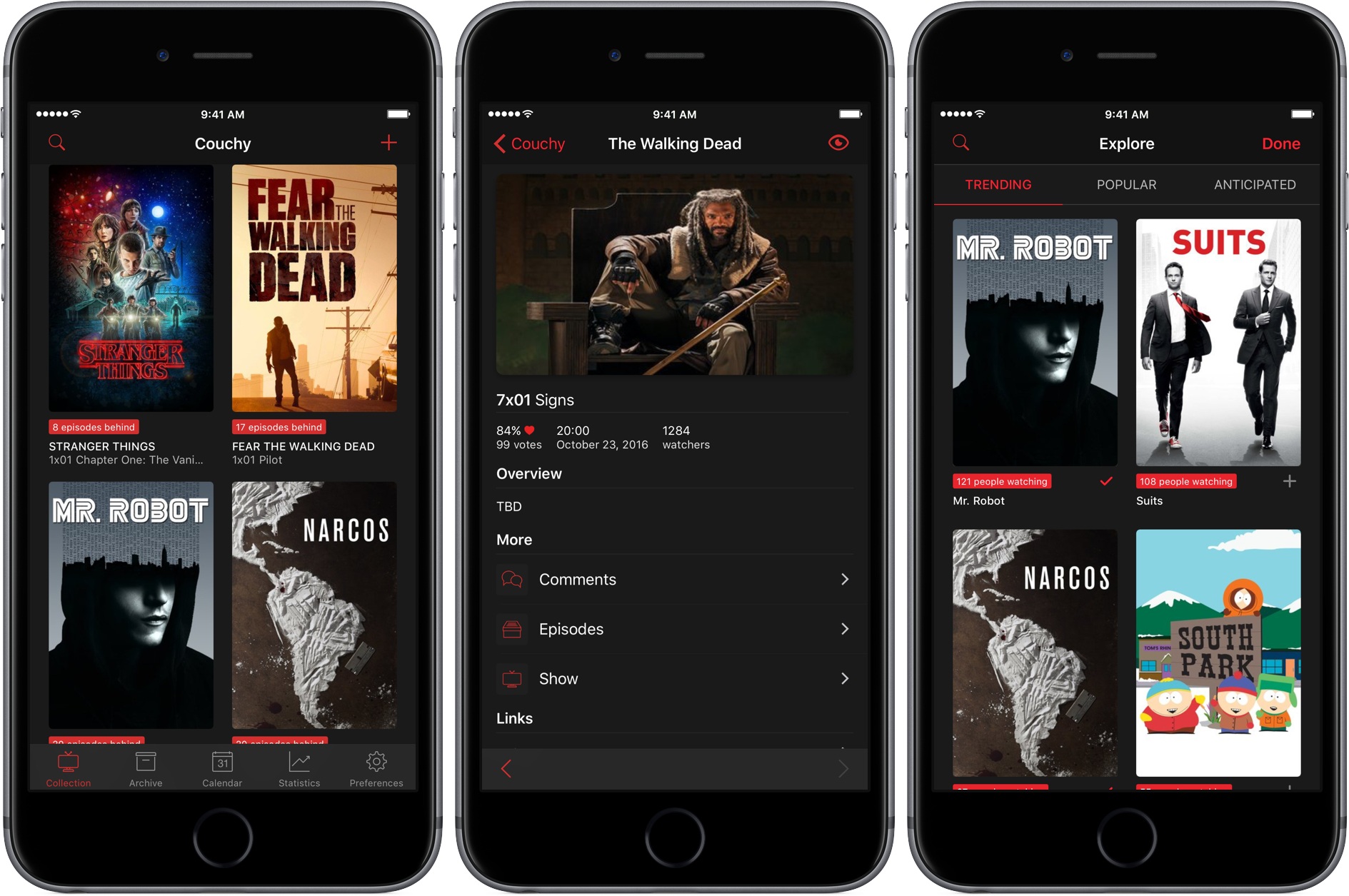
Tweetbot (pictured in screenshots) and Twitterrific will soon be updated to implement the changes to Twitter's character limits.

Tweetbot (pictured in screenshots) and Twitterrific will soon be updated to implement the changes to Twitter’s character limits.


Twitter began rolling out changes that take back space for text in tweets. As Twitter has gradually become a multimedia experience full of images, GIFs, videos, quoted tweets, and other things, each has encroached on the 140 character limit of a tweet leaving less room for text. That just changed.

https://twitter.com/twitter/status/777915304261193728

With a tweet today, Twitter began to roll out features, first announced earlier this year, that exclude certain things from the 140 character count limit. Users will still be limited to 140-character messages, but, as first reported by The Verge last Friday, media attachments (including images, GIFs, videos, and polls) and quoted tweets will no longer count against the 140-character limit, making more room for text.

Read more


Apple Releases Ads Spotlighting the Apple Watch and iPhone 7

Apple posted three advertisements to YouTube, one featuring the Apple Watch Series 2, and two showcasing the iPhone 7.

The Apple Watch Series 2 ad, titled Go Time, highlights the Watch’s fitness features and water resistance. Backed by Sinnerman, a classic song by Nina Simone, the ad begins at dawn showing a swimmer getting ready for an early morning workout. The swimmer adjusts his goggles and pulls his hand out of the water to start a workout on the Apple Watch. Through a series of quick cuts, the ad shows other people involved in all sorts of activities, including yoga, running, jumping into a pool, biking through a rainstorm, dancing, and sprinting out of the subway. In between each activity are clips showing off features of the Watch like the Activity app, Messages, notifications, the Workouts app, and the Breathe app, which is new to watchOS 3.

Morning Ride starts with a man looking out into a thunderstorm while checking Apple’s Weather app on an iPhone 7. AC/DC’s Thunderstruck starts playing in the background as he gets ready for his morning bicycle ride despite the rain. He mounts his iPhone to the handlebars of his bike, starts a tracking app, and prepares to take off into the rain. The thirty-second spot ends with the lines ‘the water-resistant iPhone 7’ followed by ‘practically magic.’

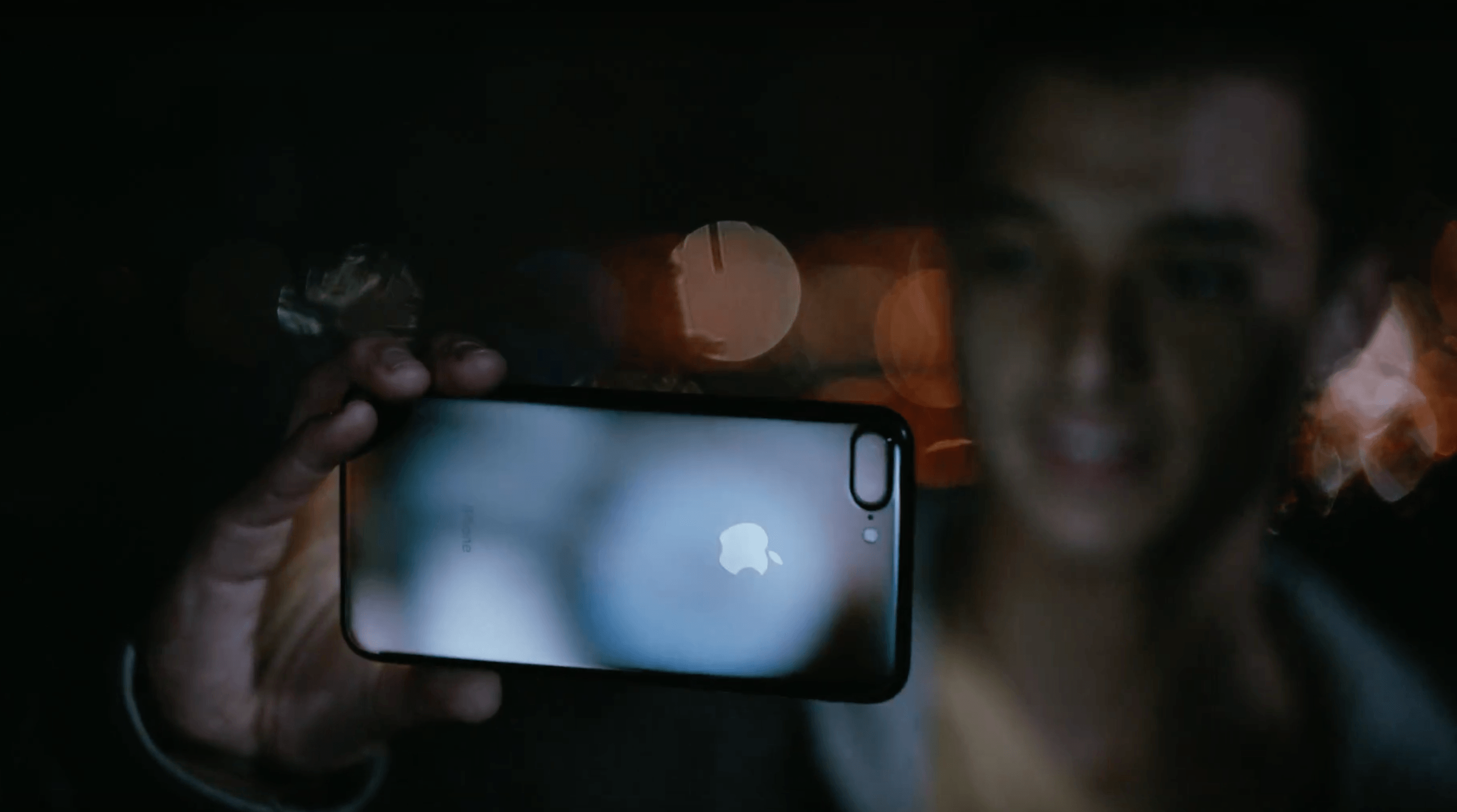
Midnight highlights the iPhone 7 Plus in Jet Black. The ad follows a young man as he skateboards around a city in the middle of the night taking photos with his iPhone. Backed by In A Black Out by Hamilton Leithauser, he takes videos as he passes through sprinklers, showing off the water resistance of the phone, captures moths flying around a single light bulb, and photographs a deer that wanders into a gas station. The ad concludes with the young man on a hill overlooking the lights of the city and ends with the tag line ‘low-light camera on iPhone 7’ followed by ‘practically magic.’

Each of the three ads does a good job focusing on the personal side of the new features of Apple Watch Series 2 and the iPhone 7. The ads don’t focus on specs; instead they emphasize how the advancements of each device expand their utility in everyday scenarios.

You can watch each of the ads after the break.

Read more


tvOS Dark Mode via Siri

John: Reader Foad Afshari (@foadafshari) sent me a great tip via Twitter this week. tvOS 10 introduced a dark mode to the Apple TV’s interface. You can turn it on by going to Settings > General > Appearance. Foad pointed out that there is a far easier way to switch to dark mode. Simply tell...


Ongoing Development

Don’t Ignore Stickers Sticker packs for Messages present new marketing and business opportunities for indie developers. In just the past four days since iOS 10 was launched, the iMessage App Store exploded with apps and stickers. iMessage apps seem likely to wind up as another box to check for some developers – something that customers...


Game Day: Rubek

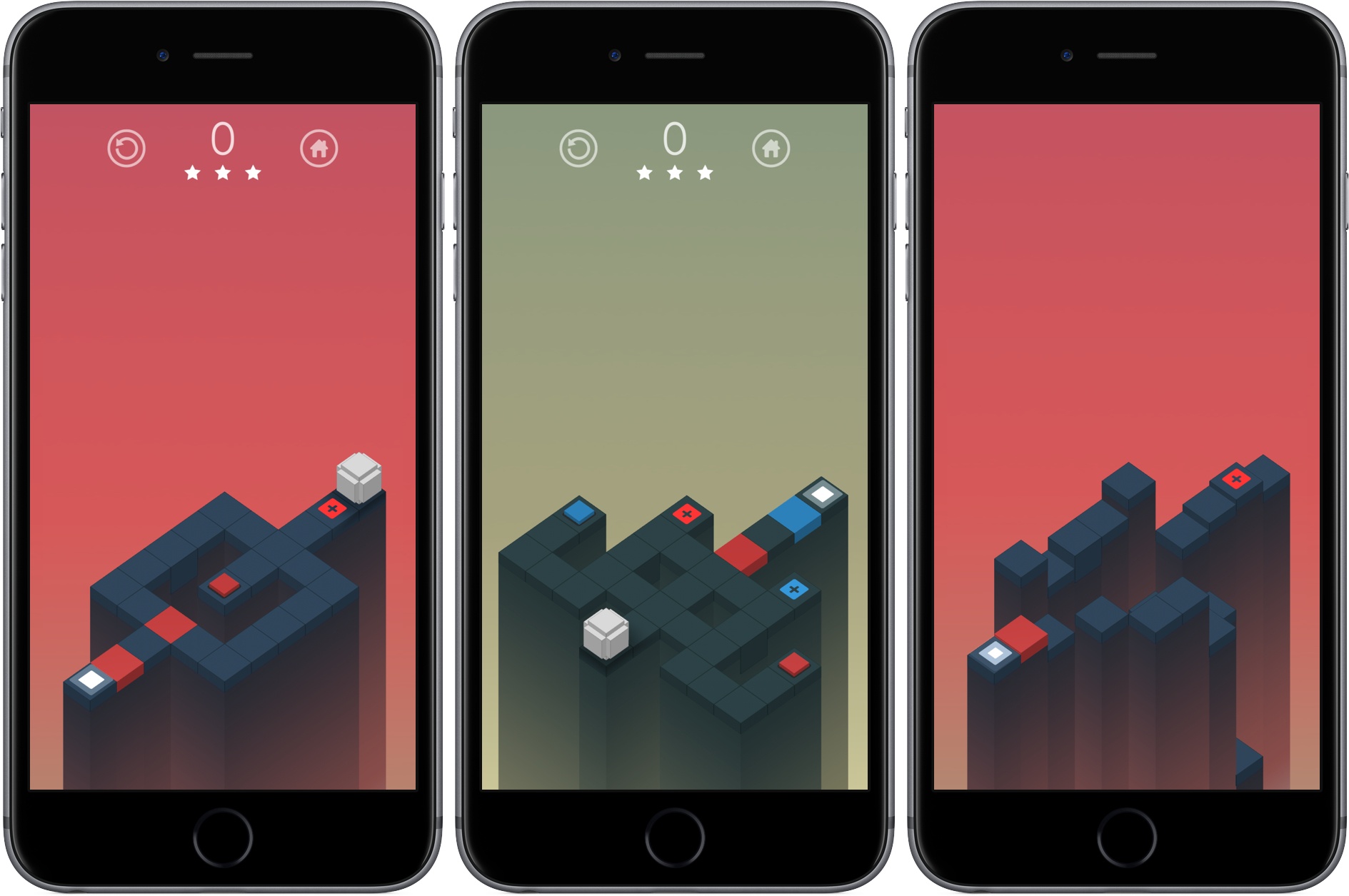
This week I’ve been playing a great-looking, tough puzzle game called Rubek from Xigma Games. As the name suggests, it’s a game involving colored cubes. Rubek is played from a three-quarters perspective, similar to Monument Valley. You guide a white cube along a path through each puzzle to the final goal by swiping on the screen to roll the cube.

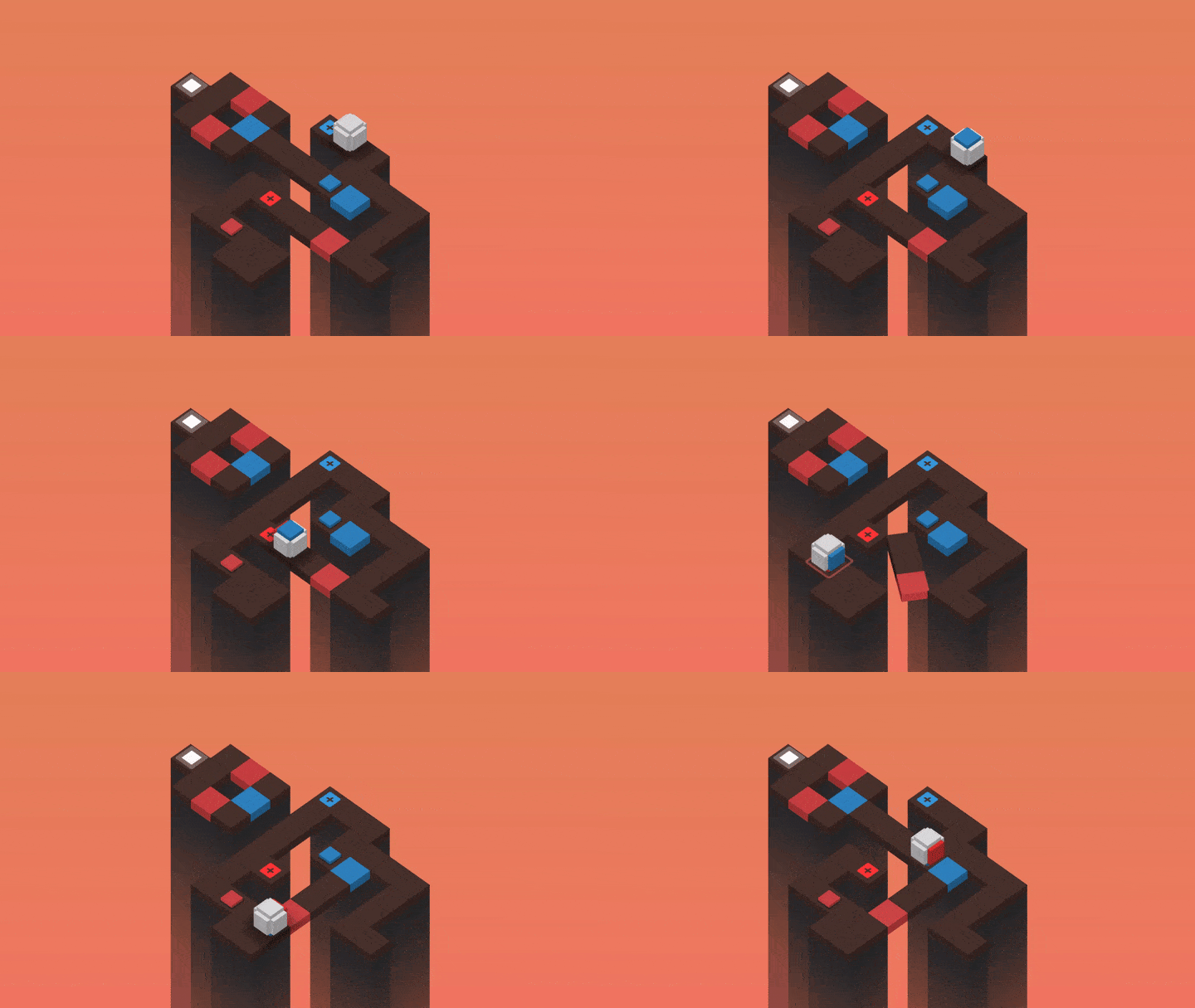
The path you take is segmented into squares of different colors, including some with a small plus symbol in the center. Roll onto a colored square with a plus and the side of your cube the lands on that square changes to that color. This is where the game gets tough. You can roll any side of your cube across a dark grey square, but if you try to roll across a colored square along the path, the side of your cube that touches the square must match its color. The combination of color matching while accounting for where the six sides of your cube will land gets hard fast.

Your score is determined based on the number of moves necessary to complete the puzzle. At the end of each level you get a star rating based on how many moves it took you to finish the level. Rubek has over 75 levels in total, which add new mechanics as you progress like trigger blocks that modify the puzzle’s map when you roll over them, keeping the game fresh as you play through the levels.

Rubek’s settings let you turn off sounds and include a color-blind option that lets you adjust the color scheme used in the game. I’ve spent the last couple of months trying lots of different kinds of iOS games and found some great ones, but it’s nice to get back to a puzzle game, which is one of my favorite genres of all. Rubek is the sort of game you can play for 5 minutes or an hour depending on how much time you have, which I always appreciate, and it’s challenging without being frustrating. If you enjoy multidimensional puzzle games, Rubek is worth a try.

Rubek is available on the App Store for $1.99.


Studio Neat Introduces the Material Dock

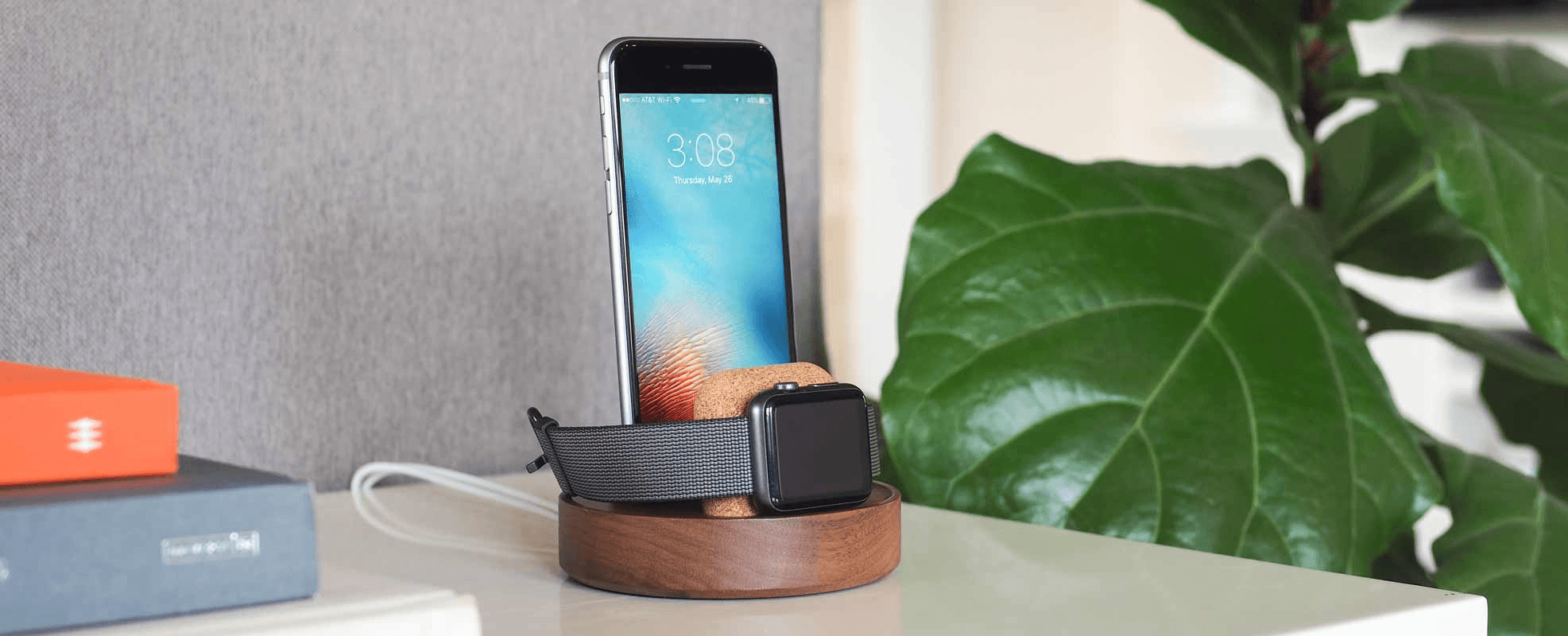
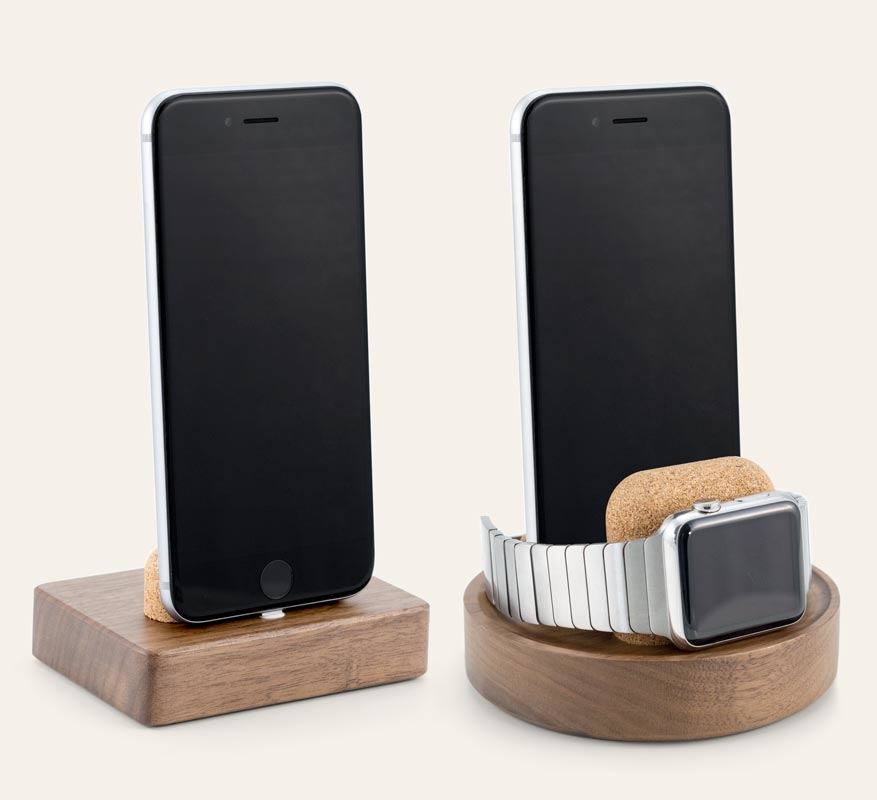
Just in time for the new iPhone 7 and Apple Watch Series 2, Studio Neat has introduced two handsome docks that integrate with charging cables that you supply. Called the Material Dock, one dock has a rounded rectangular base and charges the iPhone. The other model is circular and can charge an iPhone and an Apple Watch.

The Material Dock is made from natural, recyclable materials. The base of each dock is cut from a block of walnut features a soft matte finish. The iPhone and Apple Watch are supported by pieces of cork while charging. Small adjustments to the cork support allow the Material Dock to be used with or without a case on your iPhone, which is a nice touch that not all docks have. The bottom of the dock has non-slip strips of micro-suction material to keep it secure on a nightstand, desk, or other flat surface.

On the iPhone/Apple Watch model, the Apple Watch sits in front of the iPhone, which blocks the Home button. This probably wouldn’t be an issue in under most scenarios that I would use the Material Dock, but if you expect you might want to use your iPhone while it and the Apple Watch are docked, it’s worth keeping in mind.

I haven’t tried the Material Dock, but I have used many of Studio Neat’s other products in the past and all have been well-built from high-quality materials. If you want to tame your cables and charge in style, the Material Dock looks like a good choice.

The Material Dock is available on Studio Neat’s website. The iPhone-only version is $45 and the iPhone/Apple Watch version is $70.


Sticker Pals Messages Sticker Pack

When we published our roundup of iMessage apps and sticker packs yesterday, we had to leave out one of our favorite sticker packs because it hadn’t cleared App Review yet. Fortunately, Sticker Pals from Impending was approved last night.

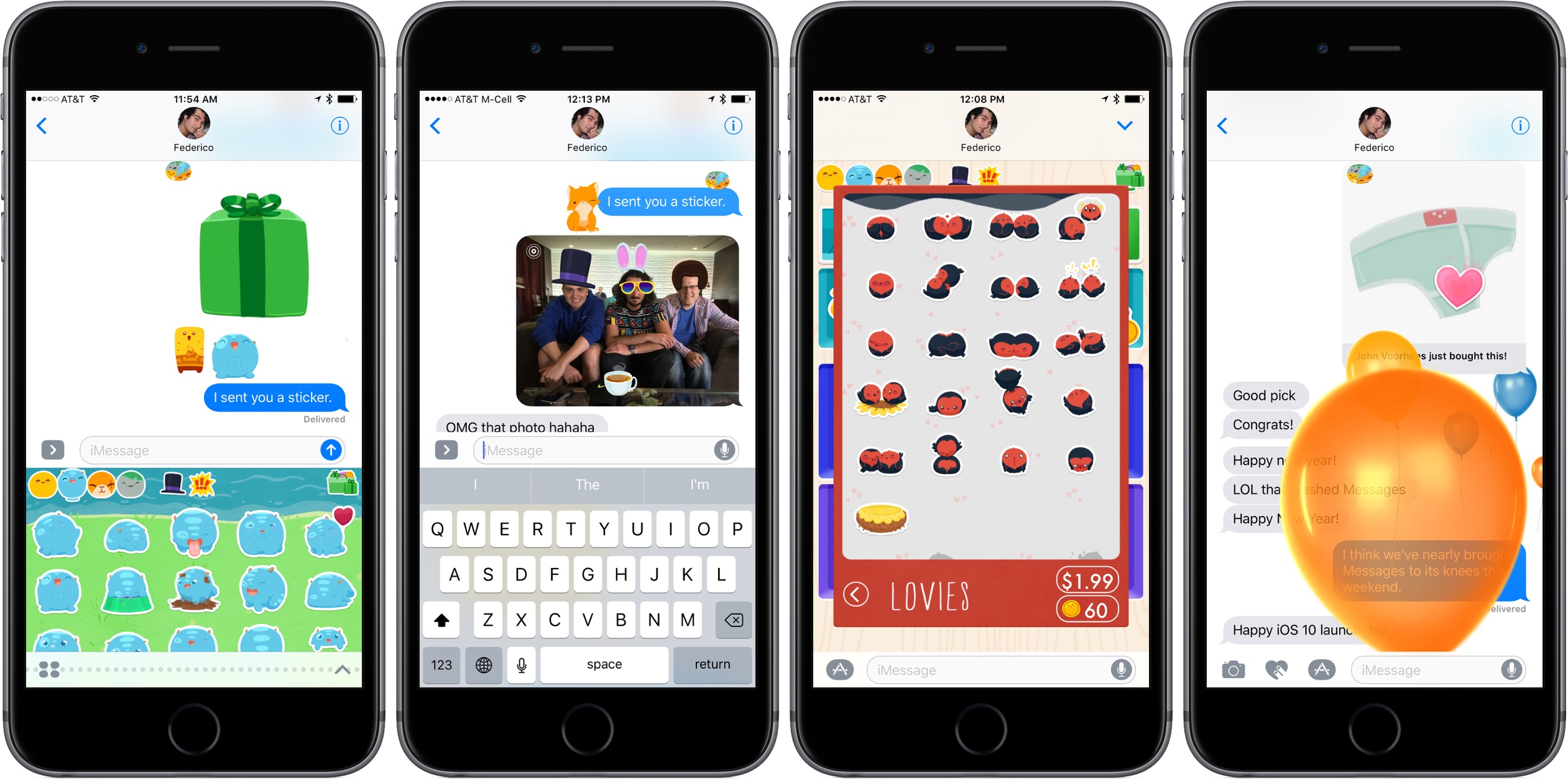
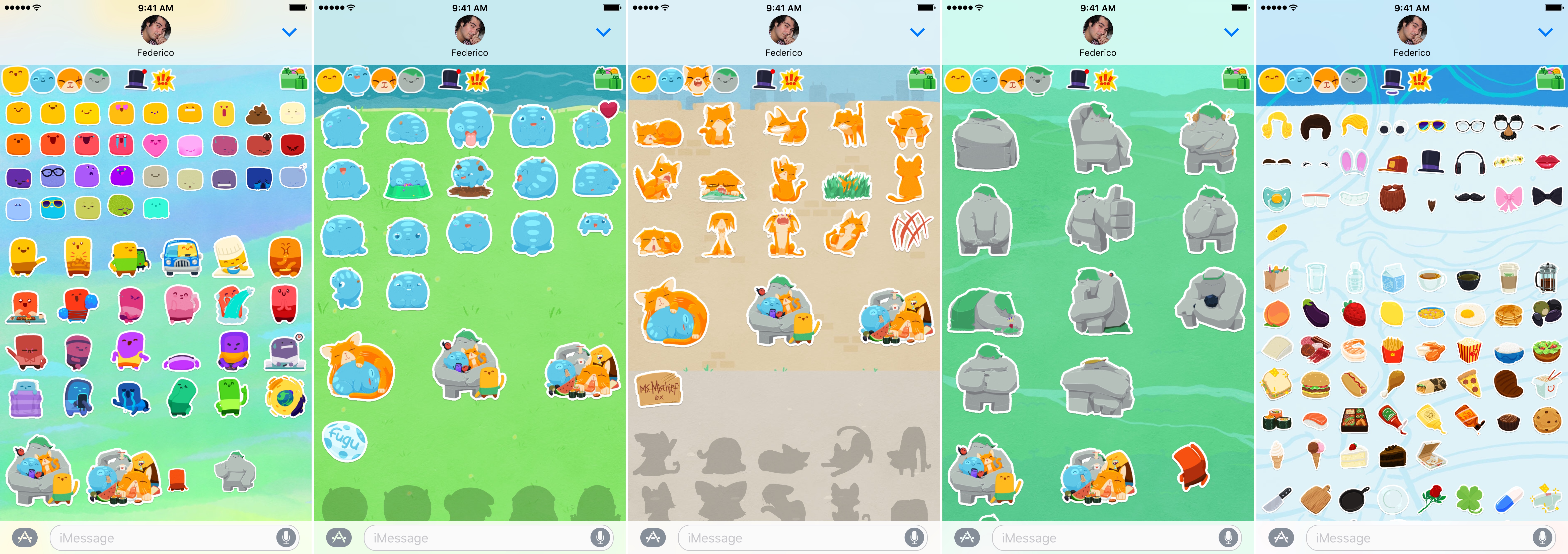
Sticker Pals, which features illustrations from David Lanham, is the single most ambitious sticker pack I’ve tested with hundreds of stickers divided into categories accessible from buttons along the top row of the sticker viewer. The first four buttons access animated character sets. The other two buttons are a combination of static and animated ’playsets,’ which include things like hats, beards, googly eyes, and food. I’ve had a lot of fun with these stickers, especially when combined with other stickers.

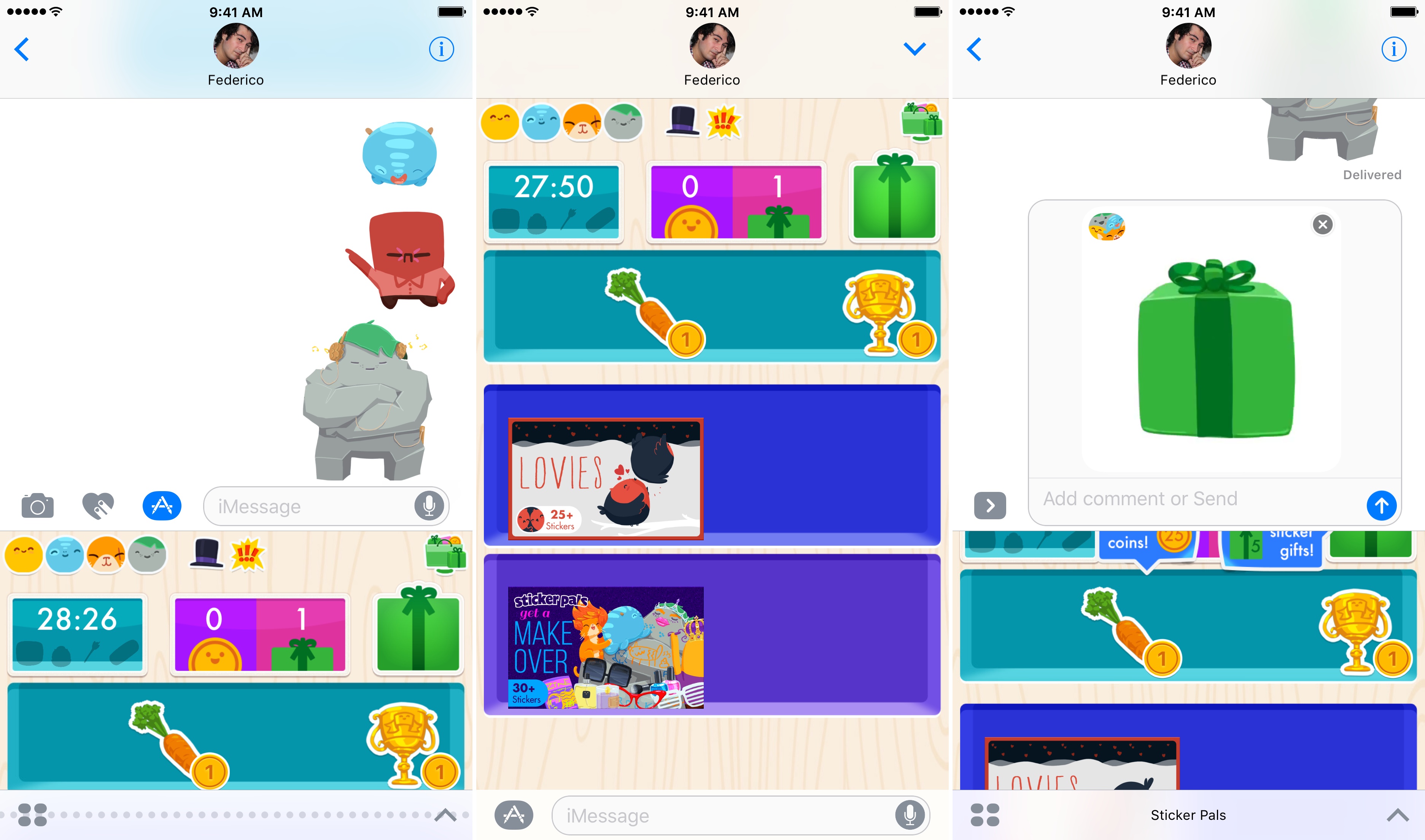
Sticker Pals also has a store where you can spend coins to collect new stickers or send sticker gifts to friends. The coins and gifts are replenished periodically throughout the day at no charge giving you a reason to return to Sticker Pals over and over, collecting new stickers each time. You can also purchase additional character sets and playsets as In-App Purchases; currently Sticker Pals offers one of each.

Sticker Pals, with its standard set of stickers, is available for as a free download from the iMessage App Store. Additional character packs are $1.99 and new playsets are $0.99.