John Voorhees

5429 posts on MacStories since November 2015

John is MacStories' Managing Editor, has been writing about Apple and apps since joining the team in 2015, and today, runs the site alongside Federico. John also co-hosts four MacStories podcasts: AppStories, which covers the world of apps, MacStories Unwind, which explores the fun differences between American and Italian culture and recommends media to listeners, Ruminate, a show about the weird web and unusual snacks, and NPC: Next Portable Console, a show about the games we take with us.

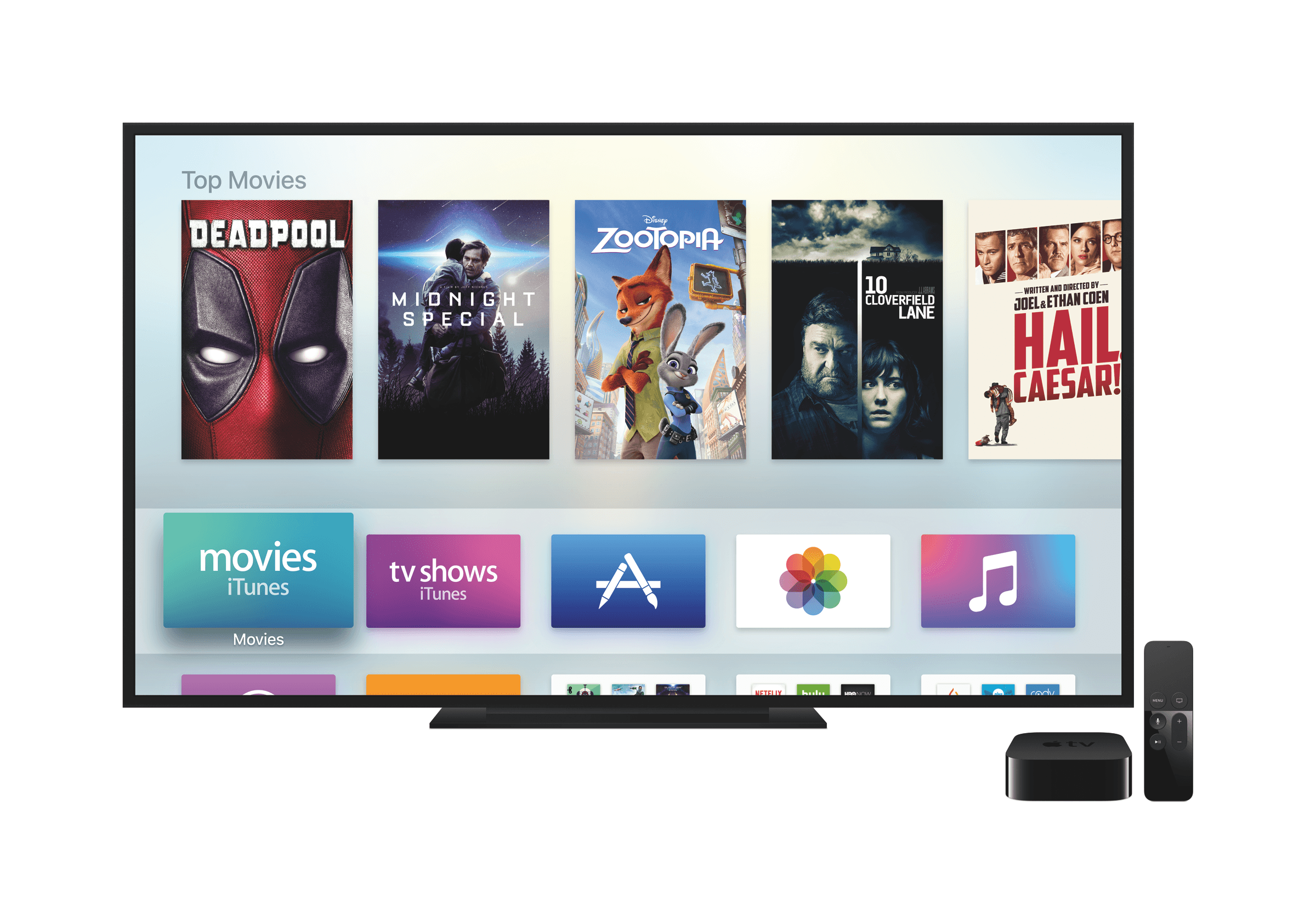
Eddy Cue on Apple TV and Apple Music

Eddy Cue, Apple’s senior vice president of Internet Software and Services sat down with The Hollywood Reporter to talk about Apple TV and Apple Music. In response to questions aimed at understanding Apple’s place in Hollywood and its media ambitions, Cue focused primarily on media distribution and the role Apple can play to improve it for consumers:

The problem with it is the way that we end up consuming it — generally a cable box. A satellite receiver is, to me, nothing more than a glorified VCR. And so I think there’s huge opportunities in that space because people now want to watch on their phones, they want to watch on their iPads, and they want to watch on their TVs.

Cue also threw cold water on the notion that Apple is getting into the business of creating TV shows like Netflix, Amazon, and HBO do:

We’re not in the business of trying to create TV shows. If we see it being complementary to the things we’re doing at Apple Music or if we see it being something that’s innovative on our platform, we may help them and guide them and make suggestions. But we’re not trying to compete with Netflix or compete with Comcast.

Finally, in comments reminiscent of the interviews with playlist curators at Apple Music published by BuzzFeed yesterday, Cue explained that Apple Music:

… can’t be about a service that’s just providing the songs, because anybody can do that. It starts by the level of integration that we have within our product. Second of all, we do a lot of curation. Third is radio.

As a hardware manufacturer first and foremost, Apple’s approach to Hollywood content makes sense and reminds me in many ways of its approach to third-party app developers.

Permalink

The Enormity and Precision of Apple Campus 2’s Glass Structures

The scale of Apple Campus 2 is hard to comprehend. Built on 176 acres in Cupertino, California that was previously owned by Hewlett-Packard, Apple Campus 2 will have a circumference of one mile and accommodate around 13,000 employees.

Just as hard to grasp is the level of precision and detail that has gone into building Apple Campus 2. Apple Insider takes a look at the thought and care that has gone into one aspect of Apple Campus 2 – the glass.

The vast glass façade panels surrounding the exterior Spaceship Ring are 46 foot (14m) long and more than 10 feet (3m) tall, while the interior, courtyard-facing panels are just under 36 feet (11m) long. Both sets of panels are precisely curved to form the iconic building’s cylindrical glass curtain.

Apple Insider explores the process by which sedak, a German glass manufacturer that has worked on projects like the glass staircases in some Apple stores, built hundreds of giant curved-glass panels to within 0.8mm of Apple’s specifications, which is a substantially closer tolerance than standard glass panels. Once completed, each panel weighs up to 2 tons and was shipped across the Atlantic Ocean, through the Panama Canal, and then trucked to Cupertino in 20 ton bundles.

While the story behind the enormous glass installation at Apple Campus 2 is impressive in its own right, I agree with Apple Insider that:

Apple’s ability to design and implement products ranging from the microscopic A10 [chip] to the massive Campus 2 to the human scale of Mac Pro—and its ability to partner with both leading, global giants and groups of smaller, local businesses—suggests incredible potential for the company in other new markets, ranging from clean energy to automotive to new cloud services and advanced new computing devices.

Permalink

Profiles of Playlist Curators at Apple Music, Spotify, and Google Play

BuzzFeed has a fantastic feature post by Reggie Ugwu that goes inside the teams that create playlists for Apple Music, Spotify, and Google Play.

Ugwu explains that:

In the two years since the Beats acquisition, three of the largest services, including Apple Music, Spotify, and Google Play Music (and smaller ones like Tidal and Rhapsody, too), have increasingly relied on these playlists to accomplish two important goals at once: 1) helping users inundated by a catalog of more than 30 million songs more easily find the ones they actually want, and 2) creating difference in a market where everyone has more or less the same goods.

That’s a tall order. Discovery of digital media, whether it’s music, apps, or something else, is tough when many people are browsing vast media collections on their phones. Early attempts to curate music focused heavily on algorithmic solutions, but increasingly, streaming music services have invested in building editorial teams of music experts to create hand-picked playlists for subscribers.

One of the earliest champions of curated playlists was Jimmy Iovine, co-founder of Beats Music, which was acquired by Apple in 2014. Scott Plagenhoef, head of Apple Music’s editorial team of about a dozen employees, explains Apple’s Iovine-inspired approach to music curation:

“It’s not about us projecting our personal opinions on people, it’s about us kind of being good shepherds and stewards and cutting through this entire vast catalog,” he says. “What’s important isn’t just the most popular artists, or the sort of soft center that’s going to be palatable to a lot of people. It’s finding the artists people are going to either love or have intense reactions to, the ones that are going to mean the most and have the biggest impact.”

Music fans, Plagenhoef argues, echoing Iovine, can smell the difference between a service where much of the product is dictated by algorithms or charts and one that is guided by more knowledgeable but equally passionate versions of themselves. By building its house on a foundation of experts, Apple Music has bet that it can be marginally more trustworthy to users than the competition, and that that margin could make a tie-breaking difference.

As a life-long music fan, I don’t find this as particularly surprising, though maybe I would if I were approaching music curation from a purely technical standpoint. There are lots of clever things you can do algorithmically to group similar songs, but the human element makes a difference.

Permalink

Recapture Time with Moment

It’s easy to get lost in whatever you’re doing on your iPhone or iPad and become oblivious of your surroundings – just ask anyone who’s tried Pokémon GO. I don’t have a problem doing that occasionally to blow off steam, and the reality is that a lot of my work gets done on iOS, but there’s a time and a place for everything. What I don’t want is for my device use to take away from time I spend with friends and family.

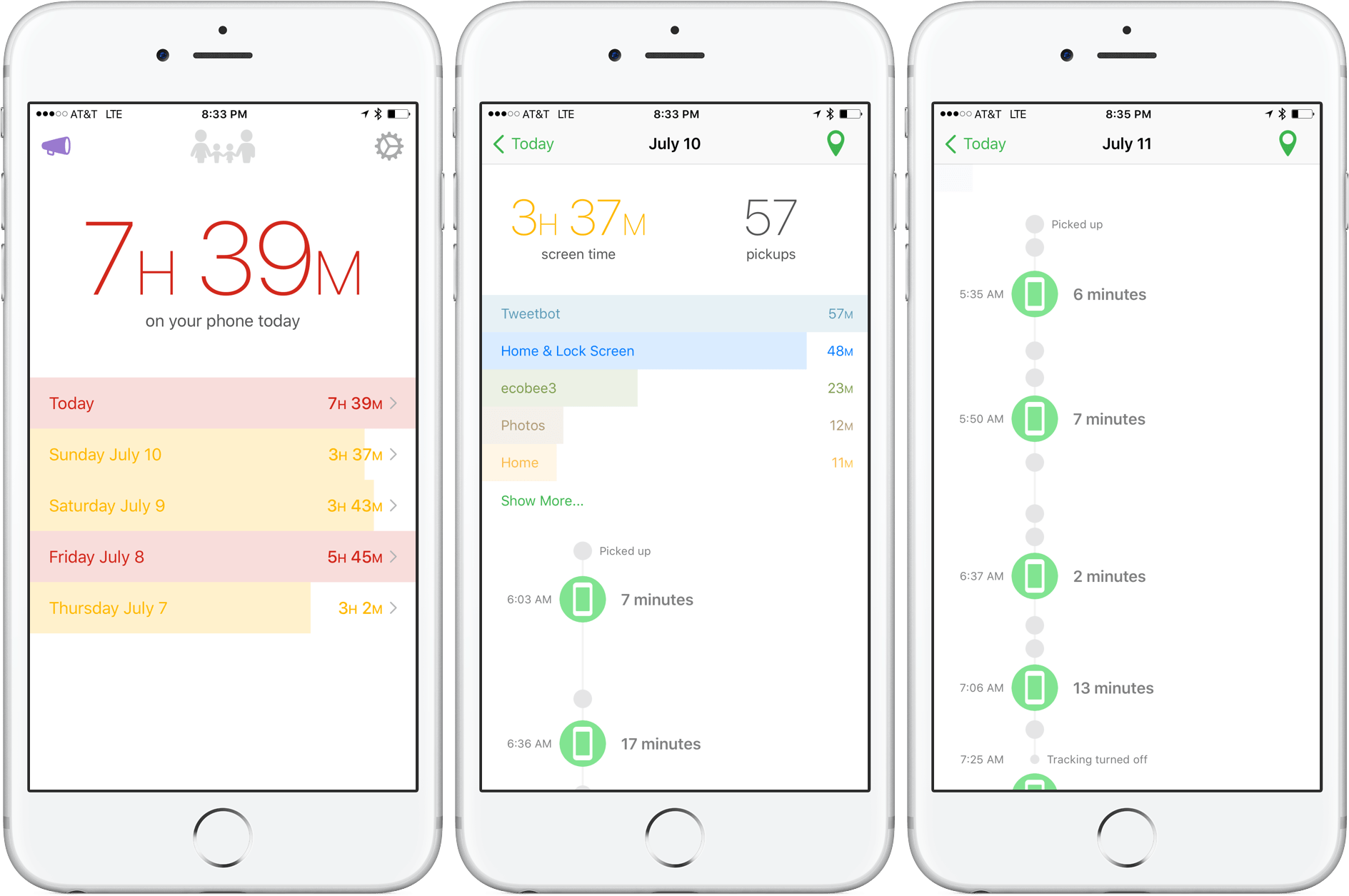
If you feel the same way, but have a hard time putting your iPhone or iPad away, Kevin Holesh’s app Moment can help. By tracking your iPhone or iPad usage, you can get a handle on how much time you spend on each device, and even how much time you spend in individual apps. What’s more, if you purchase the Pro version of Moment, you can take advantage of its full Phone Bootcamp course and other tools that can help you find ways to reduce your device usage.

Read more


An In-Depth Look at Apple’s Approach to Accessibility

Mashable published a profile of Jordyn Castor, a 22-year-old Apple engineer on its accessibility design and quality team. Castor, who has been blind since birth, joined Apple full-time last year after interning there in college. As she explains to Mashable:

“I realized then I could code on the computer to have it fulfill the tasks I wanted it to,” says Castor, whose current work focuses on enhancing features like VoiceOver for blind Apple users. “I came to realize that with my knowledge of computers and technology, I could help change the world for people with disabilities.

In addition to speaking with Castor, Mashable interviewed Sarah Herrlinger, senior manager for global accessibility policy and initiatives, who explained Apple’s approach to accessibility:

a notable part of the company’s steps toward accessibility is its dedication to making inclusivity features standard, not specialized. This allows those features to be dually accessible — both for getting the tech to more users, as well as keeping down costs.

Mashable’s piece is a must-read for Jordyn Castro’s inspiring personal story and its insight into the unique way Apple approaches accessibility. Instead of treating accessibility as a special, add-on feature that is purchased separately, it’s built into the operating system itself. That, combined with the work Apple has done to make accessibility features easy for developers to adopt, reveals a pragmatic approach designed to encourage broad-based adoption, making Apple’s accessibility innovations available to as many people who need them as possible.

Permalink

Game Day: Neon Drive

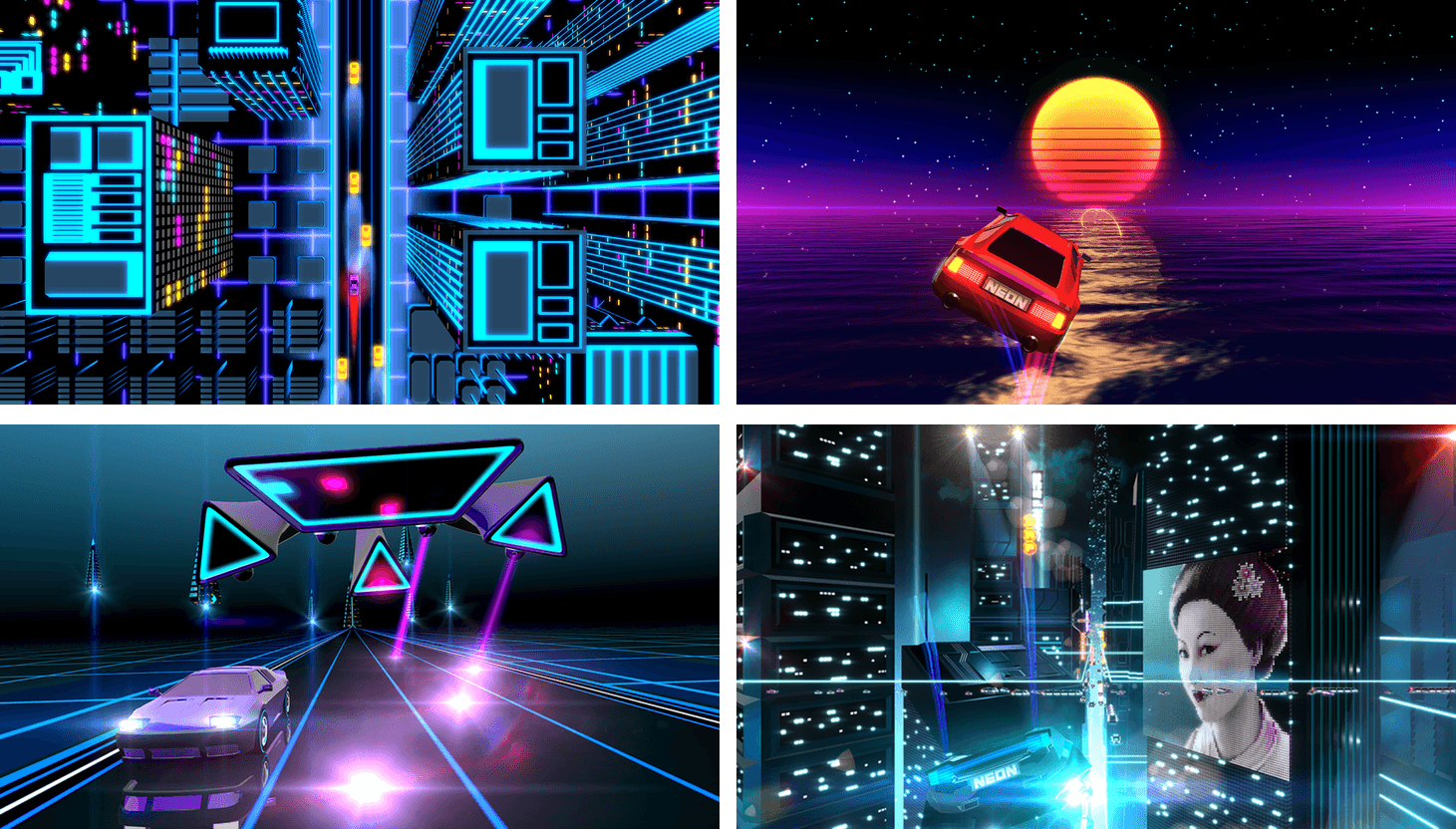
Neon Drive by Fraoula is a devilishly difficult 80s-themed driving game that immediately reminded me of the campy short film, Kung Fury. The unapologetic, over-the-top style of Neon Drive is a big part of its charm and adds to the fun of the game, which is available for OS X and iOS. The mechanics of Neon Drive are incredibly simple, but the mastering the game requires precise timing. Well-placed checkpoints provide just enough of a sense of progress though, to make Neon Drive more fun than frustrating.

Neon Drive is part endless runner, part rhythm game. The controls are about as basic as they could be – on iOS you steer your car across lanes by tapping the left side of the screen to move left and the right side to move right. On the Mac, you can accomplish the same thing with the left and right arrow keys or other preset key combinations. Each of Neon Drive’s levels is accompanied by an 80s synth soundtrack that adds to the game’s atmosphere as you dodge obstacles. The first time you hit an obstacle, your car is temporarily slowed down with the screeching sound effect of a needle scratching across a record that distorts the soundtrack. Hit a second obstacle and it’s game over. Fortunately, if you cross a checkpoint, you don’t have to restart from the beginning.

Neon Drive features seven very difficult levels. Getting past the first level felt like a major accomplishment even in normal mode. I’m not great at games that require perfect timing, so your mileage may vary, but despite the difficulty, I found Neon Drive fun and addicting in the same way a game like Canabalt is.

Neon Drive's look and soundtrack are a big part of its appeal.

Neon Drive’s look and soundtrack are a big part of its appeal.

I played Neon Drive on my iPhone 6s Plus, iPad Pro 12.9, and 2015 Retina MacBook Pro. The games are virtually identical on iOS and OS X, but I’d give the edge to the iOS version because there’s something about tapping the screen directly that makes Neon Drive a little more immediate and fun. On OS X, Neon Drive got my laptop’s fans roaring almost immediately, which detracts the game some. My one wish for Neon Drive is for Fraoula to bring it to the Apple TV, where I think its simple mechanics would work well with or without a controller.

Despite being frustratingly difficult to master, Neon Drive is a blast to play and does a fantastic job of making you feel like you are playing a real 80s arcade game.

Neon Drive is available for $3.99 on the App Store and $9.99 on the Mac App Store.


Apple Introduces Searchable WWDC 2016 Transcripts

A few years ago, Matt Thompson of NSHipster.com created ASCIIwwdc, fully-searchable transcripts of WWDC sessions going back to 2010. ASCIIwwdc is still creating transcripts of WWDC sessions, but a couple of years ago Apple began offering its own searchable WWDC transcripts.

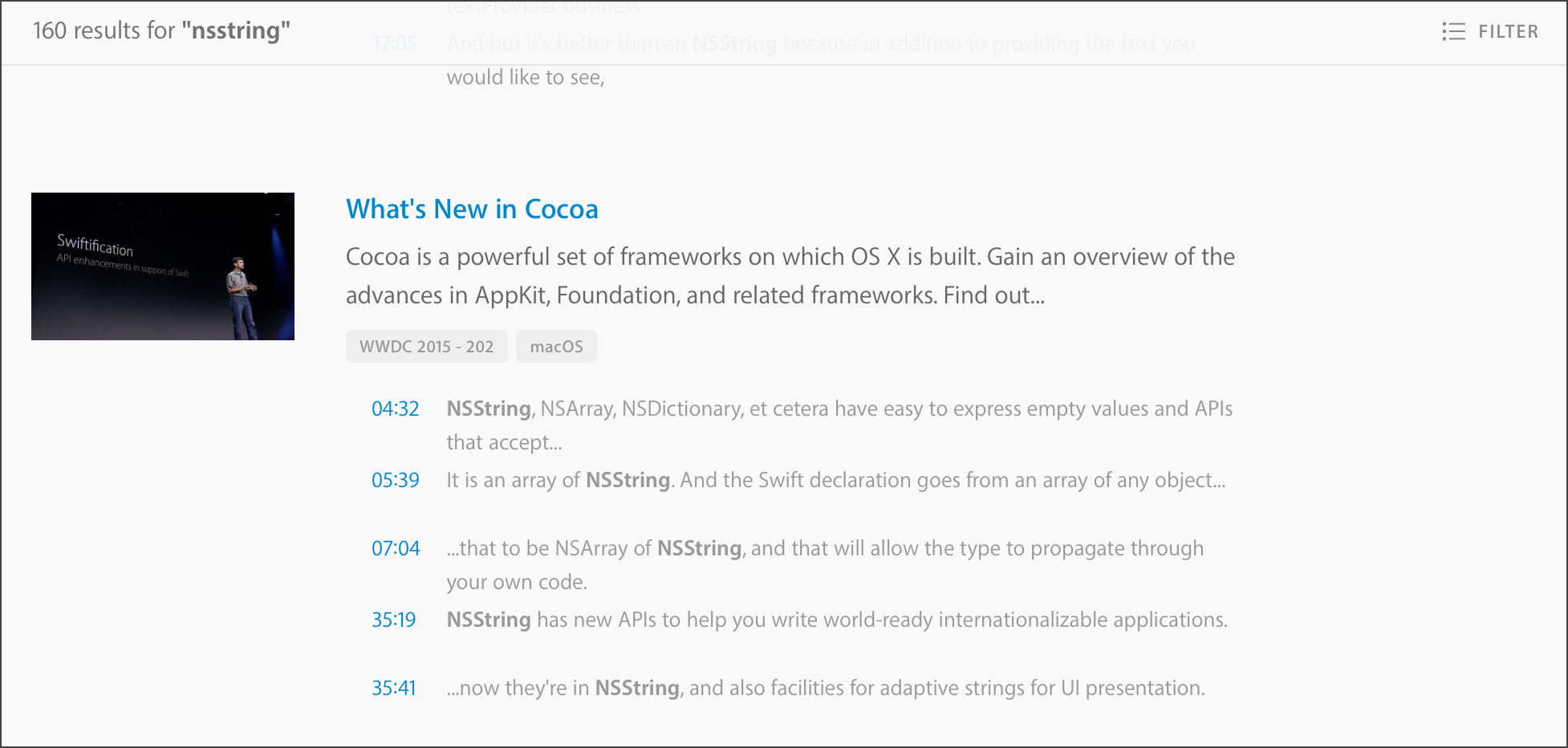
Apple's searchable WWDC transcripts let you jump to any point in a video where a search term is mentioned.

Apple’s searchable WWDC transcripts let you jump to any point in a video where a search term is mentioned.

Yesterday, Apple introduced the its latest set of transcripts for the 2016 WWDC sessions. You can read the transcripts as single documents, search across all videos going back as far as 2012, or search within individual videos, which is a great way to find every mention of a topic that cuts across multiple videos. As you read a transcript, you can click on phrases to jump directly to the corresponding point in the related video, which makes navigating hours of video simple and fast. Transcripts of the 2016 WWDC sessions and for prior years are available on Apple’s developer website.

Permalink

Learn to Code

Hopscotch Hopscotch is designed to help kids learn to code, but is a great place to start for anyone who is new to programming. By building simple programs with drag and drop blocks of code, Hopscotch eliminates the difficulty of learning programming syntax. That makes it easier to dive in and grasp basic...


Apple Release macOS Sierra Beta

According to the Wall Street Journal (subscription required), in addition to the release of the iOS 10 public beta, Apple released the public beta of macOS Sierra today. As with the iOS 10 beta, it is not advisable to install the Sierra beta on your primary Mac’s drive. Of course, if you decide to download Sierra beta anyway, be sure to back up your data. You can sign up to get access to the Sierra beta at beta.apple.com.

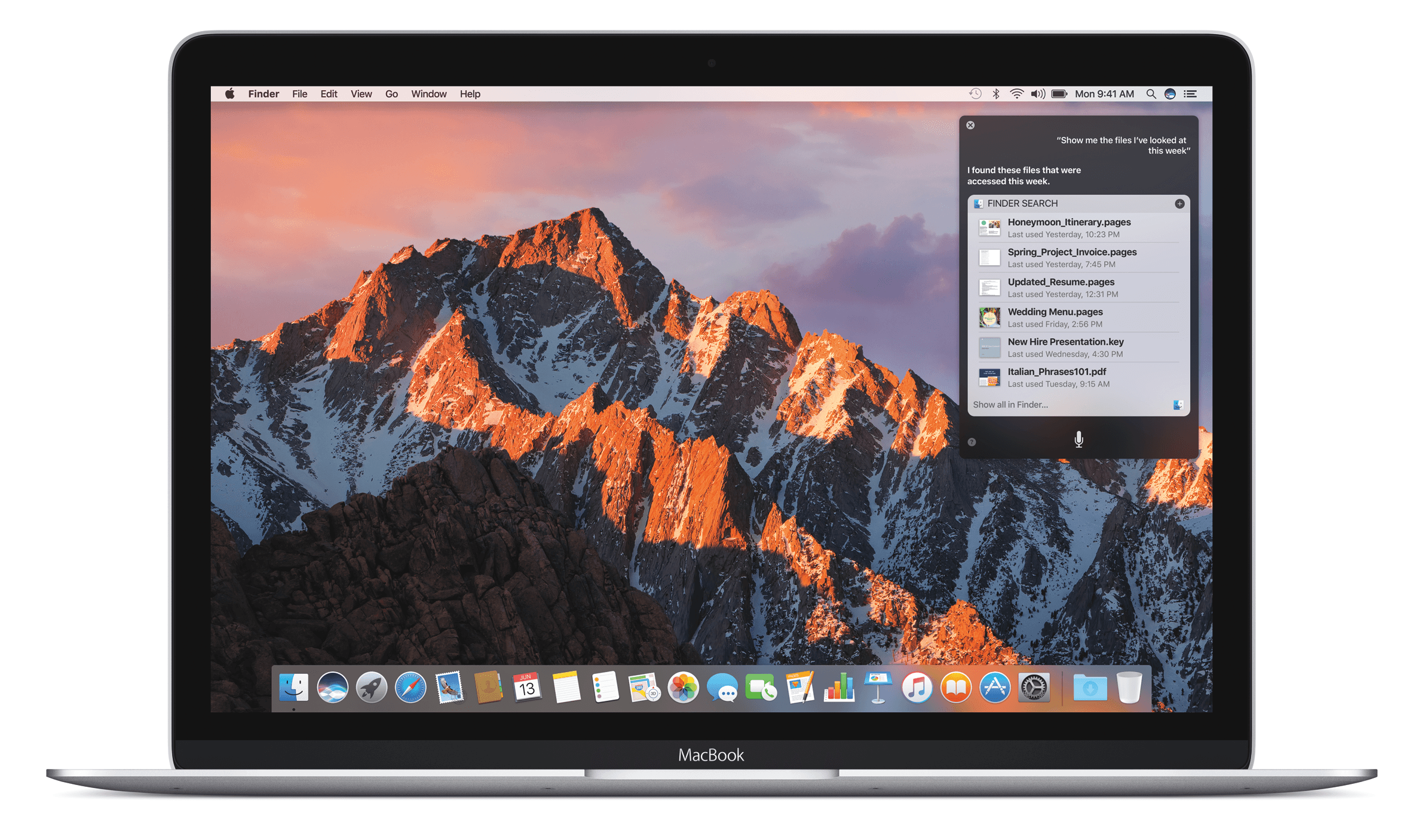
Among other things, Sierra adds Siri to the Mac, Apple Pay on certain websites accessed with Safari, enhancements to Photos, a Universal Clipboard that works between iOS devices and Macs, and Auto Unlock of your Mac with your Apple Watch instead of a password, which requires you also run the iOS 10 and watchOS 3 betas. For more coverage of what’s new in macOS Sierra check out our WWDC coverage.

Permalink