John Voorhees

5429 posts on MacStories since November 2015

John is MacStories' Managing Editor, has been writing about Apple and apps since joining the team in 2015, and today, runs the site alongside Federico. John also co-hosts four MacStories podcasts: AppStories, which covers the world of apps, MacStories Unwind, which explores the fun differences between American and Italian culture and recommends media to listeners, Ruminate, a show about the weird web and unusual snacks, and NPC: Next Portable Console, a show about the games we take with us.

Apple Releases iOS 10 Public Beta

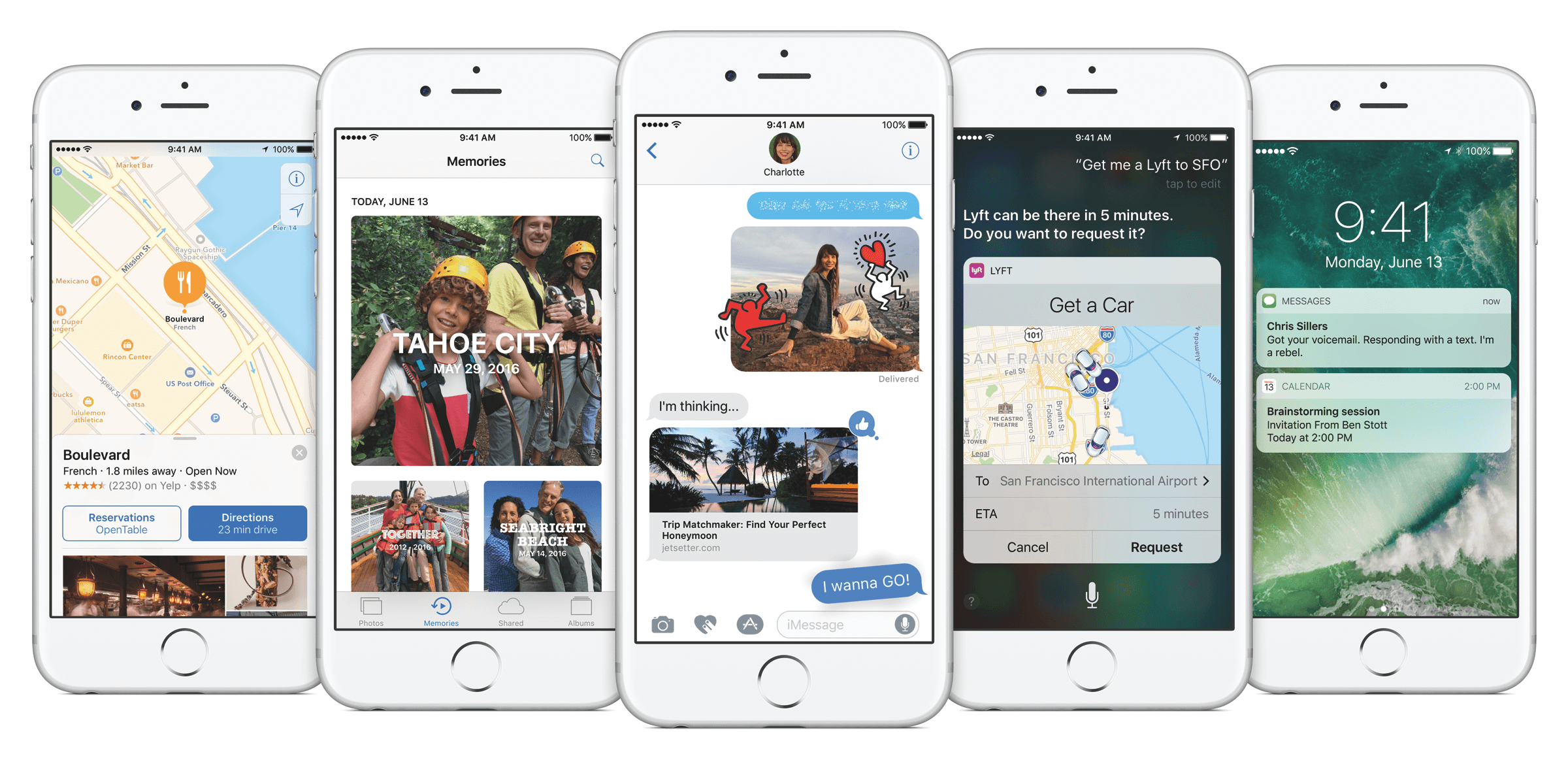
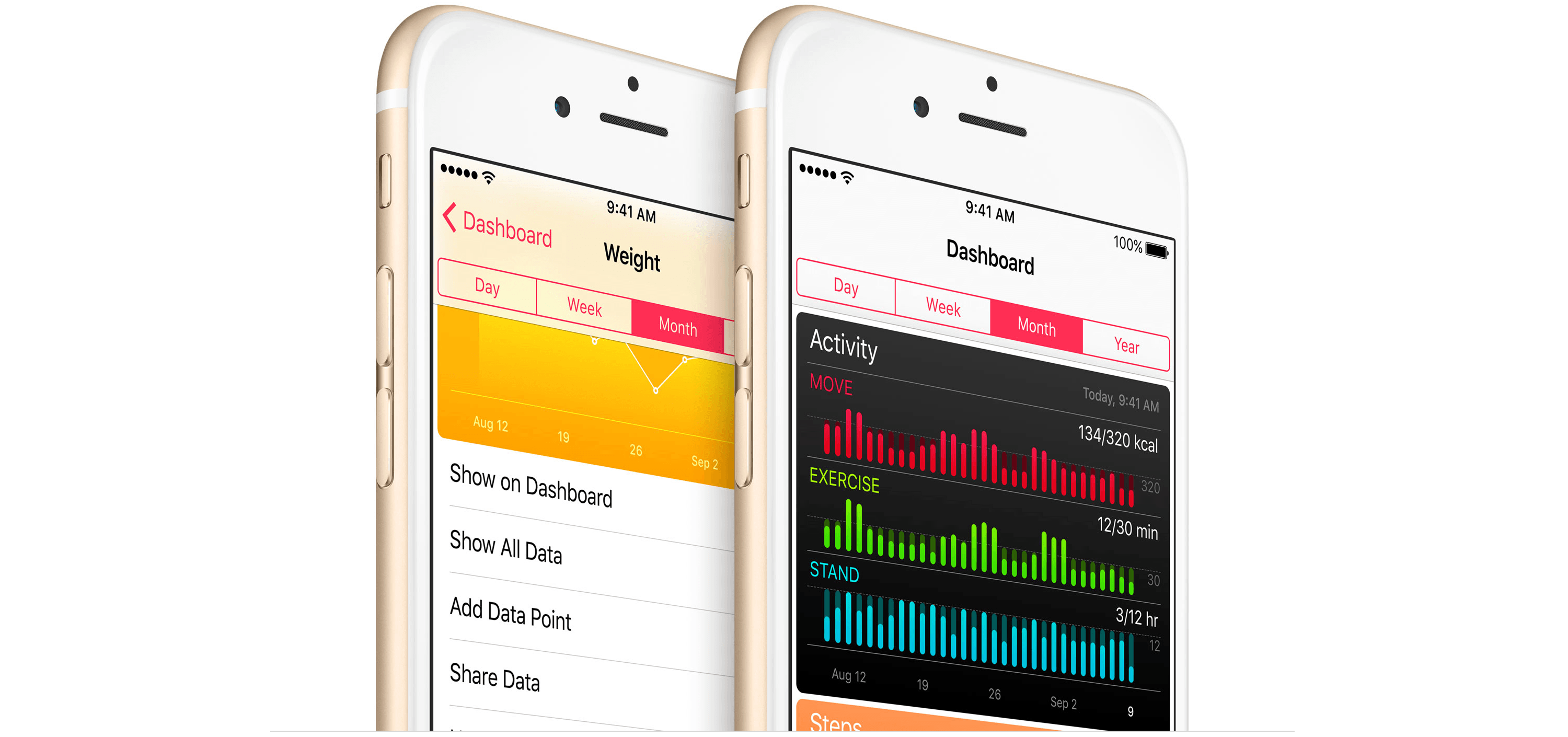
Joanna Stern reports for the Wall Street Journal (subscription required) that Apple has released the public beta of iOS 10. Apple released a beta version of iOS 10 to developers at WWDC on June 13, 2016. At the time, Apple promised a public beta of iOS 10 would be released in July. A second beta was issued to developers just this past Tuesday. Today, Apple made good on it’s WWDC promise by releasing a public beta of iOS 10 that is available for anyone to download.

However, just because you can download the iOS 10 beta doesn’t mean you should, especially on your primary device. The consensus among people who have tried the first two developer betas seems to be that it is more stable than most early iOS betas, but it still has many bugs and there is no guaranty that your third-party apps will work properly. Nor is it easy to roll back to iOS 9.3 if you have second thoughts after installing iOS 10.

With iOS 10, Apple has made significant changes to notifications and Today widgets, redesigned the Music app, added features to Photos and Messages, and much more. For a complete run-down of what’s new in iOS 10, check out Alex Guyot’s coverage for MacStories during WWDC.
Permalink

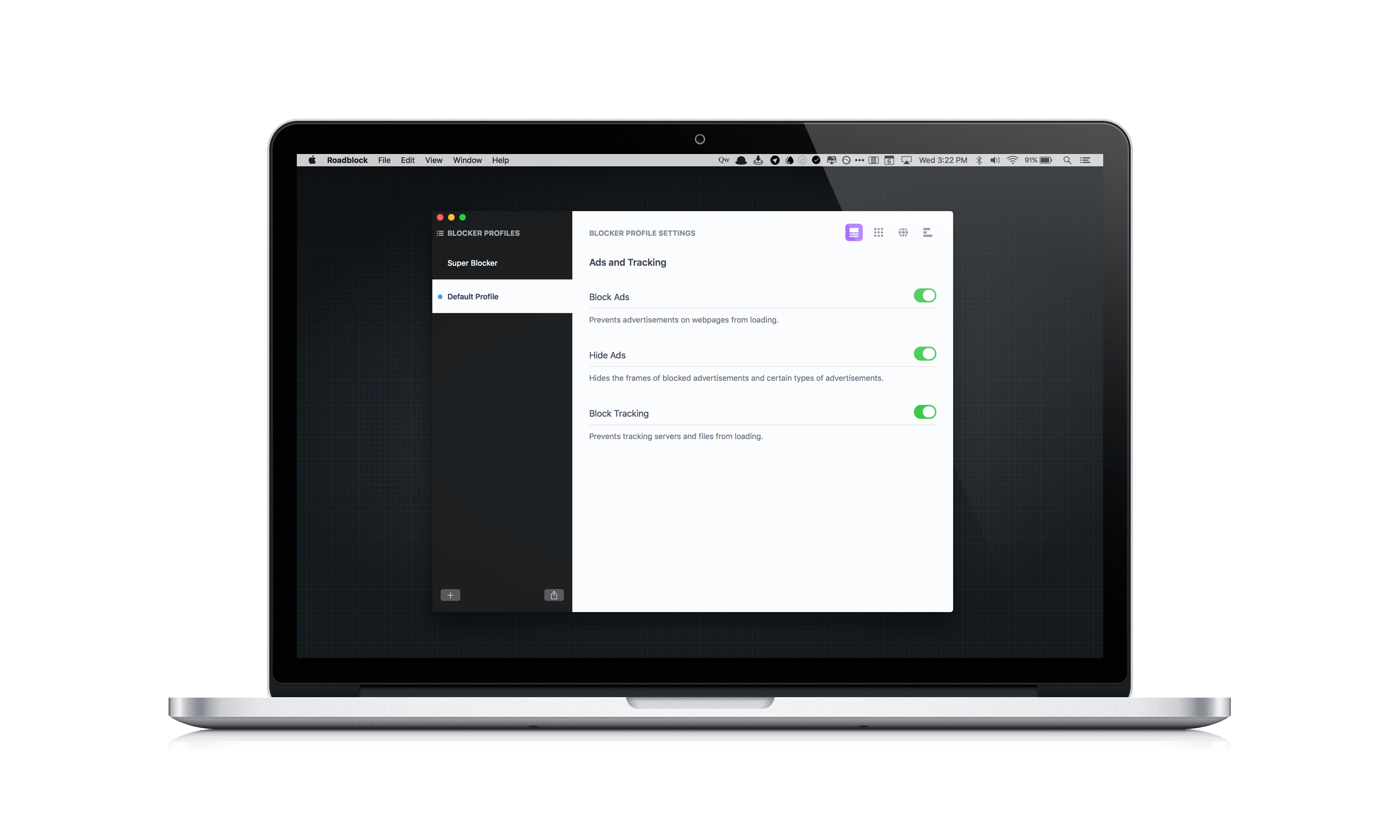
Roadblock for OS X Review

Content blockers arrived with a splash on iOS last Fall when iOS 9 was released, but have only recently begun showing up on the Mac App Store. Last month I reviewed 1Blocker, a Safari content blocker that replicated its successful iOS app on the Mac. Today, Obied Corner released Roadblock for Mac, which takes its iOS content blocker and adds some compelling new features. What makes Roadblock unique, is its focus on profiles, allow you to set up different sets of content blocking rules for different use cases, and its simplified approach to creating complex custom rules. Despite a few limitations that I discuss below, these two features make Roadblock extremely powerful and an excellent choice if you are looking for a content blocker for your Mac.

Read more


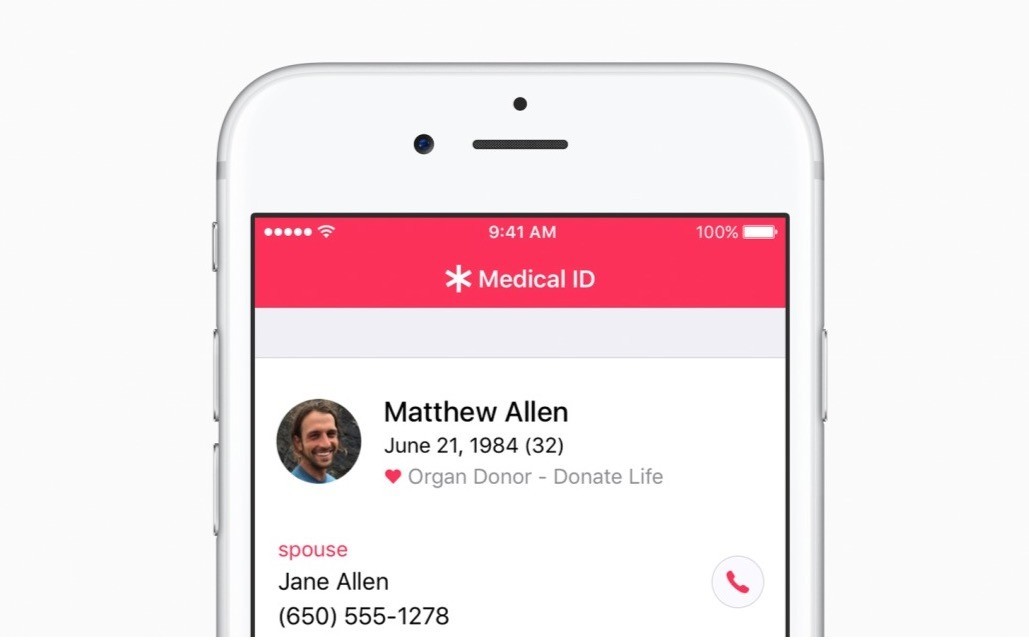
Apple to Add Organ Donor Option to Health App

Update: Apple and Donate Life America, which maintains the National Donate Life Registry in the US, issued a press release that provides further detail regarding the plan to add organ donor registration to the iOS Health App:

Through a simple sign up process, iPhone users can learn more and take action with just a few taps. All registrations submitted from iPhone are sent directly to the National Donate Life Registry managed by Donate Life America. The ability to quickly and easily become a nationally-registered donor enables people to carry their decision with them wherever they go.

As Jeff Williams, Apple’s chief operating officer, explains:

Apple’s mission has always been to create products that transform people’s lives. With the updated Health app, we’re providing education and awareness about organ donation and making it easier than ever to register. It’s a simple process that takes just a few seconds and could help save up to eight lives…

The organ donation feature will be added to the Health app as part of iOS 10, which is scheduled for release as a free update this Fall.


MacRumors (via CNBC) reports that Apple plans to add a button to its Health app this Fall that will make it easy for US customers to sign up for the national organ donor registry. Tim Cook, who spoke to the Associated Press, said that he hopes the new feature will make it easier for people in need of organ transplants to quickly find a compatible donor. The number of people in need of organ transplants has long exceeded the number of donors in the US, causing people in need to have to wait, which Cook said hit home for Apple when Steve Jobs waited for a liver transplant in 2009.

Permalink

Game Day: Perchang

Perchang is a physics-based puzzle game from a new indie development shop that goes by the same name. Perchang describes its game as Lemmings mixed with Marble Madness, which is apt if you’re old enough to remember those games, but that description doesn’t do Perchang justice.

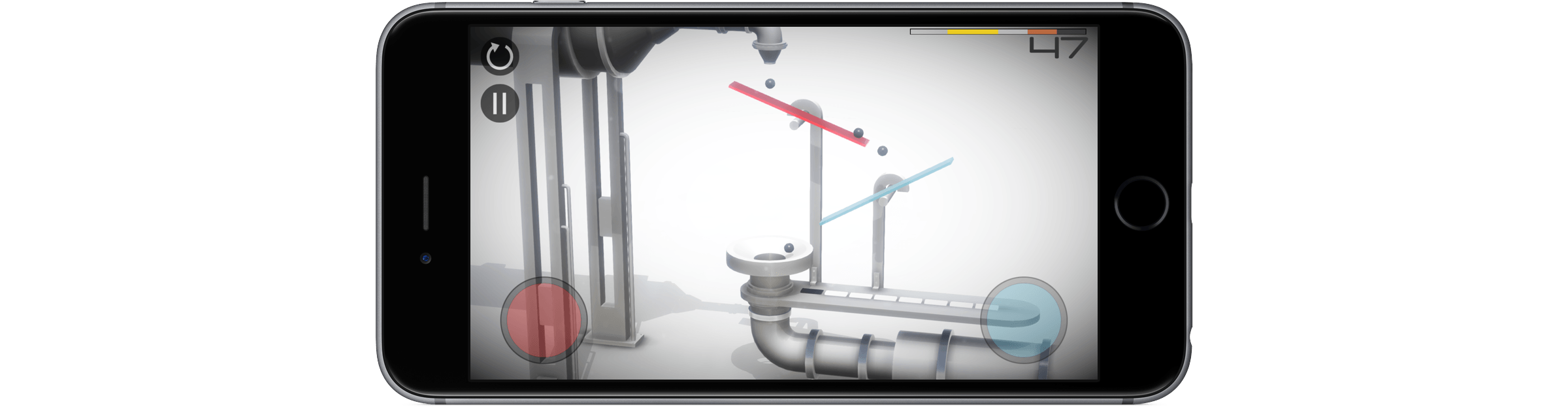
The challenge of Perchang lies in its puzzles, not its controls, which makes it easy to get started, but hard to master. Each of the 60 levels require you to guide tiny balls into a goal using fans, magnets, flippers, portals, and other contraptions. To further complicate things, you’re racing against the clock to get enough of the relentless stream of balls into the goal before time runs out.

The gizmos you use to guide the balls in Perchang are controlled by two on-screen touch points – one red, the other blue. The colors correspond to the items you are controlling on the screen. Touching the colored contraptions on the screen toggles their color, which changes the touch point that controls them. It’s an interesting touch that adds extra depth and strategy to each level by giving you an additional way to approach the puzzles.

The visuals in Perchang are stunning. Each level features beautifully-rendered 3D contraptions. Only the interactive items are colored to correspond to the colors of the controls. The spare use of color is striking and adds atmosphere and personality to Perchang, while also helping players focus on each level’s goal. There are so many variables that affect each puzzle, it’s easy to get lost in the harder ones for long periods of time testing different strategies, which is precisely why Perchang is so much fun.

Perchang is Universal and available on the App Store for $1.99.


Tips

Enabling ‘Do Not Disturb’ on a Mac is a three step process. Tap the Notification Center icon or do a two-finger swipe from the right of your trackpad, scroll down in Notification Center to reveal the ‘Do Not Disturb’ toggle switch, and click the switch to enable it. That’s not a terribly difficult set...


Instapaper

Originally created by Marco Arment and later sold to betaworks in 2013, Instapaper has been on my Home screen longer than any other third-party app. Instapaper’s central functionality is simple – it lets you save articles from the web for reading later, preserving text, images, and videos but stripping away ads and other cruft...


Member Requests

We recently got a few questions about TaskPaper automation in OmniFocus for iOS, which I wanted to address as they’re quite similar: Question: On a recent episode of Canvas, Frasier mentioned using Workflow to create an OmniFocus project for reading a book (with tasks on a weekly basis to read a chapter). Any chance you...


NASA and Apple Music Team Up For Visions in Harmony

In 2011 NASA launched the Juno spacecraft, which is expected to reach Jupiter’s orbit on July 4th. To commemorate the event, which will be the closest look we have ever had of Jupiter, Apple and NASA debuted a short film called Visions in Harmony. The film, which is about nine minutes long, features interviews Scott Bolton, the principal investigator for the Juno project, and musical artists Corinne Bailey Rae, Quin, and Daye Jack. The soundtrack for the film is Juno, a composition by Trent Reznor and Atticus Ross.

Apple has created a special ‘Destination: Jupiter’ section of Apple Music that features the free film and eight exclusive tracks from the artists that appear in Visions in Harmony and other artists. A note on the page from NASA and Apple encourages everyone to check back for further updates as Juno approaches Jupiter.


Facebook Shutters Paper

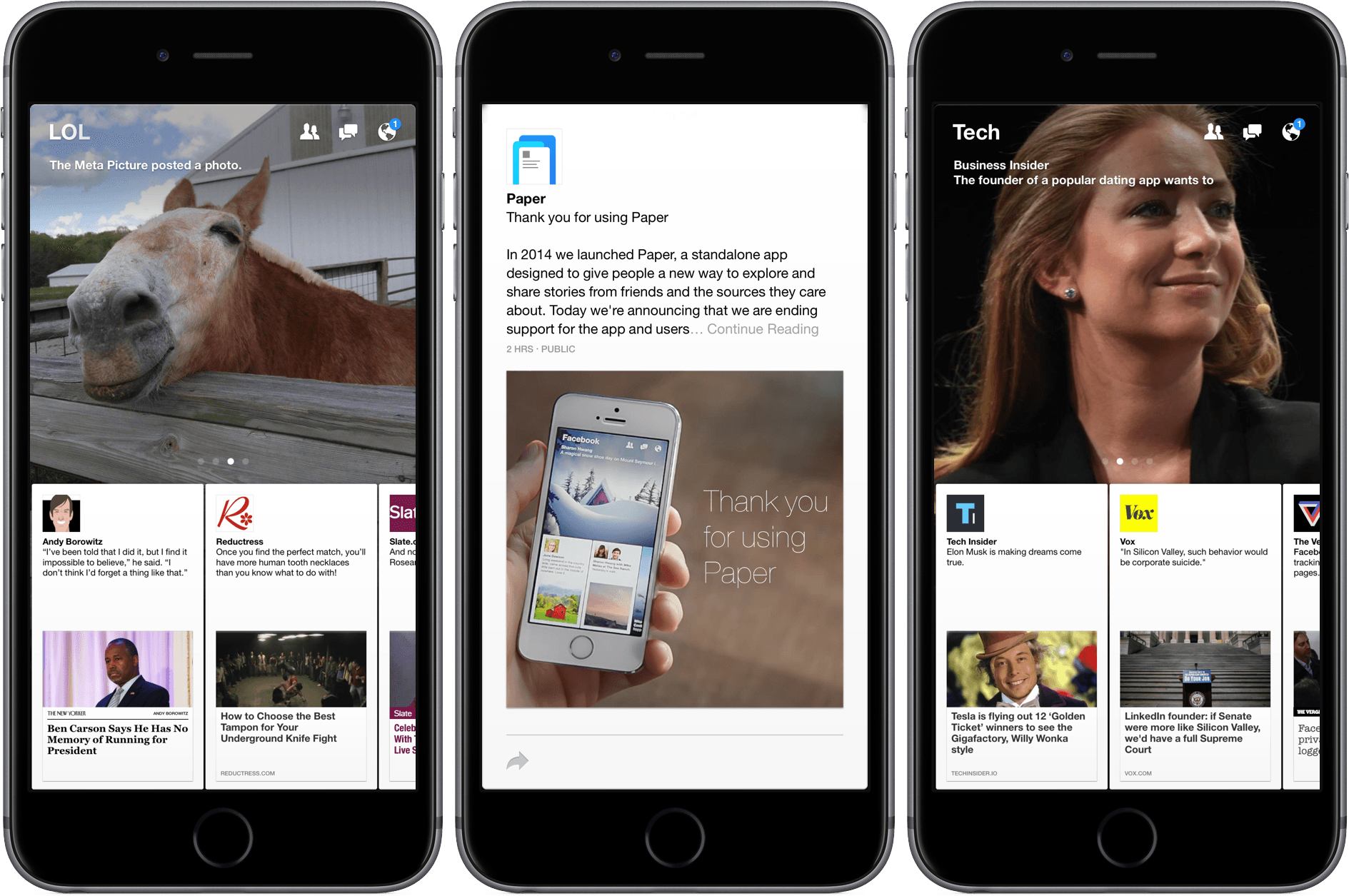
The Verge reports that Facebook is removing Paper, its design-forward alternative Facebook client, from the App Store today.

Paper was notable for the novel animations it used to guide you through the app — tap on a link and it would unfold like a letter; pull down on the story and it would fold back up, returning you to the feed.

Paper was one of the first products launched by Facebook from Creative Labs an experimental design and development group within Facebook that hired numerous high-profile designers around 2011, including Mike Matas. Matas’ early career highlights include stints at Delicious Monster and Apple where he had a hand in several of the interface elements of the original iPhone, iPad and OS X. He left Apple to found Push Pop Press with the goal of reimagining digital books. Push Pop Press had one product, an interactive version of Al Gore’s book Our Choice.

In August, 2011, Facebook acquired Push Pop Press. The animations and other design elements of Facebook’s Paper, which debuted in early 2014, were heavily influenced by Matas’ and Push Pop’s work on Our Choice and critically acclaimed at the time for their innovations, but the app never caught on with Facebook users. Facebook closed the Creative Labs group last December and Matas left Facebook earlier this year, so the shuttering of Paper is not surprising.

Facebook users who previously downloaded Paper can continue to use it until July 29, 2016, after which Facebook has said the app will no longer work.

Permalink