

Terminology, created by Agile Tortoise, doesn’t offer a Mac app, but you can easily integrate its dictionary into the built-in Mac dictionary app. All you need to do is download a ZIP file, uncompress it, and double-click the ‘Install.command’ file. Next, open the built-in Dictionary app, go to Preferences, and check the ‘Terminology’ dictionary...
Drafts 4.6 Has Nice Refinements and a Few Treats for Power Users
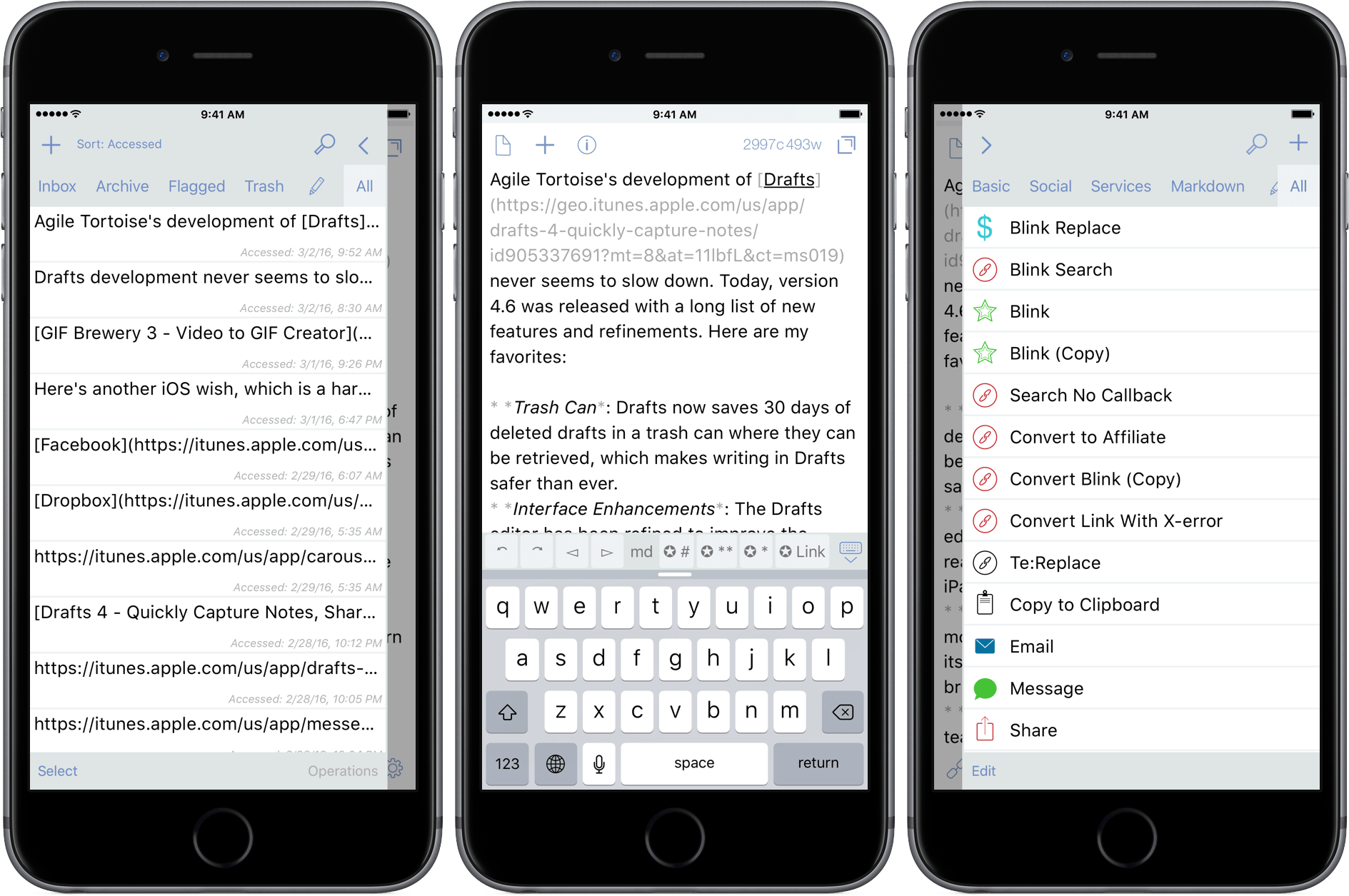
Agile Tortoise’s development of Drafts never seems to slow down. Today, version 4.6 was released with a long list of new features and refinements. Here are my favorites:
- Trash Can: Drafts now saves 30 days of deleted drafts in a trash can from which they can be restored, which makes writing in Drafts safer than ever.
- Interface Enhancements: The Drafts editor has been refined to improve the readability of your drafts, especially on the iPad.
- Automatic Dark Mode: Drafts can now monitor the ambient light in a room, and turn its dark mode on and off according to a brightness threshold that you select.
- Box Support: Last year the MacStories team started using Box as part of our document collaboration workflow, which makes Box support especially welcome. Much like Drafts’ Dropbox and Google Drive support, you can now create files in Box, and append and prepend to existing Box files.
- Today Widget: Drafts 4.6 debuts a redesigned Today Widget with a streamlined look.
- Icons: Drafts has added many action icons, which I like because it makes it even easier to identify my Drafts actions.
There are also some treats in Drafts 4.6 for power users too:
- Open in Drafts: Instead of opening Safari, you can set a URL action to open URLs in Safari View Controller, which keeps you inside Drafts. The Agile Tortoise blog includes a couple good examples of this that search Google and DuckDuckGo.
- ‘replaceRange’ URL Scheme Action: When used with an x-success callback parameter in a URL scheme action, ‘replaceRange’ can replace selected text in a draft with the results of a URL scheme call to another app. This is powerful stuff, and means you can do things like send selected text to Agile Tortoise’s dictionary app, Terminology, to look up a synonym, select it, and return it to Drafts, replacing the originally selected text. A similar action works with my app, Blink, where the selected text kicks off a search. After you select an item from the results, Blink sends an affiliate link back to Drafts, replacing the selected text with the link. I have more detail, and a demonstration of the Blink action on squibner.com. Both of these actions work on any iOS device, but the first time I saw them in action with both apps running in Split View on an iPad Pro, I was blown away. Writers will love these actions.
- Include Action: You can now incorporate one action into another by reference, which makes building actions more modular.
With version 4.6, Drafts continues its steady pace of innovation by continuing to redefine what a text editor can be, which is why it has been one of my go-to text editors for many years now.
Drafts 4.6 is a free update for existing customers, and $9.99 for new users.
GIF Brewery 3 Is More Powerful and Versatile Than Ever
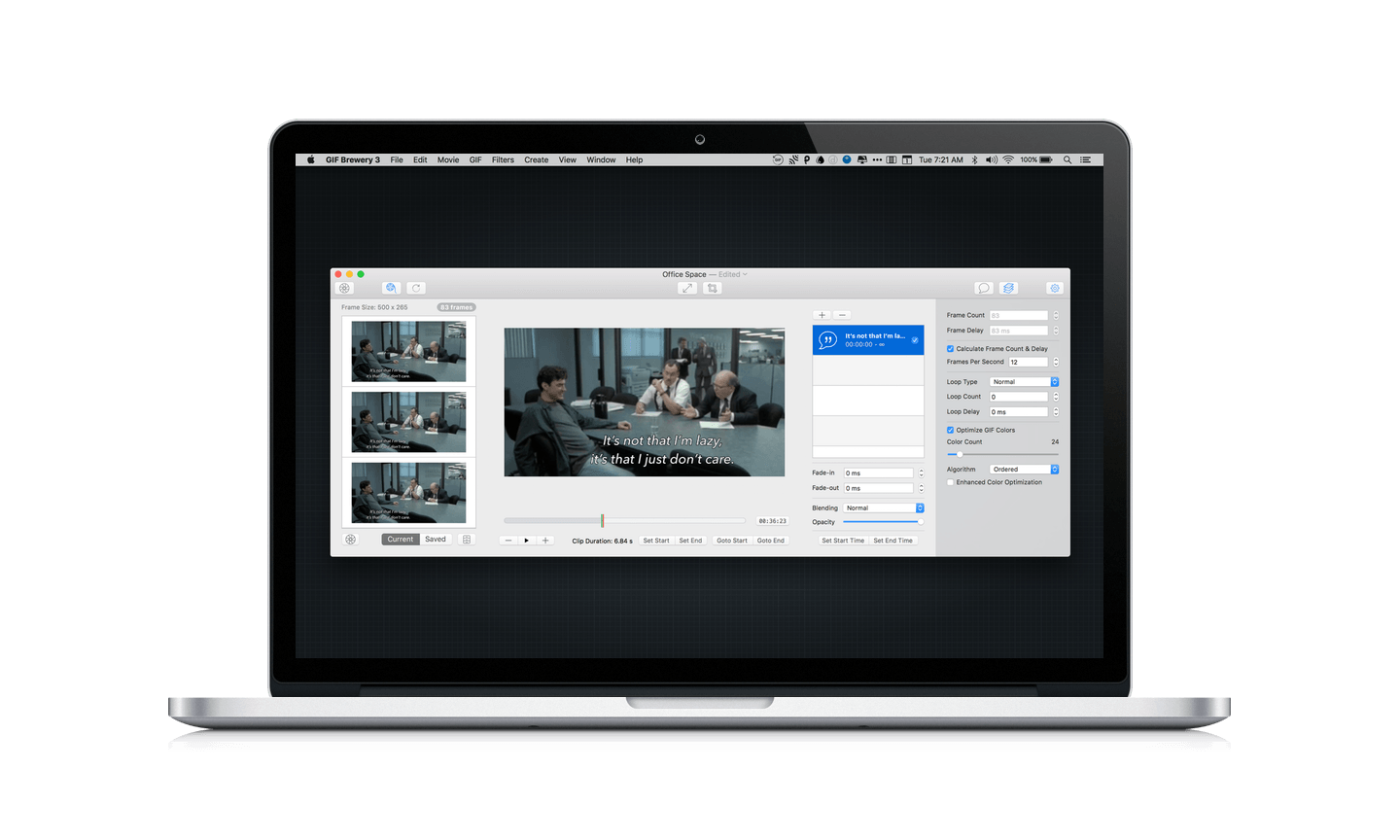
GIFs are everywhere. Sites and services like Tumblr, Twitter, and Facebook breathed new life into GIFs and created demand for things like Giphy, a GIF search engine. But a good search engine isn’t always enough. Sometimes I want to make my own GIFs. For that, I use GIF Brewery 3 from Hello, Resolven Apps.
Airfoil Extends and Enhances Audio Streaming
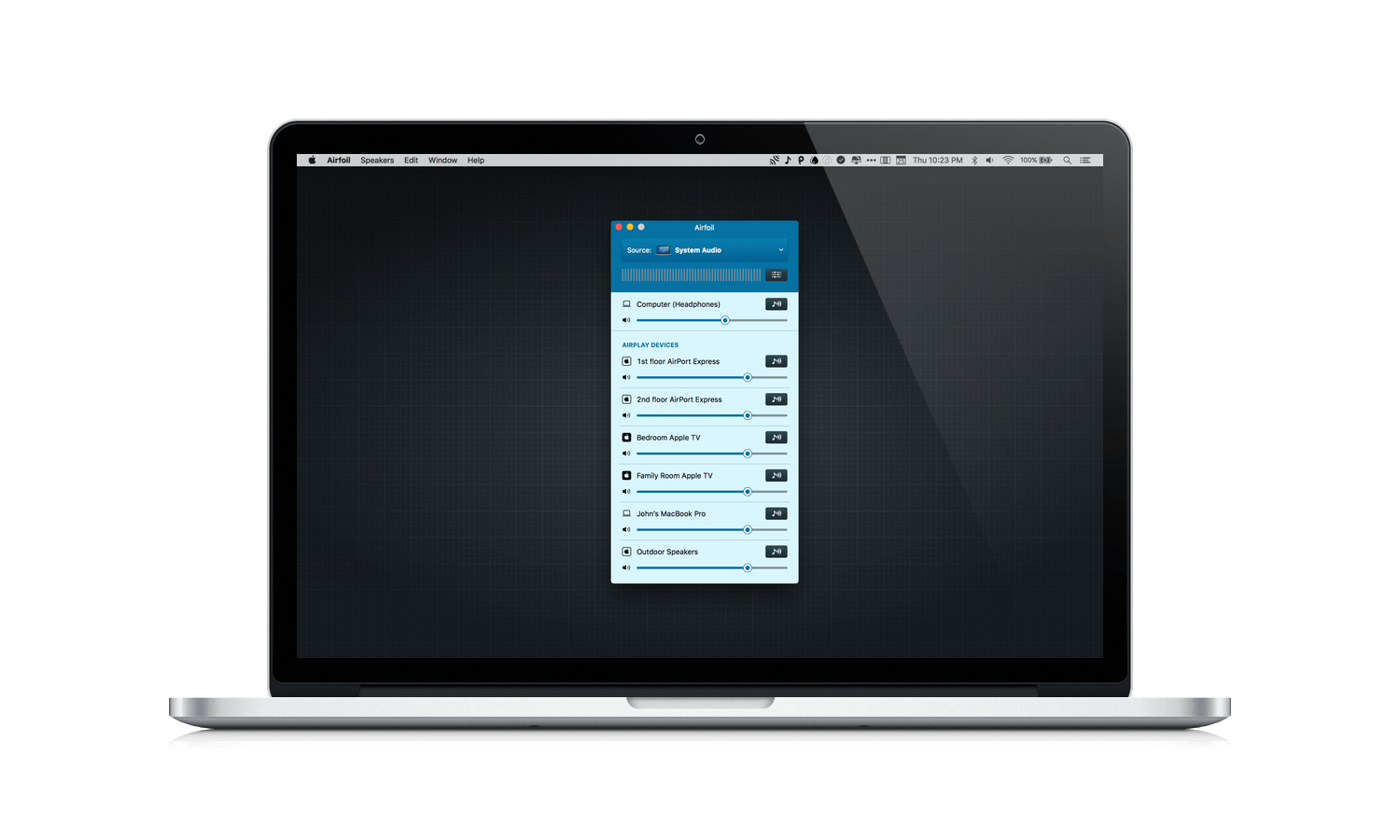
Sometimes apps are hard to ‘get’ because you don’t know you have the problem they intend solve until you try them. Airfoil by Rogue Amoeba was like that for me. Airfoil acts as a hub, routing audio from your Mac to anything connected to your local network. Between technologies like AirPlay and Bluetooth, I initially wondered what purpose Airfoil served. It wasn’t until I got eight devices streaming at once in perfect sync that I started to see some of the interesting possibilities.
 Ongoing Development
Last week I introduced the idea of ‘attention,’ which I think is the single most important problem facing app developers. Attention is a gating issue, without which your app may as well not exist because no one is going to find it. This is a great topic because it has so many different facets to...
Twitter’s Fabric App Brings Real-Time Analytics and Crash Reporting to the iPhone
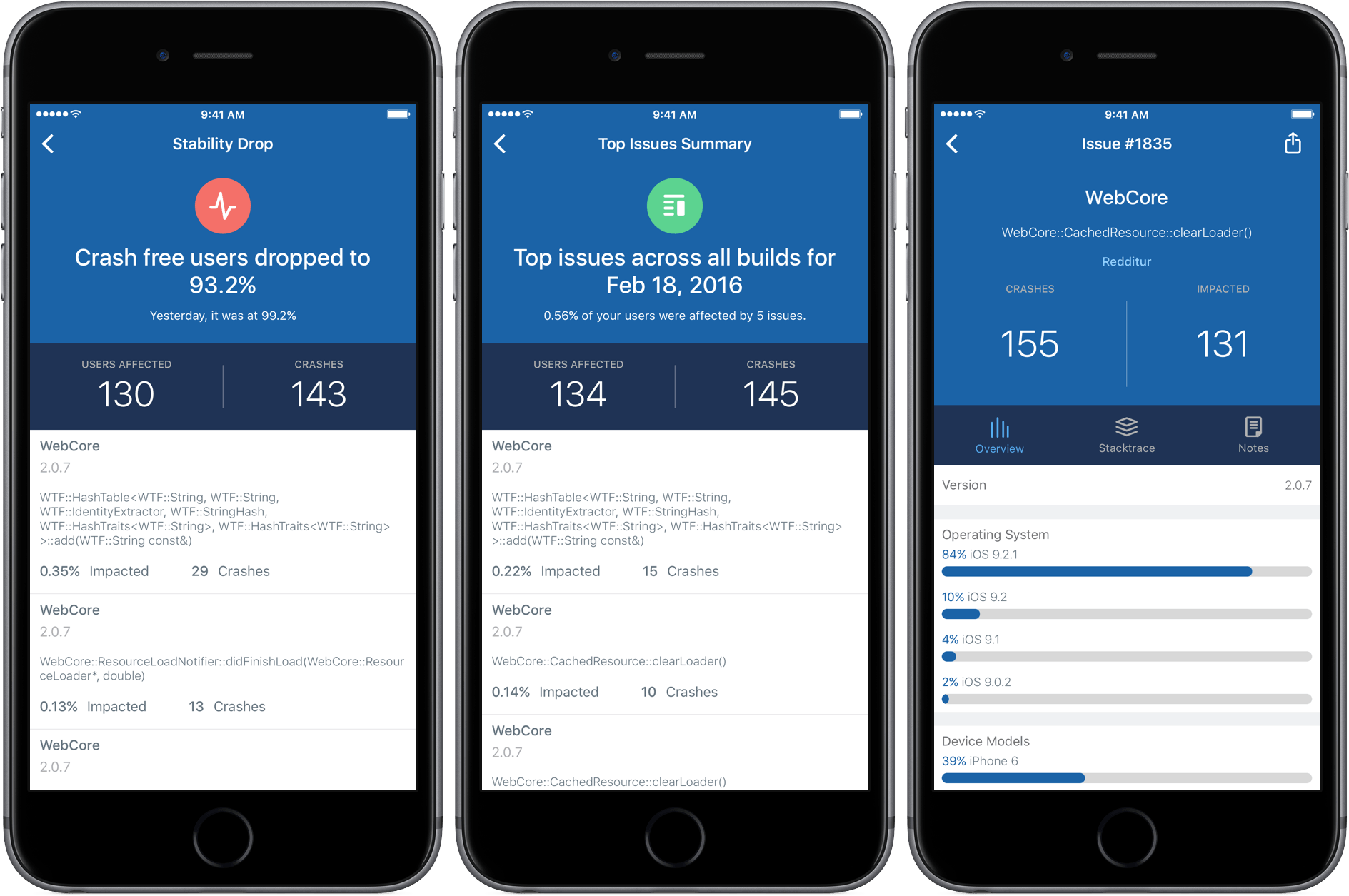
Over the past few years, Twitter has created and acquired an impressive array of mobile developer tools that it offers under the umbrella brand of Fabric. Today, Twitter released an iPhone companion app for Fabric that puts two of its most popular tools in your pocket – analytics and crash reporting. I have been testing Fabric, the iOS app, with two iOS apps provided by Twitter for the last few days and I’m impressed with its ability to sift through, organize, and display large quantities of data in an effective and meaningful way on an iPhone.
Ongoing Development
Hey everyone, John here. This is the inaugural installment of my new column for MacStories Weekly members called ‘Ongoing Development.’ As its name suggests, Ongoing Development is about software development, but it’s also about much more. Ongoing Development is about trying new things, seeing what works, and discarding what doesn’t. It’s about finding the time...
Screenbot Brings Droplr File Sharing to Slack
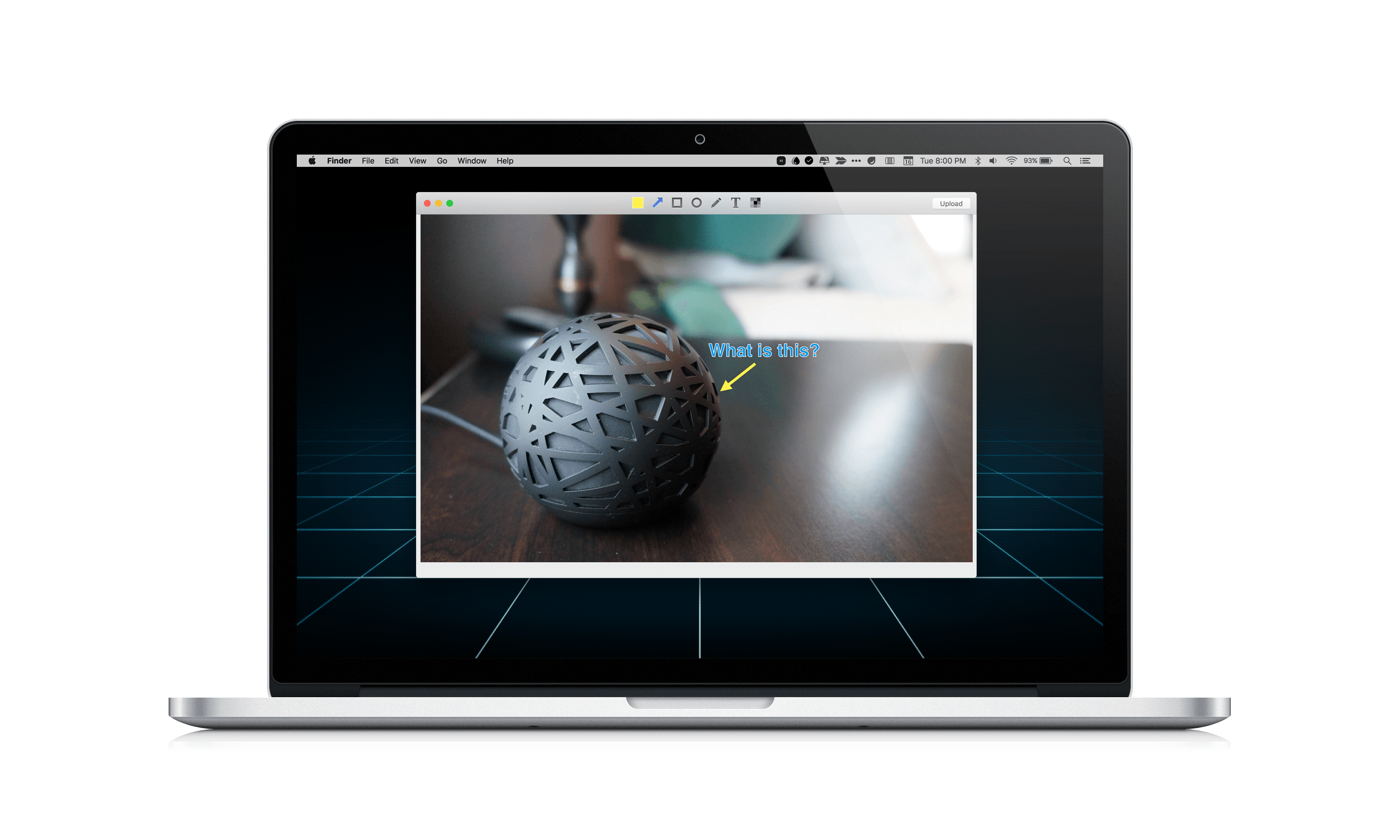
Yesterday, Droplr released a version of its online file sharing service as a Mac-only integration with Slack called Screenbot. Like Droplr, which I covered in my roundup of Mac and iOS screenshot apps, Screenbot makes it easy to share screenshots, screencasts, the clipboard, and other items.
Screenbot has a free tier that permits you to share a rather anemic 20 items per month. For unlimited sharing, you will need to pay $5 per Slack user, per month, which could get expensive fast if you have a lot of users. Given the amount of time so many teams spend in Slack, Screenbot is a smart move by Droplr, but I am skeptical about whether it is economical, unless you have a big budget and your file sharing needs are simple.
Dropshare 4 is a Great Alternative to File Sharing Services
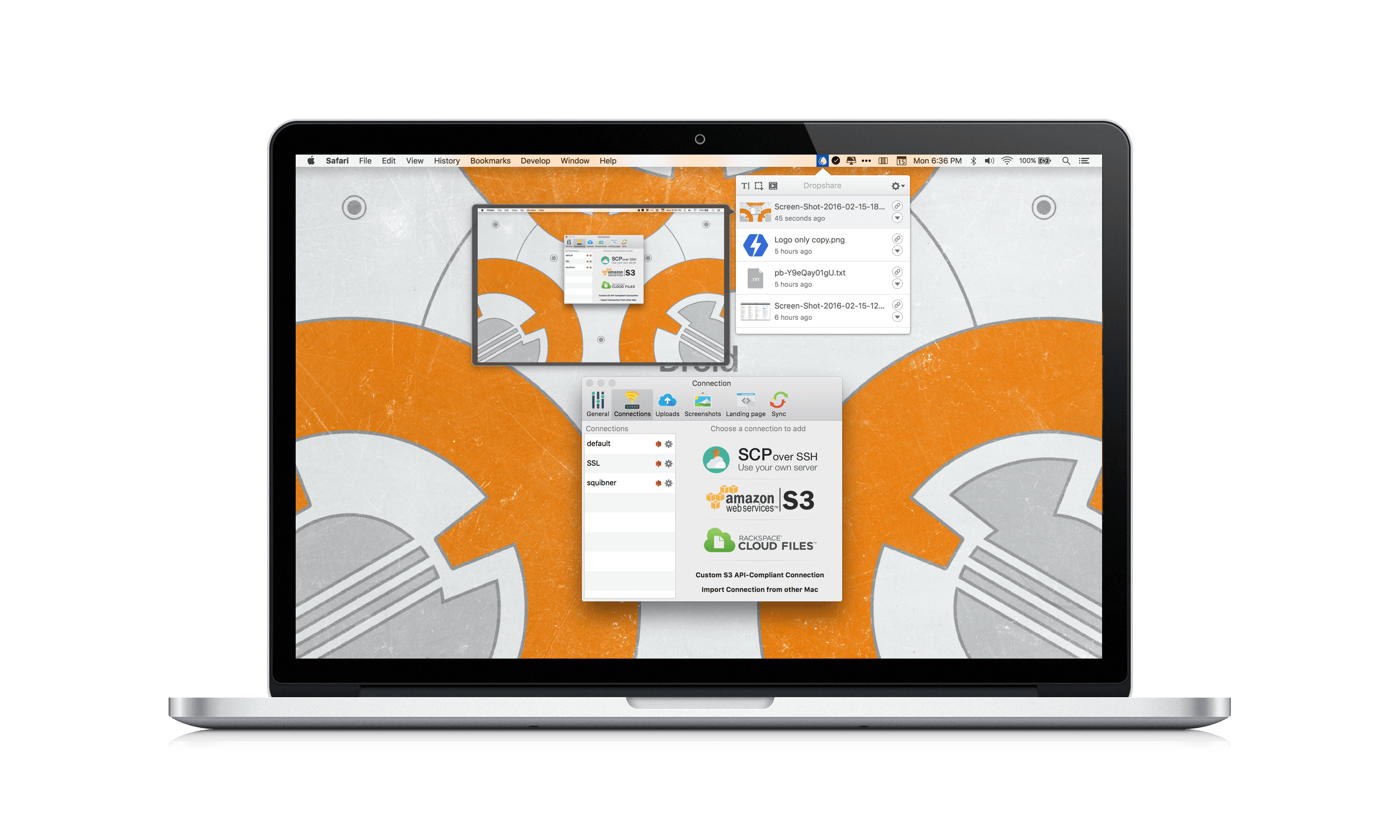
I have tried a bunch of file sharing services over the years and many of them are good, including Droplr and CloudApp. These services have the advantage of being dead simple to set up and use, but they also happen to be subscription services. Over time, the expense adds up. The tools that come with those services are also limited.
Recently, Timo Josten released Dropshare 4 for Mac, an app that helps you create your own file sharing by connecting to services like Amazon S3, Rackspace Cloud Files, or your own server. I was skeptical about whether setting up Dropshare with one of these services would be worth the trouble, but I knew Amazon S3 has a generous free tier, so I thought I would give it and Dropshare for iOS a shot. The setup process was much easier than I anticipated and now with Dropshare I’m spending less, and can do more, with the files I share.