John
John
AppStories Episode 84 - Frequently-Used Shortcuts, Part 2
0:00
32:04
32:04
This week, Federico and John go over more of their favorite shortcuts, focusing on web API-based shortcuts and creating menus to organize and launch shortcuts.


 Frequently-Used Shortcuts, Part 2
  Moving a Calendar Event to a Different Day
App Debuts
Moving a Calendar Event to a Different Day
App Debuts Jason Snell, writing for Macworld on the announcement of Photoshop coming to iPad next year:
Adobe’s move to iPad instantly makes everyone who knows, loves, or relies on Photoshop a possible candidate for an iPad Pro. And make no mistake, the iPad Pro is already plenty powerful enough to run Photoshop, and with the Apple Pencil it’s got an input method that will satisfy most graphics pros. Even better, Adobe has said that it will be building in cloud syncing for Photoshop files, so that you’ll be able to seamlessly hand off projects directly from one device to another.
A lot of the criticism of the iPad Pro as a flawed tool for doing real work comes down to software. The hardware is capable—but where’s the software? These arguments have been weak for a while now—I think Microsoft Office for iPad is aces, and Apple’s iWork apps are remarkably capable, too—but with every major app that arrives on the platform, the quieter that criticism has to get. Adobe’s also bringing a simplified version of Premiere, called Premiere Rush, to the iPad. I wonder if Apple’s considering just how Final Cut and Logic might work on the iPad?
As I’ve been arguing for a while now, I believe we’re witnessing a shift in how tech companies – both platform owners and development studios – approach desktop and tablet software. Multiple factors – from better-looking displays and more powerful GPUs to cloud-based file management and subscriptions – are converging to make it possible to have a consistent app experience on every device you have without compromise. In this transition, iPad versions of desktop apps will be treated less like “companion” apps to a “real” desktop one and more like the same app, with the same features, optimized for touch and capable of adapting to the kind of computer it is running on (and adaptivity becomes especially important when you start considering external display output, for instance).
Photoshop, as Snell writes, is a first step. If Apple is truly pushing this vision forward, perhaps it’s time they also start treating the iPad as a place for real pro apps, not just companion utilities of macOS apps.
I’ve spent the past two weeks updating my iPhone’s home screen setup for the XS Max and, as I shared in the latest episode of AppStories, part of the process involved gaining easier access to some of the shortcuts I use on a regular basis. While I’m not a fan of the shortcuts-only home screen approach described by CGP Grey in episode 75 of the Cortex podcast (at some point, I believe you just end up swapping app folders for shortcuts), I do like the idea of adding a couple of frequently used custom shortcuts to the home screen. And as I detailed on AppStories, I also like to use “shortcut launchers” – effectively, shortcuts to launch other shortcuts.
Frequently-Used Shortcuts, Part 1
Member Requests In my iOS 12 review from last month, here’s what I wrote about iOS 11’s slow adoption rate as it related to its performance:
While iOS 11 may go down in Apple software history as the touchstone of the iPad’s maturity, it will also be remembered as one of the company’s most taxing releases for its users. You don’t have to look far into the iOS 11 cycle for headlines lamenting its poor stability on older hardware, plethora of design inconsistencies (which were noted time and time again), and general sense of sluggishness – issues that may have contributed to a slower adoption rate than 2016’s iOS 10.
[…]
With iOS 12, Apple wants to rectify iOS’ performance woes, proving to their customers that iOS updates should never induce digital regret.
It sounds like at least part of Apple’s plan to focus on performance to entice upgrades to iOS 12 is working. Here’s Benjamin Mayo, writing for 9to5Mac last week:
Apple launched iOS 12 with much fanfare earlier this month but early adoption appeared sluggish. However, in the following weeks, iOS 12 adoption has actually outpaced iOS 11 now, according to data from Mixpanel.
iOS 12 is now installed on more than 50% of active iPhones, iPads and iPod touch devices. It took iOS 11 a month to reach this milestone; iOS 12 has achieved it in under twenty days.
The numbers have since been confirmed by Apple on its Developer site.
Anecdotally speaking, I’ve yet to hear of any friends or family members who updated to iOS 12 and regretted it. It’s almost as if Apple was able to somewhat slow down and ship a higher-quality iOS release that more users can enjoy and recommend to others. Or maybe it’s just the Memoji.
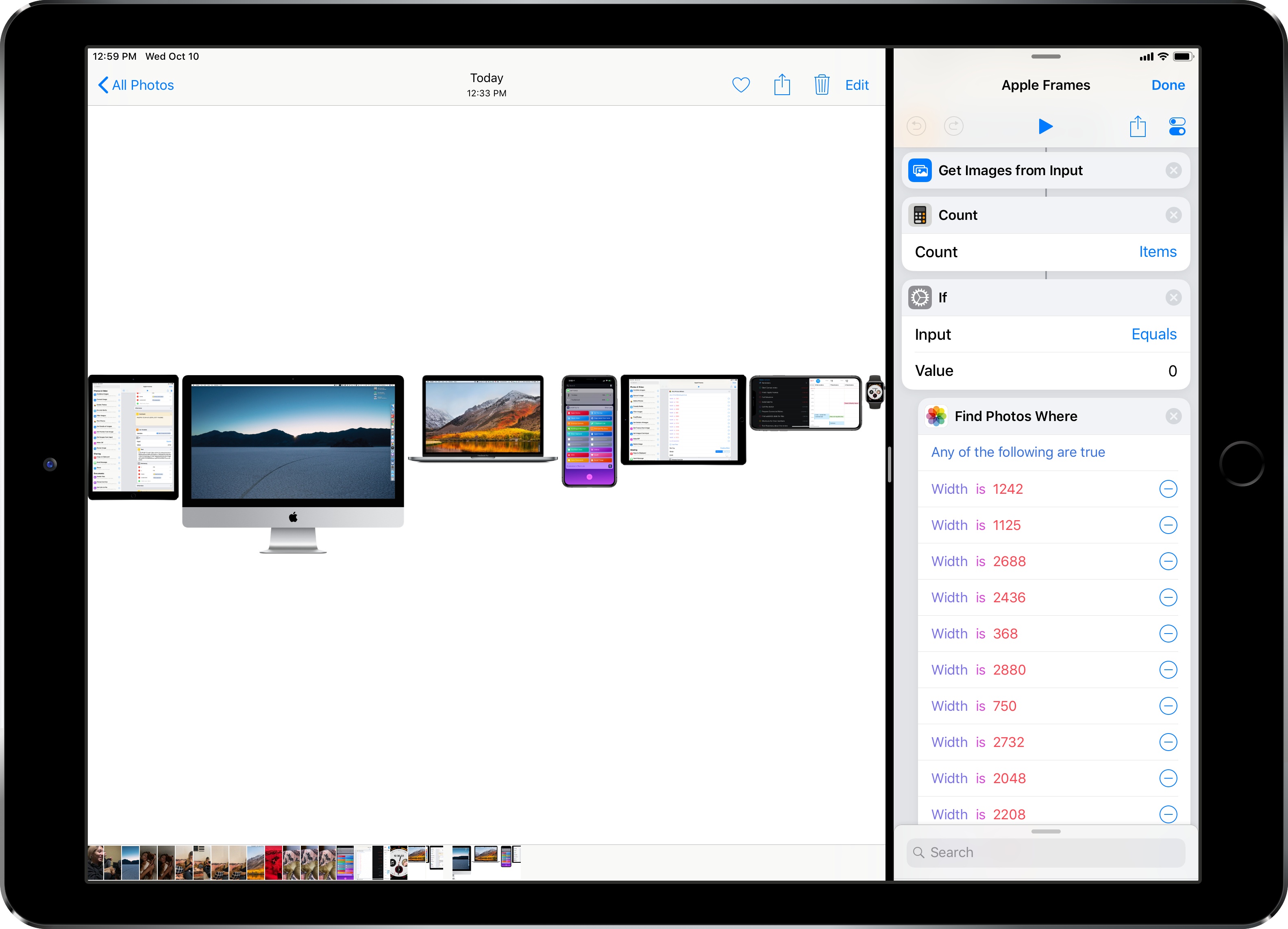
When I published my iPhone XS Frames shortcut two weeks ago, I noted that my goal was to eventually support screenshots and device templates from other Apple devices, starting with the Apple Watch and MacBook Pro. After two weeks spent rebuilding the shortcut and asking Silvia to prepare several more templates, I’m happy to re-introduce my shortcut as the new and improved Apple Frames – a comprehensive custom shortcut to frame screenshots taken on every Apple device. Well, at least most of the current ones that the company is still selling.