

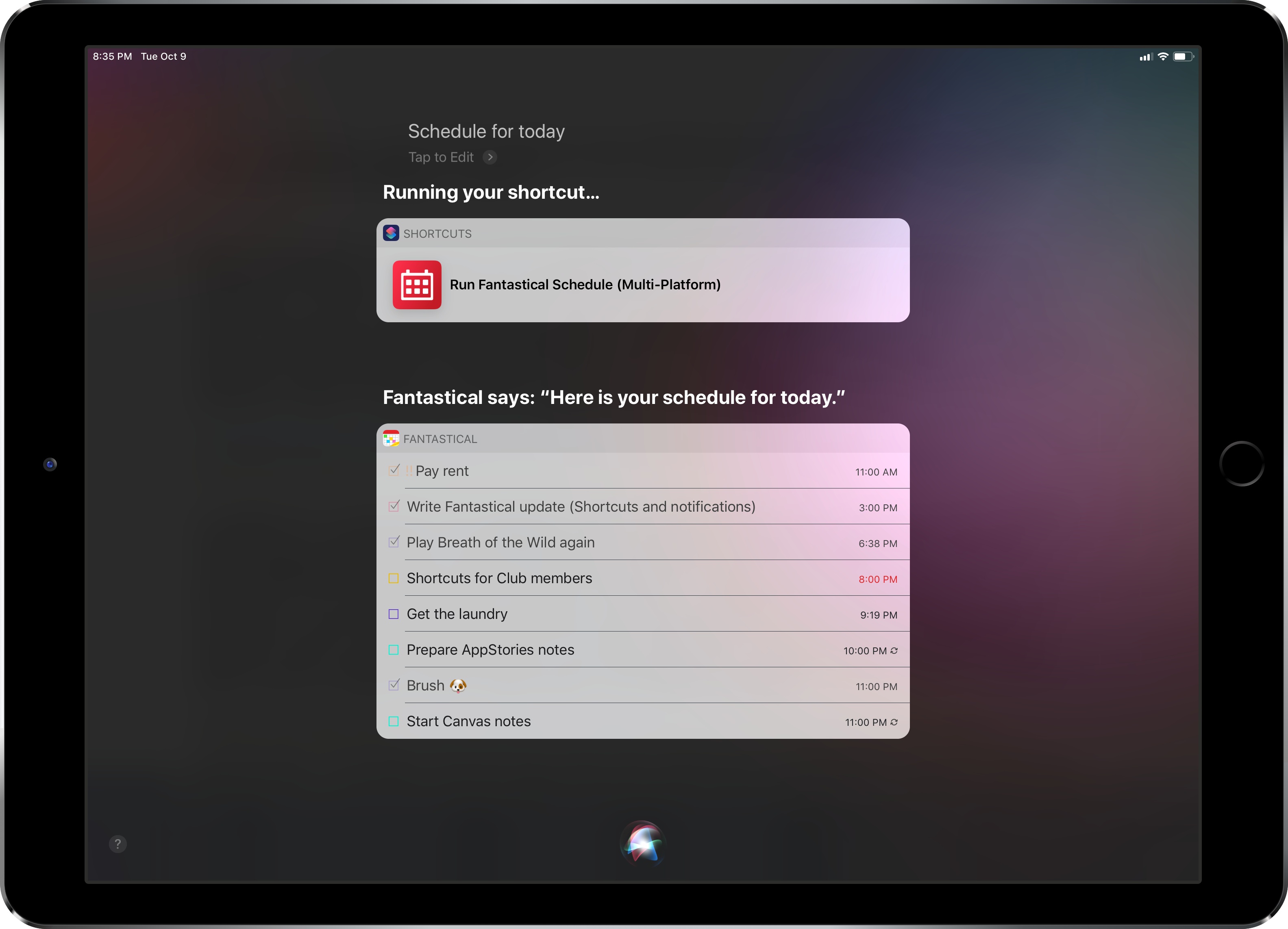
Fantastical was updated last week to version 2.10, which brought support for some of the key features of iOS 12 and watchOS 5 – namely Siri shortcuts and complications for the Infograph watch faces. I want to highlight some of the changes in this release and how they fit my usage of Reminders as my main task management system.
 Our Apple Watch Faces, Complications, and Docks
 John
John
AppStories Episode 82 - Our Apple Watch Faces, Complications, and Docks
0:00
38:25
38:25
This week, Federico and John talk about how they’ve set up their new Series 4 Apple Watches including the complications they use, new apps they are trying, and what’s in their Watch docks.
 A Custom ‘Ping My iPhone’ Shortcut
...
Connected, Episode 212: NanoHippo→
Stephen answered Myke’s PopSocket challenge, and Federico attempts to name all of iOS 12.1’s new emoji.
On this week’s episode of Connected, the most accurate description of iOS 12.1’s new emoji you’ll ever find. You can (and should) listen here.
Sponsored by:
Visualizing Photos Taken ‘On This Day’ in Previous Years with Shortcuts
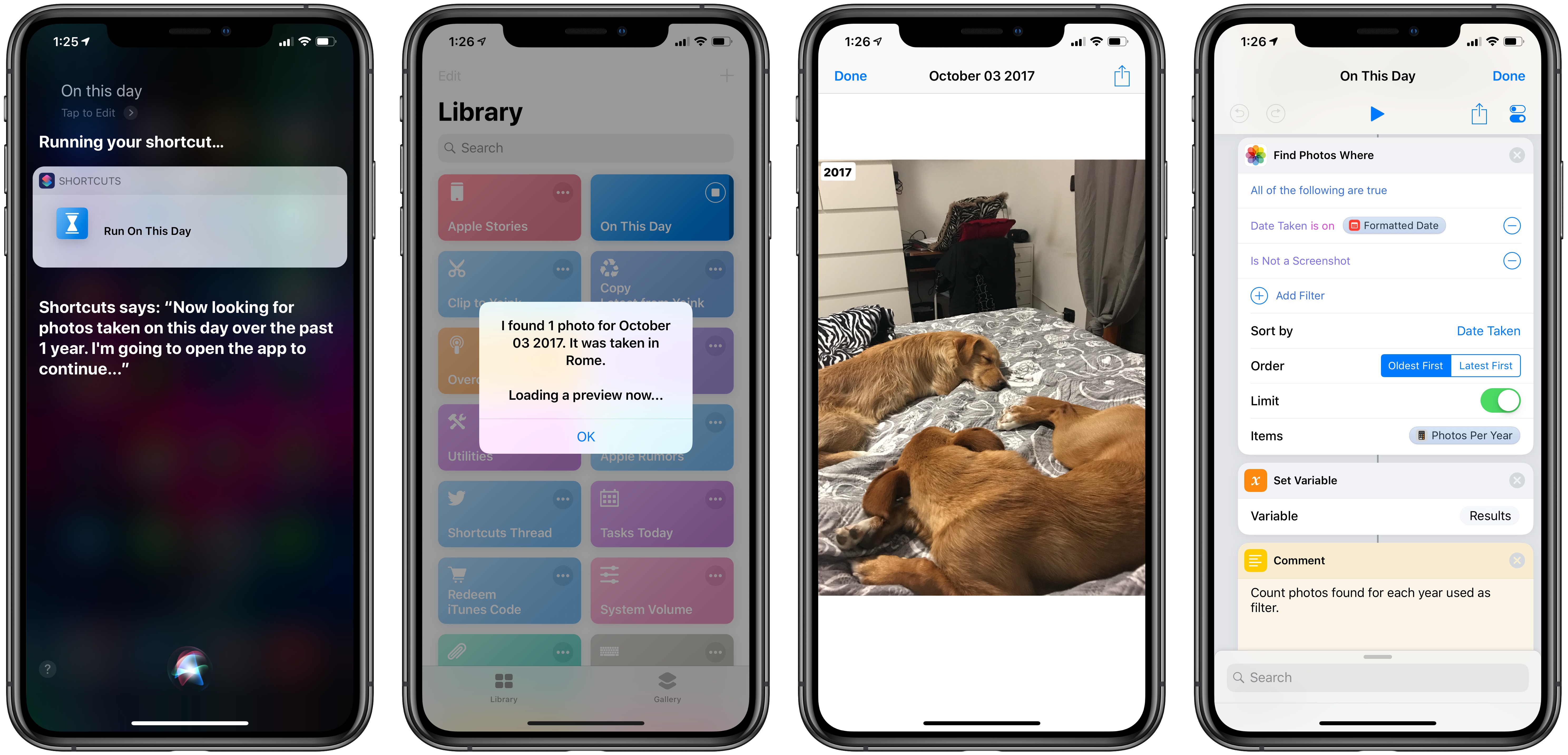
I’m in the process of creating a complete archive of every workflow I ever created for the Workflow app and updating each one for Shortcuts. As I was browsing through my old Workflow articles, I came across an interesting workflow I created in early 2015 called Photo Flashbacks. The main idea was simple enough: given Workflow’s ability to read the contents of the photo library, the workflow would filter a photo taken on the same day in previous years and preview it with Quick Look. That seemed like a fun project that I could pick up again and improve for the Shortcuts app.
Mac and iOS App Convergence
Connected, Episode 211: That’s Enough To Shrink Some Jeans→
The guys debate the Mac’s future being tied to the quality of Marzipan apps before sharing their impressions of the iPhone XS Max and the Apple Watch Series 4. Some advice on how to listen to the show correctly is also shared.
On this week’s episode of Connected, we talk about iPad apps on the Mac and share our thoughts on new iPhones and Watches after nearly a week of usage. You can listen here.
Sponsored by:
- TextExpander, from Smile: Communicate smarter. Use this link for 20% off your first year.
- Pingdom: Start monitoring your websites and servers today. Use offer code CONNECTED to get 30% off.
Custom Save Menu for Keep It
...
Overcast 5.0.2 Adds New Series 4 Complications, More Siri Shortcuts
Following a major update that introduced a redesigned Now Playing screen, extensive shortcut support, and standalone Watch playback, Marco Arment has brought a variety of enhancements and fixes to version 5.0.2 of Overcast, released earlier today.
Overcast 5.0.2 has added new round complications for the Infograph faces on the new Apple Watch; these act as launchers that simply open the Overcast app on the Watch, which I find convenient enough. Furthermore, you can reduce the amount of haptics used by the app to communicate certain actions (I love haptic feedback in Overcast, so this option isn’t for me), and there are new options for configuring how the ‘Send to Watch’ feature works.
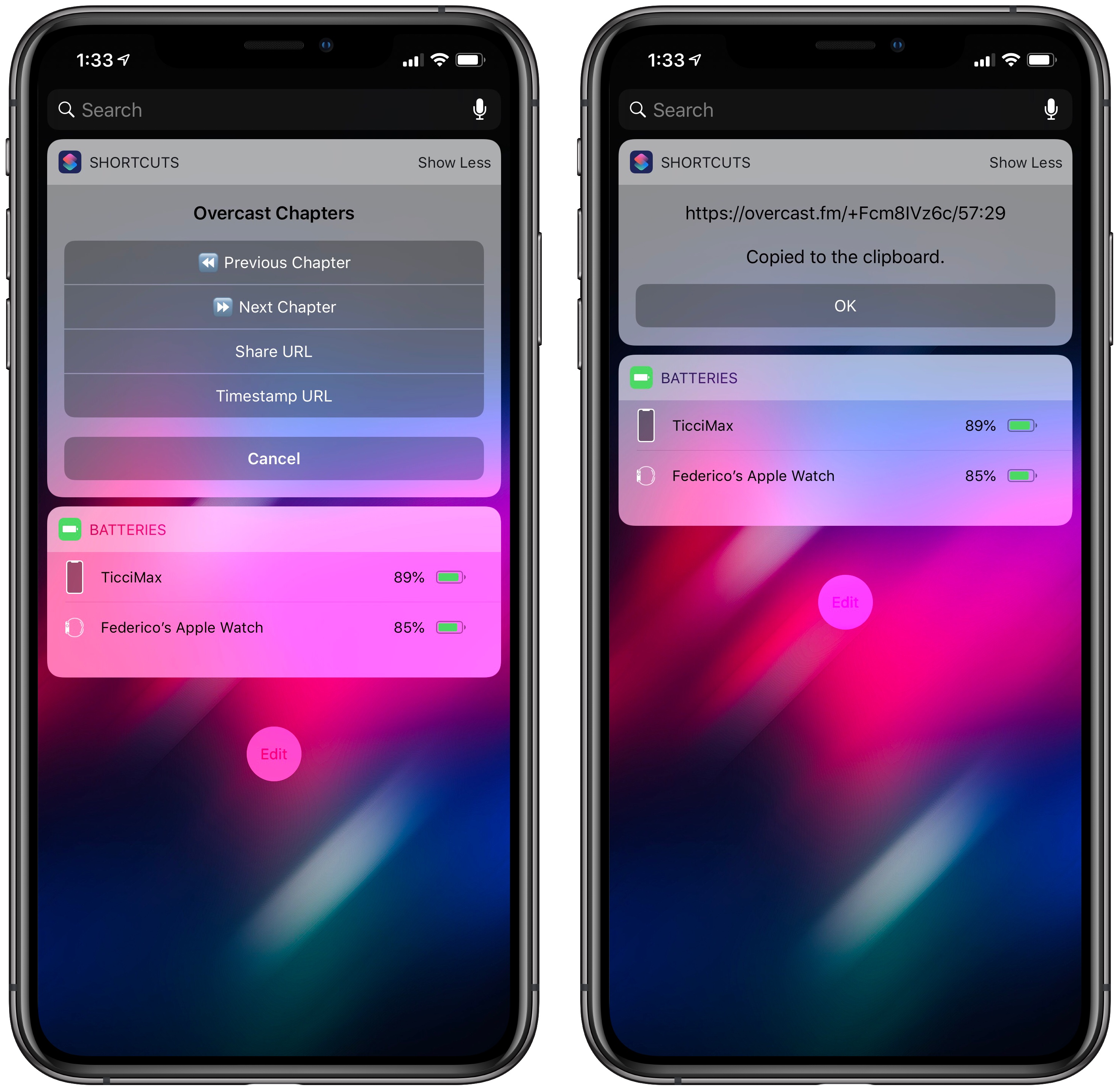
Most of all though, I’m interested in the new Siri shortcuts supported by Overcast. The app now offers shortcuts to activate or cancel the sleep timer, as well as two shortcuts to copy the current episode’s standard or timestamped link to the clipboard. The ability to quickly generate an Overcast link for the episode you’re listening to is a perfect use case for shortcuts: it removes repetitive interactions with the app and, with the tap of a button or Siri phrase, it gives you a link you can instantly share with others.
For the occasion, I’ve turned my original Overcast Chapters widget shortcut into Overcast Controls, an enhanced widget that, besides chapter navigation, now uses the app’s new shortcuts to let you copy episode links too. You can download it below.

Overcast Controls
Navigate chapters or copy links for the Overcast episode you’re currently listening to. Best used as a widget.